
"WANTED - #LINUX
This concept is dangerous"
#Tux

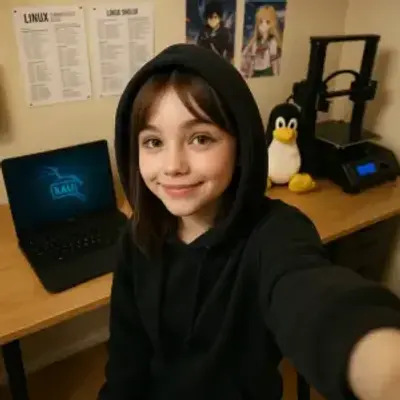
The conflict in the free software sector ...
https://anonsys.net/display/bf69967c-7469-336e-7fae-feb311802168

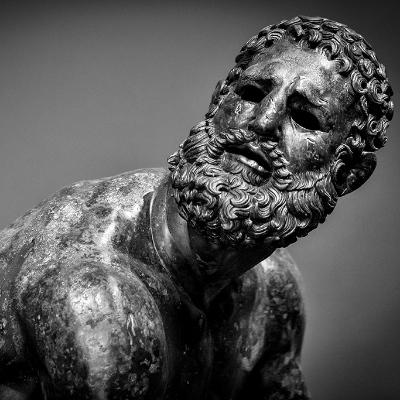
A real nerd checks more deeply. 🐧⚠️
https://anonsys.net/display/bf69967c-1869-30be-a438-390428785481


Den ganzen TUXMas-Kalender mit zusätzlichen Informationen findet Ihr auf: https://goos-habermann.de


Remember that job interview, the one with a boss with a Tux tattoo?
Well, they're gonna make a proposal!!!
Yay!!!
I am almost certain this isn't going to install lol
#Linux #RetroComputing #LinuxDistro #OpenSource #LinuxHistory #Tux #LinuxLife #Nostalgia #Unix #FOSS #TechThrowback

Well, here it is. Libranet GNU/Linux 2.7 Classic
#Linux #RetroComputing #LinuxDistro #OpenSource #LinuxHistory #Tux #LinuxLife #Nostalgia #Unix #FOSS #TechThrowback

Hmm... heard of this distro but never tried it before. Guess I will today if it works
#Linux #RetroComputing #LinuxDistro #OpenSource #LinuxHistory #Tux #LinuxLife #Nostalgia #Unix #FOSS #TechThrowback

Linux 6.18 Release Improves Gaming, Laptops, and Security
https://anonsys.net/display/bf69967c-1969-2dba-8c41-75c371800178

Dieses Jahr gibt es mal einen anderen Adventskalender als den runderneuerten Linux-, OpenSource- und m23-Adventskalender:
Schaut jeden Tag, wie sich Tux und seine Freunde auf TUXMas vorbreiten.

Okay we're fine now. Take Caldera OpenLinux eDesktop 2.4
#Linux #RetroComputing #LinuxDistro #OpenSource #LinuxHistory #Tux #LinuxLife #Nostalgia #Unix #FOSS #TechThrowback

Oh Caldera...
#Linux #RetroComputing #LinuxDistro #OpenSource #LinuxHistory #Tux #LinuxLife #Nostalgia #Unix #FOSS #TechThrowback

Where were you when the penguin needed you?
https://anonsys.net/display/bf69967c-1269-2ce7-fe02-1d9660235836

People seemed to like my Mandrake 7.2 install so have 5.1 too. Glad it worked this time :blobsmile:
#MandrakeLinux #Linux #RetroComputing #LinuxDistro #OpenSource #LinuxHistory #Tux #LinuxLife #Nostalgia #Unix #FOSS #TechThrowback #Mandriva #Mandrake


Something has gone wrong heh. This was supposed to be Mandrake 5.1
#MandrakeLinux #Linux #RetroComputing #LinuxDistro #OpenSource #LinuxHistory #Tux #LinuxLife #Nostalgia #Unix #FOSS #TechThrowback #Mandriva #Mandrake

Ok we are actually all done-
#MandrakeLinux #Linux #RetroComputing #LinuxDistro #OpenSource #LinuxHistory #Tux #LinuxLife #Nostalgia #Unix #FOSS #TechThrowback #Mandriva #Mandrake

All done :blobsmile:
#MandrakeLinux #Linux #RetroComputing #LinuxDistro #OpenSource #LinuxHistory #Tux #LinuxLife #Nostalgia #Unix #FOSS #TechThrowback #Mandriva #Mandrake

Hmm pretty
#MandrakeLinux #Linux #RetroComputing #LinuxDistro #OpenSource #LinuxHistory #Tux #LinuxLife #Nostalgia #Unix #FOSS #TechThrowback #Mandriva #Mandrake


Eine Weihnachtsmütze für den Lego Tux
Client Info
Server: https://mastodon.social
Version: 2025.07
Repository: https://github.com/cyevgeniy/lmst