@ryanashcraft Nice! I just squeaked in my year-end Dash Calc update—approved at midnight!
https://apps.apple.com/us/app/dash-calc-simple-fast-math/id6447994844

Product designer & code wrangler. Cyclist, runner, wannabe drummer. Fan of science, logic, and reason.
@ryanashcraft Nice! I just squeaked in my year-end Dash Calc update—approved at midnight!
https://apps.apple.com/us/app/dash-calc-simple-fast-math/id6447994844

@mpu Well well…look who just got a story featured in the App Store!

@Sketch A proper variables + modes system like Figma’s.
I want to define multiple color themes with multiple modes (light, dark, high-contrast, etc.) and quickly swap them for any selection. This is straightforward in Figma, but I haven’t found a comparable workflow in Sketch.
If this already exists, my request is to make it easier to discover and use. From what I can tell, Sketch relies on Libraries, which feels clunky and isn’t a 1:1 equivalent.

@ralfebert I’ve lost count of otherwise solid tutorials that fall apart because the recordings are ultra-high-res with tiny code text, presenters don’t actually show the code they’re describing, or the pacing is erratic.
It may not have the polish or feature set of big course platforms like Coursera, but the depth and clarity of the Swift content are what make Hacking with Swift so valuable to me. It’s an auto-renew every year.
@ralfebert I’ve tried a lot of tutorials, and Paul Hudson’s (@twostraws) Hacking with Swift has been the best match for how I learn.
Short, focused videos (5–15 minutes), clear real-time explanations while coding, and screen recordings that are actually readable—larger fonts, minimal Xcode clutter, and sensible pacing. You can code along, or just watch and rely on the full transcript and copy/pasteable code blocks below.
@stephenrobles Huh—same here, it’s missing on mine too. 🤨
At least your search shows that it exists. On my phone, it's still basically useless after updating…TWO days ago!?

@stephenrobles Probably tough to make something that’s easy to trigger yet survives the low-precision input of a whole foot. 😄
When I was learning drums, I briefly thought about using an electronic kick trigger for mouse clicks—figured it might help my doubles. Never followed through; seemed like more hassle than it was worth.
@stephenrobles About time!
For some reason this made me think…have you ever considered a foot switch to control _even more_ things? I mean, your feet are just sitting there doing nothing anyway—think of the possibilities!
And because of course this exists:
https://www.elgato.com/us/en/p/stream-deck-pedal
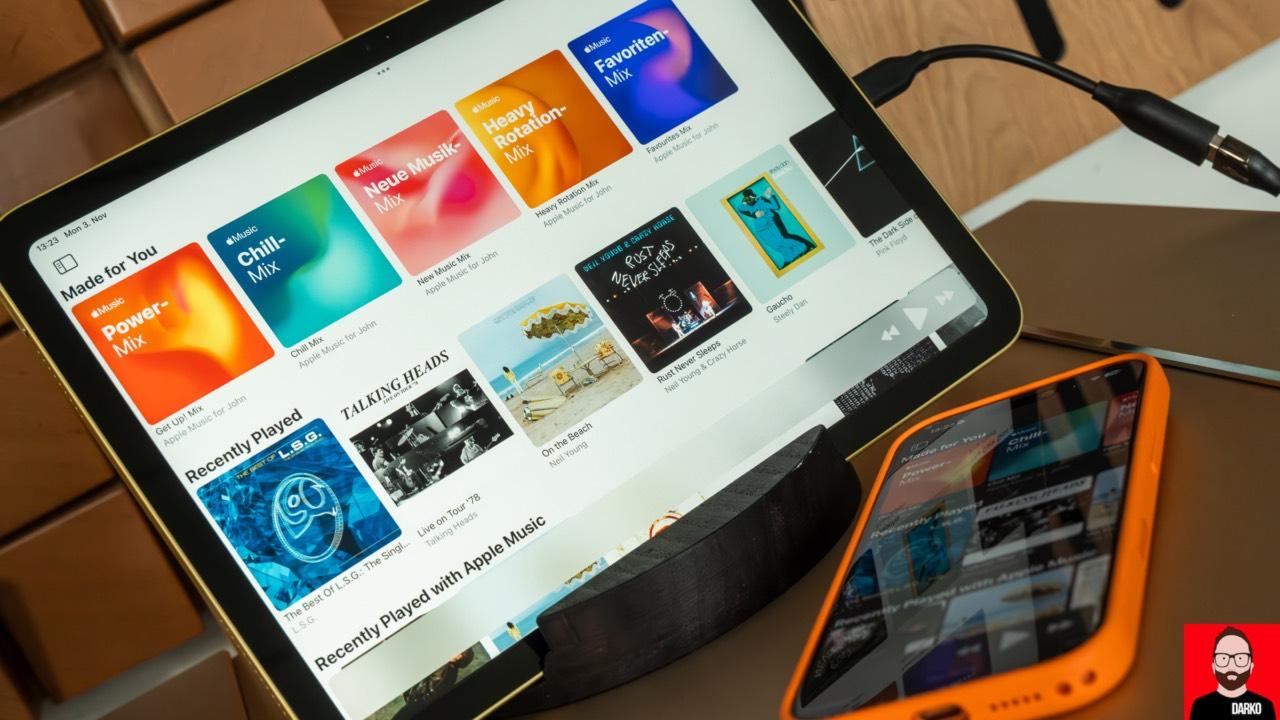
#Lysoniq: the $9 app that helps unlock #AppleMusic’s hi-res
by John Darko
https://darko.audio/2025/11/lysoniq-the-9-app-that-helps-unlock-apple-musics-hi-res/
@mathijskadijk @simonbs I’d love to see video support too…but then the next logical step would be 3D rendering! 😄
I recently found Rotato, which is great for animatable, perspective mockups, but it seems neglected (no response to email or Discord), and there isn’t a clear alternative. Could be a potential opportunity for Bezel? Though I fully realize a 3D renderer is a whole different (and more complex) product.
@JPZ @_Davidsmith Welp, no official release today—just another RC. Hopefully it fixes more issues than it introduces. 🤞

@_Davidsmith I'm a little surprised they didn't wait for the imminent 26.2 release. There are enough top-level visual glitches in 26.1 that I wouldn’t have pushed that button yet—like the Today screen swipe stutter, which 26.2 fixes.
Or maybe it _is_ timed with the 26.2 release, but just got a little ahead, and we'll see the update today or tomorrow? 🤔
@twostraws Love it! I especially like this instruction:
"Target iOS 26.0 or later. (Yes, it definitely exists.)"
Yup, LLMs will often think iOS 19 is a thing. 😆
@onlinegoddess I appreciate the kind words. If you have any feedback, just use the Send Feedback button in Settings—I'm always looking for ways to improve Dash Calc!
@twostraws Nice list! One tip: add the most commonly-violated items (reworded into clear rules) to your global CLAUDE.md or similar prompt file so LLMs will at least try to follow them. I’ve had several in mine for a while and it definitely helps.
Another promising tool is "cupertino" by Mihaela Mihaljevic, which provides an MCP with a local store of Apple docs so your AI agent can reference up-to-date API documentation:
https://github.com/mihaelamj/cupertino
@vincefried As long as SwiftUI has been around, I’m still surprised by how finicky it can be—and how little customization the standard controls offer. I tried to stay pure SwiftUI in my app, but ended up dropping to UIKit to get proper text selection in a multi-line field. I barely know UIKit, but with some LLM help I still got a fully working control in a few days.
@simonbs As an update addict, I read every release note—but I also hate launch modals and try to avoid modals in general.
In my app, I use a small notification dot on More and Settings instead. Inside Settings there’s an inline developer note with the release notes that can be easily dismissed.
Heh, bit of a mouthful. I think I prefer “paw”—I’m partial to three-letter names. ;)
It looks like it's been around since iOS 26 Release Candidate:
https://stackoverflow.com/questions/79760365/ios-26-rc-view-becomes-invisible-when-it-was-swiped-back-from-a-zoo