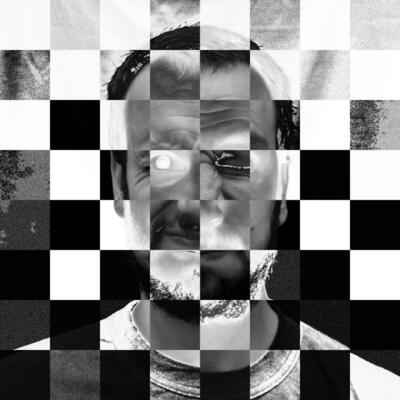
#ReverseLens

Lens Artists Challenge #350: Zooming

‘Zoom, zoom, zoom!’ says, Anne, who is our host for the Lens-Artists Challenge this week. Unsurprisingly, her choice of subject is ‘Zooming‘, and she adds: ‘It’s one of my favorite types of photography, and it is fun!’ Zooming, or ‘zoom burst’ photography as I’ve seen it called, is certainly great fun. As Anne says, at the core of this technique is mounting a zoom lens on the camera and, when taking an image, changing the focal length of the zoom lens during the exposure. This gives a wonderful ‘burst’ effect, though my attempts have never been as spectacular as Anne’s examples. 

But what if you don’t have a zoom lens? Can you still achieve the same effect with a point and shoot, or even a smartphone? Actually, yes. You can, with one of my favourite bits of kit, the DIY Deakinizer. I’ve used the ‘Deakinizer’ in the Lens-Artists Challenge before. Back in January, during the ‘Shoot From Above‘ challenge, I used it to take images of objects around the house. This time, I’ve used it on a ‘walk around the block’.

The DIY Deakinizer is simply a wide-angle converter, one of those odd-looking lenses that screws onto the front of the lens you are using, but held reversed over the camera lens. Positioned correctly, the centre of the image is (roughly) in focus, while around the edges is a lovely starburst effect. It’s not a zoom burst, but it’s pretty darned close. You can pick these up for about 5€ or less, depending on the manufacturer, and like most things I’ve found in my photography accessories, the cheaper, the better. The results you’ll get will vary depending on the camera/converter combination that you use, so it’s a bit hit and miss sometimes finding the right combination that suits you.

For this Challenge, I’m using the Canon Powershot G12 fitted with a lens hood and the Sakar Super Wider Fish-Eye 0.42x wide-angle converter. The converter is fitted to the camera with step-up rings, and the whole arrangement is quite secure. The results were quite spectacular. Reversed, the converter gives the most amazing chromatic aberration that reveals a wonderful multicoloured image with a pronounced zoom effect. 

I also tried a different wide angle converter, the Sigma x0.5 Wide Converter for Video, which gave a much cleaner and more subtle effect than the Sakar. Cinematographer Roger Deakins created the Deakinizer in 2007. A lens that would fit over the lens of a movie camera to produce an image with a sharp centre and blurred edges. This became known as the Deakinizer effect and has been used a lot in films ever since. In this case, the combination of Powershot G12 and Sigma x0.5 Wide Converter gave an image more reminiscent of of the Deakinizer effect than the Sakar.

I was really pleased how well the faux zoom-burst effect worked, and I hope that you like the results. All being well, I’ll be using my original Panavision ‘Deakinizer’ with a Zenit 11 single lens reflex camera for the upcoming Crappy Commie Camera Party, and I’ll be sure to post the results — successful or otherwise. 

Themes for the Lens-Artists Challenge are posted each Saturday at 12:00 noon EST (which is 4pm, GMT) and anyone who wants to take part can po3st their images during the week. If you want to know more about the Challenge, details can be found here, and entries can be found on the WordPress reader using the tag ‘Lens-Artists’.

If you are on Mastodon, you can now follow this blog directly. Just go to Mastodon and follow the ‘Snapshot’ WordPress account at @keithdevereux.wordpress.com. All new posts will be automatically updated to your timeline.

#Blurry #Burst #Challenge #Deakinizer #Lens #LensArtists #LensMod #ReverseLens #WideAngle #Zooming #LensArtists


Street art in Carris with the Deakinizer
Ralf Hüls 📸kamerakata@ruhr.social
2025-03-13

A5:

Harry Potter:
📷 Pentacon six TL
🔍 Carl Zeiss Jena MC Biometar 2,8/80mm, Pentacon 6cm extension tubes 1+2+3+4
🎞️ Bergger Pancro 400

Ganesha:
📷 Canon EOS 5D
🔍 Canon EF 50mm/1.4 with reverse ring

@AlexLuyckxPhoto #PhotoChat #Macro #ExtensionTubes #ReverseLens #FilmIsNotDead

Macro shot of a Lego Minifig of Harry Potter with his owl sitting at a table of the Lego Great Hall of Hogwarts modelMacro shot of the face of a small statuette of Lord Ganesha

Lens-Artists Challenge #332: Shoot From Above

This week Ritva is hosting the Challenge, and her instruction for the week is to ‘Shoot From Above‘. ‘Let’s Shoot From Above this week!’ she says. ‘Let’s get creative with a top-down perspective. Let’s have fun.’ Well, I’m certainly eager to have a bit of fun with the Challenge, so here we go.

A couple of years ago, I went through a patch where I would take a lot of photos from above. In fact if you search ‘coffee’ on my site you might find dozens of entries, many more than I thought. I can’t remember how it all started, but I became fascinated by the abstract patterns that appeared in the surface of a cup of coffee after it came out of the machine. For the record, I’m talking real coffee here, espresso, not that black thin stuff in big polystyrene cups that you see in the movies. That can’t be real, right?

Anyhow, I would pop a capsule in the machine, watch the coffee come out, and then quickly snap the pattern of bubbles and currents that would appear on the surface of the espresso with my smartphone. Incidentally, the patterns that appear when you make coffee with real ground coffee are altogether different, but we don’t have one of those machines, so I can’t do that. After I’d snapped an image I would take it into SnapSeed photo editor and edit it into an abstract, with pop effects, accentuate, desaturate, the works (I even created a couple of sequences called ‘coffee’ to process them automatically). 

So there was my plan for the week, to take a quick snap of the surface of my daily coffee with the smartphone, and edit it accordingly. And then John made a comment on my last entry to the Challenge; ‘I always love your creative take on photography and your use of tools that are out of the ordinary.’ Oh darn, I thought. My daily coffee sounds far too pedestrian now, I’m going to have to do something different. But what? I wanted to keep it simple, and the weather is awful so I’ll have to photograph the entries around the house.

And then it hit me: the Deakinizer. Back in 2007, cinematographer Roger Deakins created a lens that would fit on a film camera to produce an almost ’tilt/shift’ image, with a sharp centre and blur around the edges. This became known as the Deakinizer effect and has been used a lot in films ever since. You can recreate this effect in PhotoShop, but where’s the fun in that? I had read somewhere that a cheap way to make a Deakinizer is to hold a reversed wide-angle converter in front of a camera lens, and I have an old Panavision wide-angle converter just for this purpose. And so my entry to this week’s Challenge was reborn.

During the week I wandered around the house, smartphone in one hand and the ‘Deakinizer’ in the other, looking down and taking close-ups of things that appealed to me. Images were edited in SnapSeed, as before, and the featured image of the top of a galão (what the Portuguese call café con laite) with the Deakinizer is a loose homage to my original project.

Next week, Egídio from Seeing the World Through Brazilian Eyes will host the Challenge, so hope that you can join us. Themes for the Lens-Artists Challenge are posted each Saturday at 12:00 noon EST (which is 4pm, GMT) and anyone who wants to take part can post their images during the week. If you want to know more about the Challenge, details can be found here, and entries can be found on the WordPress reader using the tag ‘Lens-Artists’.

If you are on Mastodon, you can now follow this blog directly. Just go to Mastodon and follow the ‘Snapshot’ WordPress account at @keithdevereux.wordpress.com. All new posts will be automatically updated to your timeline.

#Abstract #Blurry #Challenge #Deakinizer #Glitch #Lens #LensArtists #LensFlip #LensMod #Photography #ReverseLens #ShootFromAbove #LensArtists

The surface of a cup of coffee taken with the Deakinizer.
2021-01-12

I used the always effective #ReverseLens technique...
#genuary2021 #genuary

Client Info

Server: https://mastodon.social
Version: 2025.07
Repository: https://github.com/cyevgeniy/lmst