@benleis @divyaranjan
But maybe you're looking for Pale instead?

Daniel Mendler
The main project is Emacs: https://www.gnu.org/software/emacs/
The patch which adds the new graphical feature: https://github.com/minad/emacs-canvas-patch https://debbugs.gnu.org/cgi/bugreport.cgi?bug=80281
@hmelman I am not sure if a theme is sufficient for that. Enabling modes and setting variables is possible, but key bindings? I haven't used themes like this before, to configure various presets of Emacs.
@pkal Indeed. For the older builtin themes these properties are set in the autoload file. But unfortunately not for Prot's themes (Modus, Ef and Doric), when installed from ELPA, since they don't have deftheme autoloads.
@pkal In the autoloads.el file of a theme package I see that the theme registers itself:
(when load-file-name
(let ((dir (file-name-directory load-file-name)))
(unless (equal dir (expand-file-name "themes/" data-directory))
(add-to-list 'custom-theme-load-path dir))))
Instead of modifying the custom-theme-load-path, the themes could be added directly to a list of available themes with some meta information (:kind, :background-mode, main colors, ...)?
@pkal Thanks. That's it. Iirc I had tried this a already. I just tried it again. Unfortunately the :kind property is not available for themes when they appear in the (custom-available-themes) list. For this to work the custom-declare-theme call would have to be autoloaded.
@pkal It is a good idea. I like that themes can be used to change arbitrary variables. However in my experience this creates problems when switching color themes. For example my consult-theme command incorrectly assumes that only a single theme is active at a time, since mixing multiple color themes leads to, well, mixed results. So I need a way to distinguish themes by "flavor", to figure out which themes can be enabled together and which are mutually exclusive.
Daniel Mendler boosted:

For #Emacs users: I am proposing a "beginners" theme* for Emacs, that would automatically enable features that wouldn't be enabled by default. It might come with a checkbox on the splash screen! The idea is to have a OOTB replacement for (basic) starter kits.
You can review the list of options that the theme would enable in this thread: https://mail.gnu.org/archive/html/emacs-devel/2026-02/msg00395.html. I am interested in more ideas.
(* IYDK: Emacs "themes" don't just change the color-scheme, but as seen here can set options.)

Hypnomacs
Emacs GL shader demo
Source: https://github.com/minad/emacs-shader-demo
Canvas patch:
https://github.com/minad/emacs-canvas-patch
Bug tracker:
https://debbugs.gnu.org/cgi/bugreport.cgi?bug=80281


I have implemented a new version of the Emacs canvas patch. Refreshing avoids redrawing or even checking the entire buffer. Only the single glyph where the canvas is attached as display property is redrawn.
I welcome help with testing or porting to other platforms than Cairo/Pgtk or X. @divyaranjan ported his Pale library to the new version of the canvas API, with good results.
Canvas patch and test program:
https://github.com/minad/emacs-canvas-patch
Discussion on the bug tracker:
https://debbugs.gnu.org/cgi/bugreport.cgi?bug=80281
Daniel Mendler boosted:
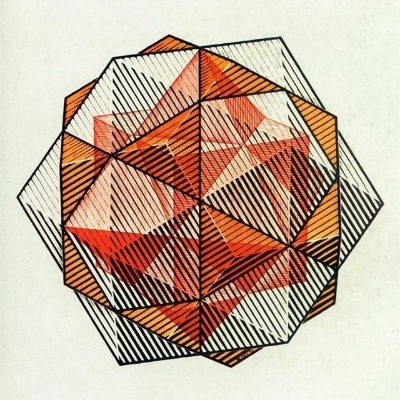
I finished wiring @minad 's Canvas API to Pale. And now we can render 1080p 60FPS video inside an #Emacs buffer without having to do tiling and other such nasty hacks. Enjoy this view of the universe inside your favorite operating system:
https://codeberg.org/attachments/6e87f730-5e3b-4f92-baae-1fa5db7b95a2
Can't wait for this patch to get merged into Emacs!
Emacs doom scaling
The canvas has an original size of 320x200 and is scaled up by Cairo or XRENDER. Works better than expected.


@428 Actually there is https://debbugs.gnu.org/cgi/bugreport.cgi?bug=74423 for low level key events. I also need this for https://github.com/minad/doom-on-emacs.
@meeper The patch is discussed here https://debbugs.gnu.org/cgi/bugreport.cgi?bug=80281#74. The current version can be found at https://gist.github.com/minad/486c18c923db7cf1eb0fd5bcc9257796.
@me @tusharhero I think Emacs makes it quite easy to write packages which work nicely both on TUI and GUI, which is actually pretty amazing. Most of my packages should work equally well on both displays. Some terminals support image protocols, but Emacs does not take advantage of that yet.
@mekeor @tusharhero @divyaranjan As long as Gtk depends on Cairo, Emacs can continue to use it. But of course it is possible to replace it if necessary. The canvas intentionally only gives access to a simple pixel buffer. Right now it works with and without Cairo on X. I did not test other platforms.
@jameshowell @tusharhero @divyaranjan Thank you! I had wanted such a canvas-like feature for years. Emacs reader gave me the push to work on this.
@oantolin Hi Omar!
This is missing in my description. The canvas has to be inserted as image display property:
(insert (propertize "#" 'display `(image :type canvas :data ,canvas)))
In order to refresh, call canvas-refresh with the correct position.
Client Info
Server: https://mastodon.social
Version: 2025.07
Repository: https://github.com/cyevgeniy/lmst