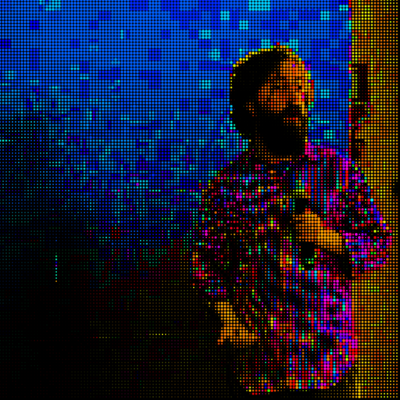
Code at: https://github.com/villares/sketch-a-day/tree/main/2025/sketch_2025_12_17
More sketch-a-day: https://abav.lugaralgum.com/sketch-a-day
If you like this, support my work:
https://www.paypal.com/donate/?hosted_button_id=5B4MZ78C9J724
https://liberapay.com/Villares
https://wise.com/pay/me/alexandrev562 #Processing #Python #py5 #CreativeCoding
#py5


Desenho de 2025-12-18: "Particles 11"
#desenhandocomcodigo #arte #processing #Sketch #py5 #CreativeCoding
https://ericof.com/en/sketches/2025-12-18?mtm_campaign=SN&mtm_kwd=pynews

Desenho de 2025-12-17: "Particles 10"
#desenhandocomcodigo #arte #processing #Sketch #py5 #CreativeCoding
https://ericof.com/en/sketches/2025-12-17?mtm_campaign=SN&mtm_kwd=pynews

Desenho de 2025-12-16: "Particles 09"
#desenhandocomcodigo #arte #processing #Sketch #py5 #CreativeCoding
https://ericof.com/en/sketches/2025-12-16?mtm_campaign=SN&mtm_kwd=pynews

Code at: https://github.com/villares/sketch-a-day/tree/main/2025/sketch_2025_12_16
More sketch-a-day: https://abav.lugaralgum.com/sketch-a-day
If you like this, support my work:
https://www.paypal.com/donate/?hosted_button_id=5B4MZ78C9J724
https://liberapay.com/Villares
https://wise.com/pay/me/alexandrev562 #Processing #Python #py5 #CreativeCoding
Desenho de 2025-12-15: "Particles 08"
#desenhandocomcodigo #arte #processing #Sketch #py5 #CreativeCoding
https://ericof.com/en/sketches/2025-12-15?mtm_campaign=SN&mtm_kwd=pynews

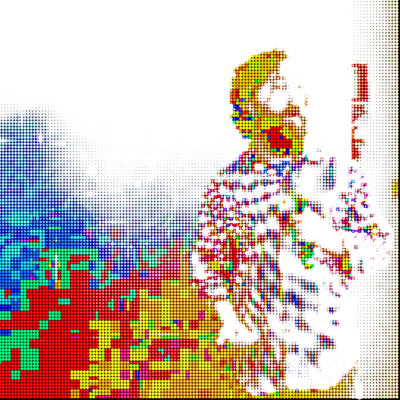
I'm back to this simple "graph" idea from 2021, re-doing it from scratch... it provides endless fun/explorations. In 2022 I think I did so much stuff with this... Code at: https://github.com/villares/sketch-a-day/tree/main/2025/sketch_2025_12_15
More sketch-a-day: https://abav.lugaralgum.com/sketch-a-day
If you like this, support my work:
https://www.paypal.com/donate/?hosted_button_id=5B4MZ78C9J724
https://liberapay.com/Villares
https://wise.com/pay/me/alexandrev562 #Processing #Python #py5 #CreativeCoding

#Processing & #py5 tip:
Remember the shapes you put on draw() will be redrawn over and over, and if they don't move (leaving a trail) you might want to either clean each frame with background(...), or stop the draw loop (noLoop() in Processing or no_loop() in py5), otherwise you kill the anti-aliasing of the lines/strokes/edges!
I'm posting this tip because even using these tools for years and knowing this, today I briefly thought something was odd/broken because my lines were ugly with no "smoothing" :D
import py5

def setup():
    py5.size(200, 200)
    py5.stroke_weight(2)
    # a line that will drawn once only
    py5.line(10, 10, 190, 90)

def draw():
    # you could clean the frame here with background(200)
    # this other line will be redrawn many times
    py5.line(10, 110, 190, 190)

def key_pressed():
    py5.save('out.png')

py5.run_sketch()

Code at: https://github.com/villares/sketch-a-day/tree/main/2025/sketch_2025_12_14
More sketch-a-day: https://abav.lugaralgum.com/sketch-a-day
If you like this, support my work:
https://www.paypal.com/donate/?hosted_button_id=5B4MZ78C9J724
https://liberapay.com/Villares
https://wise.com/pay/me/alexandrev562 #Processing #Python #py5 #CreativeCoding

Code at: https://github.com/villares/sketch-a-day/tree/main/2025/sketch_2025_12_13
More sketch-a-day: https://abav.lugaralgum.com/sketch-a-day
If you like this, support my work:
https://www.paypal.com/donate/?hosted_button_id=5B4MZ78C9J724
https://liberapay.com/Villares
https://wise.com/pay/me/alexandrev562 #Processing #Python #py5 #CreativeCoding

Desenho de 2025-12-14: "Particles 07"
#desenhandocomcodigo #arte #processing #Sketch #py5 #CreativeCoding
https://ericof.com/en/sketches/2025-12-14?mtm_campaign=SN&mtm_kwd=pynews

Desenho de 2025-12-13: "Particles 06"
#desenhandocomcodigo #arte #processing #Sketch #py5 #CreativeCoding
https://ericof.com/en/sketches/2025-12-13?mtm_campaign=SN&mtm_kwd=pynews

Code at: https://github.com/villares/sketch-a-day/tree/main/2025/sketch_2025_12_12
More sketch-a-day: https://abav.lugaralgum.com/sketch-a-day
If you like this, support my work:
https://www.paypal.com/donate/?hosted_button_id=5B4MZ78C9J724
https://liberapay.com/Villares
https://wise.com/pay/me/alexandrev562 #Processing #Python #py5 #CreativeCoding

Desenho de 2025-12-12: "Particles 05"
#desenhandocomcodigo #arte #processing #Sketch #py5 #CreativeCoding
https://ericof.com/en/sketches/2025-12-12?mtm_campaign=SN&mtm_kwd=pynews

Code at: https://github.com/villares/sketch-a-day/tree/main/2025/sketch_2025_12_11
More sketch-a-day: https://abav.lugaralgum.com/sketch-a-day
If you like this, support my work:
https://www.paypal.com/donate/?hosted_button_id=5B4MZ78C9J724
https://liberapay.com/Villares
https://wise.com/pay/me/alexandrev562 #Processing #Python #py5 #CreativeCoding

Ano que vem no MAM-SP vou dar dois cursos online, o que eu dei ano passado vai ser em abril, mas agora em janeiro eu vou dar um outro curso mais curtinho com 3 encontros:
https://mam.org.br/curso/arte-computacional-produzindo-imagens-reticuladas/

Desenho de 2025-12-11: "Particles 04"
#desenhandocomcodigo #arte #processing #Sketch #py5 #CreativeCoding
https://ericof.com/en/sketches/2025-12-11?mtm_campaign=SN&mtm_kwd=pynews

Desenho de 2025-12-10: "Particles 03"
#desenhandocomcodigo #arte #processing #Sketch #py5 #CreativeCoding
https://ericof.com/en/sketches/2025-12-10?mtm_campaign=SN&mtm_kwd=pynews

Code at: https://github.com/villares/sketch-a-day/tree/main/2025/sketch_2025_12_10
More sketch-a-day: https://abav.lugaralgum.com/sketch-a-day
If you like this, support my work:
https://www.paypal.com/donate/?hosted_button_id=5B4MZ78C9J724
https://liberapay.com/Villares
https://wise.com/pay/me/alexandrev562 #Processing #Python #py5 #CreativeCoding

Code at: https://github.com/villares/sketch-a-day/tree/main/2025/sketch_2025_12_09
More sketch-a-day: https://abav.lugaralgum.com/sketch-a-day
If you like this, support my work:
https://www.paypal.com/donate/?hosted_button_id=5B4MZ78C9J724
https://liberapay.com/Villares
https://wise.com/pay/me/alexandrev562 #Processing #Python #py5 #CreativeCoding

Client Info
Server: https://mastodon.social
Version: 2025.07
Repository: https://github.com/cyevgeniy/lmst