#FlashProgramming

BLE VoiceJim8888
2025-10-09

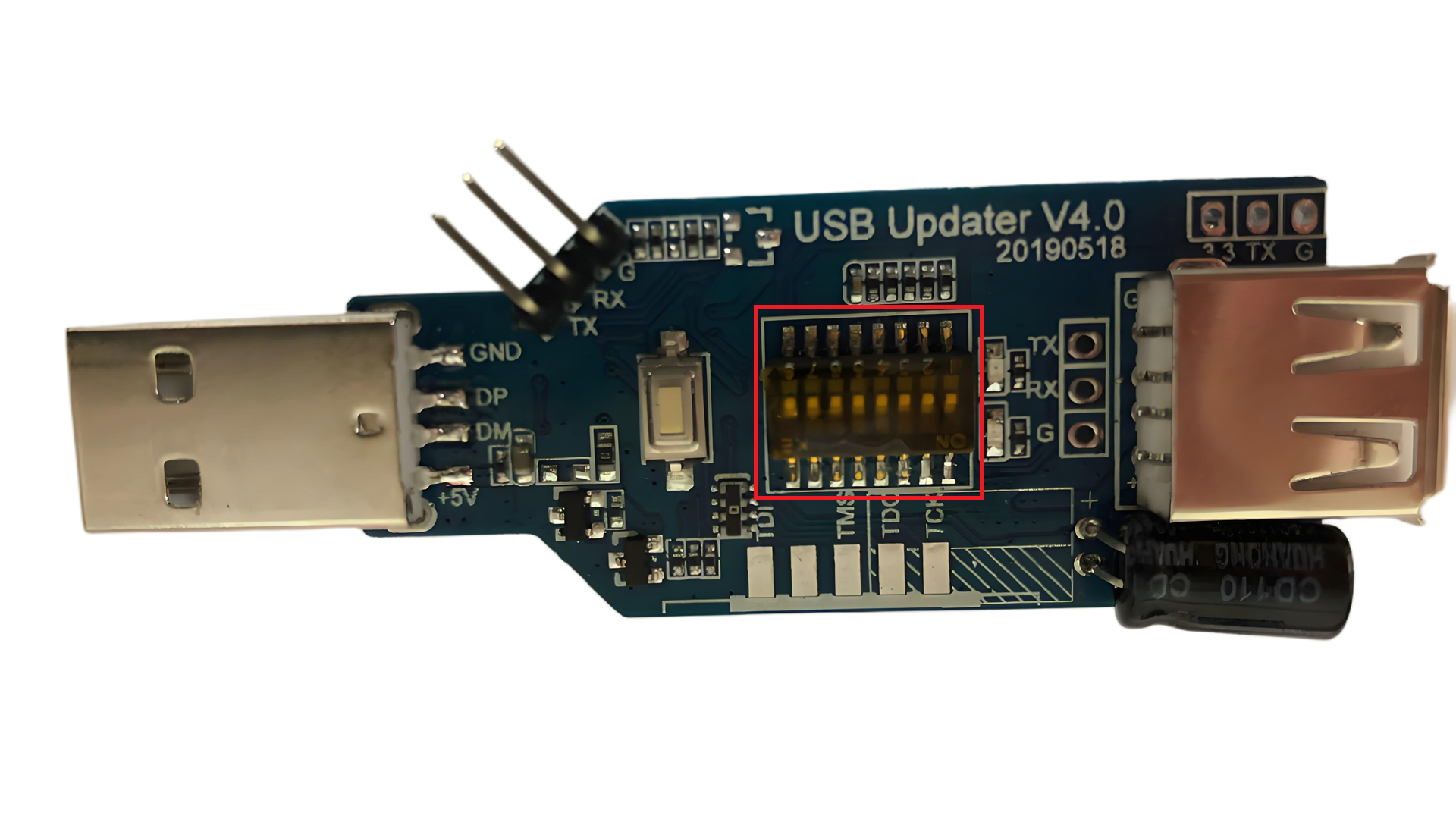
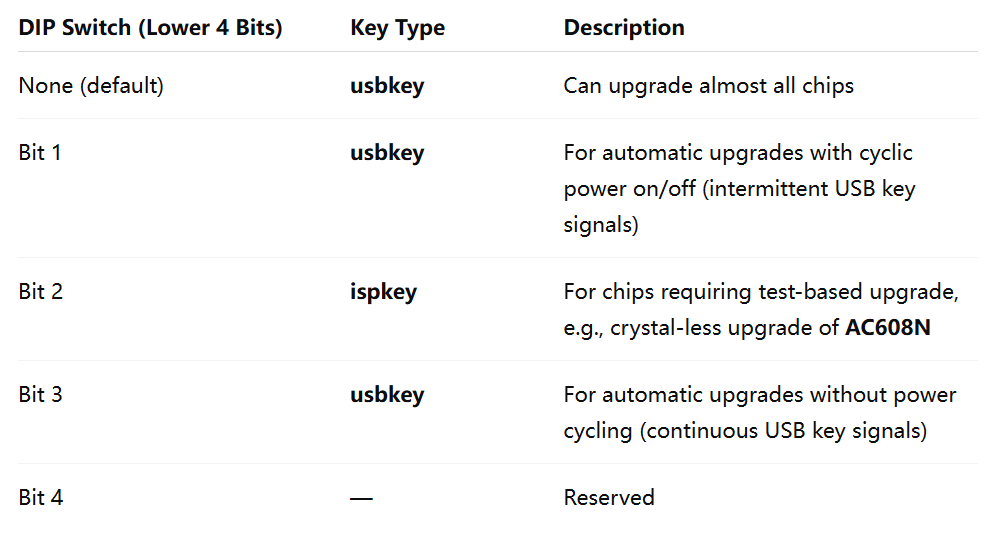
For developers working with JieLi microcontrollers, understanding the JL Forced Upgrade Tool 4.0's DIP switch is essential. This manual breakdown covers how to configure communication with a PC (Bit 7), set the default state of the DP/DM pins (Bit 5), and leverage the same pins for multiple protocols.

A versatile tool for development and production on the JieLi platform.

linkedin.com/pulse/jieli-jl-fo

Hello Embedded C Programming group members, for those working with JieLi (JL) microcontrollers, the JL Forced Upgrade Tool 4.0 is a crucial piece of hardware. Its true power lies in the flexible configuration of its DIP switches.

Here's a quick breakdown of the key upper-bit settings:
🔹 Bit 7: Enables/disables all USB communication with the PC. This is the gateway for commands.
🔹 Bit 5: Sets the default state of the DP/DM pins to High-Z or UART.
🔹 Dynamic Pin Re-use: The DP/DM pins are shared for UART, JTAG, and critically, for SPI Flash operations. The pin mapping (RX->CS, DP->CLK, DM->DO) is even broken out to the standard JTAG header.
🔹 SH50 Special Mode (Bit 6): Toggle this, and the tool becomes a dedicated "SH50 Burn" device for programming on-chip Flash, simplifying the workflow significantly.

This multi-protocol approach on a single interface is great for reducing tool clutter on the bench. Have you used this tool? Any tips or tricks to share with the community?
https://lnkd.in/g3gsH5BA
#JieLi #JL #MCU #EmbeddedTools #HardwareDesign #Debugging #SH50For developers working with JieLi microcontrollers, understanding the JL Forced Upgrade Tool 4.0's DIP switch is essential. This manual breakdown covers how to configure communication with a PC (Bit 7), set the default state of the DP/DM pins (Bit 5), and leverage the same pins for multiple protocols.

The tool dynamically uses the DP and DM pins for UART, JTAG, and SPI Flash operations. A key feature is Bit 6, which puts the tool into a dedicated "SH50 Burn" mode for seamlessly programming the on-chip Flash of the SH50 MCU, with the pinout conveniently available on the JTAG interface.

A versatile tool for development and production on the JieLi platform.

#JieLi #JL #EmbeddedSystems #Hardware #FlashProgramming #JTAG #Microcontroller #DIYElectronics 
https://www.linkedin.com/pulse/jieli-jl-forced-upgrade-tool-40-user-manualdip-switch-junluan-tsui-dbfveMaster Your JieLi Tools: A Guide to the JL Forced Upgrade Tool 4.0 DIP Switch

Unlocking the full potential of your JieLi development workflow requires the right tools and knowledge. Today, we're diving deep into the DIP switch configuration of the JL Forced Upgrade Tool 4.0, your key to flexible device programming and communication.

This tool's versatility is controlled by its upper DIP switch bits:
🔹 Bit 7 (PC Communication): The master switch. Enable it to allow the tool to communicate with your PC via USB, acting as a serial tool and receiving commands.
🔹 Bit 5 (Pin Defaults): Set your DP/DM pins to high-impedance by default or configure them for UART communication right from the start.
🔹 Multi-Protocol Pins: The same DP/DM pins are dynamically used for UART, JTAG, and SPI Flash operations, reverting automatically after commands.
🔹 Bit 6 (SH50 On-Chip Flash): A dedicated mode for SH50 microcontrollers. Toggle this bit, and the tool will enumerate as "SH50 Burn v1.0.0," streamlining the process of programming the on-chip Flash directly through the JTAG interface.

This level of hardware configurability ensures one tool can handle development, debugging, and production programming for JieLi platforms.

Are you using the JL Forced Upgrade Tool in your projects? What other features would you like to see? Share your thoughts in the comments!

Client Info

Server: https://mastodon.social
Version: 2025.07
Repository: https://github.com/cyevgeniy/lmst