#PhotoKit

2025-10-27

iOS 26.1 umożliwi tworzenie kopii zapasowych zdjęć w tle przez aplikacje zewnętrzne

Apple wprowadza nowy framework w iOS 26.1, który pozwoli zewnętrznym aplikacjom fotograficznym automatycznie tworzyć kopie zapasowe zdjęć w tle.

To długo oczekiwana funkcja przez deweloperów aplikacji do zdjęć.

Nowe rozszerzenie Background Resource Upload w ramach PhotoKit pozwoli systemowi samodzielnie zarządzać przesyłaniem zdjęć do chmury – nawet gdy użytkownik zablokuje ekran lub przełączy się na inną aplikację. System zadba o połączenie sieciowe, zużycie energii i czas przetwarzania, zapewniając stabilne działanie.

Apple podkreśla, że część funkcji wymaga zgody użytkownika, a sam framework nadal jest w fazie beta, więc szczegóły mogą ulec zmianie przed premierą. Dzięki temu rozwiązaniu aplikacje firm trzecich – w tym chmurowe usługi backupu – w końcu będą mogły działać równie płynnie, jak natywna aplikacja Zdjęcia.

Więcej na temat obecnych możliwości tworzenia backupów zdjęć na zewnętrznych nośnikach i stacjach NAS usłyszysz m.in. w tym odcinku mojego podcastu „Bo czemu nie?”.

Oto nowości w iOS 26.1, z których większości w Polsce nie dostaniemy

#aktualizacjaIOS #aplikacjeFotograficzne #Apple #backupWTle #chmura #deweloperzy #iCloud #iOS261 #iOSBeta #iosNowości #iPhone #kopiaZapasowaZdjęć #PhotoKit #technologiaApple #zdjęcia


2025-10-25

iOS 26.1 : les apps photo pourront enfin correctement sauvegarder en arrière-plan grâce à PhotoKit dlvr.it/TNt1xp #iOS261 #PhotoKit

rico beckerricobeck
2024-11-14

TIL that if you requestImage a PHAsset using PHCachingImageManager and you cancel the task you have to use cancelImageRequest.
Otherwise you will find out how big the thread pool is. If you hit that limit, your application will hang.

My observation of the problem started with SwiftUI’s task modifier not being called anymore after a few interactions with a list triggering the image requests.
It was a long journey before I realised what was going on.

Matt Dickoffdickoff
2023-06-09

The "Embed the Photos Picker in your app" session is now live! developer.apple.com/videos/pla

Matt Dickoffdickoff
2023-06-07

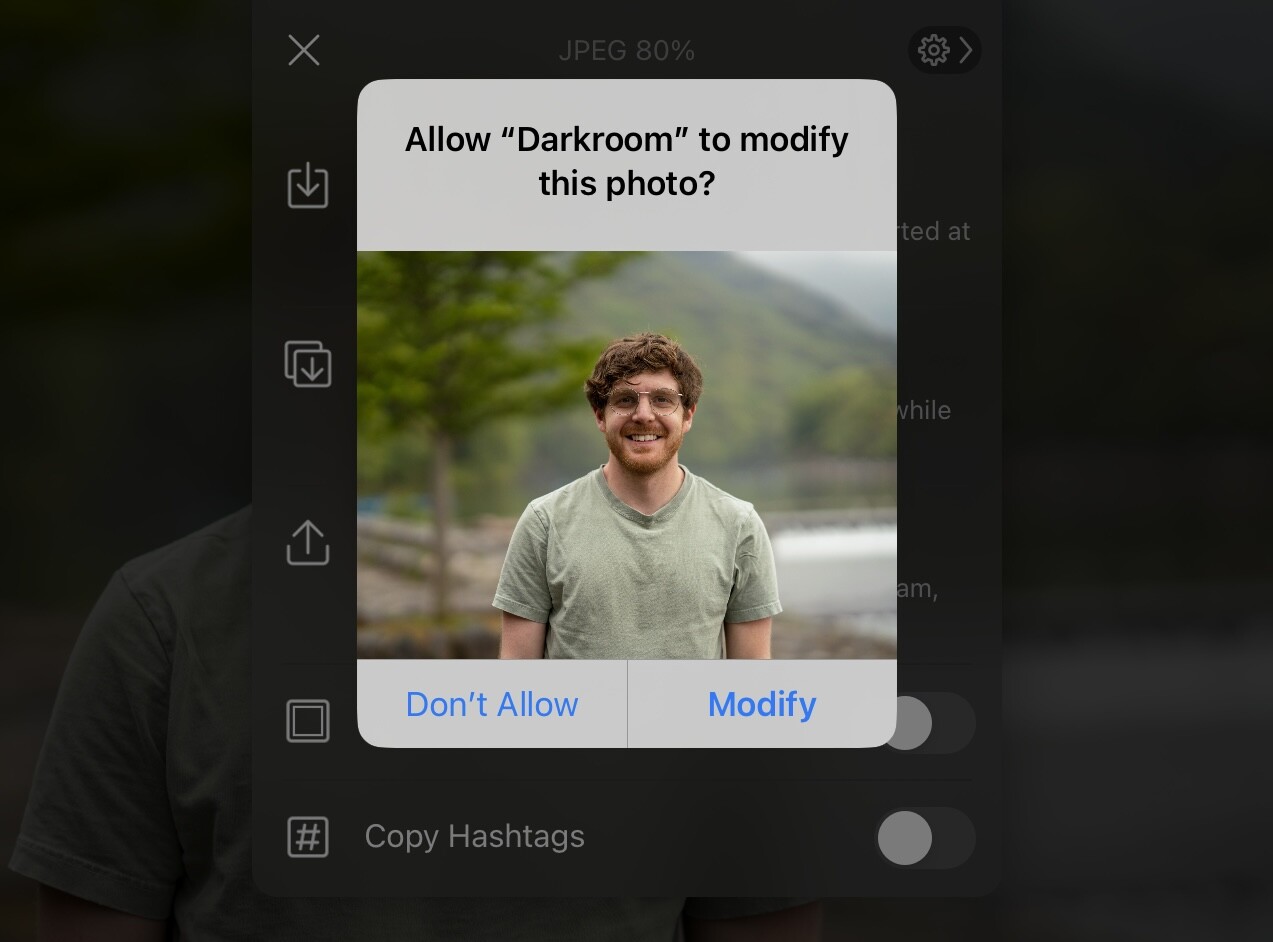
There’s a nice change in iOS 17, iPadOS 17 and macOS Sonoma for those that use Apps to edit their Photos and Videos. There is no longer a system prompt for the user to confirm they want the modifications to a photo to happen. If the App has either Full or Limited access, then they can save modifications without the user needing to confirm. This should greatly improve the user experience for things like bulk edits and automatic saving
Deletion requests still require a prompt.

A screenshot of the photo modification prompt shown on iPadOS 16 and below. The user was required to accept this prompt to allow the app to modify the photo every time.
Matt Dickoffdickoff
2023-06-07

Some exciting new improvements to the PhotosPicker APIs this year! You are now able to customize the look and embed it into your app so that it sits right next to your other UI elements. And as always, it doesn’t require presenting a Photos Access prompt.
Session goes live Friday: developer.apple.com/wwdc23/101
Preview in “What’s New in Privacy”: developer.apple.com/wwdc23/100
Sample code available now! developer.apple.com/documentat
Signup for the Photo Picker Lab on Friday if you have questions!

A demo app screenshot from the What’s New In Privacy session showing the side scrolling single row configuration for the PhotosPicker API

Client Info

Server: https://mastodon.social
Version: 2025.07
Repository: https://github.com/cyevgeniy/lmst