
oh: https://forums.x-plane.org/files/file/95987-winwing-plugin-for-x-plane-12-mac-linux-windows/ 👀
#winwing

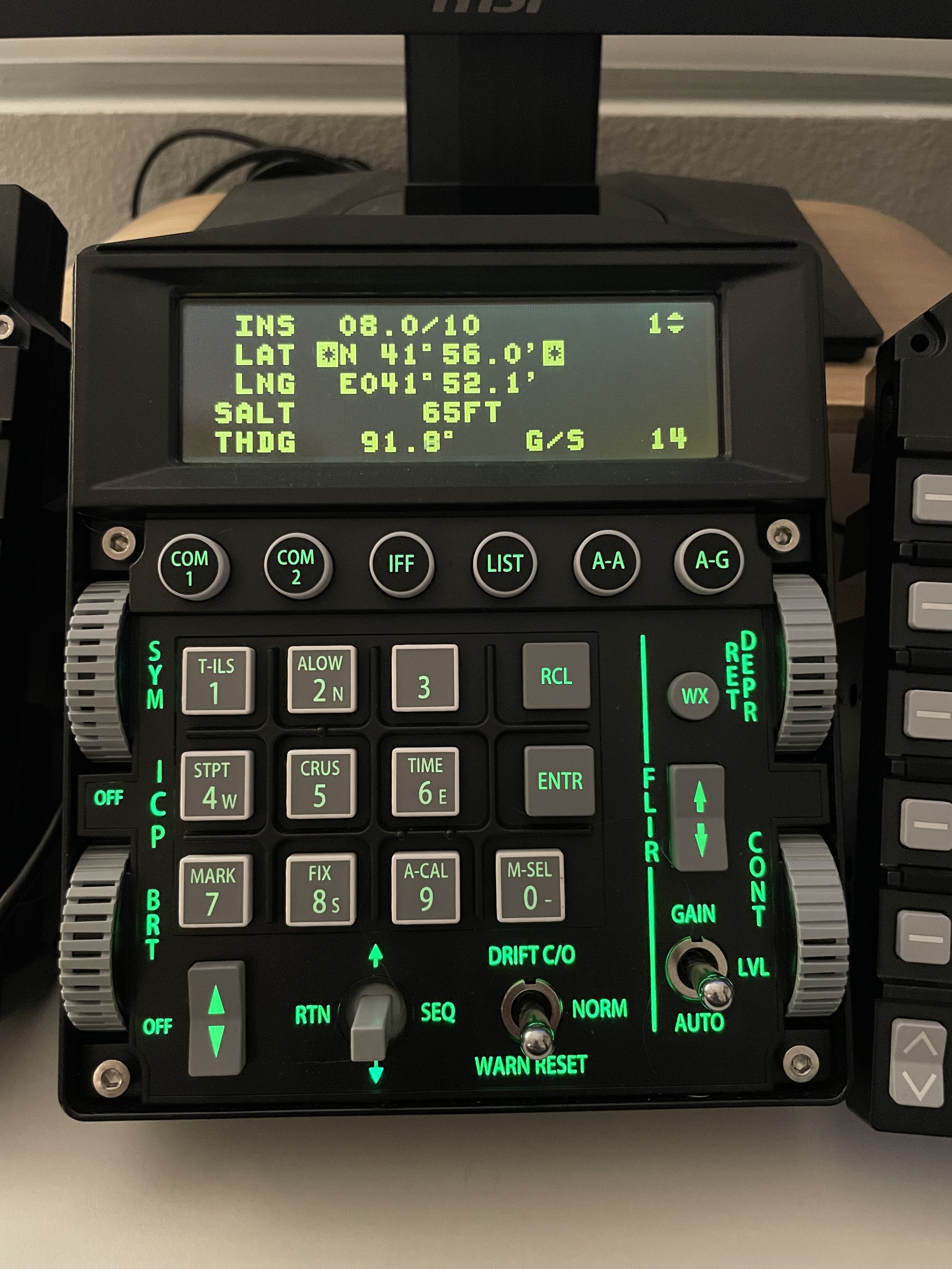
Winwing ViperAce ICP
This one is fresh in my mind because I recently sold it. It’s essentially a button box closely replicating the ICP of an F-16, but unlike in reality it also features the DED screen immediately above it. It connects to the computer by a USB-C to USB-A cable.
The ICP automatically imports data from the F-16C in DCS and displays it on the DED. There’s a way to get the DED to display data from other aircraft but this requires some coding know-how and doesn’t work out of the box. The unit is useful with some aircraft but admittedly a niche product.
My biggest gripe with it is the mushy feel of the rubber buttons, which register just fine but are a far cry from the hard plastic “clicky” buttons you get on the real aircraft. The plastic 5-way Dobber switch is apparently quite fragile but didn’t break on me.
All in all a good product but since I fly so many different aircraft its utility outside of the F-16 cockpit was rather limited, which is why I sold it. I find that binding #hotas Mode and FLIR polarity buttons to vacant switches on my throttle suffices.
If it’s your cup of tea, I do recommend it.


Alles in Allem bin ich echt zufrieden mit den #winwing URSA MINOR #Joysticks. Ich muss nur noch rausfinden, wie ich den linken Stick am Kippen hindere und wie ich die Vibration in #elitedangerous aktivieren kann.
Gerade zwei Joysticks von #Winwing bestellt. Leider nicht auf Lager, dauert wohl eine Weile, bis ich sie bekomme. Aber das Angebot war einfach zu gut...
I just wanted to share how bizarre a product my #Winwing 16EX (ViperAce) joystick is.
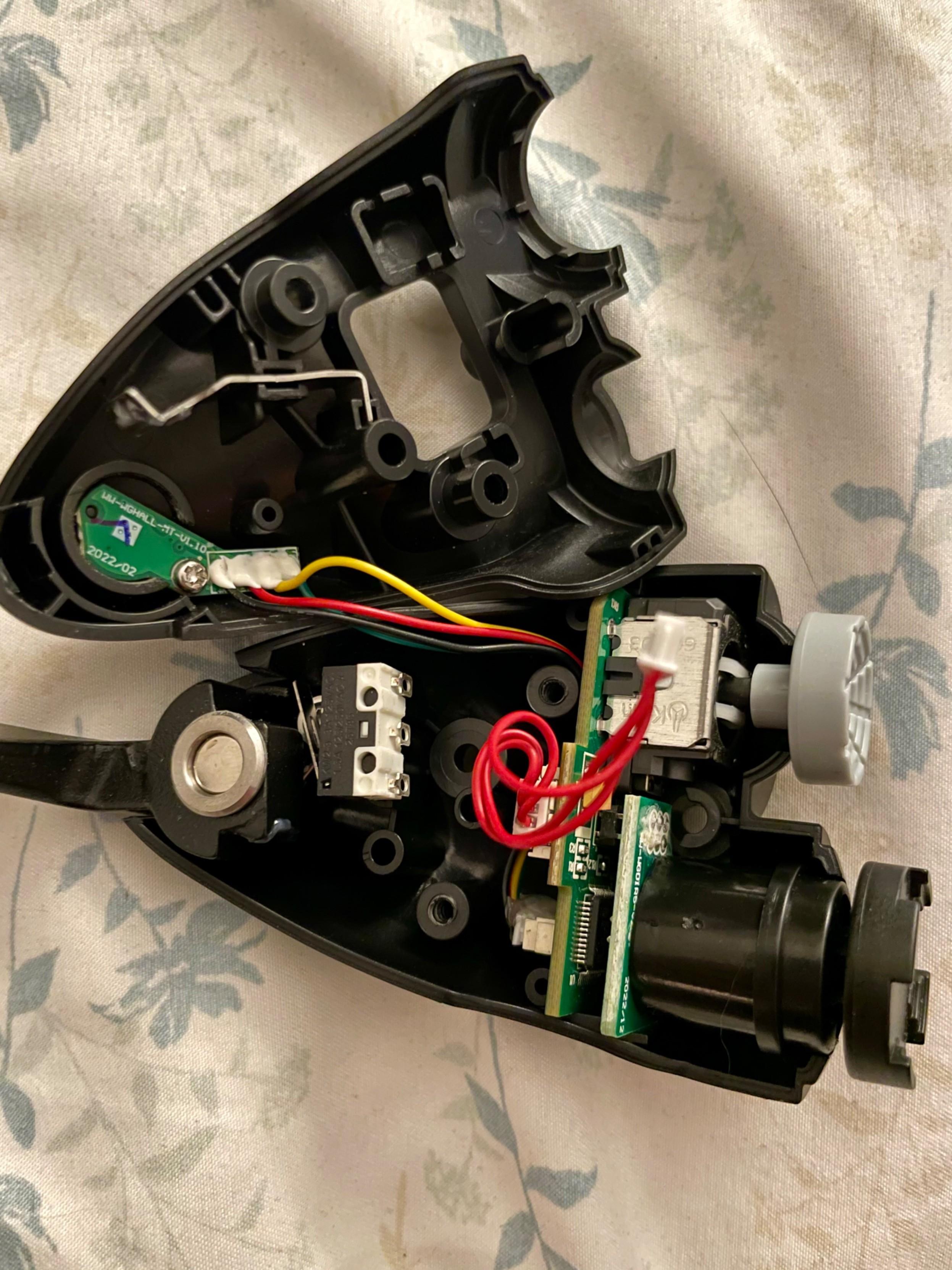
In order for the integrated vibration motor to function, you’re required to purchase an additional plastic module that fastens to the top left of the stick. It features a 5-way HAT and a 2-axis stick with push.
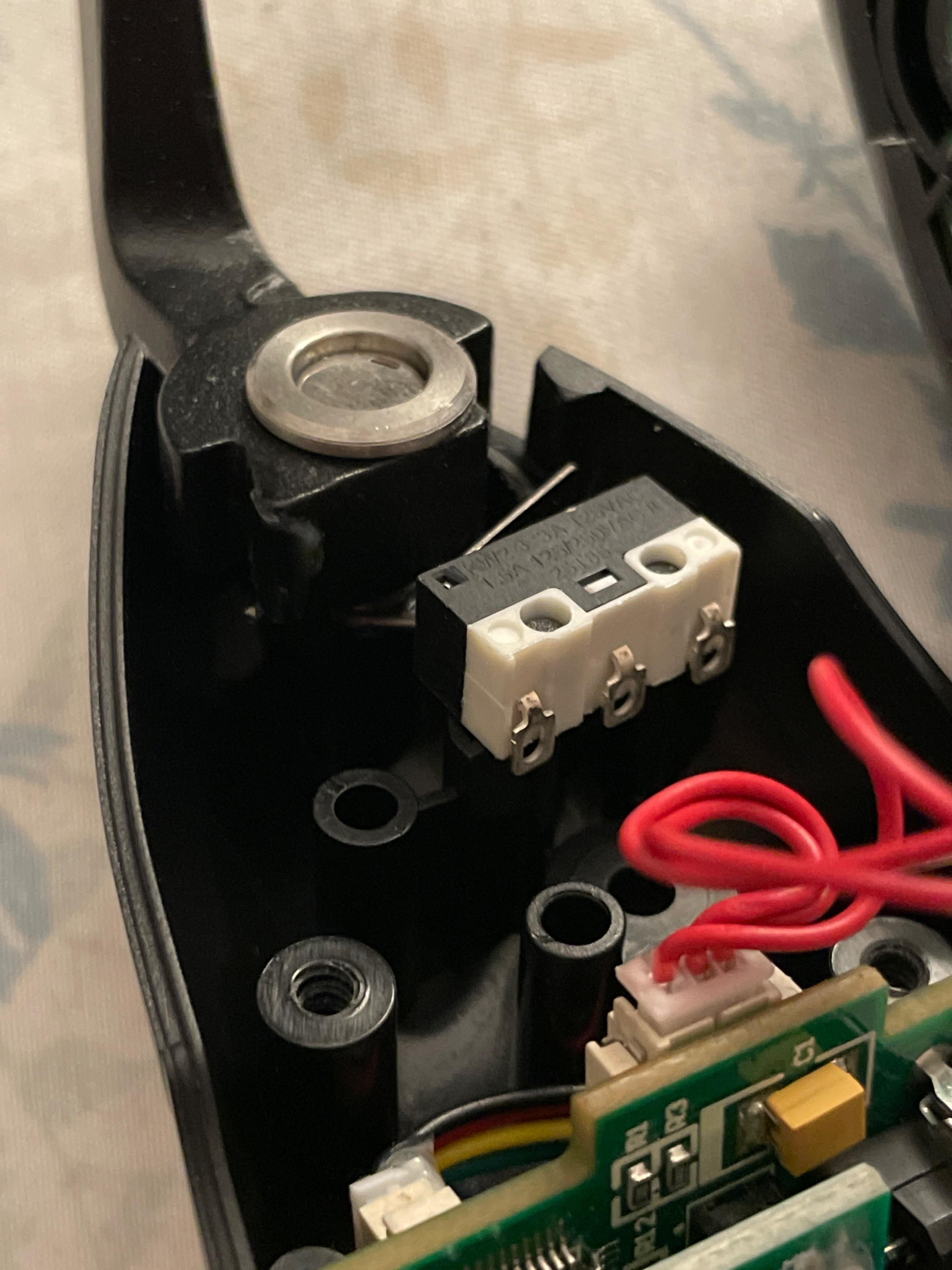
The module itself contains no vibration motor. Just the chip that controls the motor inside the stick. My guess is that they couldn’t fit the chip inside the stick itself. It’s a ridiculous design.
On the other hand, they’re using a cheap switch to give the trigger a “click”. Brilliant honestly.
With the module attached the vibration from within the stick itself will only work when the Winwing SimAppPro software is running in the background, which includes the default (and customizable) vibration settings for aircraft of various flight sims like #DCSWorld, #BMS, and #MSFS.
The vibration isn’t force feedback but it does vary in how it vibrates with different aircraft in a way that’s pleasant and intuitive to the touch. This goes for all their products featuring vibration motors.
Pulling high AoA in a Mirage F1? It’ll vibrate aggressively.
Launching a Sparrow in an F/A-18C? It’ll give a short gentle vibration as the missile comes off the rail.
Vortex Ring State setting in while hovering your Mi-24? It’ll start buffeting against your hand with increasing intensity.
If you don’t care about vibration and don’t want SimAppPro running in the background, then don’t bother with the additional “shaker” module. It doesn’t “add” a whole lot.
Despite the stupid design, it’s a great product. I’ve had no issues over the past few months of use.




There are more controls on these than I know what to do with
Part of me feels like “Did I go too far with this?”
These are so much fun to fiddle around with. They’re just a pair of stim toys.


I guess I have a fun project for tomorrow morning :neocat_happy:
The intrusive thoughts won

Client Info
Server: https://mastodon.social
Version: 2025.07
Repository: https://github.com/cyevgeniy/lmst