Brand Guidelines Template Strategy: Why You Should Finally Trust Clients with Their Own Visuals
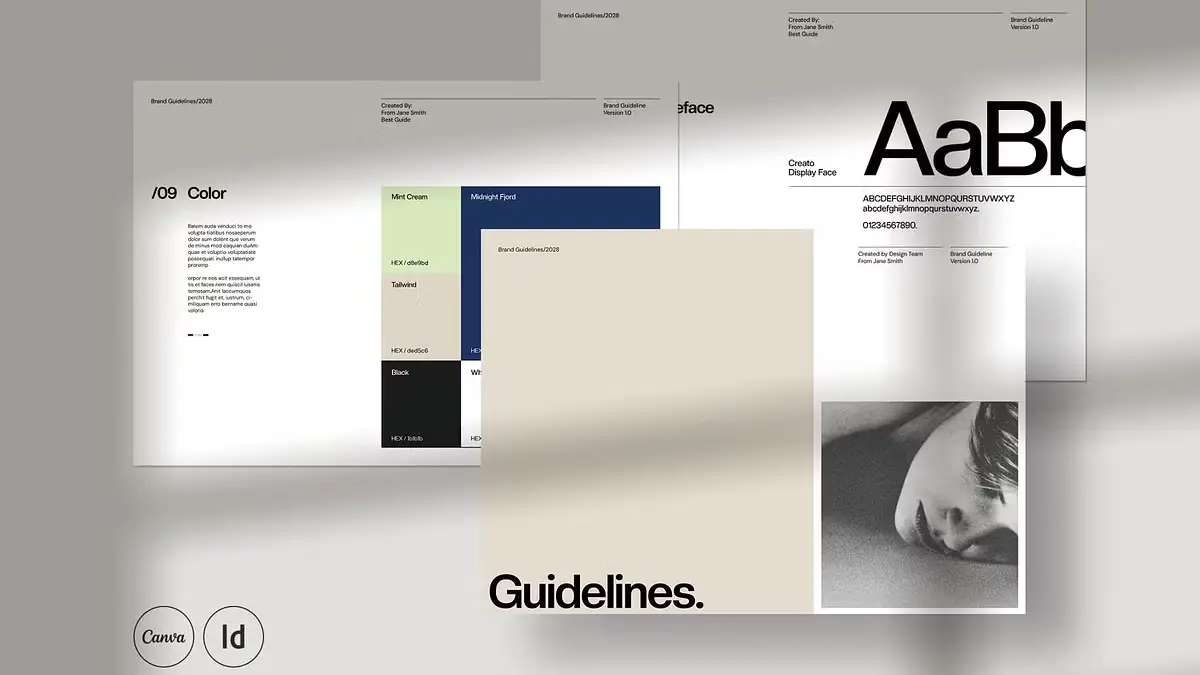
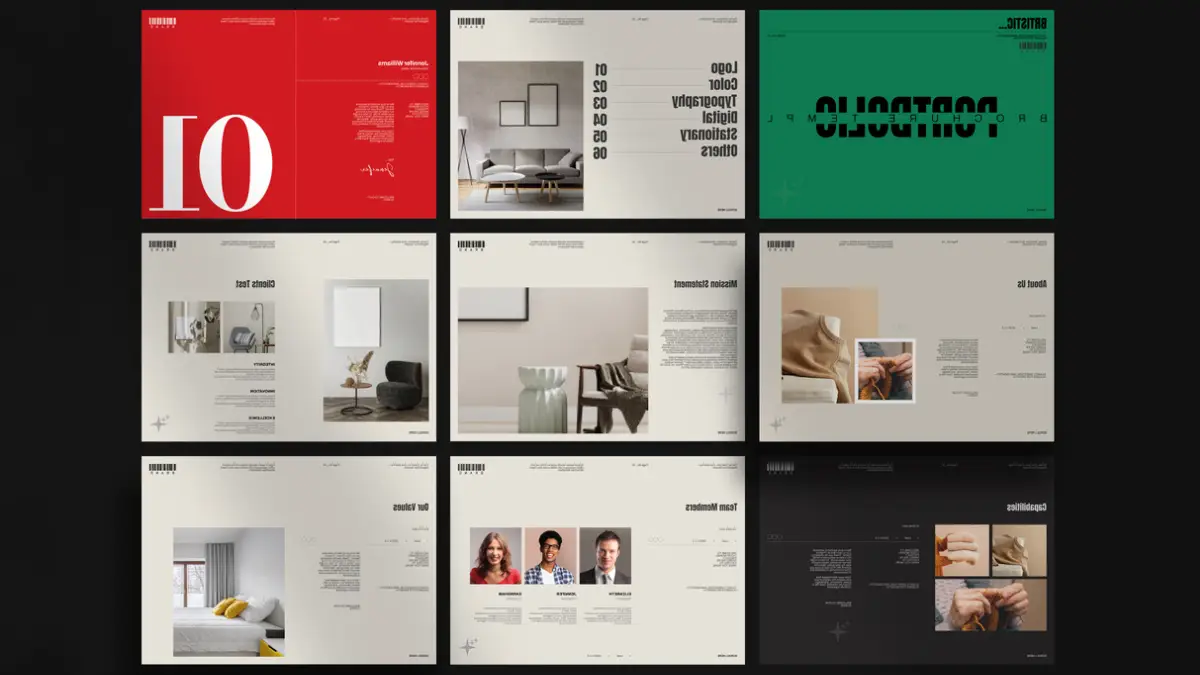
We used to protect brand identities with a lock and key. You would spend weeks crafting a PDF manual. You would send it to the client. Then, you would pray they actually read it. They usually didn’t. They would stretch the logo the next day. The old way of delivering guides is dying. It ignores a simple truth: clients want to do things themselves. Evgeny Studio has realized this shift. Their latest brand guidelines template for Canva and InDesign bridges professional rigor and client autonomy. We call this the “Open-Garden Identity Strategy.” It invites the client inside the design process without letting them destroy the visual foundation.
Download the template from Creative MarketPlease note that this template requires Adobe InDesign or Canva. Whether you use Mac or PC, InDesign’s latest version is available on the Adobe Creative Cloud website—take a look here.
Brand Guidelines Templates for Canva and Adobe InDesign by Evgeny Studio Download the template from Creative MarketWhy is a flexible brand guidelines template essential today?
The static PDF is a dead end. It is a passive document in an active world. When you deliver a locked file, you create a bottleneck. Every time the marketing team needs a social post, they must email you. Or worse, they ignore the guide entirely because it creates friction.
This is where a hybrid brand guidelines template changes the game. The “Hugs” layout by Evgeny Studio acknowledges a new reality. The brand is born in Adobe InDesign, but it lives in Canva. By offering a synchronized system, you solve the agency’s biggest headache. You maintain quality while granting access. You build the structure in InDesign to satisfy your perfectionism. Subsequently, you hand over the Canva version to satisfy the client’s speed.
It creates a workflow we define as “Controlled Flexibility.” The client feels empowered. They can edit the text and swap images easily. You feel secure. The grid, the hierarchy, and the “do not touch” zones remain baked into the brand guidelines template.
The 1920 x 1080px Standard
Paper sizes are obsolete for digital-first brands. Why do we still format guides for A4 or Letter paper? 99% of stakeholders view them on a monitor. Evgeny Studio’s brand guidelines template uses a 1920 x 1080px resolution.
This is not just a technical spec. It represents a psychological shift. We call this “Cinematic Brand Presentation.” When the guide fills the screen, it feels like a premium deck. It does not look like a boring policy document. Furthermore, it flows naturally during a Zoom presentation. Yes, it demands attention.
Furthermore, a screen-native brand guidelines template eliminates awkward scrolling. Vertical print formats force the user to zoom in and out constantly. This layout respects the medium where the brand actually lives.
Real Copy: The End of Lorem Ipsum
Nothing kills a client’s understanding faster than “Lorem Ipsum.” It forces them to guess the context. This brand guidelines template replaces the gibberish with actual, educational content.
Think of this feature as “Embedded Design Education.” The text on the typography page actually explains how to use the typography. The logo section explains why clear space matters. When you hand this brand guidelines template to a client, you provide a self-teaching tool.
This reduces the “education burden” on the agency. You do not need to explain the rules ten times. The document does it for you. It transforms the brand guidelines template from a visual container into an intellectual asset.
Grid Logic and Style Sync in a Brand Guidelines Template
A pretty layout is useless if it breaks when you edit it. The backbone of this system is a strict 12-column grid. We refer to this as “Structural Grid Integrity.” It ensures that alignment holds even when a non-designer swaps an image.
For the pro user, the InDesign file uses rigorous paragraph and character styles. This allows for what we call “Velocity Editing.” You change the primary font in the master style. Instantly, it cascades through all 34 pages of the brand guidelines template.
A brand guidelines template without this global styling is just an expensive drawing exercise. With it, the file becomes a scalable system. You can adapt this deck for five different clients in the time it usually takes to finish one.
Beyond the Logo: Total Brand Coverage
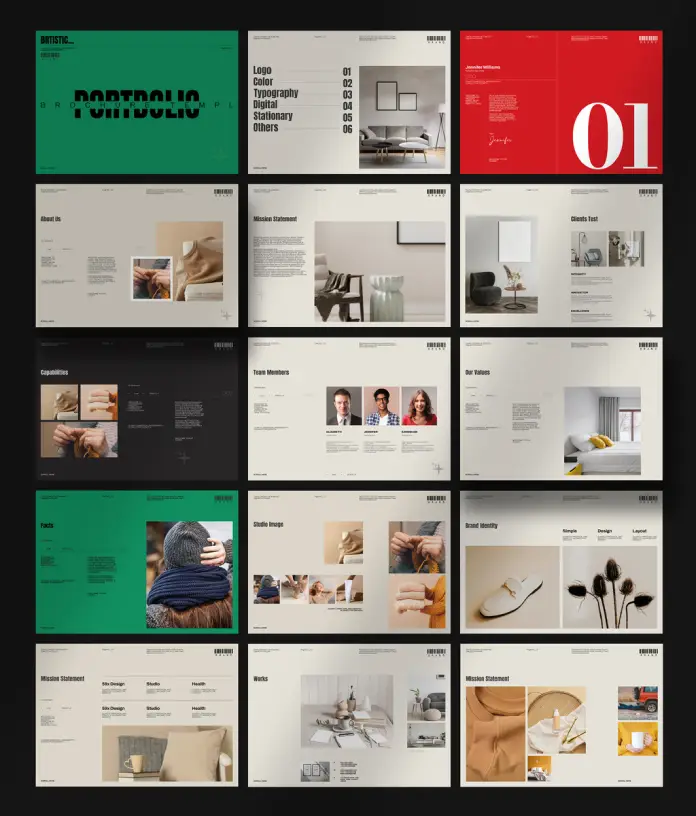
A logo is not a brand. A brand includes your look on Instagram, letterheads, and websites. This brand guidelines template covers nine distinct sections. These include Cover, Logo, Colour Palette, Typography, Digital, Imagery, Stationery, Social, and Info.
We call this “Holistic Touchpoint Mapping.” Many templates ignore the digital reality. This one embraces it. The inclusion of social media wireframes is particularly smart. It allows you to show the client exactly how their feed will look.
The stationery vector mockups add a necessary layer of physical context. It grounds the digital concepts in reality. Consequently, the brand guidelines template makes the identity feel expensive and tangible.
The “Hybrid-Workflow” Compatibility
The download includes INDD, IDML, and Canva files. This covers the entire spectrum of design proficiency. You use the IDML for legacy users on older machines (CS4 and up). You use the INDD for Creative Cloud pros. Finally, you use the Canva file for the marketing team.
This is “Cross-Platform Fluidity.” It acknowledges that the designer and the manager use different tools. A brand guidelines template that forces everyone into one software will fail. This set meets users where they are.
The inclusion of free fonts via links further smooths the friction. There are no licensing traps here. You download, install, and go. It offers a clean, legal, and efficient process for every user.
The Verdict on MIA (Modular Identity Architecture)
We must stop treating brand guidelines as sacred scriptures. They need to be living tools. Evgeny Studio has built a brand guidelines template that understands this new reality.
Download the template from Creative MarketThey prioritize the screen over the page. They value education over placeholder text. Most importantly, they respect the intelligence of the client. They give them a tool they can actually use. This is Modular Identity Architecture in practice. If you want to future-proof your client handoffs, this brand guidelines template sets the standard you should aim for.
Frequently Asked Questions about this Brand Guidelines Template
1. Can I use this brand guidelines template for paying client projects?
Absolutely. You use the template as a base to build the brand manual for your client. You sell the finished design service, not the template file itself.
2. Is the Canva version exactly the same as the InDesign version?
They are visually identical in layout. However, the editing experience differs. The InDesign file uses advanced styles. The Canva version of the template relies on a drag-and-drop interface for non-designers.
3. Why is the 1920x1080px format superior to A4?
Stakeholders rarely print guidelines anymore. A 1920x1080px format fits perfectly on screens for presentations. This makes the brand guidelines template much easier to read digitally.
4. Do I need to buy the fonts used in the template?
No. The template uses free fonts. Links appear in the download file. You must download and install them to ensure the brand guidelines template renders correctly.
5. How does “Real Copy” save me time?
You avoid writing instructions from scratch. The template already includes professional advice on logo usage and typography. You simply tweak it to fit your tone within the brand guidelines template.
Don’t hesitate to browse WE AND THE COLOR’s Templates category for more.
Subscribe to our newsletter!
[newsletter_form type=”minimal”]#AdobeInDesign #brandGuidelines #branding #Canva #design #graphicDesign