Google Gemini (@GeminiApp)
Gemini Drops 항목 중 하나로 'Papercut' 이슈가 수정되었고, 'Answer Now' 기능을 통해 더 빠른 응답 제공이 가능해졌다는 업데이트 내용입니다. 사용성·응답속도 개선에 대한 구체적 변경 알림입니다.
Google Gemini (@GeminiApp)
Gemini Drops 항목 중 하나로 'Papercut' 이슈가 수정되었고, 'Answer Now' 기능을 통해 더 빠른 응답 제공이 가능해졌다는 업데이트 내용입니다. 사용성·응답속도 개선에 대한 구체적 변경 알림입니다.
⏱️ 94% of long-distance trains in 🇦🇹 arrive “on time” –
but did you know “on time” means up to 5 minutes late? 🤨
With Delay Stats on viaduct, you can now track your own delays, compare them to national averages, and even set your personal on-time threshold.
See your punctuality score – and decide what “on time” really means to you.


🚉 Station images are now live in viaduct!
Thanks to the wonderful platform https://railway-stations.org, you can now see real photos of stations you've visited. Browse your personal station list visually and rediscover places through imagery!
If a station photo is missing, you can contribute on https://railway-stations.org and help fill the gap. More features using these images are coming soon – so stay tuned! 📸🚆 #viaduct #FeatureUpdate


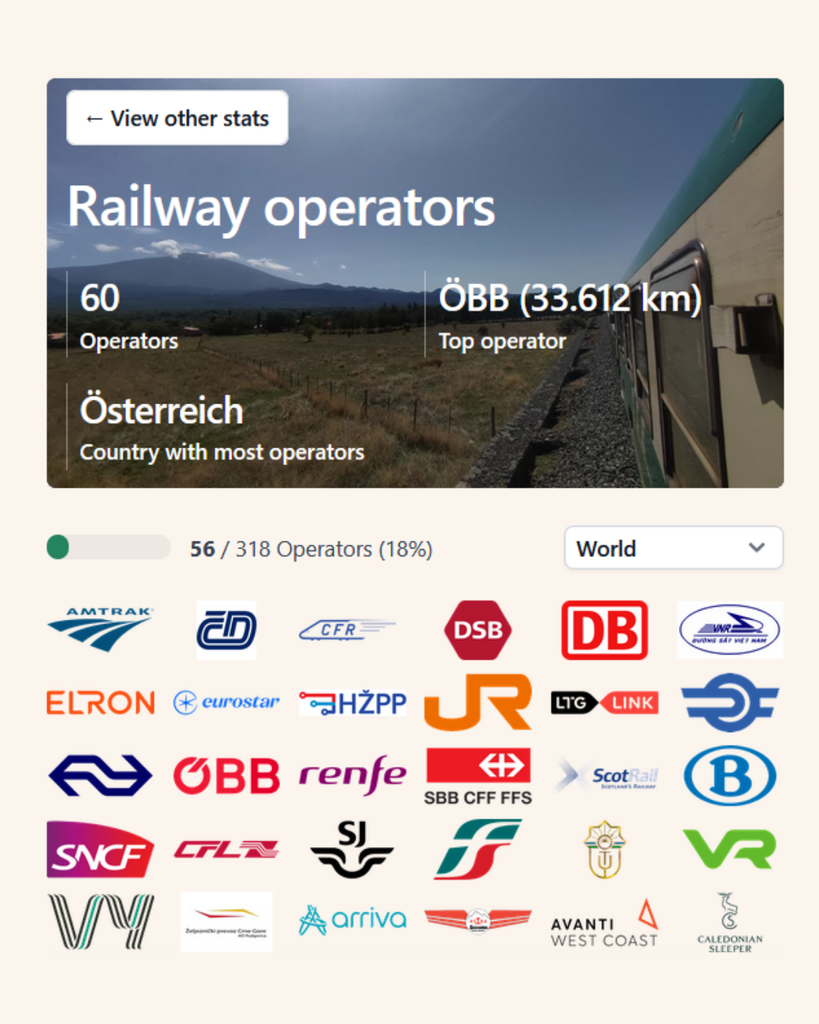
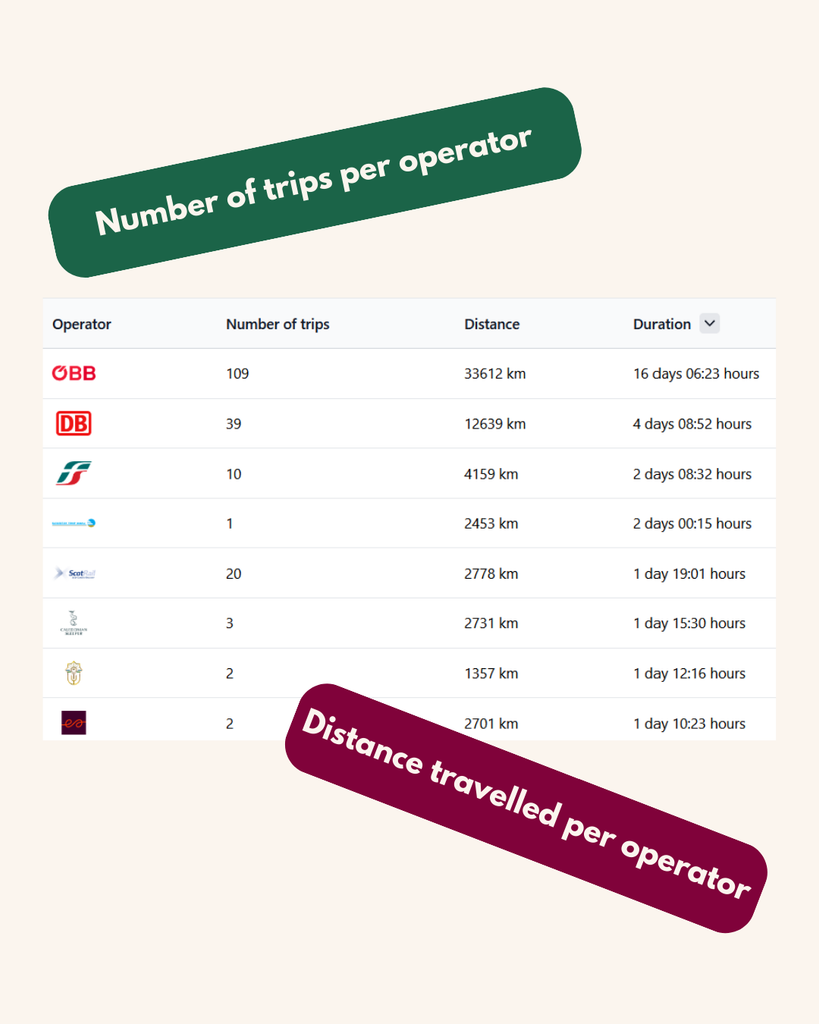
🚆 New Feature: Operator Statistics!
The beloved Operator Wall now has its own dedicated page – and it’s more detailed than ever:
📍 See all train companies you’ve travelled with
📊 Track your distance and time per operator
🧭 Great for discovering where you ride the most
Whether you’re loyal to one or collecting them all – check out your rail history now! 🚉
#OperatorStats #TrainTravel #FeatureUpdate #MyTrainMap #viaduct

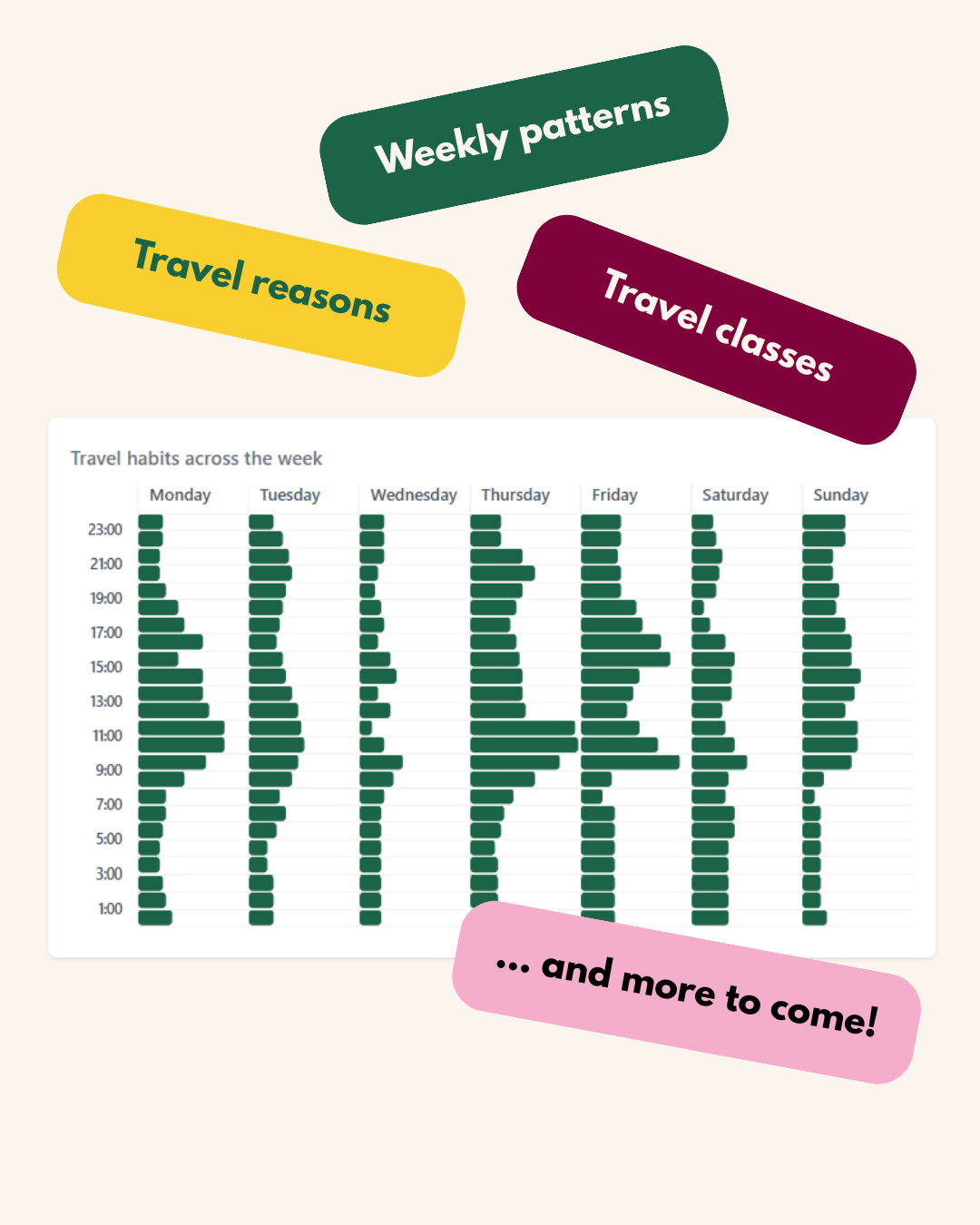
📊 Trip Statistics are here!
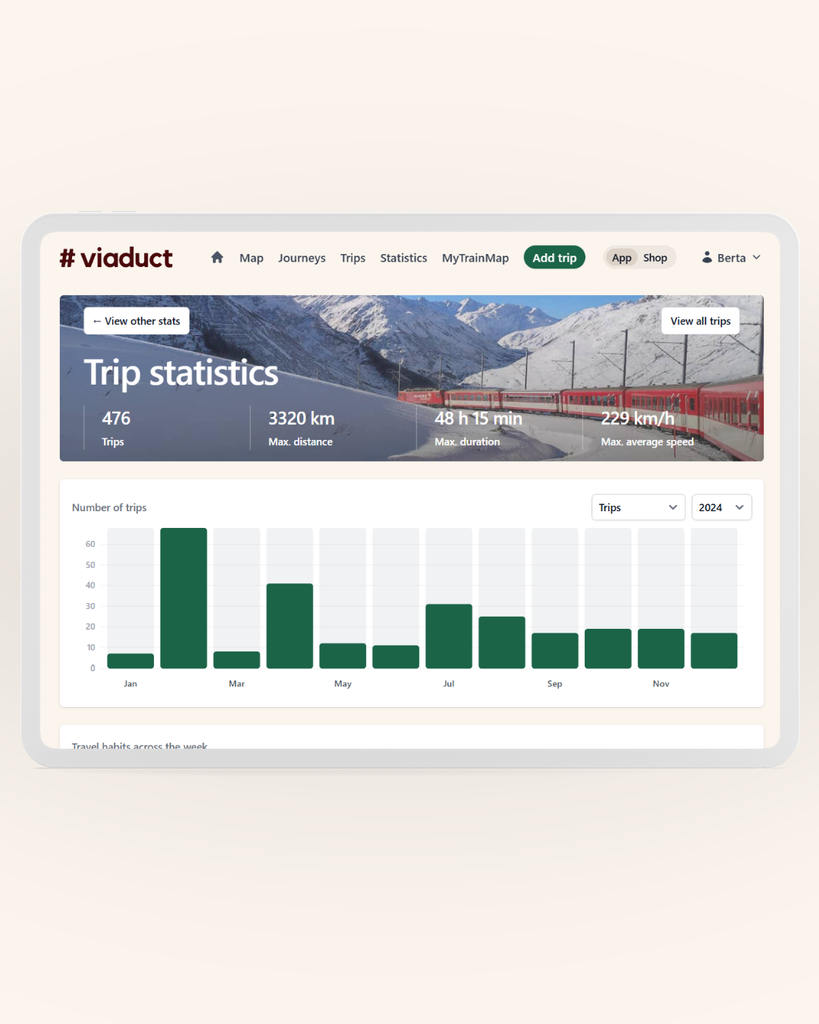
You can now explore your travel behaviour in detail:
🚆 Longest & fastest trips
📅 Trips per month
🎟️ Breakdowns by travel class and travel reason
📈 See patterns over time and distance
The new page is available in your profile now – and this is just the beginning. More trip statistics are already on the way! 🚉 #MyTrainMap #FeatureUpdate #viaduct

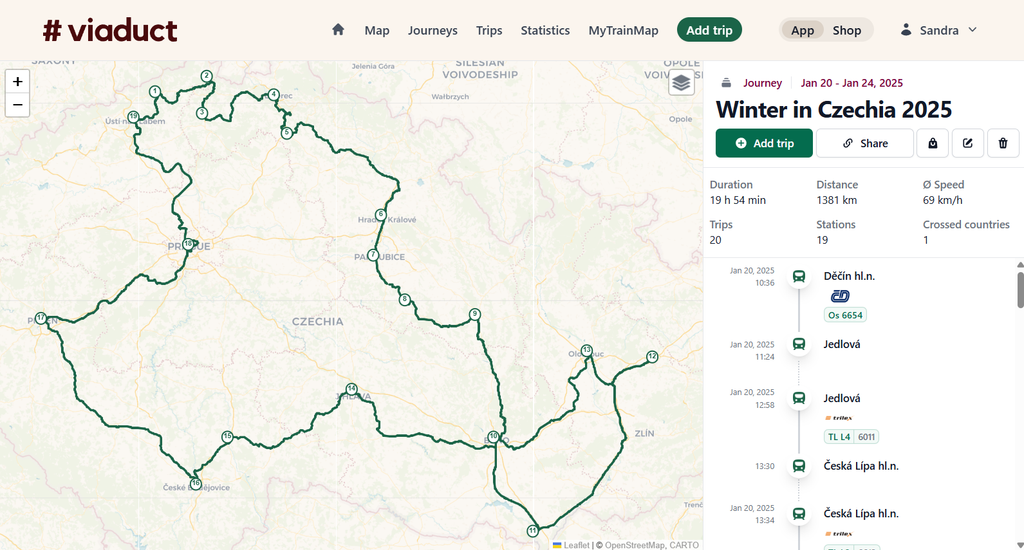
Our Journeys just got a visual boost:
🗺️ On the left, a map showing your route and the order of visited stations
🕒 On the right, a chronological list of all included trips
📊 Plus: journey stats like total km and time on board
Perfect to relive your travels at a glance. Find the new Journey View now under the “Journeys” menu! 🚉✨ #FeatureUpdate #MyTrainMap

Blackmagic DaVinci Resolve 19 Includes Over 100 Feature Upgrades https://petapixel.com/2024/08/22/blackmagic-davinci-resolve-19-includes-over-100-feature-upgrades/ #davinciresolve19 #davinciresolve #featureupdate #videoediting #blackmagic #Software #editing #resolve #video #News
10 fixes and features we still need on the Steam Deck
https://subscribeto.me/videos/watch/1c4cdd58-cea3-4af6-9103-5f6160c6a88b
WhatsApp is developing an in-app dialler feature for calling unsaved contacts. This will make it easier to connect with people without saving their number. #WhatsApp #InAppDialler #FeatureUpdate https://us.technoholic.me/QeZ84wb
Watch "Star Citizen New Ships & Feature Development Update | A Good Year For Gameplay" on YouTube https://youtu.be/-sLSOh8KLeQ
>Exclusive videos every month: https://www.patreon.com/SpaceTomato
#StarCitizen #SpaceTomato #CIG #RobertsSpaceIndustries #FeatureUpdate
The January ’23 #FeatureUpdate for #RemafoX is now available!
https://apps.apple.com/app/apple-store/id1605635026?pt=549314&ct=iosdev.space&mt=8
#GoogleTranslate & #YandexTranslate support were added, bringing the total supported languages from ~100 up to ~150!
Check out the #roadmap to learn what’s coming next:
remafox.app/roadmap/
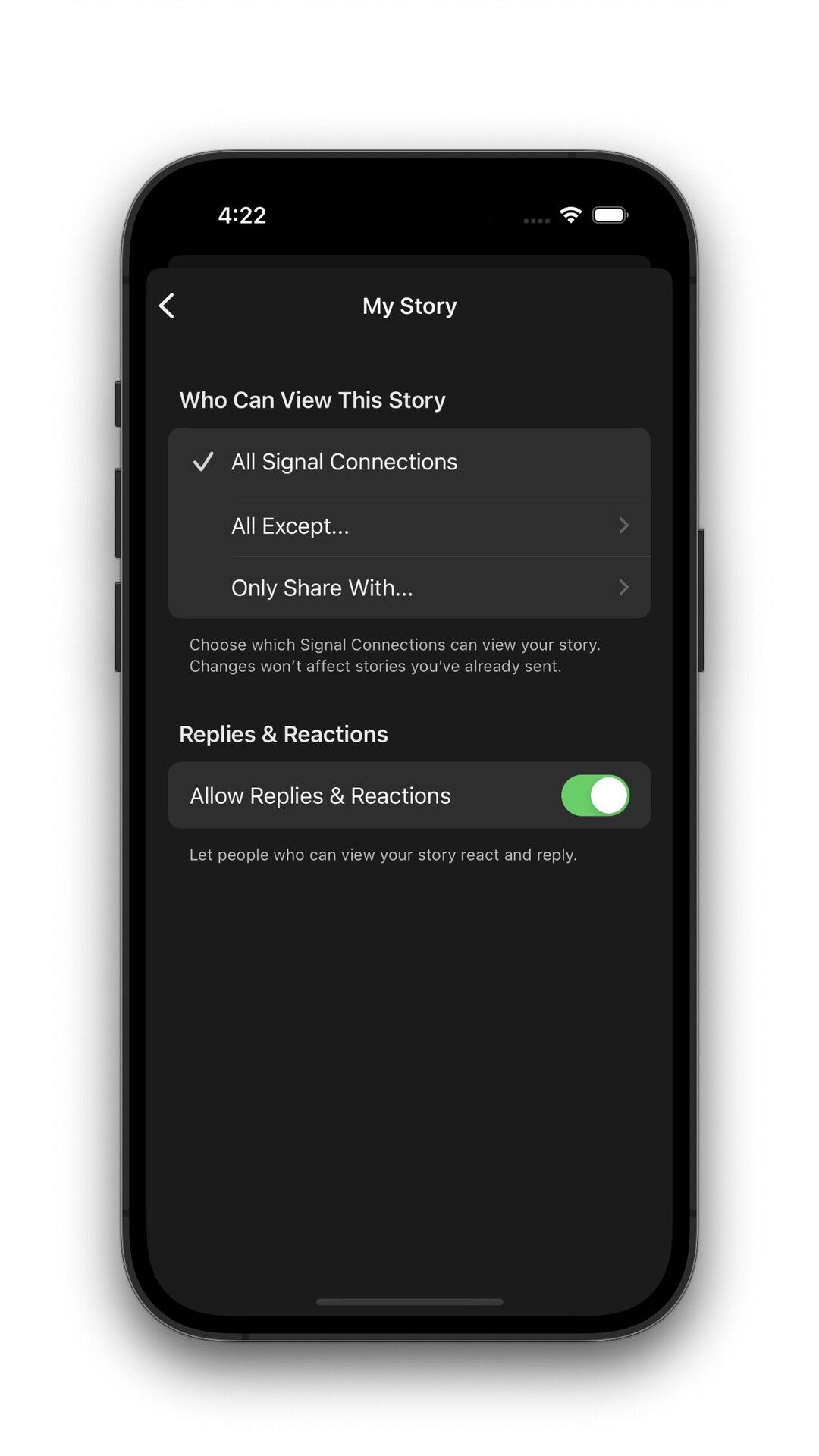
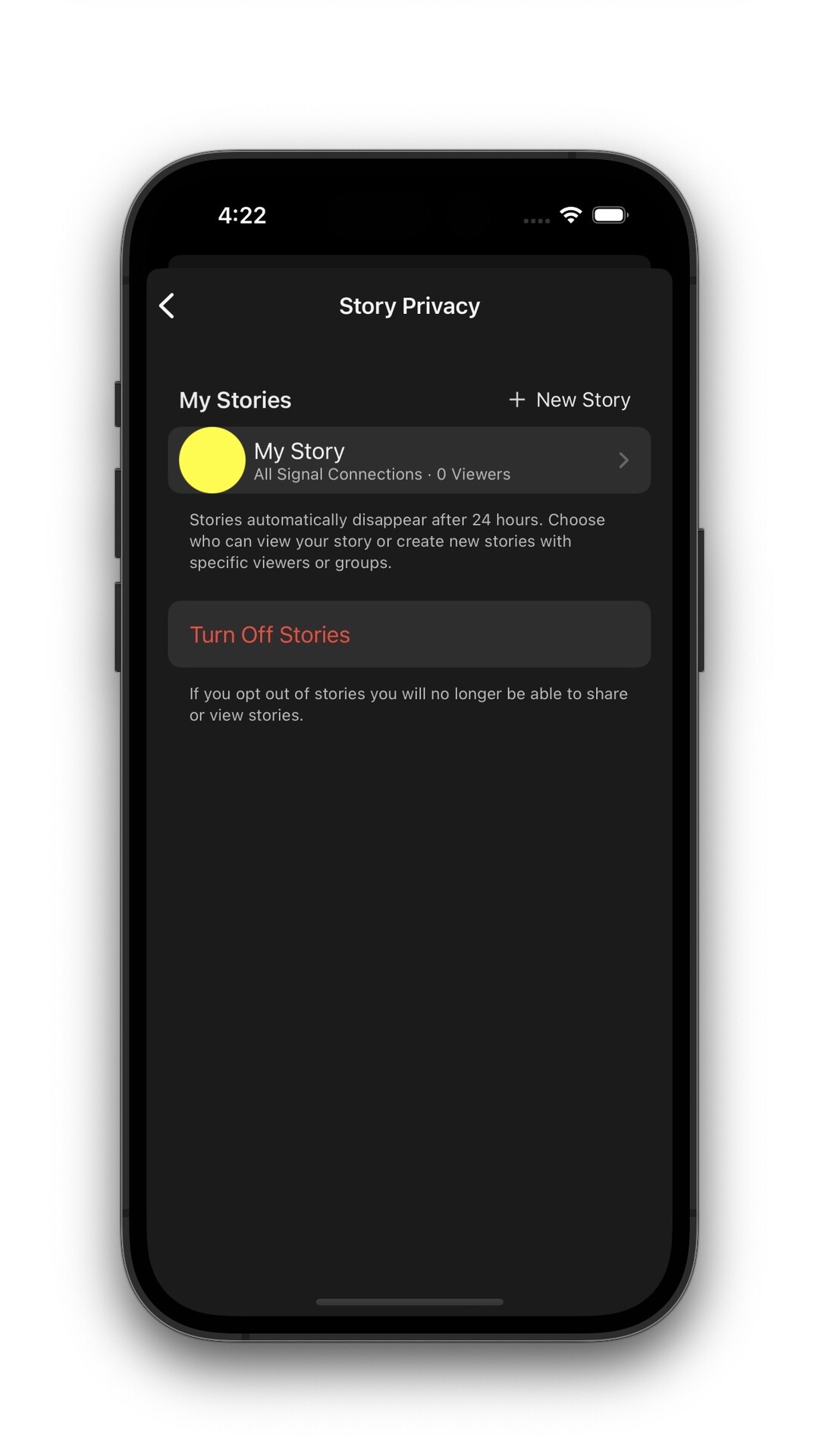
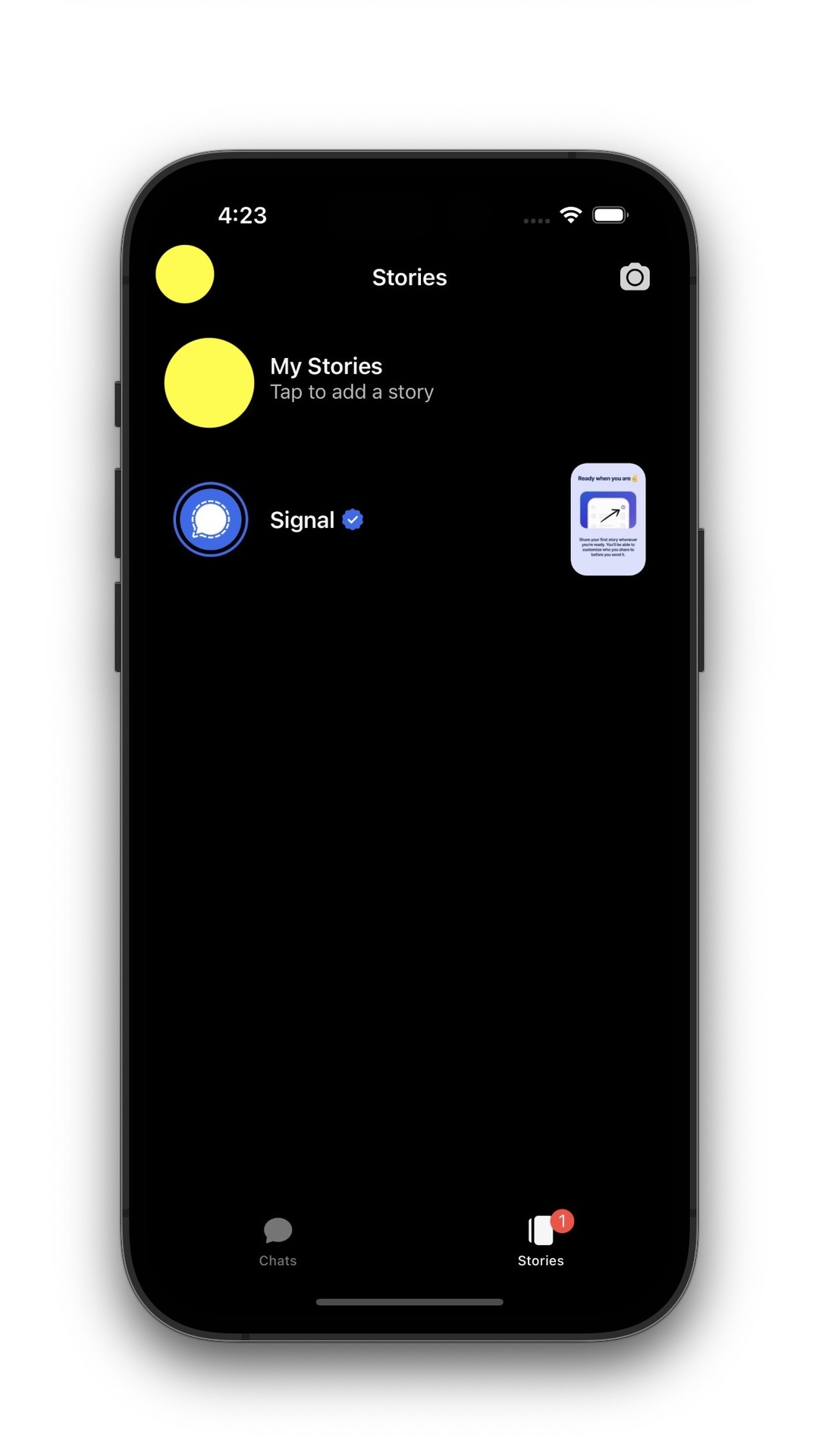
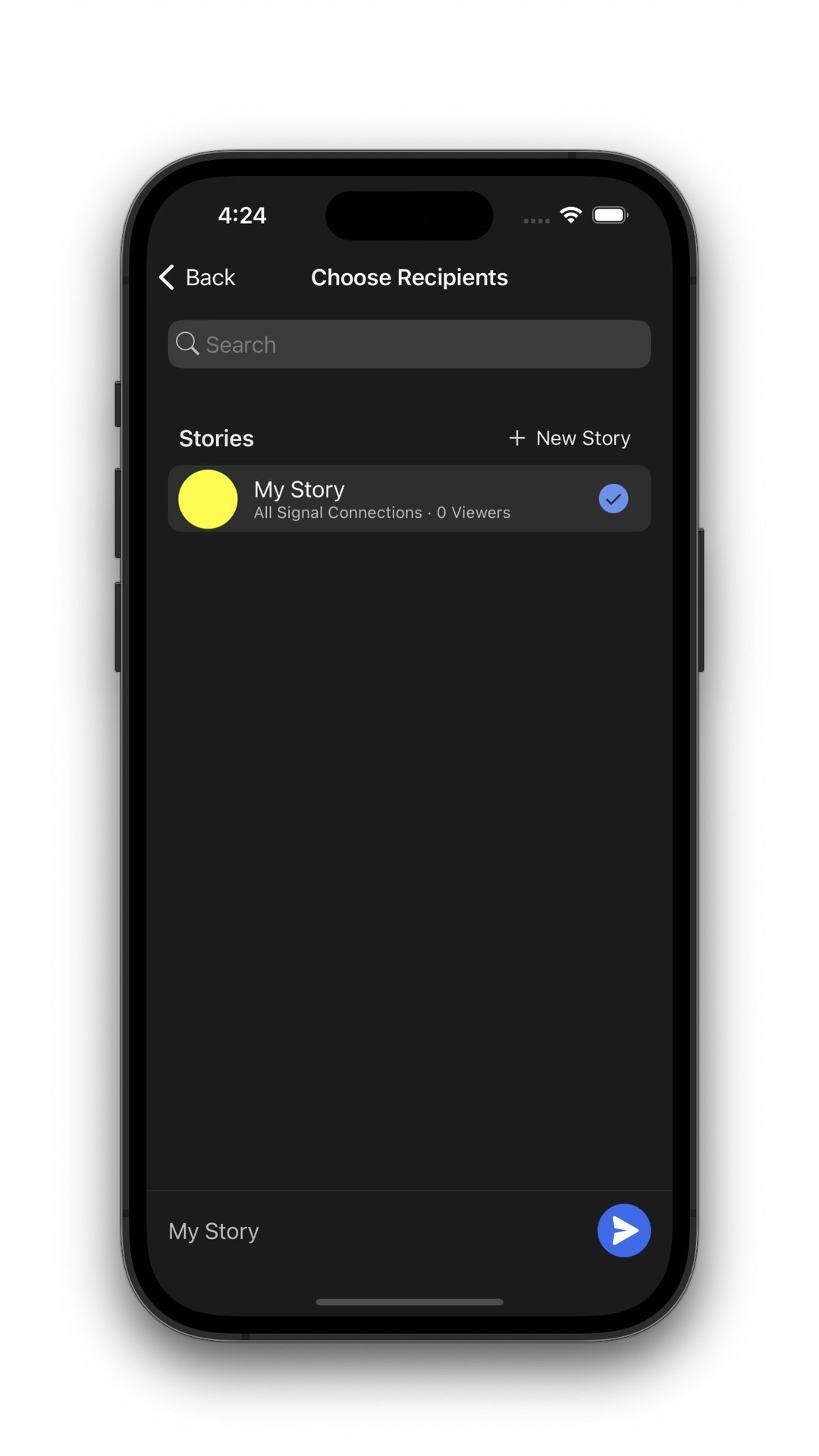
This is how Signal Story's will look on iOS
https://community.signalusers.org/t/stories-status-updates/2565/954
Major Photoshop Update: Sky Replacement, Healing Brush, and More
Adobe has announced what it is describing as a "major" feature update to Photoshop on desktop and iPad available today. Healing Brush and Magic Wand are now available on iPad, and Sky Replacement has the ability to import up to 5,000 skies at once on desktop.
Photoshop on iPad
Adobe has finally added Healing Brush to the iPad version of Photoshop with the same capabilities that photographers are used to seeing on desktop. Texture, lighting, transparency, and shading of sampled pixels are matches seamlessly and new pixels lend into the rest of the image for retouching with precision. All settings and controls -- including diffusion, blend modes, and brush angles -- are also present.
Additionally, Magic Wand has been brought to the iPad experience. As is the case on desktop, Magic Wand makes selections based on tone and color and tolerance and other characteristics can be tuned to specific use cases.
Adobe has also added Canvas Projection to the iPad, which allows users to share or collaborate on a larger screen by connecting an iPad to an external monitor or TV display with an HDMI or USB-C cable. When connected, the canvas is displayed full screen without the Photoshop UI which allows for a clean display of a live edit.
Photoshop on Desktop
Adobe says that it has expanded Sky Replacement to have many new skies to choose from by default and now also allows users to import up to 5,000 skies at once. The actual functionality of Sky Replacement remains the same, but the company has added "Get More Skies" as an option from within the app. That link will take users to Adobe's Discover site where they will be able to download groups of what it describes as "professional, high quality sky presets."
Transform Warp was given independent Bezier handle movement, controllable from a keyboard shortcut which is available for edges and Split Warp Points. The addition gives users who need to stretch and bend images onto bottle, boxes, or other objects the ability to create "previously-impossible" transformations.
Adobe has also addressed a list of over 500 bugs, all which are fixed today. Of those, Adobe pointed to the following as those having the biggest impact on performance and the "feel" of the application:
Across the application:
Neural Filters:
Photoshop Beta
Finally, adobe announced a new beta program for Photoshop. Photoshop Beta is a new way for users to give feedback about the application to the Photoshop Team. To get it, Creative Cloud members can find it in the install section of the Creative Cloud Desktop App. To provide feedback, head over to the Photoshop Ecosystem Adobe Community and create a new post using the “Beta” topic.
#news #software #adobe #adobecreativecloud #adobephotoshop #creativecloud #editing #featureupdate #majorupdate #photoediting #photoeditingsoftware #photoshop #photoshopondesktop #photoshoponipad #release #skyreplacement #transform #warp