#HackersKeyboard


@duncan_blues@norden.social
#Heliboard
Und für's #Terminal (#SSH auf #Linux #Server) #HackersKeyboard

@jcastroarnaud I use the The #UnexpectedKeyboard https://f-droid.org/packages/juloo.keyboard2/ with the #Emacs app. I also keep the the #HackersKeyboard https://f-droid.org/en/packages/org.pocketworkstation.pckeyboard/ around.
@foxysen I use #HackersKeyboard because I need Ctrl, F1-F24, etc.
@mekeor @Atemu Thanks for the tip!
The #UnexpectedKeyboard https://f-droid.org/packages/juloo.keyboard2/ looks like an interesting alternative to the #HackersKeyboard https://f-droid.org/en/packages/org.pocketworkstation.pckeyboard/ .
Unfortunately, it doesn't quite work for me. The QWERTY (US) layout doesn't have an ALT key like it does on the screenshot, which makes it pretty much useless for #Emacs 😢
I tried a custom layout, but the ALT modifier still doesn't show up. Maybe it's a #GrapheneOS quirk, but I doubt it. There is an ALT on the number layout

@CppGuy consider switching to #HackersKeyboard instead?

@stefano I pretty much gave up ... yes, I remember how nice my old #Nokia #E71 (a loooong time ago) worked as a terminal.
Nowadays I just have #ConnectBot and #HackersKeyboard installed, it's "okayish" for occassional use, I did fix a few issues ad-hoc on the road, but really only for "emergency"...
@RL_Dane noice!
Reminds me of #HackersKeyboard...

In cases like this, a physical keyboard or #hackerskeyboard can come in handy because the tab key works in Android.

@yakkoj I use #HackersKeyboard on #Android if not an external USB keyboard because I meed an actual Keyboard...
@JenWithGravy That's because it's filled by Google Searches...
I use #HackersKeyboard for ages because I want a decent touchscreen keyboard that doesn't rat out my inputs...

Does anyone know an Open Source split keyboard for #Android tablets?
Ideally I would love to have a fork of #hackerskeyboard, with a split layout so I can type without stretching my fingers.

Ich hatte hier mal einen kleinen Überblick gemacht zum Thema Tastaturen aus #fdroid: gnulinux.ch/alternative-tastat…
(siehe auch Ergänzungen in den Kommentaren)
Mein persönlicher Favorit für Tablets ist #HackersKeyboard .
Custom ROMs haben in der Regel die Android-Tastatur des „Android Open Source Projects“ (AOSP) als Voreinstellung. Die häufigsten Tastatur-Apps, die jedoch auf Geräten mit Stock-Android vorinstalliert sind, sind „Swiftkey“ von Microsoft bzw. „Gboard“ von Google. „Sowohl SwiftKey als auch Gboard haben Zugriff zum Internet. Sie stehen im Verdacht, Nutzer*innendaten an ihre Hersteller zu versenden.“ (mobilsicher.de) Darüber hinaus genehmigen sich diese Tastatur-Apps oft unnötig viele Berechtigungen wie den Zugriff auf Kalender, Kontakte und Gerätestandort.
⌨️ ⌨️ ⌨️ ⌨️ ⌨️ ⌨️ ⌨️ ⌨️ ⌨️ ⌨️ ⌨️ ⌨️ ⌨️ ⌨️ ⌨️ ⌨️ ⌨️ ⌨️ ⌨️ ⌨️ ⌨️ ⌨️ ⌨️ ⌨️ ⌨️ ⌨️
Doch nicht verzagen! Es gibt so einige Alternativen.
Ich habe in diesem kleinen Artikel ein paar ausgewählte alternative Tastatur-Apps kurz vorgestellt: #AnySoftKeyboard, #OpenBoard und #HackersKeyboard.
gnulinux.ch/alternative-tastat…
Mit welchen Tastatur-Apps habt Ihr Erfahrung und inwiefern könnt Ihr diese empfehlen?
#Fdroid #Android #Google #Microsoft #Swiftkey #AnySoftKeyboard #OpenBoard, #HackersKeyboard #Privacy
@caos

@ParadeGrotesque perhaps, though that didn't stop me from chatting on #IRC via a remote #WeeChat over #SSH for years 😅
#HackersKeyboard, or a physical (external) keyboard to recuperate a large portion of screen estate, helps a lot though.
I still miss affordable phones with a built-in physical keyboard...
@claudiom
@aldersprig
#Unicode has entire blocks dedicated to #subscript and #superscript forms of characters: https://en.wikipedia.org/wiki/Unicode_subscripts_and_superscripts
On #Android with #GBoard it's as easy as holding the number characters to pop up its superscript form; at least for the first four: ¹²³⁴
#HackersKeyboard also supports this on some layouts.
Alternatively use https://lingojam.com/SuperscriptGenerator to convert normal text to superscript.

DeX is dead, but there is still #CompleteLinux Installer, #LinuxDeploy, #AnLinux, #UserLand
And I should add #Termux for the nice shell part and a bit of #HackersKeyboard
@lj_writes@fandom.ink
That's actually one thing I like better about an #OnScreenKeyboard as used on #Android, such as #gBoard and #HackersKeyboard: easier and more logical access to accented characters and symbols.
Though I wish those layouts were more easily modified than modifying the source code and rolling your own APK, so I could add my own symbols to the long-press alternatives.
@megriffin
it has some for you :thinkergunsunglasses:
:thumbsup_hmn_b1: #hackerskeyboard
@KelsonV @sohkamyung
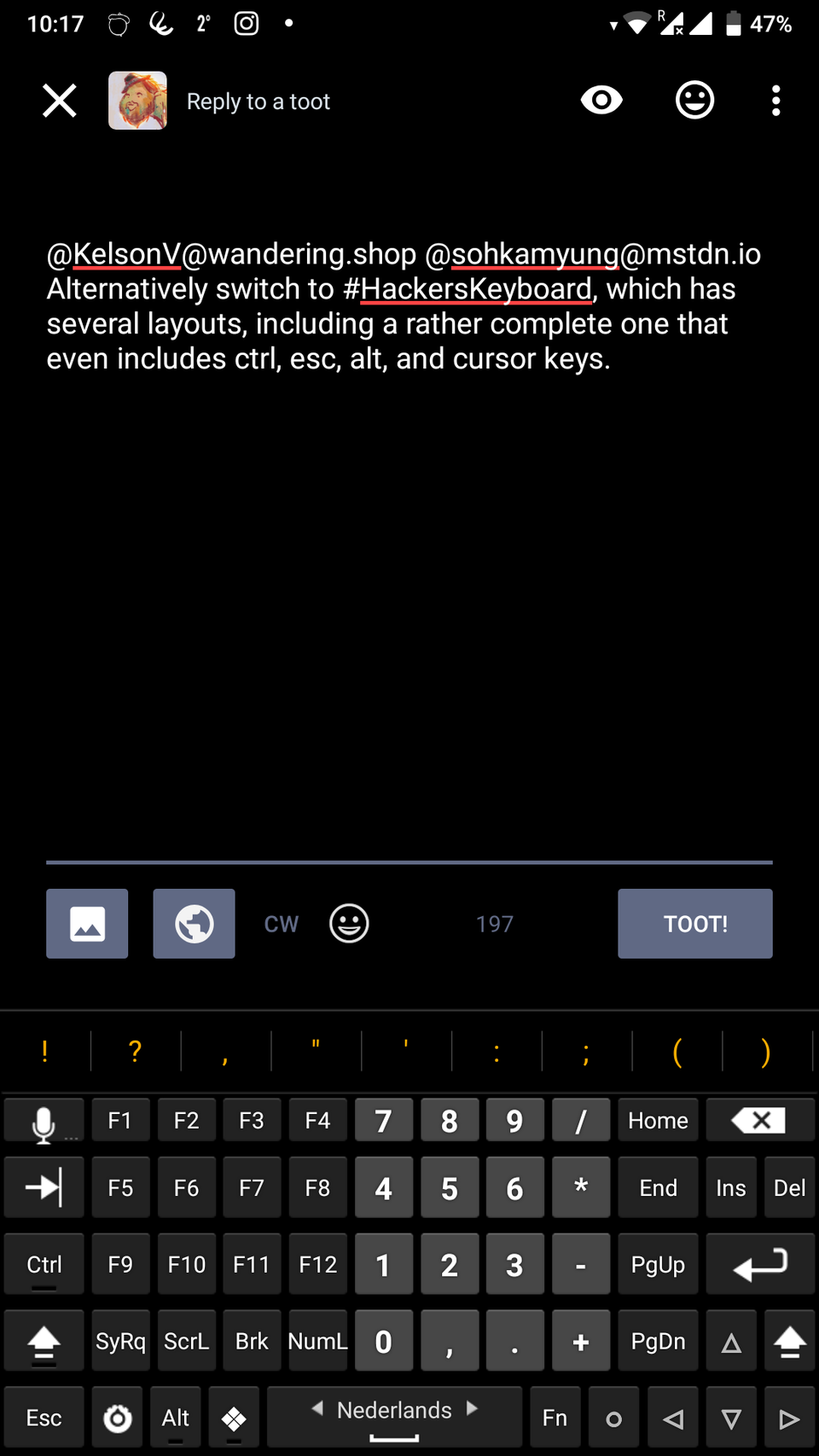
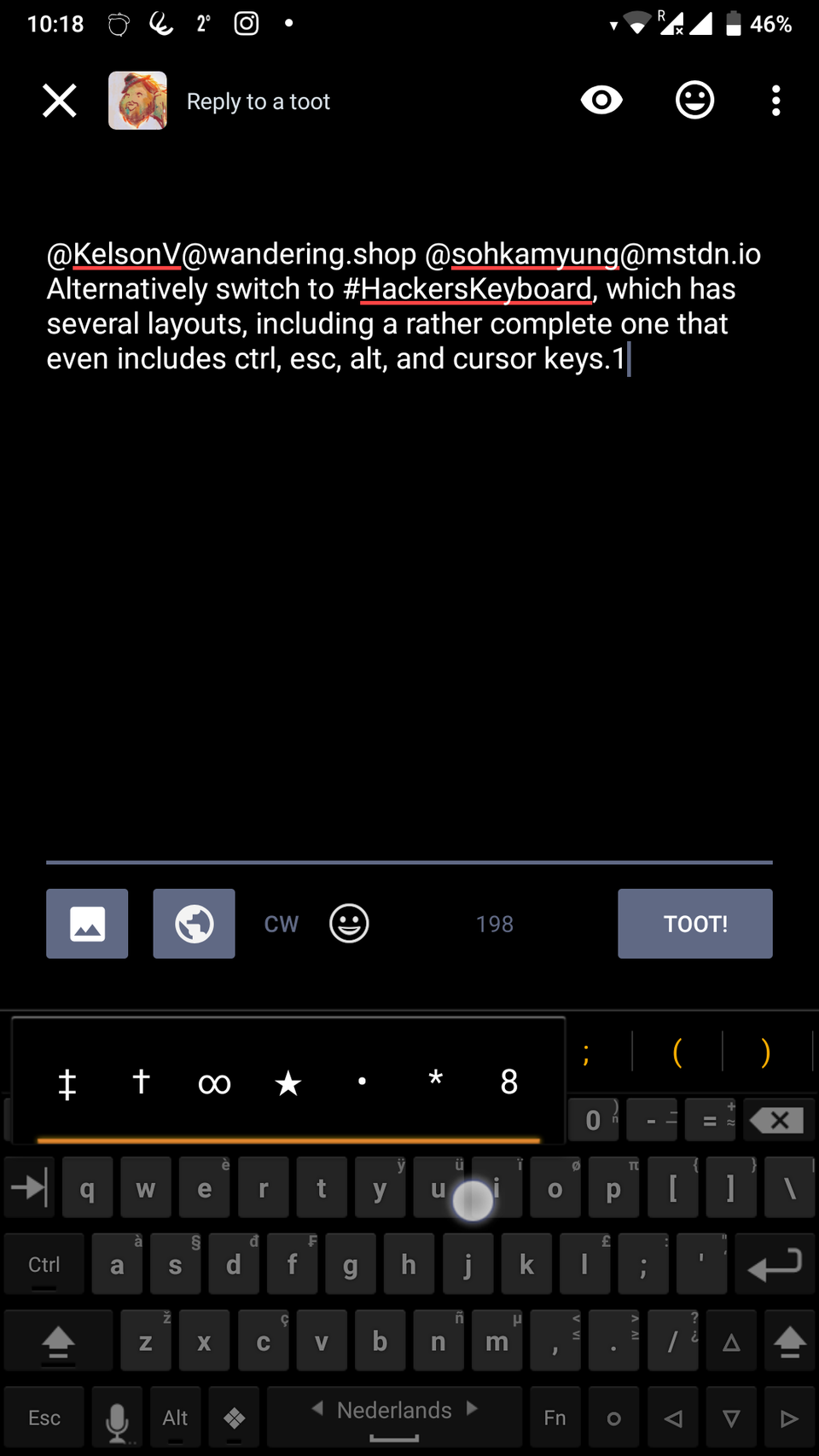
Alternatively switch to #HackersKeyboard, which has several layouts, including a rather complete one that even includes ctrl, esc, alt, and cursor keys.
It also has a very wide range of special characters.
https://mastodon.social/media/rPCWZEUfS6d2yxOuICM
https://mastodon.social/media/qDrtjiTp6ChomiaJhY4