
Seit ich meinen #8Bitdo #UltimateGamingController habe verstehe ich den Reiz den eine #Switch beziehungsweise #Switch2 ausmacht deutlich besser. Ich habe den eigentlich nur für #RemotePlay auf #Playstation4 und #Playstation5 gekauft (da gefällt mir das Teil bedeutend besser als die originalen Gamepads von Sony), habe aber angefangen den auf längeren Fahrten mit den Öffis zu nutzen um gamepadkompatible Spiele wie Titan Quest und Spongebob The Cosmic Shake zu spielen und genieße die Ablenkung total. Außerdem ist es halt auch DEUTLICH günstiger als eine Playstation Portal.
#RemotePlay

Sony and Honda’s New Vehicle Will Let Passengers Play PS5 Games, but There’s a Catch

Honda und #Sony bringen #PlayStation #RemotePlay ins #Auto: Das E-Fahrzeug #Afeela1 soll ab 2026 als erstes Serienfahrzeug überhaupt Konsolenstreaming direkt auf internen Bildschirmen ermöglichen. https://winfuture.de/news,155722.html?utm_source=Mastodon&utm_medium=ManualStatus&utm_campaign=SocialMedia

The PlayStation Portal feels a lot better with the right gear. We rounded up the best PlayStation Portal accessories from headsets to cases and more. Check out our full guide in the link below. #playstationportal #psportal #gaming #playstation #cloudgaming #remoteplay
https://clouddosage.com/the-best-playstation-portal-accessories-for-2025/

PlayStation Portal Cloud Streaming Goes Live: 2,793 Games, 3D Audio & Full PS5 Experience Without the Console - #Baskingamer
for more information check https://tinyurl.com/bdzm3ccy
#PlayStationPortal #CloudStreaming #PS5 #RemotePlay #SonyPlayStation #Baskingamer #game #gaming #GamingNews #PlayStation #PlayStationPlus
🚀 GAME CHANGER!
PlayStation Portal Cloud Streaming goes LIVE Nov 6 (6 PM PT)! Stream 2,793+ PS5 & PS+ games WITHOUT a console, Astro Bot, Final Fantasy VII Rebirth, GTA V, Ghost of Yōtei, Resident Evil 4 & more! 3D Audio, passcode lock, redesigned home screen.
more updates soon at https://tinyurl.com/56y9bxe4
PS Plus Premium only.
#PlayStationPortal #CloudStreaming #PS5 #RemotePlay #SonyPlayStation #Baskingamer #game #gaming #GamingNews #PlayStation #PlayStationPlus

Yesterday, I discovered our 75 inch Samsung TV has the Xbox app available for it.
After install and getting signed in to it I'm able to remote play stream the Series X console on my desk direct to it!
Big TV lounge time! Total game changer!

What happened to XBOX Remote Play on iOS?? A web app? How many times do you want me to log in for one session? And how to get rid of the title bar?? I'm going crazy (probably)
#xbox #RemotePlay #OldManYellsAtCloud

Not pictured: what Alice's other hand is up to as they send their driver encouraging clips and pics.

Hey gaymers :IntersexInclusivePrideHeart:
We've been successfully using the Remote Play function within the Steam gaming client :SteamIconLogo: for Windows for a while now to stream RuneScape from our Windows 11 :Windows_11_Logo: host gaming PC to our Android-based tablet (Xiaomi Redmi Pad Pro) using the Android Steam Link app .
However, since we play RuneScape muted (and always have done), we had previously disabled sound in the Android app, and didn't think to previously test whether it even worked.
Yesterday, however, we wanted to stream Stardew Valley, so that we could continue our newest co-op game with our wife whilst in the same room, but despite enabling sound on both the Android app and the Steam app on the host PC, we couldn't get any games or desktop sounds to play through the tablet 🥺😔
We have already tried to troubleshoot the sound issue and looked at a lot of posts about it, but nothing we've done so far has worked 🤦♀️
We think we might be able to work around the issue by changing our default sound output to Steam Streaming Speakers, but doing that stops sound outputting to our normal speakers, so we'd have to flick between the options each time we wanted to use Remote Play :Sighing_Face:
We're intending to keep trying to research and resolve this issue ourselves, but if it's anything like the DPI awareness issue we found a workaround for, it could potentially take us weeks or even months 😖
Don't suppose that anyone else has already found a solution to this? :BlobCatPleadStare: :catgirl_sleepy:
Thank you in advance for any suggestions that have worked for you or others you know, even if they don't work for us personally :HeartHands:
#AskFedi #ValveSteam #Steam #Windows11 #RemotePlay #gaming #PCGaming #SteamLink #TechSupport #InfuriatingProblemThatProbablyHasASimpleSolution
Edit: AHA! Found the bleeping solution! And, of course, the things were bleeping easy 🤦♀️
Steps to take that should work for most folks:
On host PC in Steam
- Steam > Settings > Remote Play > Enable Enhanced Host Options > enable Play audio on host.
- Scroll down to and enable Enable Advanced Client Options, then set a controller button option to hold down to enable the Controller Overlay.
- We used the Guide Button.
On Steam Link app
- Settings (cog icon) > Steaming > Customize > set the same button under Controller Overlay.
- Go back to the main Steam Link screen.
- Either click on Start Playing to load Steam (in either desktop or big picture mode) then load a game, or click on a previously-loaded game to open it.
- Hold down the controller button you assigned to bring up the overlay.
- Scroll over to the right and check that the sound isn't muted.
- If it is, unmute it.
We had this issue because we'd disabled the annoying touch controls that hover over the screen. Unfortunately, by doing so, we also disabled the part of the interface that was showing us that we'd muted Steam Link at some point 🤦♀️
You can use the four finger tap gesture to bring up the streaming menu, but it is kinda difficult and unreliable to do... at least in our experience. This then allows you to enable touch controls, which in turns gives you icon to bring up the settings to change the touch controls, mouse settings, and set the sound and microphone options. This is an option if you don't have a controller, but please note that it's a bit of a faff.
If none of this works for you, try watching through this video, even if you mute the audio and read the subtitles (like we did), as the guy's voice didn't agree with us 😅

Anyone joining the Lovense Orgy?
Hey lovelies 🩷
Just in case this helps any Steam users, we found a solution to the mouse offset issue that occurs where:
- You're streaming through Steam using Steam Link (app or device) or Remote Play.
- Your host PC is Windows-based.
- The application being streamed is running on a monitor with scaling >100%.
This issue can commonly affect users streaming to tablets or Steam Decks :SteamIconLogo:
We've already written about this previously here, here, here, and here, but we wanted to compile the key info in one place to help others. We have also written up a post on the Steam Community forums with all the details here, in the hopes that Steam devs will pick up on this and improve the Steam client for Windows.
Basically, it seems that the issue is caused by the Steam client for Windows being DPI unaware. DPI awareness was introduced in Windows 10 Version 1607 (aka Anniversary Update). You can read the technical details about these below:
The below website was what caused us to realise that Steam is DPI unaware and how to force DPI awareness for Steam and any applications running through it:
In short, you can force the Steam client and any relevant DPI-unaware applications to run as DPI aware by setting the default DPI awareness for a process.
e.g.,:
[HKEY_LOCAL_MACHINE\SOFTWARE\Microsoft\Windows NT\CurrentVersion\Image File Execution Options\steam.exe]
"DpiAwareness"="PerMonitorV2"
[HKEY_LOCAL_MACHINE\SOFTWARE\Microsoft\Windows NT\CurrentVersion\Image File Execution Options\streaming_client.exe]
"DpiAwareness"="PerMonitorV2"
You can do the same for any application you're streaming through Steam: just use the name of the exe.
e.g.,
HKEY_LOCAL_MACHINE\SOFTWARE\Microsoft\Windows NT\CurrentVersion\Image File Execution Options\rs2client.exe]
"DpiAwareness"="PerMonitorV2"
[HKEY_LOCAL_MACHINE\SOFTWARE\Microsoft\Windows NT\CurrentVersion\Image File Execution Options\RuneScape.exe]
"DpiAwareness"="PerMonitorV2"
Hope this helps some folks 🩷
#Steam #SteamClient #Value #MouseOffset #SteamLink #RemotePlay #streaming

Razer lanza PC Remote Play y ahora puedes jugar tus títulos de PC en tu iPhone o iPad desde cualquier lugar. Compatible con mandos, teclado, ratón y más.
¿Gaming en el sofá? Claro que sí 🎮📱
#Razer #RemotePlay #GamingMobile 🔗 https://wp.me/p4oJRF-2wO


Razer Launches PC Remote Play App; Requires Cortex On PC #app #cortex #gaming #mobile #nexus #pc #pcremoteplay #razer #remoteplay #streaming
https://www.lowyat.net/2025/347714/razer-pc-remote-play-app-requires-cortex-pc/

You already own a killer gaming PC — why not take it everywhere?
With Razer PC Remote Play, your smartphone becomes a mobile gaming machine. Stream, play, and feel every moment with HD haptics.
No console required.
https://www.cryovex.com/play-your-pc-games-anywhere-razer-pc-remote-play/
#Razer #RemotePlay #MobileGaming #GameAnywhere #GamerLife #TechOnThreads

After taking a few months off, I've found a new home to write/review tech and gaming gear over at @cryovex thanks to @MartinGuay!
Just published my first article: https://www.cryovex.com/play-your-pc-games-anywhere-razer-pc-remote-play/
Looking forward to getting back in the saddle!

Razer PC Remote Play launches for iOS and Android and lets you stream PC games to mobile with full controller support, sharp visuals, and easy setup.
https://clouddosage.com/razer-pc-remote-play-launches-for-ios-and-android/
Bit of a random question, but if anyone knows the answer to this, it'll probably be someone (or some folks) on fedi :FediverseSymbol:
The problem involves using the Steam Link android app to stream a game from a Windows 11 host :SteamIconLogo: :Windows_11_Logo:
The problem is that if the game is loaded on any monitor with scaling >100%, the mouse co-ordinates are offset 🫤
The issue can be worked around by reducing the scaling on any such monitor to 100%, but it's not a viable option for me sadly for accessibility and productivity reasons.
We believe the issue could be resolved if Steam Link were to call the SetThreadDpiAwarenessContext function, which we've reported to Valve, but we're not expecting an acknowledgement or answer any time soon.
Anyone been able to resolve the issue without reducing scaling to 100%?
Pretty sure the issue can also occur with folks playing mouse-requiring games via Remote Play on a Steam Deck on a host with scaling set to >100%.
#Steam #SteamLink #RemotePlay #Windows11 #AskFedi #SetThreadDpiAwarenessContext
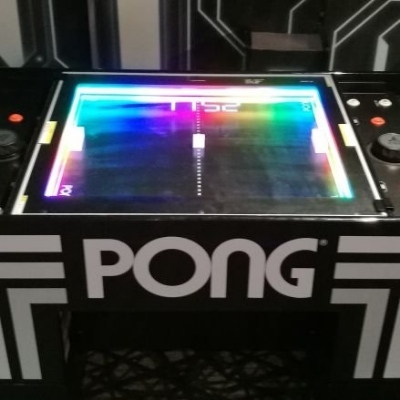
Unsere Februarsendung findet ihr nun 7 Tage in der #Mediathek von #Radiox 📻
Teil1
https://radiox.de/plus7/ajax/player/39004
Teil2
https://radiox.de/plus7/ajax/player/39005
Unsere Themen: 🔊
#IntoTheBreach 👽
Jetzt für portable Geräte 😊
#RemotePlay mit #PlaystationPortal 🛰
Wenn der TV im Wohnzimmer besetzt ist, oder wir unterwegs sind😉
Moderne Bluetooth Controller an alten Konsolen 🎮
#BlueRetro #Unijoysticle2 🕹
Mit besonderen Blick auf den #Dreamcast


Client Info
Server: https://mastodon.social
Version: 2025.07
Repository: https://github.com/cyevgeniy/lmst