
Need to set up a Key Sequence Task? Here’s how 💡 Get more info here: https://www.royalapps.com/go/help-ts-win-v7-ref-keysequencetask
#RemoteDesktop


Did you know that out of the box, Royal TS has the ability to send its logs to an Elasticsearch Server/Cluster? 👀 Check out our Community Page for more information ➡️ https://community.royalapps.com/t/how-to-send-royal-ts-logs-to-an-elasticsearch-server-cluster/159


Tired of Managing Multiple Remote Sessions manually? Here’s the Fix 💡 Read more under: https://royalapps.com/go/help-ts-win-v7-ref-terminalservices



We've just released #FreeRDP 3.23.0
go check out the changes at https://freerdp.com
15 CVE and security advisories have been addressed with this release.
Alongside this new stable release a final release of the 2.x series 2.11.8 has been uploaded as well.
⚙️ Here’s how to use a PowerShell Logon Script to Pre-Configure Royal TS Settings: https://www.royalapps.com/blog/use-a-powershell-logon-script-to-pre-configure-royal-ts-settings

Key Sequence Task instead of Auto Fill: Find the fitting solution for your login 💡



Unable to copy and paste from local computer into a Remote Desktop Server? You need to enable Clipboard access in your Remote Desktop Connection settings.
1.Open Remote Desktop Connection (mstsc)
2.Click on Show Options
3.Go to the Local Resources tab
4.Under Local devices and resources, make sure Clipboard is checked
5.Reconnect to the server
That’s it ✅
#remotedesktop #tech #troubleshooting #howtoguide #techarticle

Do you know how to import all your documents? 📑 Find out how here ➡️ https://docs.royalapps.com/r2023/royalts/advanced/import.html
#devops #itadmin #remotemanagement #RDP #remotedesktop #ssh #data


Stasera ho provato questo, e non mi sembra niente male
Prima ancora programmi basati su VNC, ma sono laggosissimi tra pc sulla stessa rete, inoltre questo, se vi serve, vi fa visualizzare e controllare il vostro qualsiasicoso android da pc
@linuxeasy @computer@diggita.com @computer @linux @linux@diggita.com

Microsoft Blocks Credential Autofill to Fix Windows Hello Flaw
#Microsoft #Windows11 #February2026PatchTuesday #Cybersecurity #Authentication #WindowsHello #Biometrics #RemoteDesktop

Need to connect to two or more target hosts? Easy with Dependent Gateway 💡 Read more here: https://www.royalapps.com/blog/dependent-gateways
#devops #itadmin #remotemanagement #RDP #remotedesktop #ssh #gateways


How to Enable Remote Desktop (RDP) Between Two Windows 11 Enterprise PCs on a Home Network | https://techygeekshome.info/how-to-enable-remote-desktop-rdp-between-two-windows-11-enterprise-pcs-on-a-home-network/?fsp_sid=30329 | #Guide #Microsoft #RemoteDesktop #Windows
https://techygeekshome.info/how-to-enable-remote-desktop-rdp-between-two-windows-11-enterprise-pcs-on-a-home-network/?fsp_sid=30329


How to Enable Remote Desktop (RDP) Between Two Windows 11 Enterprise PCs on a Home Network | https://techygeekshome.info/how-to-enable-remote-desktop-rdp-between-two-windows-11-enterprise-pcs-on-a-home-network/?fsp_sid=30328 | #Guide #Microsoft #RemoteDesktop #Windows
https://techygeekshome.info/how-to-enable-remote-desktop-rdp-between-two-windows-11-enterprise-pcs-on-a-home-network/?fsp_sid=30328


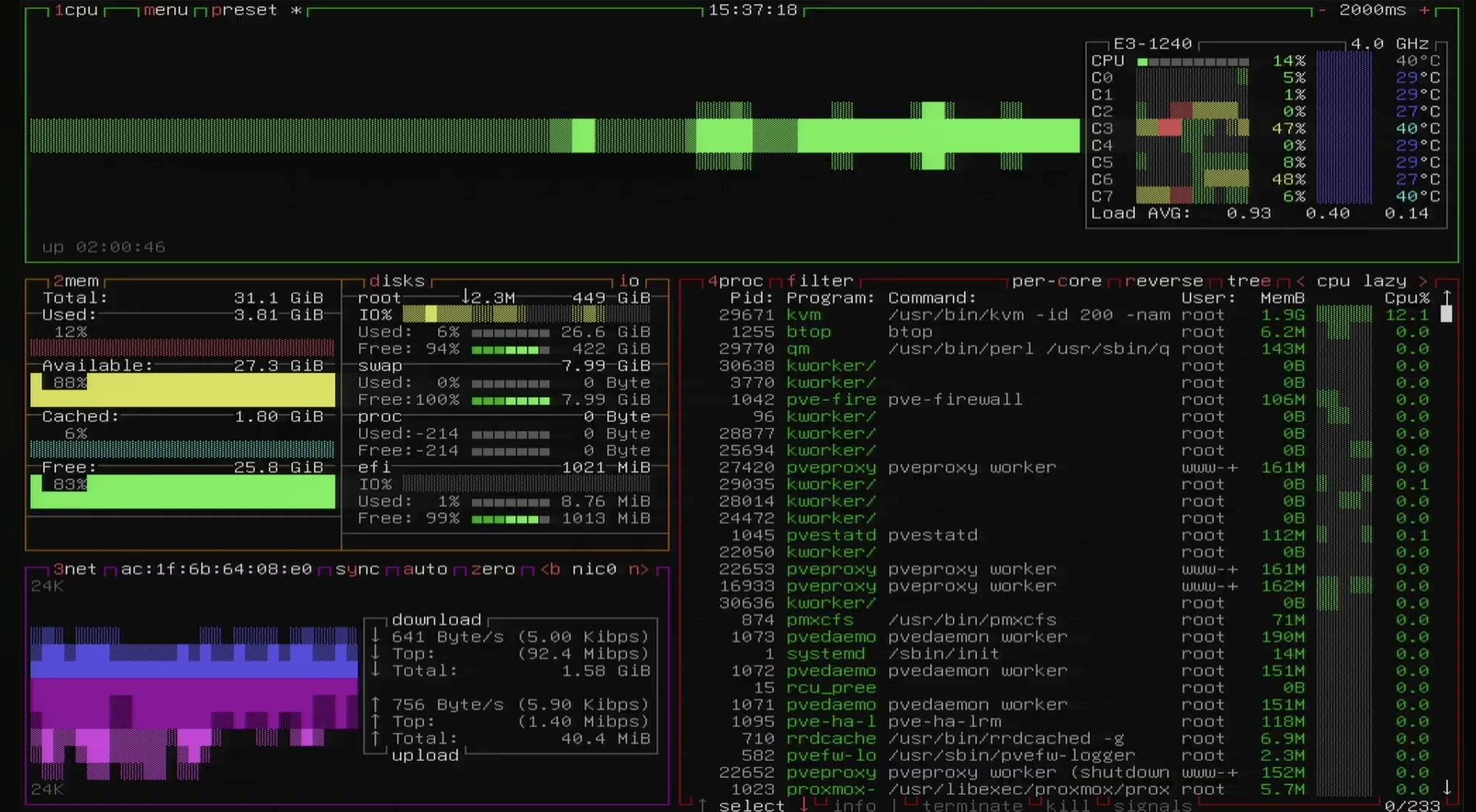
Video of #supermicro #x11 #bios flashing update #bmc #firmware via #efishell & bios using #msdos . Setup of #proxmox . Detailed video https://youtu.be/z6JsDy1YC6w
#x11ast2400 2017 Mainboard setup using setup utility #ipmi . Setup & useful background info #remoteshell #html5 #remotecontrol bmc network configuration to failover #ubuntu for hardware stress testing using #cryptohash #xeonE3_1240 3.7GHz #fan #proxmox #gui #iso #templates #partitions #spice #remotedesktop https://www.youtube.com/shorts/rmhnG48P8Rw


Did you know? Royal TS supports a wide range of bulk operations to speed up your workflow 💡
Learn more ➡️ https://www.royalapps.com/go/help-ts-win-v6-bulkoperations
#devops #itadmin #remotemanagement #RDP #remotedesktop #ssh #bulkoperations
Royal Apps Security Week Day 5 🔐 Work safer and faster with our AutoFill for Web Pages using TOTP MFA Code Generator in Royal TS for Windows 🚀
#security #password #devops #itadmin #remotemanagement #RDP #remotedesktop #ssh


Royal Apps Security Week Day 4 🔐 The Document Store in Royal Server provides one secure, encrypted hub for all your Royal TS/X documents — with backups and access control built in 🗂️
Read more here:
https://docs.royalapps.com/r2023/royalserver/components/document-store/index.html
#security #password #devops #itadmin #remotemanagement #RDP #remotedesktop #ssh



TeamViewer with a newer Ubuntu version #remotedesktop #wayland #teamviewer
Royal Apps Security Week Day 3 🔐 Managing credentials shouldn’t slow you down ⏰ with Royal Passwords, your logins are encrypted, organized, and just one click away—right in your browser. Read more: https://www.royalapps.com/go/kb-all-web-autofill
#security #password #devops #itadmin #remotemanagement #RDP #remotedesktop #ssh


Client Info
Server: https://mastodon.social
Version: 2025.07
Repository: https://github.com/cyevgeniy/lmst