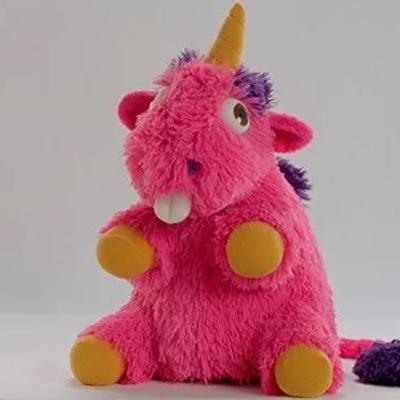
Ale fajnie ktoś sobie Kobo zrobił - ma być plugin dostępny to nawet chyba bym chciał wyjątkowo
#kobo #ebookreaders #swiatczytnikow
#ebookreaders



I think a lot of the "Oh, you should switch to an #eink device! It's so much easier on the eyes!" hubbub ... is mostly humbug. #ebookreaders with no backlight are only easy on the eyes under very specific conditions ... and those with a color screen are muddier than their black-and-white counterparts.
That said: in bed, I'd much rather end the day reading on a #Kindle or a #Boox device. For me, this has more to do with the elegance of a dedicated device, though, than a screen technology.

Reading books with #ReadEra
https://readera.org

@xlarii__gcoats @gedankenstuecke Thorium Reader is open source, good and accessible: https://thorium.edrlab.org/en/
@ninafelwitch I haven't looked much into these, but I saw them mentioned in a review. Kobo has a couple of eBook readers with color.
Kobo Libra Colour: https://gl.kobobooks.com/products/kobo-libra-colour
Kobo Clara Colour: https://gl.kobobooks.com/products/kobo-clara-colour
If, like me, you’ve been hoping for the advent of colour ereaders, you may now rejoice at the knowledge that they are now a reality, courtesy of Rakuten Kobo. 🤓
#eBookReaders #eBooks #eReaders #Kobo #RakutenKobo #ReadInColour

ePub's are still crashing, which means it is something to do with the format of the epub and not the software..#linux #Bookworm #Foliate #ebookreaders #Epub
I'll give bookworm a try, instead
#Linux #EBookReaders #Bookworm
curious that I can't get #Foliate to open epub files that I have imported.
#Linux #EBookreaders
@riley E-ink tablet, FYI.
It has no SIM capability, no camera, though there are a mic and speakers. I keep authenticated apps to an absolute minimum (Pocket is that exception), though I'm thinking of adding email to it. Jitsi meet might be a voice comms option.
TL;DR: excellent for reading, good for Web (use Einkbro: https://github.com/plateaukao/einkbro), quite good for podcasts, notetaking suprisingly good, multiple firmware upgrades over the past 2.5 years, which I consider good support (exceeds any prior Android device). Reasonably un-googled (no Google Play or Google registration), though still Android. Heavy use of F-Droid and Aurora Stores.
More recent releases double onboard storage. I'd still prefer to see ~512 GB (it's cheap). Document management is a major weakness.
I've written a few reviews and reflections mostly at Hacker News. Meta-review linking others: https://news.ycombinator.com/item?id=36965197
From that:
June 2021: 3 month review: https://news.ycombinator.com/item?id=27521248
September 2021: Benefits of a large-format e-ink handheld display for reading, and why the main problem with PDFs is actually computer displays generally: https://news.ycombinator.com/item?id=28612615
October 2021: On battery life: https://news.ycombinator.com/item?id=28745230 TL;DR: "the battery life published by Onxy is best considered "value never to be exceeded". The weeks-long battery longevity is based on about an hour of daily use, presumably with frontlight and radios disabled and minimal page-turning." That said, yes, as an e-book reader the battery life is excellent. Web browsing, by comparison, sucks battery at about 10x the rate.
November 2021: On display modes and trade-offs of display quality vs. speed. https://news.ycombinator.com/item?id=29260403
November 2021: On e-ink vs. emissive tablets generally: https://news.ycombinator.com/item?id=29303195
December 2021: On how an e-book reader fits into my research / reading practices: https://news.ycombinator.com/item?id=29609479
July 2022: Onyx BOOX vs. Remarkable (and why I'm glad I went with Onyx). https://news.ycombinator.com/item?id=32113312
March 2023: Review at two years and counting. https://news.ycombinator.com/item?id=35280532
For more on what e-ink delivers vs. tablets generally, see "The Case Against Tablets" (and specifically the long comment with the big table):
https://diaspora.glasswings.com/posts/880e5c403edb013918e1002590d8e506
The Long Comment: https://diaspora.glasswings.com/posts/880e5c403edb013918e1002590d8e506#956cc690403301391d35002590d8e506
Related topic, E-Ink Design Principles for Web and Applications:
- Persistence is free
- Paints are expensive
- Refreshes are slow
- Colours are very limited or nonexistent
- Line art displays beautifully. Raster images not so much
- Pagination navigation is strongly preferred to scroll
- Graphics are reflective rather than emissive
- Touch / Wacom may exist
- Feature detection capabilities are limited, particularly for HTML/Web (via media queries).
https://diaspora.glasswings.com/posts/638a8d10e041013afba8448a5b29e257
#eink #onyx #boox #OnyxBoox #EinkTablets #Einkbro #Android #FuckAndroid #ebookReaders
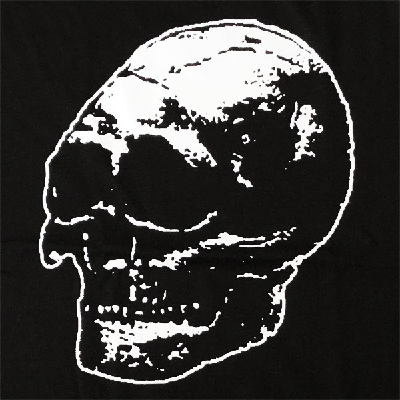
KOLEKTYW APARATURA ⚗️
#photo #monochrome #kolektyw_aparatura #matrix #inkBOOK #ebookreaders

@shanaqui #EbookReaders this looks pretty good to me. I have the old school Kindle 2nd gen white, with wifi that can be turned off. It's perfect for my needs and is in many ways similar to the Y-Ben Mini, except in size. (21cmx14cm). I got it ebay years ago for about $20, and then a second on as backup for a similar price. If it wasn't so small and pricey ($150), I'd snap it up!
Onyx BOOX Max Lumi display test: the May 1924 issue of Scientific American
I've been using a 13.3" e-ink reader since March of this year. I went with the largest available size as I frequently read books articles scanned from original printed copy, often with small type, degraded quality, or both.
This issues of Scientific American turned up through another article (the cover story on radio technology, pressaging the birth of broadcast networks). It is pretty much just at the limit of what's readable via a fully-cropped, but not sub-page-zoomed, content.
That is, I can read nearly all of this at full size, trimming out margins and such, but don't need to navigate within the page ... much.
Notable exceptions are the cover text itself, and some of the smaller classified adverts.
But if you're looking for a sense of what the reader can deliver, this is a good and fair test.
I have tweaked image contrast somewhat, with dark enhancement and watermark bleaching both applied, as well as some "sharpen image" (50, 30, and 20, respectively).
https://archive.org/details/sim_scientific-american_1924-05_130_5/page/312/mode/1up?view=theater
@Sandra I've owned (and pretty much liked) several generations of Palm PDAs, followed by several smartphones (including the Palm-based Centro, also a couple of Android devices), a tablet, and most recently an e-ink "ebook-reader" Android tablet.
E-ink plus a larger screen is a real game-changer.
In my case, the rather ginormous Onyx BOOX Max Lumi, a 13.3" 220 DPI e-ink Android tablet.
Size and format demonstrate to me that the real problem with reading online is mostly with displays, though format and software issues remain.
At 13" in (33.7 cm) diagonal, the Max Lumi is huge, but well-suited to scans of older academic papers (a principle genre for me). A smaller device could certainly be used. Keep in mind that a recent-generation iPhone has less viewable area than a 4x6 index card (and some of that is chewed up by device and app chrome). A 6" device is usable for much fiction, I'd recommend 8--10" for actual reading.
Palm's Grafitti was a major plus, newer devices now support direct handwriting, with sometimes-useful OCR available. Bluetooth keyboards afford much better text input, though OS and apps still cripple "real computer" uses.
That said, yes, I see e-ink tablets as the natural successor to the PDA.
@syndikalista I'm hampered, as is typically the case, by the lack of consideration e-reader tools give to any level of organisation or metadata (the BOOX lacks even the ability to edit file metadata: author, title, pubdate, serial, etc.). I tag most of these into the filename if possible, though that's painful and slow.
Also by the lack of sufficient storage on the device. 64 GB is large for an eBook reader, but barely sufficient. 512 GB would probably be the scope of no concern, for now. (I follow numerous podcasts as well as books, audio takes up far more storage, even when limiting downloads and removing items after listening.)
I'd be quite interested in how others manage.
My catalogue is rougly 10--15k items stored in Pocket (also a fucking disaster), and another 10--15k articles, books, and misc documents managed under bookreaders (PDF, ePub, DJVU, and similar formats).
#ebookReaders #Workflow #bibliography #LiteratureManagement #cataloguing
3/
@syndikalista My workflow such as it exists:
- Identiitfy materials of interest from numerous sources, though online references, citations in other works, and catalogue / index searches are principle methods.
- Sourcing is typically LibGen / Sci-Hub / Archive.org, with a few others. These are downloaded to the device.
- I try to loosly organise materials by topic, in a vaguely-ish LoC classification top-level grouping. Those are implemented as directories ("folders") on the device filesystem.
- I also try to keep tabs of what I'm currently principally reading or planning to read, though this is among the weaker parts of my "system".
#cataloguing #LiteratureManagement #bibliography #Workflow #ebookReaders
2/
@syndikalista Poorly, as seems par for the course.
I've never gotten on the Zotero train. For numerous reasons. I don't grok the workflow, and its Android apps seem to presume a desktop presence rather than being free-standing. My inclination is to create my own system, which is probably several degrees of insanity, but yo, I do me.
#ebookReaders #Workflow #bibliography #LiteratureManagement #cataloguing
1/
@kravietz I've just started using an Onyx Boox:
- Tons of formats: PDF, ePub, Mobi, djvu, and more
- "Frontlight". Illuminated display. Tunable colour temperature (warm/cool).
- Several hardware buttons, though most functionality is touch-screen.
- Large on-board storage (to 64 GB).
- Android-based.
- Third-party apps / bookreaders can be installed, though these may not function well under the Android build.
I don't think you'll find a current book-reader that isn't touchscreen.
I'm very happy with the display, and basic reading works well. Docs management is piss-poor, though that seems to be par for the course. I consider Android a mixed bag, though it does mean that you've got additional functionality, Very few apps are designed to accommodate let alone be optimised for e-ink.
There's extensive note-taking / annotation ("scribble" mode), including highlighting / underlining, writing directly ono document, etc. Positioninging for highlighting is ... iffy, depends on how particular you are. Annotation is a key selling point of the device. Also an available Bluetooth keyboard.
Models range from 6" to 13.3". The 7.8" and 10.3" should be plenty for most casual reading. 13.3" is huge, but useful for academic papers / archival articles and scans.
Website: https://www.boox.com/allproducts/
The Remarkable Tablet is another contender, though it has only 16 GB storage -- that's insufficient for my needs, but if you're doing relatively casual reading should be enough for ~3,000 optimised PDF or ePub books. I do a lot of scanned-in image documents which weigh in 10-20x larger.

First Look at Onyx’s Color E Ink eReader for Schools (Video) https://squeet.me/display/962c3e10-385b-d0d5-373a-183604762742
Client Info
Server: https://mastodon.social
Version: 2025.07
Repository: https://github.com/cyevgeniy/lmst