
#PowerMac #G4Cube mit #Apple #ProMouse, Tastatur, #HarmanKardon Lautsprechern und #StudioDisplay (2000) - pures #Design
#powerMac



I learned to love computers on the family Macintosh IIci, but 'my' first computer was a Performa 6400 (identical to the Power Mac 6400 🤷). 200 MHz PPC 603e, 16 Megs of RAM, 2 GB HD, built-in CD-ROM and Zip Drive. The motherboard slid out the back so you could set it on a work bench and tinker. I am proud to say I filled up all the slots/ports (including the A/V-in card) except for the TV tuner card. I loved that thing. https://en.wikipedia.org/wiki/Power_Macintosh_6400
#apple #mac #macintosh #retrocomputing #powermac

Good Morning,
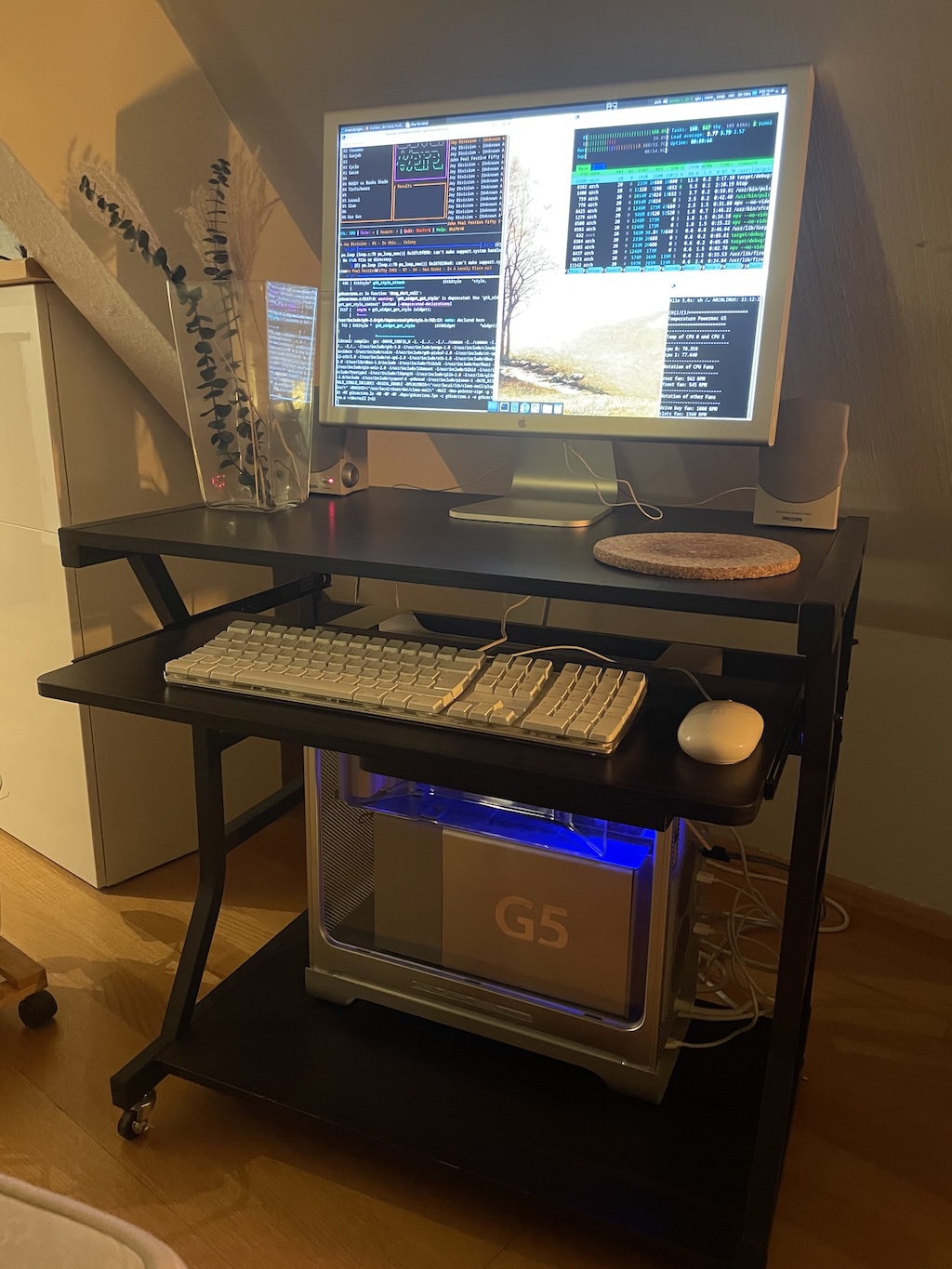
I want to show you two Picturs of my well working PowermacG5 Retro Battlestation. #powermac #linux
(https://apfelhammer.de/archpower-linux-for-ppc6432.html)
(https://apfelhammer.de/a-picture-of-my-powermac-g5.html)


A friend of a friend gave me their old #PowerMac 8500 with Sonnet G3 upgrade. There was no internal drive so I mounted an internal BlueSCSI.
The plastic is super-brittle. Pretty much any part I touched snapped into pieces. I got things back together again with some 3D printing, magnets, and glue.
Now I just need to decide what to do with it. I'm out of shelf space for old computers and this isn't high enough on my list to displace something else. Into the attic for now…


Ok, had a weekend off and relaxed yesterday night doing some retro computing.
Installed #MacOSXServer #Tiger on the old #PowerMac #G5. Luckily I remembered that this machine does boot from a USB pen drive when ones uses the right commands in #OpenFirmware.
Services started: #blojsom and the #WebObjects server.


Why would a computer (specifically a #G4 tower) power off when a DVD is put in the drive? I'm trying to figure out what's happening to the power supply in this situation that's causing the behaviour, because it's probably a pretty good clue as to what I did wrong when I rewired it that's also causing it to turn off after running for 15-20 min.
And it's not the drive itself. I swapped in another one just to eliminate that variable. I'm fairly certain it's something wrong with the way I rewired the ATX power supply to adapt it to Apple's weird non-standard pinout.
No idea. Mounted the small rubber shroud for the rear fan from the Quicksilver, as opposed to the plastic shield that holds the fan in the Digital Audio, and I've mounted a 120mm fan on top pointing out, Intel cooler style. I don't honestly think heat is the issue, but I'd like to at least eliminate it as a variable (or hey, maybe it is the issue, and I can prevent losing another night to fighting with yet another cursed G4).
Starting to once again lose my taste for playing with old Macs (though there's always the possibility that it's a side effect of the modified ATX power supply).

It is entirely possible that what is actually happening is it's going to sleep, and then failing to wake up (which I think is a side effect of the modded ATX power supply). I've now slid the sleep timer in the Energy Saver panel to Never, but I'm too dumb and impatient to wait and see if this solves it, and I currently have OS9.2 installing to the IDE drive. Wish me luck, lol.
IT WORKED.
I did film the moment of truth, but all that happened was the same thing as before, the power button lit up for as long as I held it down with my finger. So I stopped filming, and then several seconds later, I heard what sounds like a fairly whiny unhealthy fan spin up, and I looked down and saw the obnoxiously RGB Corsair keyboard lit up.
I assumed nothing was happening, so didn't hold Cmd+Alt+O+F long enough to get into open firmware and boot via USB, so that's why I'm just getting the icon, I assume.
Actually now that I think of it, wouldn't it be a question mark icon if it were a matter of an HDD with no bootable OS? It might just be slowly booting off the USB as we speak cause I'm still seeing smiley Finder folder icon. ???
Was about to test the newly modified ATX PSU in my Quicksilver G4... before I realized it was missing the CMOS battery (I forgot what Apple calls this, but it's the 1/2 AA battery that lives on the mobo... whatever). Why I bought a new battery for it, then realized the PSU was going to need replacing before it would work, and then removed the brand new battery I bought is a mystery to me. Maybe I thought I'd be holding onto it long enough to worry about the battery leaking a corroding the board? (iirc it was a lithium battery though, so honestly no idea what was going thru my head... or where I stored it in the meantime lmao)
Okay I'm in a little over my head. If somebody who knows more about electriconics/power supplies could help clear up my confusion, it would be very much appreciated!
I'm following the atxg4.com guide to modify an ATX power supply to work in my PowerMac G4 Quicksilver 2002 (link: http://atxg4.com/quicksilver.html), but it is a little light on details, and some of it is just straight up ambiguous (at least to me lol). I can whip up a MIDI controller or an arcade stick with a microcontroller, but that's more programming than circuitry; my actual #EE knowledge is novice hobbyist at best.
Anyway, I *think* I got the "connect the +3.3v line to the Power OK" part right? I interpreted their words + the pinout diagram to mean that I twist them together and they go together into Pin 8? Again, a bit ambiguos; because pin 8 is grey on the ATX pinout, and orange on the Quicksilver pinout, but it sounds like I'm being told to put grey AND orange into pin 8? (See below photo for current status)


Another Power Macintosh! And again, delivered by a relative clearing out an attic/closet/secret lair.
Did I ever mention that I was a PC person back in the '90s? I had almost no exposure to this stuff. And now I have ... too many of them. Going to need to find good homes for them, or sell them cheap at the #MITFlea
Here are the gory* photographs:
*not actually gory
🧵 1/8

Reitero il mio appello: adottate un #PowerMac #G5 :ancomheart:
Potete anche togliere la motherboard e mettere nel case strafico una dozzina di Arduini…
Venite a prenderlo, ve ne prego!
Chi dice che un vecchio #PowerMac #G5 non serve più?
Come contrappeso per tendere lo striscione #StuzzicaMenti va benissimo!
Se qualche persona lo vuole (allego foto senza sto cazzo di sole) basta che venga a prenderselo: ha da sostituire il supporto della batteria interna, ma nel prezzo (gratis) sono comprese un paio di birre.

I just opened this PowerMac 7200 for removing the battery. No leakage, fortunately. It worked the last time I turned it on (ten years ago), but I lost my VGA converter, and I forgot completely where the mouse and keyboard are. #retro #powermac


Okay fedi, see if you can help me out with this.
I have a 1.8GHz Dual Processor PowerMac G5, PCI, running 10.4 Tiger.
4 RAM slots, takes DDR sticks. Each slot has a PC3200U stick in it, 1GB each for 4GB total. Maximum it can handle is 4GB.
With all four sticks in, it only recognises two. Sometimes DIMM0/1 works, sometimes DIMM2/3 works. System always shows only 2GB RAM. I have tried the following:
- One stick at a time (2 flashing lights)
- Two sticks at a time (2 flashing lights)
- Three sticks at a time (once it flashed 3 times, once it booted with 0/1 not working but 2/3 working)
- All four sticks at a time (boots, with two slots not working)
- Switching sticks around (two are Kingston sticks, two are Crucial. Tried swapping them around, switching between pairs, no change)
- Cleaning the slots with contact cleaner
- Cleaning the sticks with contact cleaner and WD-40
- Trying all the slots with various configurations. Sometimes 0/1 works with 2/3 dead, sometimes 0/1 is dead whilst 2/3 works.
I am at a complete loss as to what’s going on. Clearly all 4 sticks of RAM work, but there seems to be no rhyme or reason as to why it won’t recognise all four.
Has it just finally bit the dust or am I being stupid? As far as I know all 4 sticks worked when it was put into storage a couple of years ago.
Nice #PowerMac #PowerPC #G4 for sale for a decent price on adverts.ie.
https://touch.adverts.ie/other-apple-products/old-apple-computer/37531676


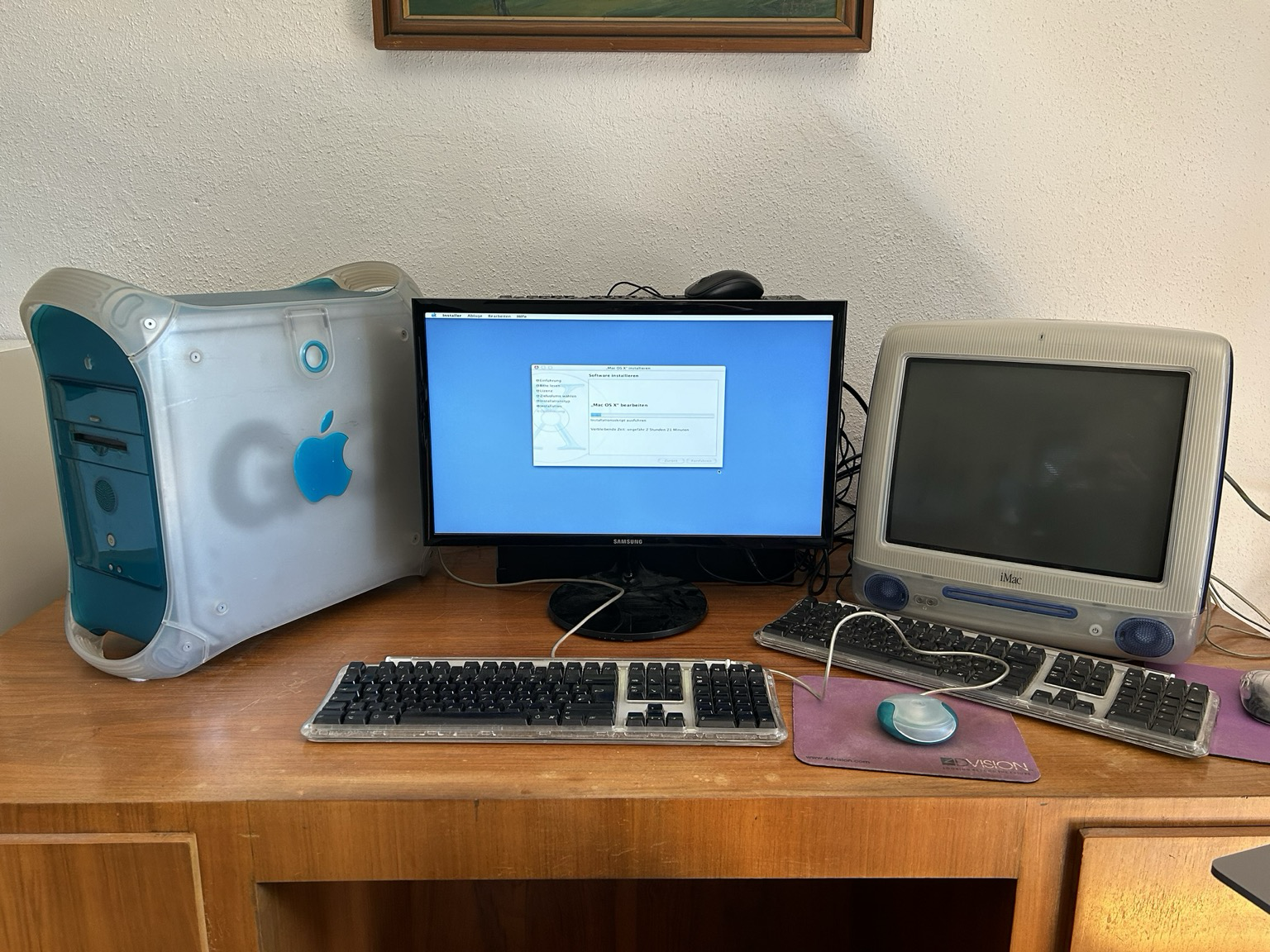
My classic Mac setup 🙂
Client Info
Server: https://mastodon.social
Version: 2025.07
Repository: https://github.com/cyevgeniy/lmst