Instructions are read
RC2014s are blue
Z80 is the best
I'm sure that you knew!
However you are celebrating Valentine's Day, spare a thought for your first love!
Instructions are read
RC2014s are blue
Z80 is the best
I'm sure that you knew!
However you are celebrating Valentine's Day, spare a thought for your first love!


My #RC2014 Orton 3C computer is up and running.
This is a really low level Z80 computer that you program in binary using the switches on the right side of the panel.
In this example I’m callling some code in ROM to rotate the value on the left hand switches and display it on the LEDs.
Testing out my #RC2014 Orton 3C Digital IO module on my #RC2014 Picasso.
The power light is blinding, so I may need to swap the resistor for a bigger value like the numbered LEDs.
Apart from that, it’s all looking good for both input and output.


Get 15% off all my kits listed on my personal store.
I am off for a short holiday this week, so my store will be closed from Friday 6th until the following Monday the 9th.
In celebration of this - I added the discount coupon, HOLIDAY, to get 15% off store wide.
Last orders accepted up to midday Thursday (Australian Time). So if you interested in getting some of my new Stegosaur kits - now's a good time.
Happy #RETROCOMPUTING
@MakersHour @Indigoatcrafts A1 Hello #MakersHour, Kevin here. Hmm what's new - well I've gone back to basics with some logic chip oscillators and am slowly starting to do something with my #rc2014 too.
Oh and had a bit more of a tidy up of some leads, components, and some project boxes.
Quick question @rc2014 or @shieladixon - is there a "starting programming for rc2014" thing anywhere?
I'm getting it slowly pieced together (largely starting with that Google Groups thread that comes up after a search). Happy to keep just playing and finding out, but just checking I'm not missing a guide that is out there somewhere undiscovered :)
I know what every wire in the bus of my #RC2014 does. They correspond exactly to the pins on the #Z80 CPU. I know what every chip on every expansion board does. I've read the code for the #RomWBW BIOS and understand how it works. I understand how an assembler and a BASIC interpreter works.
Meanwhile, Flutter is over 2 gigabytes.
RC2014
As I mentioned in RC2040 earlier last year I finally got myself a RC2014 – something I had been planning on doing for ages. From the website:
“RC2014 is a simple 8 bit Z80 based modular computer originally built to run Microsoft BASIC. It is inspired by the home built computers of the late 70s and computer revolution of the early 80s. It is not a clone of anything specific, but there are suggestions of the ZX81, UK101, S100, Superboard II and Apple I in here. It nominally has 8K ROM, 32K RAM, runs at 7.3728MHz and communicates over serial at 115,200 baud.”
I’ve had a lot of fun with it over the last 9 months or so, but only a small amount of that has made it to my blog. Mostly because I’ve been catching up with stuff the community has already been doing for some time, so didn’t really feel like I had much that was unique to say.
I’m still not sure I’m at the point where I’m adding to the global knowledge pool of RC2014, even by my “reinventing wheels” standards, but I am at the point where I need to start making some “notes to self” about it, so I thought it was about time to start a proper post on the topic.
RC2014 Classic II
I got myself a RC2014 Classic II figuring that would be a suitable outlay to get started, and it was a good choice for me. Enough going on to get interesting, but not too expensive to start with.
This is made up from the following:
The modules provided in the Classic II are not available on their own, as far as I can see, only as part of the Classic II kit.
I’ve made the following small customisations:
VGA Terminal
A mentioned in a previous blog post, I spent a bit of time trying out the Raspberry Pi as a serial terminal and managed to get something working quite nicely. But eventually I caved in and picked up the RP2040 VGA terminal. This works really well, but of course the issue is that is requires a VGA monitor.
I found a pretty cheap, small, and neat display that in addition to USB-C power and HDMI input also incorporates a VGA input. Interestingly it also has a composite video input. Mine had a typical key-word heavy title of “7 Inch Portable Display IPS 1024×600 LCD HDMI-compatible VGA AV Input DC Type C Power In for PC Laptop Camera TV Box DVD Screen” on an overseas marketplace and can typically be found for around £30-£35. I found that 7″ is quite a nice size for the RC2014 text.
As I’m still using the serial link to my laptop for a keyboard, the UART jumpers on the RP2040 VGA must be set as follows:
Without changing the RX jumper the keypresses over the serial link are not registered. I’m guessing this is because two things are trying to drive the serial I/O bus. I’m not sure if this is an officially supported configuration, I expect it is assumed that a USB keyboard would be used, but it seems to work for me. Shown below.
Audio Boards
I have a few different audio related boards:
Miscellaneous Other Boards
The RC2014 is definitely one of those systems, for me at least, where it is very tempting to try to get “one of everything”. And following the RC2014 Assembly last year, I’ve a few additional boards stacked up that I’ve been playing around with a bit.
I also have a 5-way backplane and additional power/reset module from SCC.
Other RC2014 Systems
Not content with the basic Classic II, I also have the following which I keep tinkering with in various combinations.
Small Computer Central
As well as the original RC2014 there is a whole range of compatible, extended and expanded devices out there that started with the Z80 and RC2014 bus standard. One particular set of extensions is based around standardising extensions to the bus in a way that allows for up to 40 additional signals.
Small Computer Central is the home of the SC Monitor programme that comes with the RC2014 as well as a wide range of computers and modules supporting the various RCxx bus standards: RC2014, 40-pin RCBus, and 80-pin RCBus. The standards are defined here.
After meeting Stephen at the RC Assembly, and coming away with some of the SCC boards, I’ve been experimenting with some alternatives to my initial Classic II setup. Here is my SCC-board RC2014 equivalent.
On the left, my original RC2014 Classic II modules. On the right, my SCC replacement modules:
Together, the expanded ROM and RAM should allow the Classic II to run CPM once some additional storage is provided. For me that will be in the shape of:
These are all part of the SCC RC2014 compatible range. There are other ranges for RCBus based on the Z80 and Z180 in a range of form factors.
RC2014 Emulation
As well as a range of actual Z80 based computers, as code exists to emulate the Z80 on more modern microcontrollers (usually) there are a number of projects that have popped up with kits that can emulate the RC2014.
I have the following that I’ve been playing with:
Software
The basic system comes with Microsoft BASIC and the SC Monitor. Two common aims for these systems are to run RomWBW or CPM (although RomWBW is another monitor that also allows running CPM – so is sort of a superset of the others as I understand things).
Options for running CPM from here:
Emulation would get me going, but I want to get a non-emulated system up and running too. For now that means working on the SCC modules, which to be honest, was essentially why I got them in the first place.
Conclusion
Getting your first RC2014 style kit starts a journey down a bit of a rabbit hole, but it has been a lot of fun so far. The peak was the RC2014 Assembly last year and seeing what so many others are getting up to.
But if you’ve read this far, you’re probably thinking something along the lines of “wait, this is all just building modules – has he actually done anything with them?” And you’d essentially be right. In one way the writing of this blog post is partly to avoid actually getting on with something with the things I’ve now built.
But I do have a few aims of what to explore next, so assuming the agony of choice isn’t too much, leading to another blog post in support of continued procrastination, here are some of the ideas I’ve had kicking around for the past 9 months or so:
So, watch this space. But don’t wait 🙂
Kevin


And the next module is
....drum roll please........
The Stegosaur #MSX #YM2413 Music Module for #RC2014 / #RCBus
A perfect match for the GAME module, with its improved sound quality and stereo mix. Check out my blog post:
https://www.dinoboards.com.au/2026/01/23/stegosaur-music.html

🚨 Back In Stock
OLED Interface for #RC2014 and compatibles - add a 128x32 bitmap OLED display to your setup.
Main website with info/images/video links/purchase:
🌐 https://2014.samcoupe.com
Also available on Tindie:
🌐 https://www.tindie.com/stores/quazar/

🚨 Out Now!
V1.3 of my SID Soundchip Interface for #RC2014 and compatibles.
First releases back in June 2020, this updated PCB design now sports a mini #Commodore64 PCB to match the design style of my recent SAA Interface, showcasing the computer the SID soundchip is from! All the information / ordering on the following sites:
Main website:
🌐 https://2014.samcoupe.com
Also on Tindie:
🌐 https://www.tindie.com/stores/quazar/
(Also listed on the above two sites are bus interfaces to use the RC2014 peripherals on the #ZXSpectrum and #SAMCoupe)
The little #C64 style PCB is also available as a pin badge on the following page. (Plus some SAM Coupe & ZX Spectrum badges/keyrings too!)
🌐 https://www.samcoupe.com/quickshop.htm
And links for everything else I do - now 33 years I've been developing for the #SAMCoupe
🌐 https://www.samcoupe.com
And much more recently, some hardware for the #ZXSpectrum
🌐 https://zx.samcoupe.com
#retrocomputing #retrogaming #synth #chiptune #retro #hardware #demoscene #Z80

A made another module. A new 'smaller' module based on the #YM2149 sound chip. And by popular demand, I implemented the 'golden ratio' stereo mix! A full wall of retro sounds coming at ya!
https://www.dinoboards.com.au/2026/01/13/stegosaur-game.html

My next #RC2014 / #RCBus module is now listed. This is a #Z80 based module that dynamically boost the CPU speed to 20Mhz when not doing any I/O - so lots of compatibility with stock Z80s modules - but a little bit faster.
No need now to be a slow dinosaur.
More details on my website: https://www.dinoboards.com.au/stegosaur/turbo-cpu/

Been sitting on this #RC2014 for a year and finally got off my ass and built it.
Haven't socketed the IC's yet, waiting for the alcohol to dry after scrubbing all the flux off.
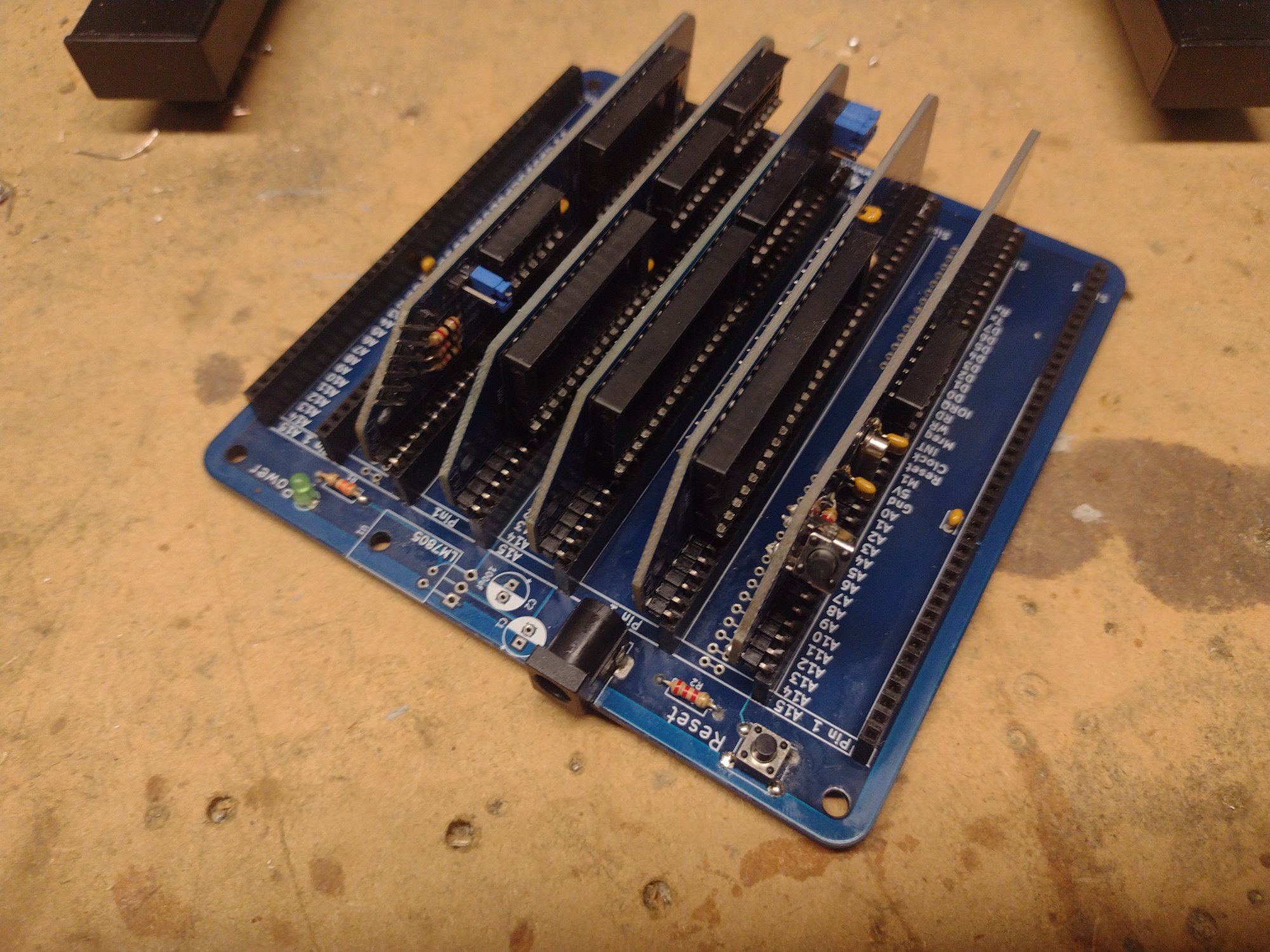
@shieladixon @edbrindley Oh, wow. That's not bad for a "firsty".
And here we have yet another sound card which could be made to work with your #midi interface ... imagine how cool it must be to have the SID, AY and OPL3 perform together ...
Also, it's so cool to see #rc2014 and the #opl3 work together so well. #Z80 and #CPM80 ... made to last ...

I have a new #RC2014 #RCBus module. It's part of what i hope to be a new series of module - similar to the Yellow #MSX, but with a more conventional height.
More info on my blog: https://www.dinoboards.com.au/2026/01/04/new-series.html
And available now in kit form from my shop: https://shop.dinoboards.com.au/product/stegosaur-msx-v9958-rgb/