
I share my latest updated info via fastfetch in terminal.
#LinuxCustomization

As you can see I also has a windows drive. But I don't multi boot the normal way. I press F12 on boot to select the windows drive when playing WoT (World of Tanks).

I have also made an alternative theme for OpenSolaris if I wanted to use that theme. Personally I would take one with text included. Which version do you like best?
To be used with this desktop wallpaper:
https://mastodon.social/@gnulinuxuser/115606657757792496


I have made my own Plymouth Theme based on the original Novell logo and added the old spinner. Last updated: sudo update-initramfs -u
#LinuxCustomization #RetroComputing #LinuxMint #opensolaris #nimbus #mint #DailyDesktop #ShareYourDesktop #Linux #cinnamon #novell

My alternative OpenSolaris inspired deskop with original wallpaper. One with and one without logo, Nimbus icons and Neutral Plus mouse pointer. Of course desktop layout dos not look like OpenSolaris at all.
#LinuxCustomization #RetroComputing #LinuxMint #opensolaris #nimbus #mint #DailyDesktop #ShareYourDesktop #Linux #cinnamon


Linux Youtuber "Switched to Linux" showed in a video how to change Mints new layout for showing icons on the panel to the more old and simpel windows XP or 7 style.
Tweaking the Linux Mint Panel: https://www.youtube.com/watch?v=Xawe_mpKQcY

I found an icon on the toolbar for creating new folder inside Nemo easier than right-click in the context-menu. This can be done inside the File Management Preferences.

The desktop with both light and dark panel. Both very good looking. By the way all new window opens in center of the desktop.


This "Send by Mail" action open my webmail in the browser. It's DIY so it can not be downloaded.
#LinuxCustomization #RetroComputing #LinuxMint #Linux #cinnamon #mint

For those interested the icons in the headerbar is from the old UNIX OpenSolaris. It's called Nimbus. Unfortunately it is not complete so I use the built in Faenza which is used in Mint X icons theme. For now I primarily use the folder icons in the file-manger Nemo.
This is my current Linux Mint desktop with Mint X theme and the old Nimbus and Fanza icons.

Boo 👻
Happy Halloween, Hyprland users: https://itsfoss.com/hyprland-halloween-customization/
And also, happy Halloween, my fellow GNOME users: https://tilvids.com/w/rF5Cx98GR27pQfxFcwvC83
#Halloween #Linux #LinuxDesktop #Hyprland #GNOME #Customization #LinuxCustomization #FosseryTech

KDE is now my favorite desktop
https://kokada.dev/blog/kde-is-now-my-favorite-desktop/
#HackerNews #KDE #Desktop #Favorite #KDECommunity #OpenSource #LinuxCustomization #TechNews

🐧✨ Behold, the Linux savior: a launcher so "revolutionary," it now boasts compatibility with... wait for it... Raycast! 🎉 Because clearly, in the riveting world of Linux customization, what we truly need is a shiny new way to... launch things. 🚀🧐 #GitHub, ever the innovator, rides in with #AI to help us write "better" code, because heaven forbid we use our own brains. 🤖💡
https://github.com/ByteAtATime/raycast-linux #LinuxCustomization #Raycast #Innovation #TechHumor #HackerNews #ngated

Fiz ícones para apps como Terminal, GIMP, Audacity, Blender, Heroic, Lutris e mais. No Pop!_OS com GNOME, preciso usar os nomes certos pra funcionar — o do terminal, por exemplo. Depois vou adaptar alguns pra funcionarem no Xfce também. É ícone que não acaba mais, mas tô curtindo fazer!
#Linux #LinuxCustomization #IconTheme #LinuxIcons #OpenSource #SkullCore #MetalIcons #DarkTheme #CustomIcons #MinimalIcons #MetalHead #HeavyMetalDesign #GothicStyle
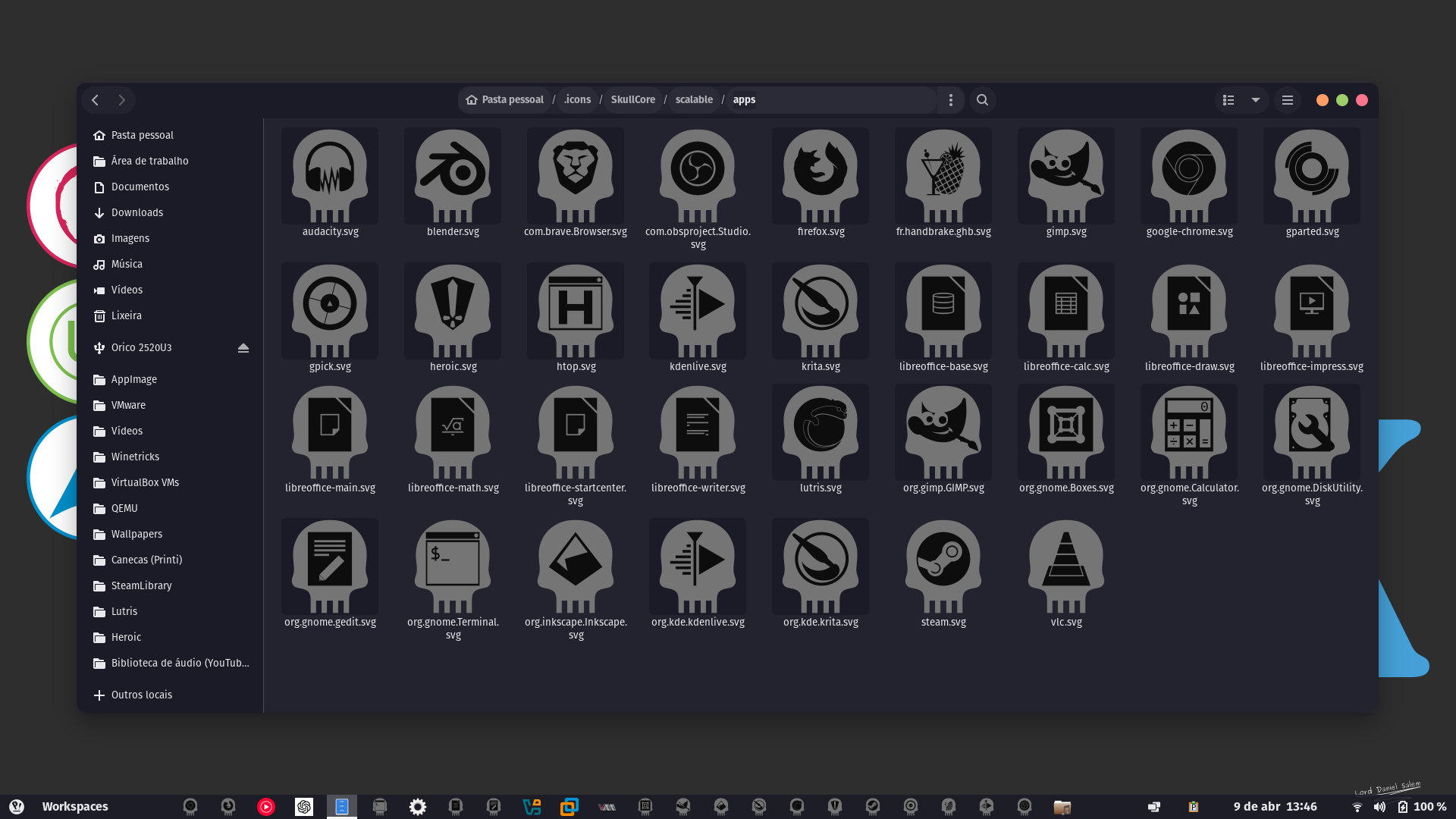
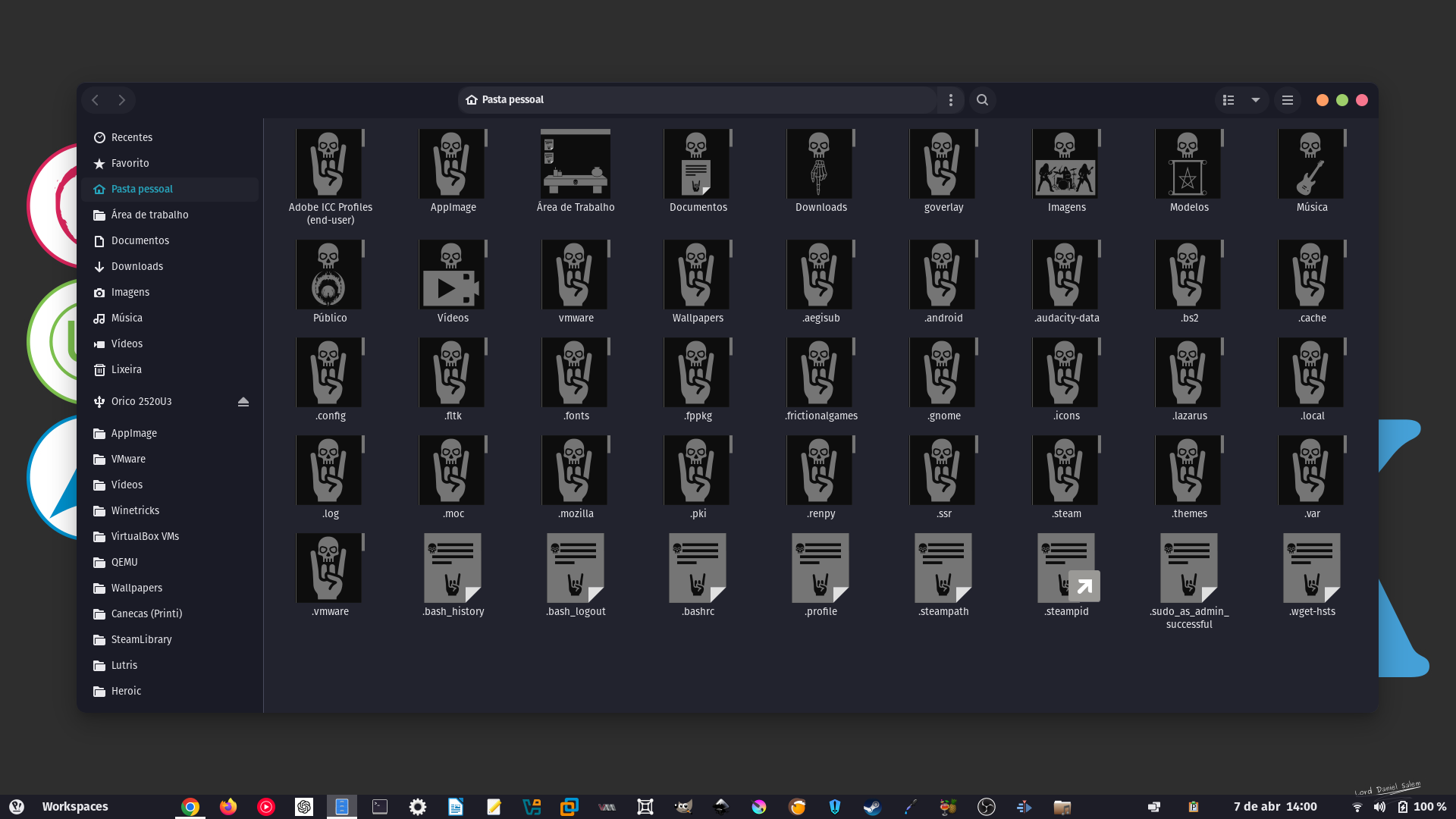
Resolvi me aventurar na criação de ícones. Por enquanto, fiz os das pastas e dos arquivos de texto. Depois, farei os das aplicações. Dei o nome de 'SkullCore'. Quando eu terminar os das aplicações, vou compartilhar na minha loja para que os usuários Linux possam baixar. O tema dos ícones é voltado para quem curte Metal.
#Linux #LinuxCustomization #IconTheme #LinuxIcons #OpenSource #SkullCore #MetalIcons #DarkTheme #CustomIcons #MinimalIcons #MetalHead #HeavyMetalDesign #GothicStyle

I should be doing other things (work, etc.), but somehow, I ended up with a round-cornered floating panel instead 😊



While it's possible to make a Linux desktop look like Windows or macOS, there are compelling reasons to embrace a new desktop experience and let go of old paradigms.
https://linuxexpert.org/embracing-the-new/
#Linux #DesktopEnvironment #GNOME #KDEPlasma #XFCE #AdvancedWindowManagement #CustomizableShortcuts #EfficientMultitasking #Productivity #LinuxFeatures #NativeLinuxDesktop #LinuxCustomization #LinuxPerformance #LinuxSecurity #WorkflowImprovement #OpenSource #LinuxComputing #ModernLinux #LinuxAdvantages

SaveDesktop: An Easy Way to Save Your Linux Desktop Environment Configuration Settings #Savedesktop #DesktopEnvironment #LinuxDesktop #Linux #Opensource #Python #Linuxcustomization
https://ostechnix.com/savedesktop-save-linux-desktop-configuration-settings/

A couple of Arcticons contributors made a working theme for Linux! It's still really early in development, but there's some good work done already.
Looking forward to seeing it becoming a complete theme!
(also check it out if you'd like to help to expand it, or just test it)
https://github.com/Donnnno/Arcticons/tree/main/freedesktop-theme
Screenshot by: @autinerd

Client Info
Server: https://mastodon.social
Version: 2025.07
Repository: https://github.com/cyevgeniy/lmst