#LinuxSecurity

2025-12-15

Cách hạn chế rủi ro bảo mật cho dịch vụ bằng tường lửa trong mạng IPv4/IPv6 duplex. Bật IPv6 GUA có thể để lộ dịch vụ, sử dụng firewalld + cấu hình rich rules để chặn truy cập qua GUA, chỉ cho phép localhost (::1) và địa chỉ link-local (fe80). Kết hợp Avahi, Systemd-resolved để ưu tiên DNS địa phương. Bảo vệ proxy HTTPS cổng 443. #linuxsecurity #đualstack #防火墙 #网络配置 #docker #bảo_mật_servet

reddit.com/r/selfhosted/commen

Kicksecure Security OSkicksecure@fosstodon.org
2025-12-13

Kicksecure delivers a deeply hardened Linux environment with security-focused configurations applied by default. It’s built for users who demand verified protection from the ground up.

#Kicksecure #SecurityHardened #LinuxSecurity #SecureByDesign #CyberProtection

SudoAptChatsudoaptchat
2025-12-03

[Dark Reading Virtual Event] Cybersecurity Outlook 2026
Aggregated from www.darkreading.com.Read the full article →
sudoaptchat.com/dark-reading-v

SudoAptChatsudoaptchat
2025-12-01

How much RAM does your PC actually need in 2025? A Windows and Mac expert weighs in
Aggregated from www.zdnet.com.Thinking about upgrading your slow PC? Are you unsure how much RAM you actually need? Here's what this tech reviewer thinks.
Read the full article →
sudoaptchat.com/how-much-ram-d

2025-11-28

Server Security Checklist — Essential Hardening Guide

Securing your servers isn’t optional — it’s your first line of defense against data breaches, ransomware, insider threats, and lateral movement. Use this checklist as a baseline for Linux, Windows, cloud, hybrid, or on-prem servers.

🔧 1. System & OS Hardening
• Keep OS & packages updated (apply security patches frequently).
• Remove / disable unused services & software.
• Enforce secure boot + BIOS/UEFI passwords.
• Disable auto-login and guest accounts.
• Use minimal OS images only (reduce attack surface).

🔐 2. Access Control
• Enforce strong passwords & MFA everywhere.
• Use RBAC & least privilege access.
• Disable root/Administrator login over SSH/RDP.
• Rotate credentials & keys regularly.
• Implement just-in-time access for privileged users.

🌐 3. Network Security
• Restrict inbound/outbound traffic via firewalls.
• Segment critical servers from general LANs/VLANs.
• Disable unused ports & protocols.
• Enable DoS/DDoS protection.
• Apply zero-trust network principles.

🔑 4. Secure Remote Access
• Use SSH key-based authentication (disable password login).
• Enforce VPN for admin access.
• Log & monitor all remote access sessions.
• Disable legacy protocols (Telnet, FTP, SMBv1).
• Require bastion/jump host for critical access.

📊 5. Logging & Monitoring
• Enable centralized logging (syslog / SIEM).
• Track failed login attempts & anomalies.
• Configure alerts for privilege escalation or config changes.
• Monitor log tampering.
• Retain logs securely for audits & forensics.

🔒 6. Data Protection
• Encrypt data at rest (LUKS, BitLocker, etc.).
• Encrypt data in transit (TLS 1.2+).
• Strict database access policies.
• Regular, offline, immutable backups.
• Test restore procedures (don’t assume backups work).

🔁 7. Application & Patch Management
• Keep middleware, frameworks, and apps patched.
• Delete default credentials & sample files.
• Enable code signing for software packages.
• Use secure coding practices (OWASP Top 10).
• Implement dependency scanning (Snyk, Trivy, etc.).

🛡️ 8. Malware & Intrusion Defense
• Deploy EDR/AV on endpoints.
• Enable IDS/IPS at network edge.
• Automatic vulnerability scans (schedule weekly/monthly).
• Monitor persistence techniques (cron, startup scripts).
• Block known malicious IP ranges & TLDs.

🏢 9. Physical & Cloud Security
• Restrict physical access to server racks/rooms.
• Enable provider security tools (AWS Security Groups, Azure NSG, IAM).
• Harden cloud images (CIS benchmarks).
• Review cloud logging & audit trails regularly.
• Disable unused cloud API keys / roles.

📜 10. Policy & Compliance
• Use CIS / NIST / ISO-27001 benchmarks.
• Track & document every access change.
• Force annual access reviews & key rotation.
• Perform regular security training for admins.
• Maintain disaster recovery & incident plans.

➕ Additional 5 Critical Controls (Advanced Hardening)

🧠 11. Privileged Access Management (PAM)
• Use jump hosts & session recording.
• Just-In-Time access for admins.
• Store keys in secure vaults (HashiCorp Vault, CyberArk).

🚨 12. Real-Time Threat Detection
• Use behavioral analytics → UEBA/XDR.
• AI-based anomaly detection recommended.
• Block suspicious IPs automatically.

🧪 13. Red Team & Pentesting
• Run regular internal pentests.
• Validate configuration weaknesses.
• Simulate phishing + lateral movement scenarios.

🧱 14. Container / VM Isolation
• Use AppArmor, SELinux, Seccomp profiles.
• Limit Docker socket access & root containers.
• Scan images before deployment.

📦 15. Automated Configuration Management
• Use IaC (Terraform, Ansible, Puppet) for repeatable and secure builds.
• Detect drift using compliance scanning.
• Version control all infrastructure.

🧠 Core Reminder

A server is only as secure as the team who maintains it.
Hardening isn’t one task — it’s an ongoing

#ServerSecurity #SystemHardening #InfoSec #CyberSecurity #BlueTeam
#DevSecOps #SysAdmin #ThreatDetection #AccessControl #NetworkSecurity
#LinuxSecurity #SecureArchitecture #RiskMitigation #SecurityChecklist
#CloudSecurity #InfrastructureSecurity #ZeroTrust #SecurityMonitoring


Essential Hardening Guide 8
System & OS Hardening Network Security
+ Keep 0S & packages undated « Restrict inboune/outbound traffic
(apply patches regularly) with firemalls
* Remove or disable unused servces » Segment critical servers from general
& software networks
« Configure secure boot « Disable unused ports & protocols
&BIOS/UEFI passwords
Access Control Secure Remote Access
+ Use SSH with key-based auth (disable
« Enforce strong passwords + MFA password logins)
forjallaccounts « Enforce VPVS for admin access
° Us jolegbaced access « Monitor and log remote seasions
(least privilege)
« Disable root/administrator login i
_ over SSH/RDP Data Protection
« Enable centralized logging (salog/SIEM)
Network Security « Monitor failed login attempts
«+ Restrict-inbound/outbound traffic Bue) ey e
a « Configure alerts for critical events
with firewalls
+ Segment critical servers from
general networks Application & Patch Management
Disable unused ports & protocols Keep middleware, frameworks, and
: apps patched
Data Protection + Remove detault credentials and
+ Enervot sensitive data at rest & sample configs
in franstt (TLS, disk encryption) « Use secure coding practices
+ Regularly bock up data to secure,
offline storage Physical & Cloud Security
+ Scan regularty for vunervies oolicies
= Apply CIS/NIST banch narks
= Decument access, configs, and changes
« Train admins in seourity best practicesBasic Server Iy pes
Origin y Proxy Mail _,
5 ) 5
* Listens for incoming * os EEL * Controls the Sending _SNf—d5
inbernet requests ond cecewing of email («8
gos ht © Tntermediole Servers between cient and ongn | ® Receives mail From fay 7
Clients
Act as oddihonal Securiky, caching senices,
Delivers web content Fo Clients ® by, Caching El
© | pass requests on bo other servers odministrahve control, and more * Delors mal Jo Hoe
1 does nek have he capacity to respond Computers
we Web DNS Got gr
nl ® Transhbes domain names ink
E==g==VeaN ® oa bid pss lic IP addresses v
g espe ses
a ®fcks like an IP address book.
[BN] © Communicates with web browsers For the mlernel
—
I Can Store and prokeck web ® Includes server Sub-Fypes such as Rook servers,
dic = 4 Hea Authoribakive Nome Servers, and Resolver serversConventional Milesight loT camera
E le N\ W \
ws Network Server 4 2 | f= 1 a -
Endnode | oni Ll. ji 14 1 wigs Ao cand | E
bo = El a ES MEET
Michael Boelenmboelen
2025-11-28

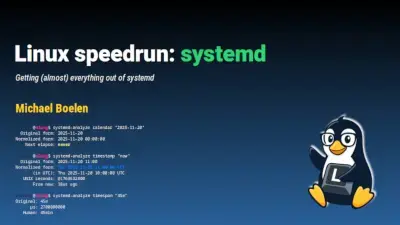
Had some great feedback last week after my presentation named "Linux speedrun: systemd". It gave me some new inspiration and energy to research a few more tools in-depth. I will be updating my blog (Linux-audit.com) and prepare some scripts for the upcoming videos. So thanks all!

Missed the presentation? It's online at michaelboelen.com/presentation (80+ slides). Also have a look at "Sandboxing using the Linux kernel and systemd" if you are interested.

Title slide of Linux speedrun: systemd, a presentation about systemd tools and usage.
Michael Boelenmboelen
2025-11-28

Always excited to see my own tool (Lynis) showing up in videos of others!

youtu.be/qtzlszWN6Nw

SudoAptChatsudoaptchat
2025-11-27

The Next Wave of Supply Chain Attacks: NPM, PyPI, and Docker Hub Incidents Set the Stage for 2026
Aggregated from linuxsecurity.com.When npm was hit in September, it was tempting to see it as an isolated supply chain attack. A maintainer fell for a phish, popular packages were swapped out, and downstream projects scrambled. But npm wasn't the only ecosyst
sudoaptchat.com/the-next-wave-

SudoAptChatsudoaptchat
2025-11-25

Advanced Security Isn't Stopping Ancient Phishing Tactics
Aggregated from www.darkreading.com.New research reveals that sophisticated phishing attacks consistently bypass traditional enterprise security measures.
Read the full article →
sudoaptchat.com/advanced-secur

The Silent Architectsilentarchitect
2025-11-20

ds-wireguard is now public.

A disciplined WireGuard role for Ansible-strict key handling, clean routing, zero guesswork.

Silent. Minimal. Predictable.

Code: github.com/DeadSwitch404/ds-wi

SudoAptChatsudoaptchat
2025-11-18

Roaming authenticators offer what other passkey solutions can't – but there are trade-offs
Aggregated from www.zdnet.com.The most secure passkey authenticator could be a physical device - here's why.
Read the full article →
sudoaptchat.com/roaming-authen

Admin:Docsitdocs
2025-11-15

Wir zeigen dir in unserem neuen Leitfaden, wie dein Arch Linux mit klaren, praxistauglichen Schritten wirklich sicher wird: Von sauber geregelten Benutzerrechten über verschlüsselte LUKS-Partitionen bis hin zu einer soliden SSH-Konfiguration mit Key-Authentifizierung und ein professioneller Monitoring-Ansatz, der verdächtige Aktivitäten zuverlässig sichtbar macht.

admindocs.de/arch-linux-serie/

SudoAptChatsudoaptchat
2025-11-13

[Dark Reading Virtual Event] Know Your Enemy: How cybercriminals and nation-state hackers operate
Aggregated from www.darkreading.com.Read the full article →
sudoaptchat.com/dark-reading-v

NERDS.xyz – Real Tech News for Real Nerdsnerds.xyz@web.brid.gy
2025-11-11

Kaspersky for Linux is here but you should NOT trust it

fed.brid.gy/r/https://nerds.xy

Michael Boelenmboelen
2025-11-09

In steps closer to starting my Linux channel. Preparations are fully underway, like creating thumbnails. Learning along the way, so it takes a few weeks. Still, making good progress 🚀

Interested in 🐧, , or , ? Then consider following the new project.

The name? Linux Lorem!

Website: linuxlorem.com/

If you use YouTube, consider subscribing already: youtube.com/@LinuxLorem

This way you get notified when the first videos are being released.

cathillcathill
2025-11-06

All Debian packages should include an AppArmor profile.

2025-11-04

Russian hackers have upped the stealth game—embedding malware in ultra-light Linux VMs via Hyper-V to sidestep detection. Could your systems catch this modern tactic?

thedefendopsdiaries.com/russia

#hyperv
#linuxsecurity
#malwareevasion
#virtualization
#cyberattack
#curlycomrades
#edrbypass
#infosec
#threatdetection

Client Info

Server: https://mastodon.social
Version: 2025.07
Repository: https://github.com/cyevgeniy/lmst