
WBA: Why connectivity strategies for smart MDUs matter https://iottechnews.com/news/wba-why-connectivity-strategies-for-smart-mdus-matter/ #wba #iot #telecoms #lorawan #wifi #matter #smartbuildings #technology
#smartBuildings

Tomorrow marks the launch of our first session under the Pinerium Academy × iHome Future collaboration, exclusively for PUA students. Engineering Your Future in Smart Buildings: A Practical Guide to KNX & Automation
#Pinerium #OmnipresentIntegratedSolutions #PineriumAcademy #iHomeFuture #PUA #SmartBuildings #KNX #IndustryIntegration #AcademicIndustryCollaboration


https://gfacility.com/facility-helpdesk/
Gfacility provides a smart facility management help desk for London businesses, streamlining maintenance requests, asset tracking, and service workflows. The cloud platform enables real-time ticketing, faster resolution, and better control across buildings and workplaces in 2026.
#facilitymanagement #facilitymanagementhelpdesk #Gfacility #London #UKFacilities #BuildingMaintenance #Ticketing #FacilityAutomation #SmartBuildings #UKBusiness


🙄 "Dat kan beter". Medewerkers van de Geodienst waren klaar met het dwalen door de vele gebouwen van de Rijksuniversiteit Groningen op weg naar een afspraak. Ze bedachten dat indoor navigatie een goed idee zou zijn voor de RUG.
Ze ontwikkelden 𝗥𝗨𝗚 𝗠𝗮𝗽𝘀, een navigatie app die de weg wijst binnen de univeristaire gebouwen ⬇️
🔗 https://www.rug.nl/society-business/center-for-information-technology/news/0130-rugmaps
#maps #geo #opensource #innovatie #smartbuildings #digitaleautonomie


O Microsoft Places 📍 está chegando... https://youtu.be/tmgnoI94IMs
#MicrosoftPlaces #Microsoft365 #MicrosoftTeams #MicrosoftViva #HybridWork #DigitalWorkplace #ModernWorkplace #WorkplaceExperience #SmartBuildings #MicrosoftCloud #CollaborationTools #Productivity #EnterpriseIT #FutureOfWork #TechLeadership #GovernançaDigital #TrabalhoHibrido #TrabalhoFlexivel

📊 𝐇𝐕𝐀𝐂 𝐒𝐲𝐬𝐭𝐞𝐦 𝐌𝐚𝐫𝐤𝐞𝐭 𝐎𝐮𝐭𝐥𝐨𝐨𝐤 𝟐𝟎𝟑𝟏
🌡️ The global HVAC system market is booming! Expected to reach US$ 243.86B by 2031 with a CAGR of 6.46%. Smart, energy-efficient heat pumps, VRF systems, and AI-enabled HVAC are driving growth.
Key players: DAIKING Carrier, Honeywell, Mitsubishi.
Read more- https://www.theinsightpartners.com/reports/hvac-systems-market
Asia-Pacific leads in demand due to urbanization & rising comfort needs.


Smarter Buildings Start with Awareness, Not Automation #IoT #SmartBuildings
> https://medium.com/@matt_black/smarter-buildings-start-with-awareness-not-automation-60566873683b


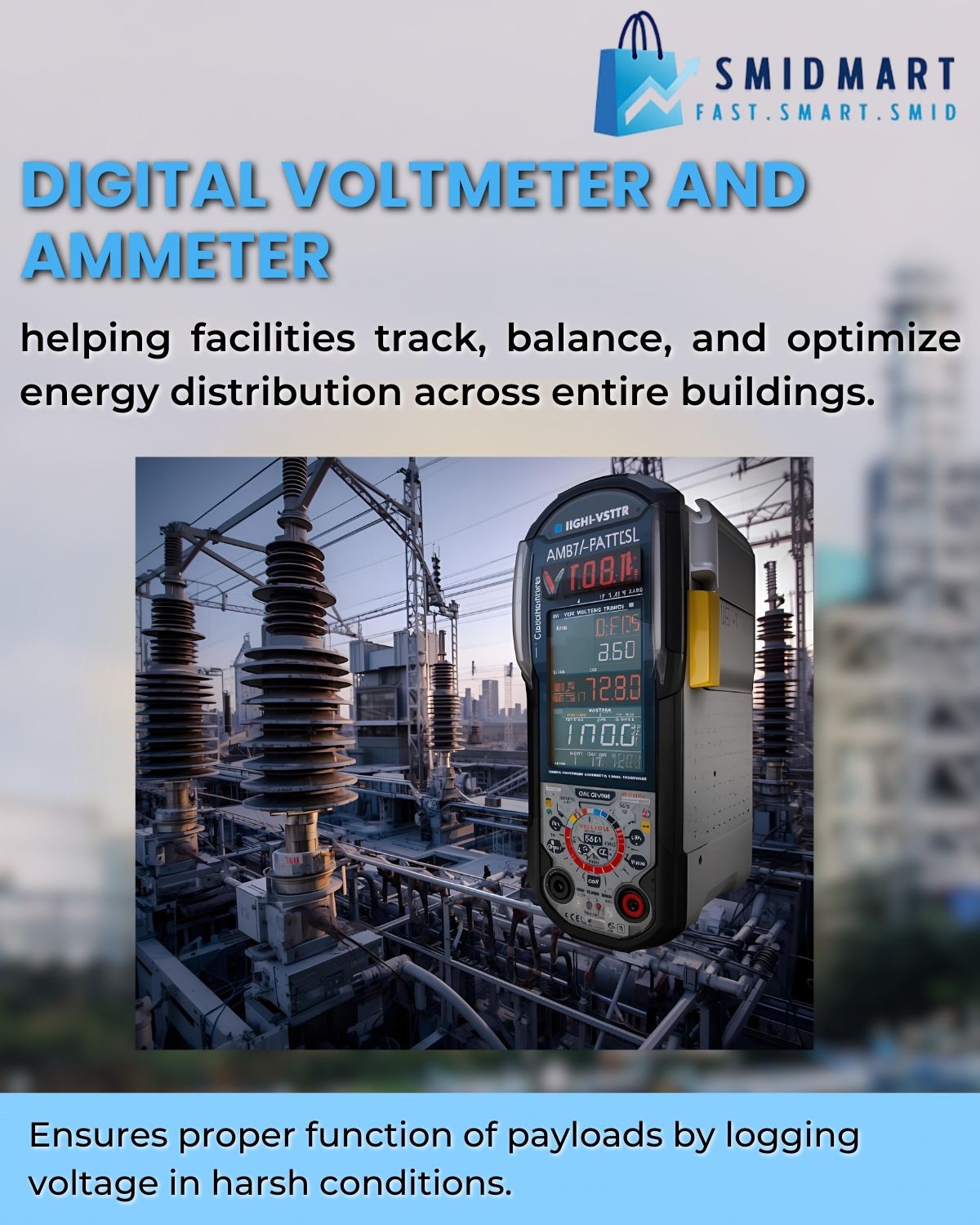
Power You Can See. Performance You Can Trust.
The skyline of the future depends on smarter power.
to know more visit us at smidmart : https://zurl.co/Z7704
#Smidmart #SmartBuildings #DigitalMonitoring #TransformerDiagnostics #EnergyEfficiency #SustainableInfrastructure

Wastify AI will be attending Progress in Cleaning 2025, hosted by Foremost-UK in Manchester.
We look forward to joining facilities and sustainability leaders to discuss how data-driven solutions are shaping the future of cleaning and waste management.
Date: Thursday, 20 November 2025
Time: 11:00 AM – 3:00 PM
Venue: Unit 10, Dane Road Industrial Estate, Manchester, M33 7BH
#WastifyAI #ForemostUK #SmartBuildings #Sustainability #FacilitiesManagement #FMInnovation #ESG


RE: https://mastodon.social/@TechBase78/115229657291910202
Modern automatic glass door Dubai installations by Techbase showcase smart design, durability, and energy efficiency. Ideal for commercial and residential spaces seeking stylish and convenient building entrances.
https://techbase.ae/services/
#AutomaticGlassDoors #DubaiArchitecture #Techbase #BuildingAutomation #SmartBuildings

The 12% OPEX Leak: Why Poor Facility Data Handover Destroys Your Year-1 Budget
How Hidden Data Gaps Drain 12% From Your Building Budget—And Why Disciplined Handover Fixes It Facility Management StrategyHow Hidden Data Gaps Drain 12% From Your Building Budget—And Why Disciplined Handover Fixes It
The Complete Playbook: International Standards, Three-Gate Acceptance, and $1M+ Year-1 Savings
By: Facility Management Strategy Expert Published: November 2, 2025 Read Time: 15 min read LinkedIn Twitter Email
Table of Contents
- Introduction: The Silent Financial Leak
- The 12% OPEX Leak: Where Your Budget Disappears
- Why Day-1 Data Sets Your Cost Trajectory
- The Day-1 Handover Bill of Materials
- Three-Gate Acceptance Process
- Minimal Data Model That Survives 10 Years
- From PDF Chaos to CMMS Readiness
- Soft Landings and Aftercare
- What to Audit Quarterly
- Acceptance Clauses You Can Lift
- Frequently Missed Handover Artifacts
- The Real Economics
- Closing the Loop
Every year, facility managers unknowingly watch twelve cents of every operational dollar slip through their fingers—not through negligence, but through invisible data gaps created at the moment of building handover. This 12% hemorrhage compounds across portfolios worth hundreds of millions, transforming what should be a straightforward transfer of assets into a decade-long struggle with incomplete documentation, expired warranties, and reactive maintenance chaos.
The root cause isn’t technological—it’s structural. When design teams hand off buildings to construction, construction to commissioning, and commissioning to operations without a disciplined data framework, critical information vaporizes at each transition. The result: facility teams start their tenure not with comprehensive asset intelligence, but with filing cabinets full of PDFs, half-populated spreadsheets, and institutional knowledge that exists only in departing contractors’ heads.
This article presents the complete playbook for eliminating that 12% leak. Drawing from ISO 19650, IFMA standards, and real-world implementations across commercial, healthcare, and institutional facilities, we’ll show you exactly what data to demand at handover, how to structure a three-gate acceptance process that protects your operations team, and which international frameworks provide the vocabulary to make these requirements contractually enforceable.
Facility managers using CMMS dashboards to verify handover data quality
12% Year-1 OPEX Leak 1.4 Month Payback 3 Verification Gates $1M+ Year-1 Savings
The 12% OPEX Leak: Where Your Budget Really Disappears
The 12% operational expenditure leak isn’t a single catastrophic failure—it’s a thousand small cuts that compound over the first year of building operations. Let’s break down exactly where that money goes and why it’s almost entirely preventable with proper handover discipline.
Warranty Leakage (2–3% of Year-1 OPEX)
Manufacturers typically offer 12 to 24-month warranties on equipment, but facility teams without proper documentation frequently pay out-of-pocket for covered repairs. The problem begins when warranty certificates arrive as scattered PDFs emailed to construction managers who’ve already moved to their next project. Six months into operations, when an HVAC fan controller fails, your technician doesn’t know the serial number, installation date, or which contractor to call.
Without a structured warranty register linked to your asset database, you’re flying blind. A 500,000-square-foot commercial building might house 5,000+ warranted components. Even a 5% miss rate—250 components—translates to tens of thousands in unnecessary repair costs. The most painful losses come from high-value mechanical systems: chillers, boilers, and air handling units where manufacturer support could have covered both parts and labor.
The fix requires three elements at handover: a warranty register with exact expiration dates, scanned certificates stored in your CMMS with direct links to specific asset IDs, and a clear escalation path defining which contractor is responsible for warranty claims on each system. Organizations that implement this discipline report 85–90% warranty utilization rates compared to the industry average of 40–50%.
Reactive Churn and Overtime (3–4% of Year-1 OPEX)
When technicians lack maintenance manuals, equipment schedules, and original design intent, they operate in perpetual reactive mode. Every work order becomes an investigation: Where’s the isolation valve? What’s the belt specification? Which breaker feeds this unit? This cognitive overhead doesn’t just slow response times—it transforms planned maintenance into crisis management.
The data proves the cost. Facilities with incomplete handover documentation average 40–50% reactive maintenance in their first operational year, compared to 20–25% for buildings with disciplined data transfer. That differential compounds: reactive calls cost 3-4× more than preventive tasks due to overtime premiums, emergency vendor rates, and secondary damage from delayed response.
Consider a hospital that received building keys but not equipment manuals for 300 medical gas zone valves. Every valve service required a site visit from the installing contractor at $350/hour plus travel. After eighteen months, they’d spent $120,000 on support calls that comprehensive handover documentation would have rendered unnecessary. The solution isn’t complex—it requires O&M manuals organized by asset ID, maintenance schedules pre-loaded into your CMMS, and as-built drawings that actually reflect field conditions.
Equipment-specific training during the commissioning phase dramatically reduces this churn. When contractors demonstrate critical systems to your actual maintenance team—not just the facilities director—knowledge transfer succeeds. Budget 2–4 hours per major system for hands-on training, and record sessions as reference material for future staff.
Preventive maintenance technician with asset warranty and documentation
Energy and Performance Drift (3–4% of Year-1 OPEX)
Buildings rarely operate at design efficiency from day one, but without baseline commissioning data and control sequences, you can’t even detect the drift. Energy waste manifests in simultaneous heating and cooling, unoccupied zone conditioning, and equipment running at fixed speeds when variable operation was designed. The difference between designed performance and actual consumption often exceeds 20–30% in the first year—pure waste that competent handover would expose immediately.
The handover gap compounds because energy management systems arrive pre-configured by controls contractors who optimize for construction completion, not operational efficiency. Setpoints get changed during commissioning trials and never documented. Override schedules implemented “temporarily” become permanent. Without written sequences of operation that explain intended logic, your building automation technician can’t distinguish between purposeful programming and construction expedience.
Compliance Rework (1–2% of Year-1 OPEX)
Fire life safety certificates, elevator inspection reports, backflow preventer testing, emergency lighting surveys—regulatory compliance generates mountains of documentation that must be tracked, renewed, and produced during audits. When this paperwork doesn’t transfer cleanly at handover, facilities teams spend thousands reconstructing compliance history and repeating tests that were already performed.
The pain intensifies in jurisdictions with strict documentation requirements. A healthcare facility without complete testing and balancing reports may face recertification costs exceeding $50,000 even though the work was originally done. Insurance auditors who can’t verify fire alarm commissioning certificates may increase premiums or deny coverage. The financial hit combines hard costs (re-testing) with soft costs (staff time hunting down records) and risk costs (gaps in coverage).
Why Day-1 Data Sets Your Cost Trajectory
The facility management industry has a saying: “You can’t manage what you can’t measure, and you can’t measure what isn’t documented.” This maxim becomes painfully literal when operations teams inherit buildings without structured asset intelligence. Day-1 data quality doesn’t just affect your first month—it establishes a trajectory that compounds across your entire facility lifecycle.
Consider the economic reality: a building’s operational phase typically spans 30–50 years and consumes 80% of total lifecycle costs, while design and construction represent just 20%. Yet we routinely spend millions tracking every construction change order while investing almost nothing in the data infrastructure that will drive decades of operational decisions. This penny-wise, pound-foolish approach explains why facilities teams spend the first 12–18 months in reactive chaos rather than strategic optimization.
International standards like ISO 19650 (information management across building lifecycle) and ISO 41011 (facility management vocabulary) now provide the framework to fix this. These standards define exactly what “handover readiness” means: structured data in exchange formats (COBie, IFC) that flow directly into computerized maintenance management systems, not just PDFs in filing cabinets. When contract language references these standards, you gain enforceability—the vocabulary to define deliverables, acceptance criteria, and remedies for non-compliance.
Comprehensive data audit for facility management asset registry and compliance
The Day-1 Handover Bill of Materials
Just as construction projects begin with material take-offs, facility handovers need a “bill of materials” for data. This defines exactly what information, in which formats, structured how, must transfer before you accept operational responsibility. Treat this BOM as non-negotiable—incomplete handover data is equivalent to incomplete construction, and neither should trigger payment.
A. Asset and Space Data (The Foundation)
Every physical asset requiring maintenance must exist in your CMMS with these minimum fields: unique identifier, asset type, manufacturer, model number, serial number, installation date, location code, and criticality rating. Space data means floor plans with room numbers matching your space management system, square footage by use type, and occupancy classifications that drive cleaning and HVAC scheduling.
The gold standard delivery format is COBie (Construction Operations Building Information Exchange), an international specification that extracts this data from BIM models or structured spreadsheets. Don’t accept free-form documentation—demand COBie Phase 2 (post-construction) exports that your CMMS can ingest directly. For projects without BIM, require asset registers in standardized Excel templates that match your CMMS import structure.
Essential Asset Data Points:
- Unique Asset ID: Matches physical tag and CMMS record
- Asset Type/Category: Aligned with your taxonomy
- Manufacturer & Model: For parts lookup and manual retrieval
- Installation Date: Triggers warranty start and lifecycle planning
- Location Code: Building/Floor/Room hierarchy
- Criticality: A/B/C rating drives PM frequency
- Capacity/Specifications: Key performance parameters
- Served Areas: Which zones does this equipment support?
B. Documentation and Evidence (The Proof)
O&M manuals must be asset-specific and electronically searchable—no more three-ring binders with photocopied pages. As-built drawings should be delivered as marked-up CAD files plus georeferenced PDFs, with a written certification from the contractor that they reflect actual field conditions. Commissioning reports prove that systems were tested and perform as designed, which becomes critical evidence if disputes arise later.
Warranty certificates and service contracts need start dates, expiration dates, covered components, and claims contact information. Store these as CMMS attachments linked to specific asset records, not in a general “warranties” folder where they’ll never be found during a crisis. Include contractor contact lists with escalation paths: who to call for warranty issues, emergency repairs, or clarification on design intent.
Documentation Deliverables:
- O&M Manuals: PDF, electronically searchable, organized by asset ID
- As-Built Drawings: CAD + PDF, with certification of accuracy
- Commissioning Reports: Test results for all critical systems
- Warranty Registers: Linked to asset IDs with expiration alerts
- Training Records: Video + written procedures for complex equipment
C. Controls and Metering (The Intelligence)
Building automation systems should transfer with complete points lists (every sensor and actuator), documented control sequences that explain intended logic, and graphics screens configured for your operations team. Submetering data—electricity, gas, water consumption by zone—must flow to your energy management platform with baselines established during commissioning that define expected performance.
Controls & Metering Requirements:
- BAS Points List: Complete inventory of sensors, setpoints, alarms
- Sequences of Operation: Written logic for each control strategy
- Submeter Integration: Data flowing to analytics platform
- Baseline Energy Model: Expected consumption by system
D. Warranty and Spares (The Safety Net)
Beyond warranty registers, demand an inventory of provided spare parts with storage locations and recommended reorder quantities. Critical spares—specialized belts, filters, control boards—should be clearly marked in your storeroom with cross-references to the equipment they serve. Include supplier contact information and part numbers that simplify reordering.
E. Governance (The Accountability)
Handover isn’t complete until you have final inspection reports, certificate of occupancy, regulatory compliance documentation (fire safety, elevator permits), and a formal sign-off document that transfers responsibility. This governance layer protects both parties: contractors can close projects confident they’ve met obligations, and facility teams have legal standing if gaps surface later.
Three-Gate Acceptance Process: Don’t Start the Clock Before Data Is Ready
The traditional handover model—constructor declares “substantial completion,” facility team takes keys, operational costs start accruing—creates a perverse incentive. Contractors rush to close projects, delivering minimum viable documentation, because their financial interest ends at ribbon-cutting. Meanwhile, facility teams inherit chaos because they lack negotiating leverage once building occupancy begins.
Building commissioning and performance verification during facility handover
A three-gate acceptance process solves this by separating physical completion from data readiness and operational readiness. Each gate has objective pass/fail criteria, and you don’t proceed to the next until requirements are met. This framework—borrowed from ISO 19650’s staged information delivery—transforms handover from a single event into a managed transition.
Gate 1: Physical Completion & Systems Commissioning
At Gate 1, construction is done and systems are tested, but data may be incomplete. The building is physically ready for commissioning, and contractors have provided proof that equipment operates as designed. This gate focuses on technical readiness, not documentation completeness. You’re verifying that the asset itself works before worrying about how it’s described in your CMMS.
Gate 1 Acceptance Criteria:
- All equipment installed per approved submittals
- Commissioning authority completes functional performance tests
- Deficiency punchlist under 20 items, none critical
- Certificate of occupancy issued (if applicable)
- Life safety systems operational and tested
- Utilities connected and metered
Gate 2: Data and Documentation Transfer
Gate 2 holds contractors accountable for information delivery before operational costs begin. Asset registers must populate your CMMS, O&M manuals must be uploaded and linked, warranties must be registered, and training must be scheduled. This gate typically occurs 30–45 days after Gate 1, giving contractors time to compile documentation while your team validates completeness.
Gate 2 Acceptance Criteria:
- Asset register loaded to CMMS with 100% required fields
- O&M manuals uploaded and linked to specific asset IDs
- As-built drawings delivered in CAD and PDF with accuracy certification
- Warranty register complete with expiration alerts configured
- Preventive maintenance schedules pre-loaded for all critical assets
- BAS graphics configured and sequence of operations documented
- Training sessions scheduled for facilities staff
- Spare parts inventory confirmed in storeroom
Gate 3: Operational Readiness & SLA Commencement
Gate 3 marks true operational transfer. Your team has been trained, systems have run under observation, and energy baselines are established. Only at this gate does the service level agreement start—meaning you don’t pay full operational costs until you can actually operate. This final gate typically occurs 60–90 days after physical completion, but the delay saves multiples in avoided reactive costs.
Gate 3 Acceptance Criteria:
- Facilities staff training completed and documented
- All equipment operated through full seasonal cycles
- Energy baselines established and automated monitoring live
- No critical or high-priority deficiencies outstanding
- Emergency response procedures tested and documented
- Contractor support plan defined for months 1–12
- First quarterly review scheduled (see Soft Landings section)
Minimal Data Model That Survives 10 Years
The temptation in handover planning is to demand every conceivable data field, creating documentation requirements so onerous that contractors inflate bids or deliver garbage data just to close the project. The smarter approach: define a minimal viable dataset—the essential fields that must be complete—then layer optional enrichment over time as operational experience reveals priorities.
This minimal data model draws from IFMA’s Asset Management standards and COBie specifications. It recognizes that your CMMS will evolve, staff will turn over, and organizational priorities will shift. Therefore, the handover dataset must be simple enough to maintain consistently, yet rich enough to support work order management, preventive maintenance scheduling, lifecycle planning, and regulatory compliance.
Essential Fields (Non-Negotiable):
- Asset ID: Unique, permanent identifier that matches physical tags
- Asset Name: Human-readable description (e.g., “Chiller 01 – East Wing”)
- Asset Type: Classification in your equipment taxonomy (e.g., “HVAC – Chiller”)
- Location: Building/Floor/Room hierarchy or GPS coordinates
- Manufacturer: For parts lookup and technical support
- Model Number: Exact product identifier
- Serial Number: Individual unit identifier for warranty claims
- Installation Date: Triggers warranty period and lifecycle calculations
- Expected Useful Life: Years until replacement (from RS Means or ASHRAE)
- Replacement Cost: Budget placeholder for capital planning
- Criticality Rating: A/B/C based on failure impact
- PM Frequency: How often preventive tasks are required
- Warranty Expiration: Date when manufacturer coverage ends
Optional Fields (Add Over Time):
- Barcode/QR Code: For mobile work order scanning
- Parent Asset: Hierarchy linkage (e.g., AHU-3 contains Filter-3A)
- Served Spaces: Which rooms/zones depend on this equipment
- Energy/Capacity Rating: kW, BTU, CFM, etc. for performance tracking
- Maintenance Cost History: Accumulated over time, not at handover
- Condition Score: Assessed during post-occupancy audits
- Regulatory Compliance Tags: Fire safety, pressure vessel, elevator, etc.
- BIM Model Reference: Link to 3D model element if available
From PDF Chaos to CMMS Readiness
Even with perfect handover requirements, data arrives in formats that don’t directly feed your CMMS. Contractors deliver Excel spreadsheets with inconsistent naming, PDFs that need optical character recognition, and drawing sets where equipment tags don’t match your location codes. Bridging this gap requires a five-step workflow that transforms construction documentation into operational intelligence.
Step 1: Data Validation and Cleansing
Before importing anything into your CMMS, scrub the delivered data for consistency. Check that asset IDs follow your naming convention, manufacturers are spelled identically across all records (not “Trane” on one line and “Trane Co.” on another), and dates are in machine-readable format. Use tools like Excel’s data validation, OpenRefine for large datasets, or custom Python scripts if you’re handling thousands of assets.
- Standardize naming: create lookup tables for manufacturers, asset types
- Validate required fields: flag any record missing critical data
- Check for duplicates: same serial number shouldn’t appear twice
- Normalize locations: ensure room codes match your space database
Step 2: Document Processing and OCR
O&M manuals and drawings arrive as PDFs—sometimes scanned images without searchable text. Use OCR tools (Adobe Acrobat, ABBYY FineReader) to make everything text-searchable. Rename files using a consistent convention: [AssetID]_[DocumentType]_[Date].pdf so they can be programmatically linked to CMMS records. For large projects, consider document management systems like SharePoint or eFileCabinet that integrate with common CMMS platforms.
- OCR all scanned documents for text search capability
- Rename files with asset ID prefix for automatic CMMS linking
- Create folder hierarchy: Building > Floor > System > Equipment
- Tag documents with metadata: asset ID, document type, revision date
Step 3: CMMS Import and Field Mapping
Most CMMS platforms support Excel or CSV import, but field mapping is critical. Your import template must align the contractor’s column headers with your CMMS fields. Run a small test import (10–20 assets) to verify that data lands in correct fields, date formats parse properly, and hierarchies build as expected. Only after test validation should you bulk-import the full asset register.
- Create field mapping document: contractor columns → CMMS fields
- Test import with small sample to validate formatting
- Verify hierarchies: parent-child relationships, location trees
- Confirm attachment links: O&M manuals should link to correct assets
Step 4: PM Schedule Generation
With assets in your CMMS, the next step is generating preventive maintenance schedules. Use manufacturer recommendations from O&M manuals for task frequency, then adjust based on criticality and operating environment. A chiller in a data center might need monthly inspections; the same model in a warehouse might be quarterly. Pre-populate PM tasks with checklists, estimated labor hours, and required parts to streamline execution.
- Reference ASHRAE, IFMA, or manufacturer guidelines for PM frequencies
- Adjust schedules by criticality: A-rated assets get more frequent PMs
- Pre-load task checklists with specific inspection points
- Configure warranty alerts: 30-day notice before expiration
Step 5: Integration and Automation
Modern facility operations require data to flow between systems: CMMS to building automation, energy management platforms to utility billing, space management to HR occupancy data. Invest in middleware (like Zapier, FME, or custom APIs) that keeps systems synchronized. This prevents the manual re-keying that introduces errors and ensures your CMMS remains the single source of truth.
- Connect CMMS to building automation for alarm integration
- Link energy metering data to equipment records for cost allocation
- Integrate space management for automated work order routing
- Configure automated reporting: asset age, PM compliance, spend by system
Building energy management and performance monitoring dashboard
Soft Landings and Aftercare
The UK’s “Soft Landings” framework—now codified in BSRIA BG 54/2020 and referenced in ISO 19650—recognizes that building handover shouldn’t be a hard cutover from construction to operations. Instead, it advocates for a graduated transition where design and construction teams remain engaged through the first 12–24 months of occupancy, helping operations staff optimize systems as real-world usage patterns emerge.
This aftercare period acknowledges that buildings are complex adaptive systems. You can’t predict every operational scenario during design, and commissioning tests don’t replicate full occupancy loads. Soft Landings structures this learning curve with formal checkpoints where the project team returns to measure performance, address deficiencies, and transfer tribal knowledge that wasn’t captured in O&M manuals. The framework dramatically reduces the “performance gap”—the difference between modeled and actual building performance—that plagues conventional handovers.
The Quarterly Review Cycle
Implement quarterly reviews for the first year post-occupancy, with the design architect, commissioning agent, key contractors, and your facilities leadership in attendance. Each review follows a structured agenda:
- Energy Performance Review: Compare actual consumption to modeled baselines; investigate variances exceeding 10%
- Occupant Feedback: Present thermal comfort surveys, work order trends, space utilization data
- Deficiency Resolution: Track outstanding punchlist items and warranty claims
- Optimization Opportunities: Identify control sequence improvements, scheduling adjustments
- Knowledge Transfer: Document lessons learned and update O&M procedures
After the first-year quarterly reviews, transition to bi-annual check-ins for year two, then a final closeout at 24 months. This tapering engagement balances contractor availability with operational needs, ensuring support when you need it most without creating indefinite dependency.
What to Audit Quarterly
Beyond Soft Landings reviews, your internal team needs a discipline of ongoing data hygiene. Facility data decays—equipment gets replaced, rooms change function, setpoints drift—and without quarterly audits, your CMMS becomes unreliable within 18 months. These six metrics provide an early warning system for data quality degradation.
1. CMMS Completeness Rate
Measure the percentage of active assets with all required fields populated (not blank or “TBD”). This should stay above 95%.
Target: ≥95% CompleteAction If Below Target: Run monthly data quality reports, assign ownership for incomplete records, require field updates before work order closure.
2. Warranty Utilization Rate
Track the percentage of warranty-eligible failures where you actually invoked coverage. Low rates (under 60%) indicate missing documentation or poor claim processes.
Target: ≥75% UtilizationAction If Below Target: Audit warranty register for missing certificates, train technicians on claim procedures, configure CMMS alerts for upcoming expirations.
3. PM Compliance Rate
Percentage of scheduled preventive maintenance tasks completed on time. This directly correlates with reactive work volume—every missed PM increases breakdown probability.
Target: ≥90% On-TimeAction If Below Target: Review resource allocation, adjust PM frequencies for over-scheduled staff, identify chronic deferrals and rebalance workload.
4. Reactive vs. Preventive Work Mix
The ratio of unplanned repairs to scheduled maintenance. High reactive percentages (over 40%) signal either insufficient PM coverage or deeper asset reliability issues.
Target: ≤25% ReactiveAction If Below Target: Conduct failure mode analysis on top repeat offenders, increase PM frequency for chronic failure assets, consider capital replacement for end-of-life equipment.
5. Energy Variance from Baseline
Compare actual consumption to commissioning baselines, adjusted for weather and occupancy. Persistent deviations indicate control drift or equipment degradation.
Target: ±10% of BaselineAction If Below Target: Commission retro-commissioning study, audit BAS programming for unauthorized changes, verify equipment efficiency hasn’t degraded.
6. Documentation Access Time
How long it takes a technician to locate the correct O&M manual or as-built drawing when responding to a work order. This tests your document management effectiveness.
Target: ≤5 MinutesAction If Below Target: Reorganize document repository with better search functionality, train staff on CMMS document links, implement QR codes on equipment that link directly to manuals.
Acceptance Clauses You Can Lift and Adapt
Contract language determines whether your handover requirements have teeth. Vague statements like “contractor shall provide documentation” are worthless—you need specific deliverables, formats, acceptance criteria, and consequences for non-compliance. These five clauses, adapted from ISO 19650 and IFMA contract templates, provide enforceable frameworks you can incorporate into your next project.
Clause 1: Information Deliverables and Exchange Format
“Contractor shall deliver asset data in COBie v2.4 format (or client-approved equivalent structured exchange) within 30 days of substantial completion. Deliverables include: (a) Asset register with all mandatory fields per Exhibit A populated; (b) O&M manuals in searchable PDF format, named per asset ID; (c) As-built drawings in DWG and PDF formats with contractor certification of field accuracy; (d) Warranty register with certificates attached to individual asset records. Format specifications and field definitions are provided in the project’s Asset Information Requirements (AIR) document. Non-compliant or incomplete deliverables shall be rejected, and final payment withheld until acceptance.”
Why This Works: It references international standards (COBie), defines specific formats (not just “electronic format”), ties documentation to payment, and points to a detailed AIR that eliminates ambiguity.
Clause 2: Three-Gate Acceptance and SLA Commencement
“Operational service level agreements shall not commence until all three acceptance gates are achieved: Gate 1 (physical completion and commissioning), Gate 2 (data and documentation transfer), and Gate 3 (operational readiness). Each gate requires written approval from the client’s facility manager. Time period for gate progression shall not exceed 90 days from substantial completion unless client grants extension. Contractor shall provide ongoing support and warranty coverage during the gate period at no additional cost to client.”
Why This Works: It decouples building possession from operational cost transfer, protecting the client from paying full rates while still receiving incomplete documentation. The 90-day cap prevents indefinite delays.
Clause 3: Training and Knowledge Transfer
“Contractor shall provide comprehensive training to client’s facilities staff covering all major building systems. Training must include: (a) Hands-on demonstration of equipment operation, maintenance procedures, and troubleshooting; (b) Review of control sequences and BAS programming logic; (c) Warranty claim procedures and contractor escalation contacts; (d) Emergency shutdown and restart procedures. Training sessions shall be recorded (video and written notes) and provided to client as reference material. Minimum training duration: 4 hours per major system (HVAC, electrical, plumbing, fire/life safety, building automation).”
Why This Works: It quantifies training requirements (hours per system), mandates recording for future reference, and covers not just equipment operation but also the processes (warranty claims, escalation) that enable ongoing management.
Clause 4: Data Quality Warranties
“Contractor warrants that all delivered asset data is accurate, complete, and reflects actual installed conditions for a period of 24 months from final acceptance. If client discovers material errors or omissions in asset registers, O&M manuals, or as-built drawings, contractor shall correct such deficiencies at no cost to client within 15 business days of notification. ‘Material’ is defined as information necessary for routine maintenance, warranty claims, or regulatory compliance. Repeated data quality failures (more than 10% error rate) may result in withholding of retainage or contractor reimbursement for client costs to remediate data.”
Why This Works: It extends accountability beyond physical construction to information accuracy, defines what “material” means (avoiding disputes over trivial errors), and creates financial consequences for sloppy data.
Clause 5: Soft Landings and Aftercare
“Contractor and design team shall participate in quarterly post-occupancy reviews for 12 months following operational acceptance (Gate 3). Review meetings shall include energy performance analysis, occupant feedback assessment, deficiency resolution tracking, and identification of optimization opportunities. Contractor shall provide technical support to resolve performance gaps at no cost to client, provided issues arise from installation, commissioning, or documentation deficiencies (not client operational changes). Final project closeout occurs after 12-month review, at which time all outstanding deficiencies must be resolved and any lessons learned documented.”
Why This Works: It institutionalizes the Soft Landings framework, maintains contractor engagement during the critical first year, and clarifies cost responsibility (contractor fixes their mistakes; client pays for new operational changes).
Frequently Missed Handover Artifacts
Even with comprehensive handover checklists, certain documents consistently fall through the cracks—usually because responsibility is unclear, multiple parties assume someone else is handling it, or the item’s importance only becomes apparent months after occupancy. This list highlights the ten most commonly missing artifacts that cause disproportionate pain later.
The “Always Forgotten” Checklist:
- BAS Alarm Contact Lists: Who gets notified when a critical system fails at 2am? Often configured during commissioning then never documented.
- Spare Parts Inventory with Location Map: You have the parts, but nobody knows which shelf they’re on or which equipment they serve.
- Access Control and Key Schedules: Which mechanical spaces require which keys? Where are the electrical room combinations stored?
- Vendor Service Agreements: Is the fire alarm on a monitoring contract? Who maintains the emergency generator? These ongoing commitments often don’t transfer cleanly.
- Utility Account Numbers and Baseline Rates: Electricity, gas, water, sewer—what accounts exist, in whose name, at what rates? Sounds basic, but routinely missing.
- Life Safety System Test Certificates: Fire alarm, sprinkler, emergency lighting, exit signs—all require periodic testing and certificates that prove compliance.
- Elevator Inspection Reports and QR Codes: Elevators have specific regulatory documentation and certificates that must be posted. Where are the originals?
- Chemical and Refrigerant Inventory: What’s in your mechanical spaces? HVAC refrigerants, water treatment chemicals, cleaning supplies—all need Safety Data Sheets (SDS) and spill response plans.
- Backflow Preventer Test Records: Plumbing protection devices require annual testing and local utility reporting. Missing baseline tests mean re-testing from scratch.
- Asbestos/Hazmat Survey Reports: Even new buildings may contain asbestos in specific products. If you ever renovate or demolish, you need this documentation to comply with EPA regulations.
The Real Economics
Let’s move beyond hand-waving about “efficiency gains” and calculate actual ROI. Consider a typical 500,000-square-foot commercial office building with $4M annual OPEX ($8/SF). The 12% leak we’ve discussed represents $480,000 wasted in year one—money that disciplined handover can recover. Breaking down the investment required to capture those savings reveals why this isn’t just good practice, it’s financial malpractice to ignore.
The cost side is surprisingly modest. Comprehensive handover planning and execution typically adds 0.5–1.0% to project costs: data specialists to structure COBie exports ($15–25K), extended commissioning agent engagement for three-gate verification ($30–50K), document management system setup ($10–15K), and facilities staff training time ($15–20K). For our example building, total investment: roughly $70,000–110,000.
ROI Calculation: 500K SF Commercial Building
Investment Required
- Data specialists: $20,000
- Extended commissioning: $40,000
- Document management: $12,000
- Staff training: $18,000
- Total: $90,000
Year-1 Savings Captured
- Warranty recovery: $96,000 (2.4% OPEX)
- Reactive reduction: $140,000 (3.5% OPEX)
- Energy optimization: $120,000 (3.0% OPEX)
- Compliance savings: $48,000 (1.2% OPEX)
- Total: $404,000
Conservative estimates—actual results often exceed these figures
The payback extends far beyond year one. Facilities with disciplined handover data maintain 15–20% lower lifecycle costs over 10 years because they avoid the reactive spiral: incomplete information forces reactive maintenance, reactive maintenance degrades equipment faster, accelerated degradation triggers premature capital replacement. This compounding effect means the initial $90K investment prevents $1.5–2M in excess costs over a decade.
Closing the Loop
The 12% OPEX leak isn’t an inevitable cost of building operations—it’s the predictable outcome of treating handover as an afterthought. When project teams sprint toward substantial completion without parallel investment in data discipline, they hand facility managers a beautiful building with an invisible handicap: the absence of structured intelligence needed to operate efficiently.
This guide has given you the complete playbook: the financial case (12% savings, 1.4-month payback), the technical framework (COBie, three-gate acceptance, minimal viable dataset), the contract language (five enforceable clauses), and the operational discipline (quarterly audits, Soft Landings, CMMS workflow). These aren’t theoretical ideals—they’re battle-tested practices drawn from ISO standards, IFMA guidelines, and real-world implementations across hundreds of facilities.
The choice is binary. Continue with status quo handovers and accept that 12 cents of every operational dollar will evaporate in warranty leakage, reactive churn, energy drift, and compliance rework. Or implement disciplined data transfer as a non-negotiable project deliverable, protecting your operations team with the asset intelligence they need to succeed. The latter requires upfront investment and cultural change, but the ROI speaks for itself: nearly 450% return in year one, compounding savings across the asset lifecycle, and transformation of facility management from reactive firefighting to strategic optimization.
Start small if necessary—pilot these practices on your next project, measure the outcomes, then scale across your portfolio. But start now. Every month you delay is another month bleeding operational budget to entirely preventable data gaps. Your building owners, CFO, and exhausted facilities team will thank you when that 12% leak becomes 12% savings instead.
Ready to Close Your 12% Leak?
Download these free resources and start implementing disciplined data handover today. These templates and checklists are ready to adapt for your next project.
📋 Data Handover Checklist 📄 Contract Clauses Library ✅ Three-Gate Template 📊 Audit Metrics Dashboard
Stay Updated on FM Best Practices
Join 15,000+ facility leaders receiving monthly insights on data-driven operations, cost optimization, and industry standards.
Subscribe
Share This Guide
Help other facility leaders close their budget leaks
LinkedIn Facebook Twitter Email
Key Takeaways
- 12% OPEX leak from poor handover
- Warranty recovery saves 2-3%
- Reactive reduction saves 3-4%
- Energy optimization saves 3-4%
- Three-gate acceptance protects budget
- COBie format ensures CMMS readiness
- Soft Landings extends support 12 months
- Quarterly audits maintain data quality
- 1.4 month payback on investment
- ISO 19650 provides enforcement framework
Related Resources
- ISO 19650 Implementation Guide
- IFMA Asset Management Standards
- COBie Data Exchange Specification
- BSRIA Soft Landings Framework
- CMMS Selection & Implementation
About the Author
This article synthesizes insights from facility management strategy consultants who have implemented disciplined handover processes across 200+ million square feet of commercial, healthcare, and institutional facilities. Their work focuses on translating international standards (ISO 19650, ISO 41011, IFMA) into actionable contract language and operational workflows.
© 2025 DinaBina Technical Project Management. All rights reserved.
Content may be reproduced with attribution for educational purposes.
Related Articles
Energy Optimization Strategies CMMS Implementation Roadmap Preventive Maintenance Best Practices Building Commissioning Standards×
“Together, We Keep It Alive”
Words find meaning when hearts stay connected.
If this reflection reached you, your small act of support keeps the light of shared purpose alive.
Please write to us at dinabinamarigold@gmail.com for an invoice, if required.
💛 Support This Project
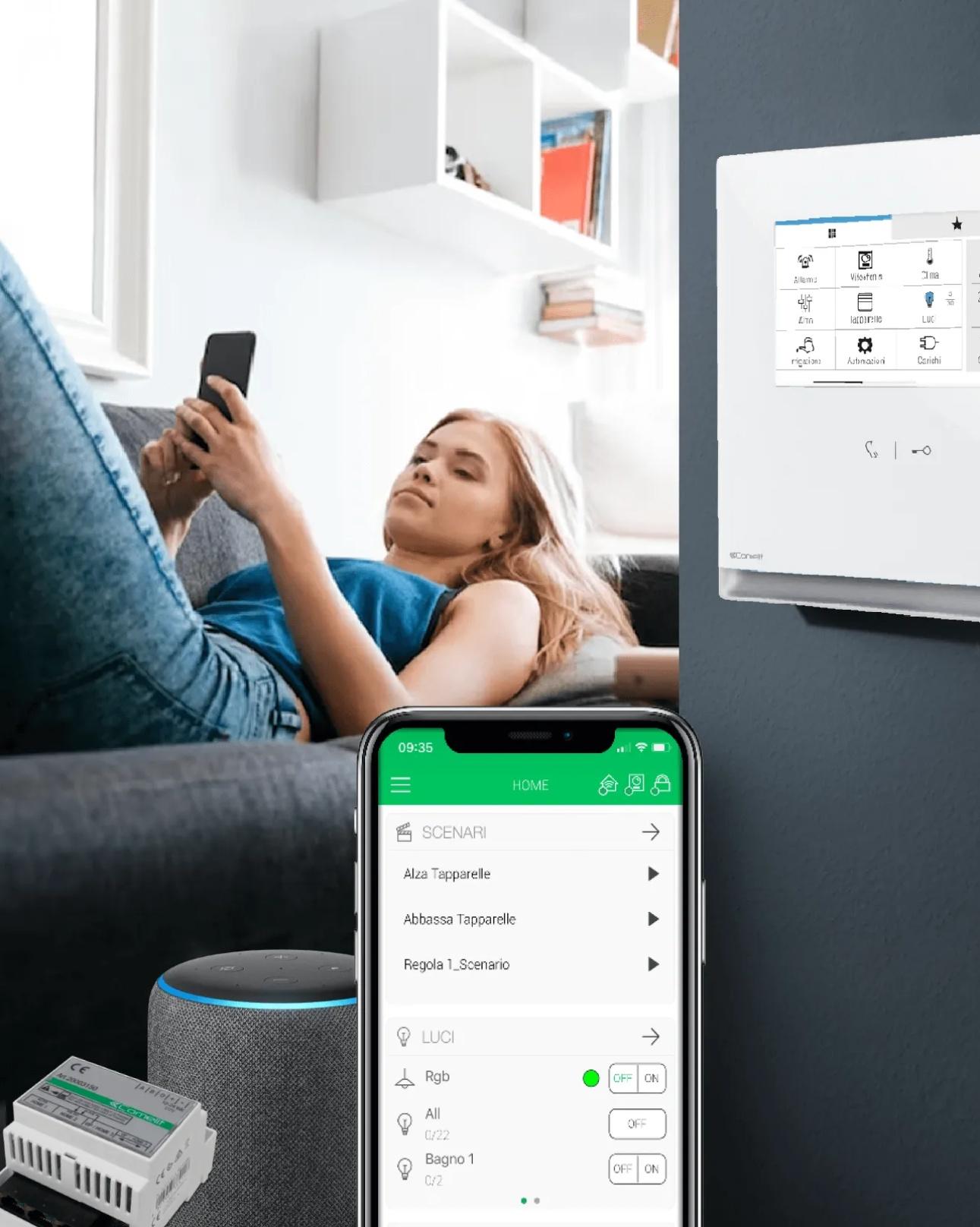
🖼️ Wall-Mounted Touch Panels – Control with Style 🏠
From luxury homes to high-end developments, these panels deliver smart living with Italian design at its core.
🔗 Discover more: https://zurl.co/MDryF
#ComelitSmartHome #HomeAutomation #TouchPanelControl #MaxiManager #VeniceXL #InteriorDesign #SmartLiving #ComelitInnovation #FeelSecure #SmartBuildings

The Fire Alarm Equipment market was valued at USD 8.83 billion in 2024 and is projected to reach USD 13.24 billion by 2032, growing at a CAGR of 5.2%.
Top Companies in the Market:
Apollo Fire Detectors Ltd
Nittan Company Ltd
Honeywell International Inc.
Advanced Electronics Ltd
Nohmi Bosai Ltd.
HOCHIKI Corporation
For complete insights, market segmentation, and regional analysis, read the full report here:
https://www.credenceresearch.com/report/fire-alarm-equipment-market

Smart AI PoE Switches go beyond basic connectivity.
✅ Dynamic power allocation
✅ AI-driven traffic optimization
✅ Enhanced network security
Key for reliable #IndustrialIoT and #SmartBuildings. #AI #PoE #EdgeComputing


Today is #WorldEngineersDay! Thanks to our members who have worked tirelessly on our technical & certification efforts.
Thread is proud to build standards based on the expert engineering judgment of our members and their real-world experience in implementing and deploying Thread. We celebrate our contributors and leadership for their dedication to the growth and adoption of #IoT in #SmartHomes and #SmartBuildings.


🚀 Product Innovation Alert!
Johnson Controls has launched the PENN System 550 C550A Control Modules, designed as next-generation replacements for the System 350. With both relay and analog options, these modules bring smarter, more efficient control to building systems.
More info 👉 http://dlvr.it/TMmk7m
#JohnsonControls #FacilityManagement #SmartBuildings #HVAC #Innovation #BuildingEfficiency
🛡️ Product Spotlight: VIDEO STEELTOUCH 5” ViP Entrance Panel 🛡️
Engineered for performance, designed for durability — a premium choice for high-end, high-traffic installations.
Its robust stainless steel body ensures excellent corrosion resistance, making it the ideal panel for coastal, outdoor, or high-use environments.
🔗 Discover more: https://zurl.co/SUwyg
#SteelTouch #ComelitVIP #EntrancePanel #VideoIntercom #StainlessSteelDesign #SmartBuildings #ComelitInnovation #FeelSecure
THE BLIZFIELD @bsd - Tangerang 🏙️Indonesia
We’re thrilled to be part of THE BLIZFIELD @bsd, located at Jalan Lingkar Bumi Botanika Utara, developed by PT SINARMAS LAND.
With 63 UNITS VIDEO systems and VIP technology, this project demonstrates our commitment to providing reliable security solutions in top-tier developments.
#Comelit #SecuritySolutions #BlizfieldBSD #SinarmasLand #VideoSecurity #SmartBuildings #Tangerang #VIP


Climate‑Responsive Architecture and Interior Design: Building Smarter Spaces for a Changing Climate
Climate change is no longer an abstract discussion; it is transforming the way we live and build. Rising temperatures, stronger storms, and flash floods put homes and offices under pressure. At the same time, buildings contribute nearly 40% of global carbon emissions (ergoofficeplus.com). Architects and interior designers are increasingly called upon to rethink the built environment. How can structures stay comfortable during extreme heat and conserve energy? How can interiors minimise waste while still delighting their users? This article explores climate‑responsive architecture and interior design, showing why it matters and how designers can adapt.
Understanding Climate‑Responsive Architecture and Interior Design
What is climate‑responsive design?
Climate‑responsive design refers to buildings and interiors tailored to local weather patterns. Instead of imposing a universal style, designers study solar paths, prevailing winds, humidity, and seasonal temperature swings, then respond with passive strategies. The goal is to provide comfort with minimal mechanical energy. Traditional techniques such as tinted windows in hot climates or heavy thermal mass in regions with large diurnal swings demonstrate this approach (gbdmagazine.com). By working with local climate rather than against it, climate‑responsive architecture reduces operational energy demands and helps buildings withstand extreme weather.
Why it matters
The built environment’s carbon footprint extends beyond structure. A recent study shows that over a building’s lifespan, the embodied carbon of its interiors can equal or exceed the emissions from the structure itself. Every renovation or fit‑out adds to that footprint (ergoofficeplus.com). Designing climate‑responsive spaces, therefore, supports mitigation (reducing emissions) and adaptation (coping with new climate realities). Passive cooling, cross‑ventilation, and smart shading reduce reliance on air conditioning, while resilient detailing—such as raising critical equipment above flood zones and integrating drainage—helps buildings endure extreme events. The result is a built environment that protects occupants and saves energy over decades.
Architectural Strategies for Climate Change Adaptation
Net‑zero and carbon‑neutral buildings
A central trend in climate‑responsive architecture is the pursuit of net‑zero energy buildings. These structures generate as much energy as they use by combining high‑performance insulation, airtight envelopes, advanced glazing, and on‑site renewables. European directives require nearly zero‑energy standards for new construction, and projects such as Passive House developments in Germany cut heating demand by up to 90% (neuroject.com). Architects also look beyond operational energy to embodied carbon. By selecting low‑carbon materials and construction methods and offsetting remaining emissions, some projects achieve net‑zero carbon. Examples include Norway’s Powerhouse Brattørkaia, which produces surplus renewable energy (neuroject.com).
Smart buildings and technology integration
Smart buildings use sensors, controllers, and software to monitor conditions and optimise resource use. According to the European Commission’s BUILD UP portal, a building is considered smart when it can sense, interpret, and actively respond to changing conditions. Building Automation and Control Systems (BACS) manage heating, hot water, cooling, ventilation, lighting, blinds, and overall building management build-up.ec.europa.eu. These systems often rely on Internet‑of‑Things sensors and artificial‑intelligence algorithms that learn occupants’ patterns and adjust energy use accordingly (build-up.ec.europa.eu). Real‑world projects like TU Delft’s Building 28 employ data‑driven controls to detect faults in HVAC systems and optimise energy consumption (build-up.ec.europa.eu). The EXCESS project transforms nearly zero‑energy buildings into plus‑energy buildings by using algorithms that forecast energy production, respond to weather and market conditions, and interact with the grid (build-up.ec.europa.eu). Smart technology thus turns buildings into active participants in energy networks, reducing waste while enhancing occupant comfort.
Biophilic and nature‑inspired architecture
Biophilic design reconnects occupants with nature. Yanko Design notes that architects are embracing biophilic spaces, integrating natural elements such as mass timber, greenery, and abundant daylight to boost productivity and well‑being. Google’s mass timber office in Sunnyvale uses exposed timber and large windows to maximise natural light and reduce carbon emissions by 96% compared with a steel‑and‑concrete building (yankodesign.com). Biophilic architecture often includes green roofs and vertical gardens, which also moderate building temperature and manage stormwater. In interior design, biophilia appears through indoor plants, natural materials, and views to outdoor landscapes, providing psychological benefits while lowering energy demand by improving insulation and shading.
Biophilic Design in Climate‑Responsive Architecture and Interior DesignAdaptive reuse and modular construction
Adaptive reuse preserves existing structures by repurposing them for new functions, reducing demolition waste and embodied carbon. Modular construction assembles prefabricated components on site, enabling speed and flexibility. Both approaches are highlighted as key trends for 2025. Adaptive reuse retains historical value while lowering material consumption, and modular systems allow buildings to be expanded or reconfigured as needs change, supporting long‑term resilience. For example, the St. Pauli Bunker in Hamburg has been transformed from a wartime fortress into a green, public space with gardens and cultural venues (yankodesign.com). Designers should consider modules and adaptive frameworks that accommodate future climate conditions and user demands.
Traditional strategies for climate adaptation
Designers can learn from traditional dwellings that evolved under harsh climates. A 2023 article on climate‑adaptive design suggests borrowing features from Moroccan riads, which use courtyards and water features to reduce solar gain and create comfortable microclimates (illuminem.com). Spanish villas employ external shutters, awnings, and light‑colored walls to block heat. Iranian windcatchers channel cool air into buildings, while ivy‑covered Italian houses use plants for shade and evapotranspiration. Stilt houses in South Asia protect against floods and improve air circulation. Japanese machiya feature elongated layouts, lattice façades, and deep eaves for ventilation and shading, and Scandinavian green roofs provide insulation and reduce urban heat. By adapting these vernacular strategies, modern buildings can cope with extreme heat, flooding, and other climate risks without relying solely on mechanical systems.
Interior Design Responses to Climate Change
Eco‑friendly materials and circular design principles
Sustainability has become a non‑negotiable standard in interior design. Designers are turning to FSC‑certified wood, recycled plastics, biocomposites, and eco‑friendly concrete. Recycled glass and textiles from post‑consumer plastics showcase a commitment to the circular economy. Circular design emphasises reducing waste and keeping materials in use. Core principles include designing out waste, enabling easy disassembly for reuse and recycling, and regenerating natural systems. Material selection guidelines recommend using durable, low‑maintenance, and locally sourced materials that can be disassembled and reused. Designing for disassembly involves modular walls, flooring systems, and demountable furniture that can adapt to changing functions (ergoofficeplus.com). Such strategies not only reduce embodied carbon but also support flexible interiors that evolve with users’ needs.
Biophilic interior design and warm minimalism
Biophilic principles extend inside by incorporating vertical gardens, natural textures, and organic colors. Warm minimalism is emerging as a reaction against sterile minimalism. It combines simplicity with earthy tones, wood, linen, and marble, creating serene spaces that tell stories. Curated maximalism, also known as “Cluttercore,” celebrates personal expression through bold colors and patterns while maintaining intentionality (duneceramics.com). In both cases, design choices are guided by emotional connections and sustainability rather than excess. Interiors should foster a sense of well‑being, reflecting occupant values and the surrounding environment.
Energy‑efficient systems in interiors
Interior designers influence a building’s carbon footprint through their specification choices. The Carbon Leadership Forum reports that interior renovations contribute significantly to a building’s embodied carbon (ergoofficeplus.com). Sustainable interior design reduces energy consumption by incorporating energy‑efficient HVAC and lighting systems, often powered by renewable energy. Selecting finishes with high recycled content and low emissions further cuts embodied carbon. Designers should prioritise products with Environmental Product Declarations and choose suppliers committed to reducing their carbon footprints. Reusing and refurbishing furniture, adopting demountable wall systems, and planning for disassembly minimise waste and allow materials to have multiple life cycles. None of these strategies compromises human wellness; instead, they align environmental responsibility with occupant health and inclusivity.
Smart home technologies and adaptive interiors
Smart technology is not confined to large buildings. Compact homes like Podform’s Pod Studio demonstrate how integrated systems can make small spaces adaptable and sustainable (yankodesign.com). The tiny home uses solar panels, battery storage, and an app‑controlled system to expand living space and manage energy use. Artificial intelligence analyses water and electricity consumption and adjusts systems accordingly. Smart sensors and voice‑controlled interfaces allow residents to tailor lighting, temperature, and security while minimizing energy waste. Adaptive interiors, enabled by movable partitions and flexible furniture, support multiple functions and user preferences. As climate conditions fluctuate, these technologies help occupants maintain comfort without increasing emissions.
Practical Tips for Designers and Homeowners
- Study local climate: Map solar angles, prevailing winds, and rainfall. Use passive strategies such as cross‑ventilation, shading devices, and thermal mass to moderate indoor temperatures.
- Prioritise energy efficiency: Aim for net‑zero energy by combining insulation, airtight construction, and renewable energy generation. Install smart thermostats and lighting systems that learn usage patterns and adjust automatically.
- Embrace biophilia: Incorporate plants, natural materials, and daylight. Green roofs, indoor gardens, and timber structures improve well‑being and insulate buildings.
- Choose sustainable materials: Opt for FSC‑certified wood, recycled composites, and low‑carbon concrete. Specify products with Environmental Product Declarations and support manufacturers committed to circularity.
- Design for disassembly and reuse: Use modular partitions, demountable walls, and reconfigurable furniture. Plan for future renovations by documenting materials and creating “material passports”.
- Integrate smart technologies: Install sensors and control systems that monitor temperature, humidity, and energy use. Use AI‑driven algorithms to optimise HVAC and lighting, and connect systems to renewable energy sources.
- Learn from vernacular architecture: Adapt features like courtyards, shutters, windcatchers, and green roofs to your region’s climate. These time‑tested strategies often require little maintenance and reduce reliance on mechanical systems.
Conclusion
Climate‑responsive architecture and interior design are not trends but necessities. As extreme weather intensifies and buildings continue to drive emissions, designers must harness passive strategies, smart technology, and regenerative materials to create resilient spaces. Net‑zero buildings, smart automation, biophilic elements, adaptive reuse, and circular interiors show that sustainability and beauty can coexist. By studying local climate, embracing natural systems, and integrating advanced technology, architects and interior designers can build homes and workplaces that thrive in a warming world. The choices made today will shape how future generations live, work, and experience our planet.
Explore more climate-responsive ideas by visiting WE AND THE COLOR’s Architecture and Interior Design categories for inspiring projects worldwide.
#architecture #climateResponsiveArchitecture #climateResponsiveDesign #climateResponsiveInteriorDesign #energyEfficientArchitecture #interiorDesign #smartBuildings #sustainableInteriorDesign


Join Comelit on the Servo Dynamics stand – Booth E01 from 14–16 August at the SECC, Ho Chi Minh City.
🗓 14–16 August 2025
⏰ 09:00 – 17:00 daily
🏢 SECC, Ho Chi Minh City, Vietnam
🔗 Register for your free visitor pass now: https://zurl.co/nUEn0
#Comelit #FeelSecure #SecutechVietnam #VietnamSecurity #FireSafety #SmartBuildings #AccessControl #CCTV #InnovationInSecurity

Client Info
Server: https://mastodon.social
Version: 2025.07
Repository: https://github.com/cyevgeniy/lmst