Multiplayer gaming before the Internet. (GameBoy’s Game Link Cable)
#RetroTech #GameBoy #DigitalNostalgia #OldSchoolTech #TechThrowback #1990sTech
Multiplayer gaming before the Internet. (GameBoy’s Game Link Cable)
#RetroTech #GameBoy #DigitalNostalgia #OldSchoolTech #TechThrowback #1990sTech

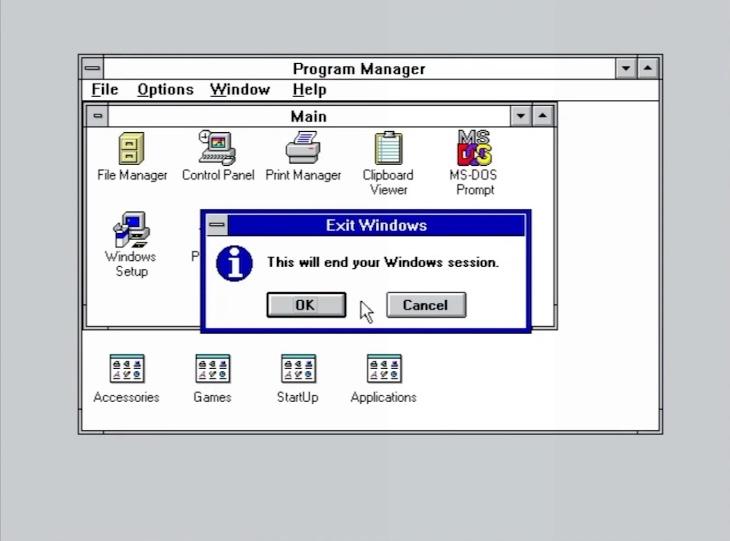
Exiting Windows 3.1
#RetroTech #90sComputing #DigitalNostalgia #OldSchoolTech #TechThrowback #1990sTech
The System Agent in Windows 95
#RetroTech #90sComputing #DigitalNostalgia #OldSchoolTech #TechThrowback #1990sTech

Installation options for Internet Explorer 3
#RetroTech #90sComputing #DigitalNostalgia #OldSchoolTech #TechThrowback #1990sTech

ActiveX: the plug-in that made IE feel powerful… and your IT department feel powerless. 🤣 (from the Microsoft Internet Explorer Starter Kit, 1996)
#RetroTech #90sComputing #DigitalNostalgia #OldSchoolTech #TechThrowback #1990sTech

Advanced Graphics Settings in Windows 95
#RetroTech #90sComputing #DigitalNostalgia #OldSchoolTech #TechThrowback #1990sTech #Windows95

Configuring the temporary internet files in Internet Explorer 3
#RetroTech #90sComputing #DigitalNostalgia #OldSchoolTech #TechThrowback #1990sTech

Manually configuring internet settings in Windows 95
#RetroTech #90sComputing #DigitalNostalgia #OldSchoolTech #TechThrowback #1990sTech #Windows95

I am almost certain this isn't going to install lol
#Linux #RetroComputing #LinuxDistro #OpenSource #LinuxHistory #Tux #LinuxLife #Nostalgia #Unix #FOSS #TechThrowback

Who else misses reading the Readme file after installing new software?
#RetroTech #90sComputing #DigitalNostalgia #OldSchoolTech #TechThrowback #1990sTech

Well, here it is. Libranet GNU/Linux 2.7 Classic
#Linux #RetroComputing #LinuxDistro #OpenSource #LinuxHistory #Tux #LinuxLife #Nostalgia #Unix #FOSS #TechThrowback

Hmm... heard of this distro but never tried it before. Guess I will today if it works
#Linux #RetroComputing #LinuxDistro #OpenSource #LinuxHistory #Tux #LinuxLife #Nostalgia #Unix #FOSS #TechThrowback

It’s the holiday season! And you can’t beat those 90s clip art graphics! (The Print Shope Deluxe III)
#RetroTech #90sComputing #DigitalNostalgia #OldSchoolTech #TechThrowback #1990sTech

Okay we're fine now. Take Caldera OpenLinux eDesktop 2.4
#Linux #RetroComputing #LinuxDistro #OpenSource #LinuxHistory #Tux #LinuxLife #Nostalgia #Unix #FOSS #TechThrowback

Oh Caldera...
#Linux #RetroComputing #LinuxDistro #OpenSource #LinuxHistory #Tux #LinuxLife #Nostalgia #Unix #FOSS #TechThrowback

People seemed to like my Mandrake 7.2 install so have 5.1 too. Glad it worked this time :blobsmile:
#MandrakeLinux #Linux #RetroComputing #LinuxDistro #OpenSource #LinuxHistory #Tux #LinuxLife #Nostalgia #Unix #FOSS #TechThrowback #Mandriva #Mandrake


Something has gone wrong heh. This was supposed to be Mandrake 5.1
#MandrakeLinux #Linux #RetroComputing #LinuxDistro #OpenSource #LinuxHistory #Tux #LinuxLife #Nostalgia #Unix #FOSS #TechThrowback #Mandriva #Mandrake

Installing the Microsoft Internet Explorer Starter Kit
#RetroTech #90sComputing #DigitalNostalgia #OldSchoolTech #TechThrowback #1990sTech

Ok we are actually all done-
#MandrakeLinux #Linux #RetroComputing #LinuxDistro #OpenSource #LinuxHistory #Tux #LinuxLife #Nostalgia #Unix #FOSS #TechThrowback #Mandriva #Mandrake