
I'm getting better at updating Adobe Acrobat. Now, when #WinGet tells me I have a pinned item to upgrade, I open the app > Help > Check for updates > Run updater > Close app & wait for the process to complete. Usually takes 2-3 mins. #WindowsUpdate #MVPbuzz
#winget


https://winbuzzer.com/2026/03/03/windows-app-development-cli-v02-net-project-support-xcxwbn/
WinApp CLI v0.2 Now Supports .NET, Manifest Placeholders, and More
#WinappCLI #Microsoft #Windows11 #MicrosoftStore #SoftwareUpdates #DeveloperTools #AppDevelopment #DotNET #DotNETFramework #CommandLine #WindowsAppDevelopment #WinUI #WinGet



UniGetUI convierte la gestión de #apps en #Windows en algo mucho más cómodo: todo desde una interfaz visual.
Instala, actualiza o desinstala con un clic y hasta en lote.
Compatible con #WinGet, Scoop, Chocolatey, Pip y NPM. 🔧✨
➡️ https://www.softandapps.info/2026/02/24/administracion-software-windows-unigetui/


TIL that NUSGet was submitted to the official winget repository
this wasn't me, but it's neat that it's there given that my download statistics tell me that Windows users are the vast, vast majority of people modding their Wiis
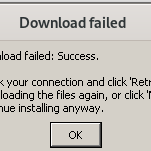
According to Dandelion Sprout, updating AdGuard Home using Windows' package manager winget results in the entire folder being overwritten, deleting all configuration.

Nitrocid 0.2.0 and 0.1.0 are now available on WinGet!
#Nitrocid #NitrocidKS #KernelSimulator #TechNews #TechUpdates #dotnet #csharp #programming #WinGet #Windows #Windows11

Nitrocid 0.2.0.x and 0.1.0.x now available on WinGet!
As part of our efforts to make Nitrocid more accessible and easier to use, we have incorporated more packaging options last year with the addition of Nitrocid’s Windows Installer and Arch Linux PKGBUILD files for each release. This has increased the number of ways to install Nitrocid more easily.
Thanks to our efforts spent to create a Windows Installer for Nitrocid, we have introduced a new way to install Nitrocid seamlessly for Windows 11 users. Starting from Nitrocid 0.2.0.2 and 0.1.0.69, you can now install it using WinGet!
WinGet is a package manager that lets you install programs with packages as the medium seamlessly with the command line interface. It eliminates the need to perform a web search to download a piece of software, which saves time and effort. Currently, it’s bundled with Windows 11 as the default package manager, and is a strong alternative to other package managers, such as Chocolatey.
Since Nitrocid 0.0.6.13, we have introduced an option for users to install Nitrocid using the Chocolatey package manager. This was done when there was no Nitrocid installer for Windows users back then. Now, Nitrocid joins WinGet as another method to install it to your Windows 11 computer!
Nitrocid 0.2.0.x and 0.1.0.x will be updated sequentially across all package mangers, including WinGet, to make the latest version available to download.
As of today, you can install Nitrocid 0.2.0.x and 0.1.0.x using WinGet using the following commands:
- Nitrocid 0.2.0.x:
winget install Aptivi.Nitrocid.0.2.0.x - Nitrocid 0.1.0.x:
winget install Aptivi.Nitrocid.0.1.0.x
The documentation will be updated shortly to reflect the status of Nitrocid’s WinGet packages as a new installation method.
#microsoft #news #nitrocid #Nitrocid010 #Nitrocid020 #Tech #Technology #update #Windows #winget

We need to "Ratatuify" everything 🔥
📦 **winget-tui** — A TUI for Windows Package Manager
💯 Search, install, uninstall & upgrade packages with Vim-style navigation.
🦀 Written in Rust & built with @ratatui_rs
⭐ GitHub: https://github.com/shanselman/winget-tui
#rustlang #ratatui #tui #windows #winget #cli #devtools #opensource


Windows Package Manager #WinGet 1.28.190 release candidate for #Windows10 and #Windows11 now available
https://www.elevenforum.com/t/windows-package-manager-winget-1-28-190-release-candidate-for-windows-10-and-11.44495/


@denelon.bsky.social will be on stage for #PSConfEU 2026 in #Wiesbaden (1-4 June)! 🎙️ Workstation Configuration as Code lifecycle with WinGet 🎟️ Book your tickets for the #PowerShell #Conference #Europe in #Germany: psconf.eu #automation #IT #WinGet


WinGet Configuration: Set up your dev machine in one command | by Kayla Cinnamon
https://developer.microsoft.com/blog/winget-configuration-set-up-your-dev-machine-in-one-command
#winget #windowsdev #cli #terminal #itpro #windows #packagemanager
Windows Package Manager #WinGet 1.12.470 servicing release for #Windows10 and #Windows11
https://www.elevenforum.com/t/windows-package-manager-winget-1-12-470-servicing-release-for-windows-10-and-11.44296/


WinGet DSC : une approche moderne pour préparer une machine Windows 11 https://www.it-connect.fr/tuto-winget-dsc-preparer-configurer-windows/ #InfrastructureasCode #Windows11 #Astuce #WinGet

💡 Question for people using #Chocolatey, #WinGet, etc. maybe with #UniGetUI
Are most of the apps you would normally install onto Windows available from a #Windows #PackageManager, e.g., commercial apps, FOSS apps, portable apps, etc., or is the selection of apps limited?
It's taking me over a month to manually update a collection of around 130 portable apps (I'm also grabbing updated docs, release notes, ensuring *.ini & other config files are maintained, etc., but it's really time consuming)

Windows Package Manager #WinGet 1.12.460 servicing release for #Windows10 and #Windows11
https://www.elevenforum.com/t/windows-package-manager-winget-1-12-460-servicing-release-for-windows-10-and-11.43940/

Windows Package Manager #WinGet 1.28.100 Preview build released for #Windows10 and #Windows11
https://www.elevenforum.com/t/windows-package-manager-winget-1-28-100-preview-build-for-windows-10-and-11.43939/


👋 Sur #LinkedIn, j'ai vu une énième publication où l'auteur parle de #WinGet comme d'une révolution pour la gestion des paquets sous #Microsoft #Windows.
Non, mais, sérieusement ?! Windows, dans bien des domaines, a des décennies de retard sur GNU/Linux (et concernant ce point, environ 30 ans !).
C'est vraiment comique de voir ces gens s'extasier devant une nouveauté qui n'en est en réalité pas du tout une.
Grand bien leur fasse !
Notons aussi que Winget n'a pas de GUI.


Client Info
Server: https://mastodon.social
Version: 2025.07
Repository: https://github.com/cyevgeniy/lmst