Galaxy Watch4 BT receives a new update with August 2025 security patch!
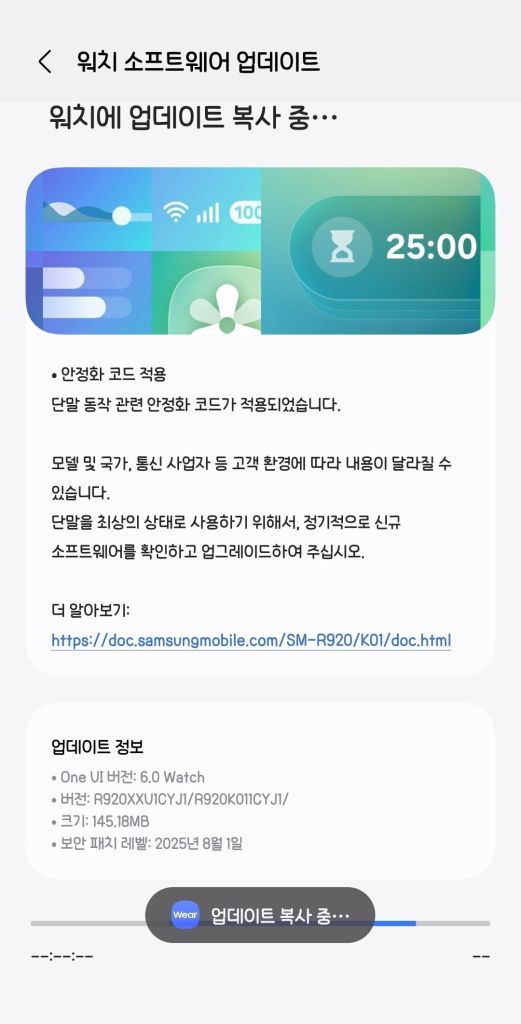
Samsung has started rolling out a new software update to the Galaxy Watch4 series, starting from Korea, which updates your watch’s security patch to August 2025 and improves some of the features in One UI 6 Watch. This is done prior to One UI 8 Watch. The flagship watches will be updated to the following versions:
- Galaxy Watch4 40mm (BT, SM-R860): IYI1 [KOO]
- Galaxy Watch4 44mm (BT, SM-R870): IYI1 [KOO]
- Galaxy Watch4 Classic 40mm (BT, SM-R880): IYI1 [KOO]
- Galaxy Watch4 Classic 44mm (BT, SM-R890): IYI1 [KOO]
You can now update your smartwatch, but if you still didn’t receive any update, you’ll have to wait for a few days as this rollout is a gradual rollout that starts from Korea. You can periodically check for updates to see if this update has reached your device. We recommend that you update your watch manager in your phone, if available, to ensure compatibility with the latest software.
To update your watch, follow these steps:
- With your phone
- Open Galaxy Wearable
- Select your watch
- Open Watch settings
- Navigate to Software Update
- Tap Download and Install
- Wait until the update shows up, then press Download
- Wait until the update gets downloaded and copied to your watch, then press Install
- With your watch
- Open Settings
- Navigate to Software update
- Tap Download and Install
- Wait until the update shows up, then press Download
- Wait until it gets downloaded to your watch, then press Install
In an event that something went wrong with copying the update, disconnect your phone from your watch by turning Bluetooth off or by disconnecting it through Galaxy Wearable, then try again from your watch. Make sure to turn Wi-Fi on in your watch to download the update faster.
Make sure that both your phone and your watch are charged before performing the update, and that your internet connection is stable. Never interrupt the update process, or there could be problems later. The update process may take a few minutes to finish, and if it appears to be stuck, just wait for more minutes.
#Android #GalaxyWatch4 #news #oneUi #OneUI6Watch #Samsung #SamsungGalaxyWatch4 #smartwatch #Smartwatches #Tech #Technology #update #Watch #Watch4 #Wearable