
@fromjason have you ever been down the rabbit hole of #writerdeck s?
#writerdeck

Lilbits: Rabbit’s Project Cyberdexk, Apple’s MacBook Ultra, and Qualcomm’s Arduino Ventuno Q
The Rabbit R1 launched in 2024 as a handheld AI device with an unusual design featuring a bright orange case and a scroll wheel for navigation. It was widely panned by reviewers for failing to live up to its limited promise. But the company behind the device has continued to plug away at the software in an effort to make the weird little device more useful.
Now Engadget reports that Rabbit is […]
#arduino #arduinoVentunoQ #cyberdeck #dynabook #dynabookPortegeX45w #lilbits #lpcamm2 #macbook #macbookUltra #miniLaptop #projectCyberdeck #qualcomm #rabbit #rabbitProjectCyberdeck #solidrunP100 #writerdeck Read more: https://liliputing.com/lilbits-3/

Flight mode, disabling the touchpad and putting #Apostrophe in full screen turns any laptop into a wonderful #WriterDeck for an extra charge of $0.
Remember to donate to the software you love!

A few of my writing devices for an upcoming post on Writer Decks for SFWA's Planetside Magazine
#SFWA #writerdeck #thinkpad #byok #alphasmart #pomera #amwriting


Robin has written a review of #WriterDeckOS, which is designed to turn an old laptop or chromebook into a distraction-free writing machine.
https://phillipsuk.org/robin/posts/2026/2026-02-03-writerdeckos/
Robin tried WriterDeckOS and wrote a review on their blog.
... if you’re looking for a writer deck, an old laptop running WriterDeckOS is a good choice.
https://phillipsuk.org/robin/posts/2026/2026-02-03-writerdeckos/
Zerowriter Ink is now shipping: An open source E Ink word processor with a mechanical keyboard
The Zerowriter Ink is a portable word processor with a mechanical keyboard, a 5.2 inch, 1280 x 720 pixel E Ink display, an ESP32 microcontroller, support for WiFi and Bluetooth, and a 5,000 mAh battery. It runs open source software designed to offer a distraction-free writing experience.
Zerowriter Ink developer Adam Wilk launched a crowdfunding campaign for the device in 2024, and now Wilk […]
#crowdfunding #distractionFreeWriting #openHardware #openSource #writerdeck #zerowriter #zerowriterInk Read more: https://liliputing.com/zerowriter-ink-is-now-shipping-an-open-source-e-ink-word-processor-with-a-mechanical-keyboard/


First prototype of my #diy #handheld #cyberdeck powered by a #RaspberryPi Zero. Unlike my previous tablet designs, this one is aimed at low power for extended battery life, focussing on command-line use. It will be used mainly for reading ebooks/websites, e-mail, SSH, note-taking and some coding fun. It could work well as a #writerdeck too. It has a 2000mAh battery under the keyboard providing 13 hours of continuous reading time. Next I need to design and print a cover… https://tobykurien.com/post-1769934638

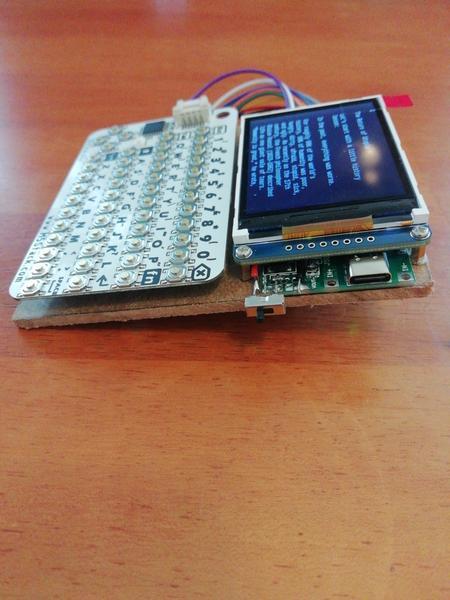


Right, #Hackster round-up time - starting with a fantastic #writerdeck project, powered by a #RaspberryPi, designed for a "minimal stimulation" environment for the days when its creator is having an ME/CFS crash.
No screen, only eight keys - you can type while lying down and moving only your fingertips. Fantastic.
#Technology #News #Accessibility #Cyberdeck #3DPrinting #Makers

Was just coding this afternoon on my netbook…it's slow as molasses, and wheezes at the use of most GUI applications, but my #writerdeck helps keep me focused on the project at hand 🥰

I got my little WriterDeck/FocusDeck Pi working on my Kamvas (main screen)… I shall be unstoppable. #WriterDeck #RaspberriPi #HKsnaps



I also cobbled together a systray icon for the battery status using Python. It retrieves the battery info from the Power Management Hat over serial and updates the systray icon as needed. The tooltip shown appears when you mouse over or tap the battery icon.

I added an internal speaker (from an old iPad) and headphone jack to my Typeframe. Since I used a Pi 5 with no on-board analog audio, I used a USB audio dongle.
I was delighted to learn of the simplicity of switching 3.5mm headphone jacks. They have 5 poles instead of 3. The audio source and internal speaker are wired to the headphone jack pins. They're normally closed and the internal speaker works. Plug in headphones, it switches. So simple!


Yep, it runs MacOS 7.5 really wide 🙃
#typeframe #RetroComputing #cyberdeck #writerdeck #FlyingToasters #VintageApple #VintageMac

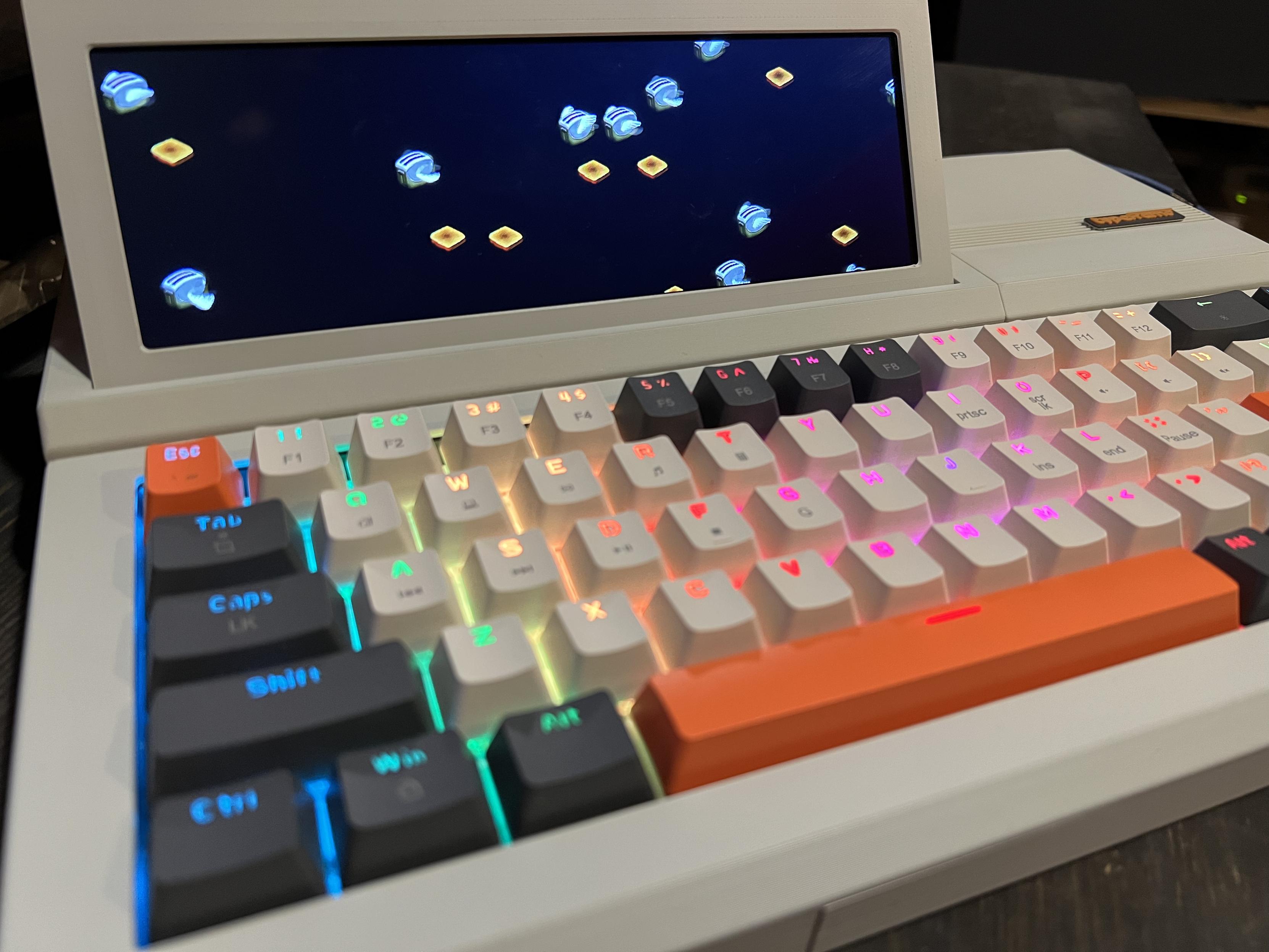
Some more shots of the Typeframe.


The Typeframe is modeled after the Epson PX-4 and looks like a twin. The 7.9" LCD is also a touchscreen. I chose a Raspberry Pi 5 and an inexpensive ready-made keyboard. It's all powered by a 10 Ah battery and charges with USB-C. And lots of 3D printing and cable management.
More info. to build your own: https://www.typeframe.net/


Ever since I saw the Typeframe (a DIY writerdeck or cyberdeck), I wanted to build one. And so I did! I tweaked the design here and there to fit what I had on hand and my tastes. Here's the result. I'm pleased with how it turned out.


Lilbits: Gaming on all the things (Snapdragon PCs, handhelds, Chromebooks, and really old PCs)
A few days after a private fight became public between the company bringing Pebble smartwatches back from the dead and the team of independent developers who ensured that the original watches continued to function without becoming zombies, a member of the Rebble team has weighed in with some thoughts that might help put things in perspective.
Meanwhile, in other tech news from around the web, […]
#airdrop #chromebook #gaming #geforceNow #geforceNowFastPass #google #lilbits #microJournal #pebble #quickShare #rebble #snapdragonXElite #windowsOnArm #writerdeck #xbox #xboxFullScreenExperience #zork



Micro Journal writerDeck developer Un Kyu Lee uses the Rev.2.1 to explain why he's discontinuing the Rev.2 model (maintaining support for customers expecting a commercial product rather than something aimed at hobbyists was unsustainable). https://www.youtube.com/watch?v=zjo6szWE3U0 #MicroJournal #writerDeck
Typeframe PX-88 is a Raspberry Pi-powered CyberDeck inspired by a portable PC from the 1980s
The Typeframe PX-88 is a modern computer with a retro design that’s inspired by the Epson PX-4, a portable computer released in 1985. But this is a fully modern device with a flip-up touchscreen display, a Raspberry Pi 4 Model B for brains, and a USB Type-C port, among other things.
You can’t actually buy a Typeframe PX-88. But you may be able to build your own, because designer Jeff Merrick […]


Client Info
Server: https://mastodon.social
Version: 2025.07
Repository: https://github.com/cyevgeniy/lmst