#FireTablet

2025-09-29

Fire Toolbox 42 makes Amazon Fire tablets more like Android tablets by disabling & replacing Amazon apps

Amazon’s Fire Tablets are some of the cheapest tablets worth buying, especially if you can get one when it’s on sale. But part of the reason Amazon’s tablets are priced so competitively is because they ship with a custom version of Android called Fire OS that’s tightly integrated with Amazon’s app, eBook, music, and video services rather than Google’s.

While that tradeoff is fine for some […]

#amazon #fireOs #fireTablet #fireToolbox #fireToolbox42 #systemUser

Read more: liliputing.com/fire-toolbox-42

Jonathan B ✈️🪄👨🏻‍💻jmb@mastodon.me.uk
2025-09-22

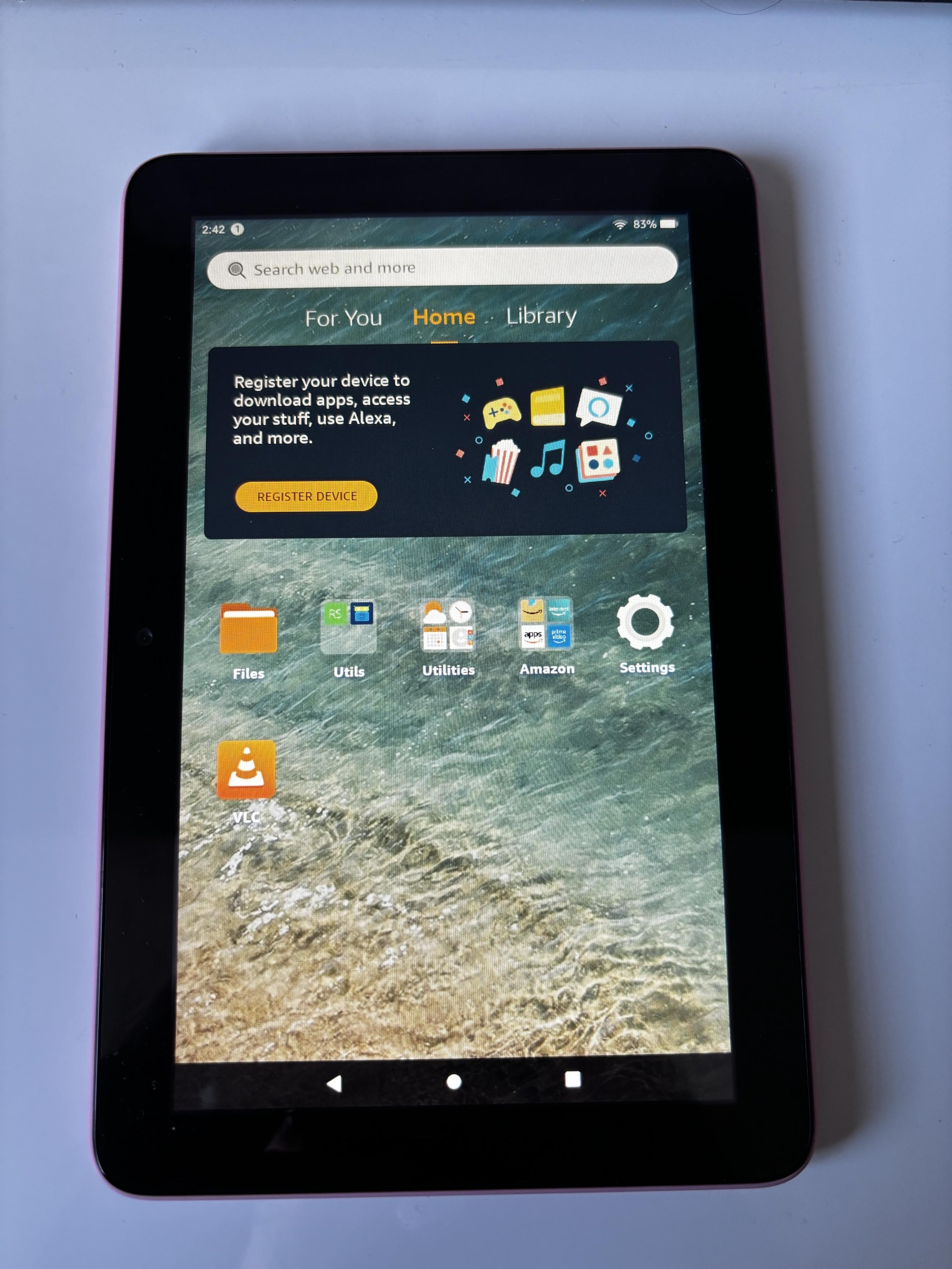
I deregistered an Amazon Fire 7 tablet from an Amazon account but it’s a shame you can’t get rid of the nagging prompt or hide all the unneeded apps! (We only need VLC and Round Sync). It also has annoying ads on the lock screen. Oh well it does what is needed without needing to be logged in. #FireTablet #AmazonFireTablet

Small tablet with a big banner asking you to register your device.
Nicholas A. Ferrellnaferrell@social.emucafe.org
2025-08-29

social.emucafe.org/naferrell/d

I read about the Fire Toolbox utility for “debloating” and customizing Amazon Fire Tablets. That inspired me to buy a cheap ($35-40) Fiire 11 tablet from 2021 on Woot back in April or May. I finally got around to using it. Unfortunately, because of updates, some of the Toolbox’s utilities like setting a custom launcher do not work reliably. But I managed to remove a decent amount of Amazon bloat and telemetry. My goal is to set it up as a device for reading articles from my Miniflux instance as an alternative to my phone. Here are my initial key steps:

  • Used Fire Toolbox to sideload F-Droid Basic
  • Installed Iron Fox (web browser), Markor (markdown editor), Frigolio (Wallabag client), KDE Connect, and Syncthing
  • I configured Iron Fox to my liking and imported the uBlock Origin rules I use on my phone
  • I logged into Miniflux on Iron Fox (synced my clipboard with KDE Connect to get my passwords
  • I synced my Markor directory from my phone to my Fire so I could save links from my browser for my newsletter workflow
  • Connected Frigolio to my Wallabag server by sharing clipboard with API key and login information from my computer via KDE Connect

I gave everything a test run in the morning and it worked well. Fire tablets have low-end specs, but Iron Fox felt about as snappy on the tablet as it does on my phone (Google Pixel 6a running GrapheneOS). One potential annoyance is that when I woke my tablet up (I had set it up last night), I was presented with a screen trying to get me to log into an Amazon account. I was prompted to finally set this up because I was being tempted by a $250 sale on Google Pixel Tablets (which are supported by GrapheneOS), but if the Fire works well for my limited Miniflux purpose, I think I will opt to save the $250.

#android #androidApps #fdroid #fireOs #fireTablet #kdeConnect #miniflux #syncthing #ublockOrigin #wallabag

Mac4Evermac4ever
2025-08-20

Tablettes Fire : Amazon abandonnerait son système Fire OS pour passer à un "vrai" Android
mac4ever.com/191320

2025-08-11
low quality pic taken with my old fire tab. i just love low quality pics ^^ #lowquality #firetablet #elephant #plushies
2025-07-17

How to use laptop or tablet as a touchpad (and keyboard) for a Windows PC

After decades of working with computers, I started to develop some wrist and arm pain a few year ago. So I switched from using whatever random mouse I could find for under $20 to using input devices meant to alleviate wrist pain. And for the past few years I’ve been happily switching back and forth between a Logitech MX Vertical mouse and a Kensington Expert Mouse Wireless Trackball.

And […]

#amazonFireMax11 #android #androidTablet #barrier #bluetoothMouseKeyboard #DeQuervainTenosynovitis #deskflow #ergonomics #fireTablet #inputDevices #kvm #synergy #touchpad

Read more: liliputing.com/how-to-use-lapt

readbeanicecreamreadbeanicecream
2025-07-05

Okay , I have "inherited" an old that I have no real use for.

Any good instructions out there on how to it and install ?

Also, I'm open to any other ideas for alternative uses for it!

2025-03-31

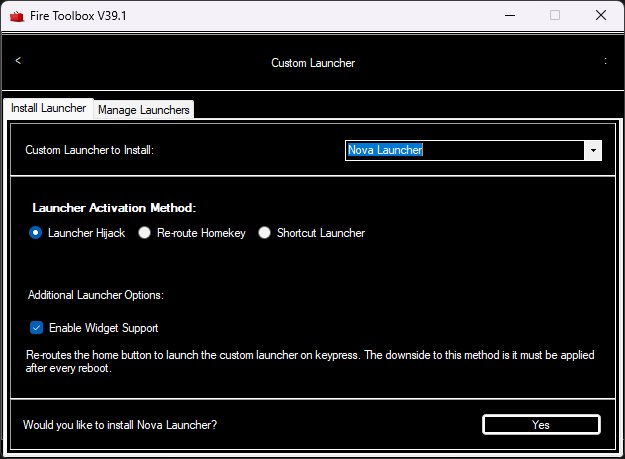
Fire Toolbox v39.1 lets you replace the Fire OS launcher on recent Amazon Fire tablets

Amazon’s Fire tablets offer pretty good bang for the buck if you’re just looking at the hardware-to-price ratio. They tend to have decent screens, reasonably good processors, and niche features like… microSD card readers. But they also run a fork of Android called Fire OS that may not be everybody’s cup of tea.

Fire Toolbox is an unofficial set of utilities for hacking Fire tablets. Among […]

#amazon #amazonFireTablets #customLauncher #fireTablet #fireToolbox

Read more: liliputing.com/fire-toolbox-v3

apfeltalk :verified:apfeltalk@creators.social
2025-02-23

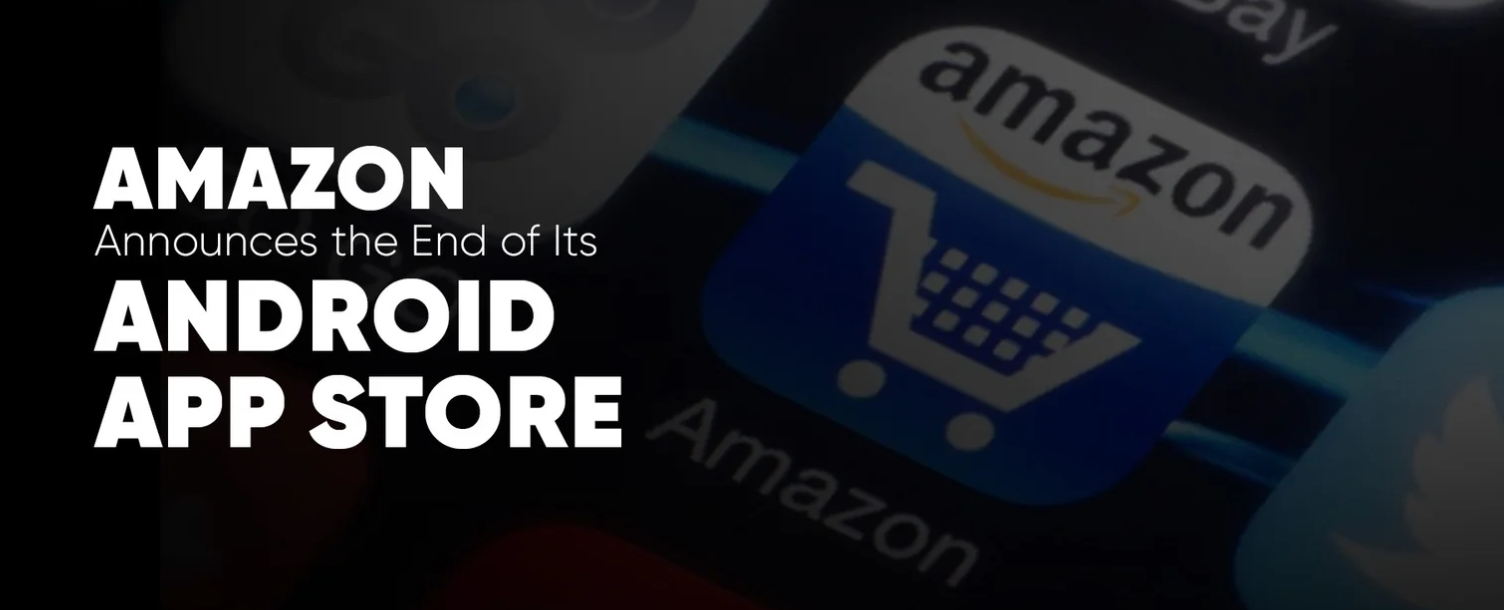
Amazon stellt Android-App-Store für Drittanbieter ein
Der Amazon Appstore für Android wird ab dem 20. August 2025 nicht mehr verfügbar sein. Nutzer haben bis zu diesem Datum Zeit, ihre Apps zu verwenden oder auf Alternativen umzusteigen. Auch das Coins-Programm für
apfeltalk.de/magazin/news/amaz
#News #Tellerrand #AmazonAppstore #Android #Apps #CoinsProgramm #EU #FireTablet #FireTV #GooglePlayStore #WalledGardens #Wettbewerb

marc hallPaulHall
2025-02-21

Latest Updates on the Amazon Appstore for Android: Shutdown Concerns, Amazon Coins Adjustments & Digital Strategy Impact
trendpulseinsider.space/post/a

Amazon Appstore for Android shutdown concerns
2025-01-06

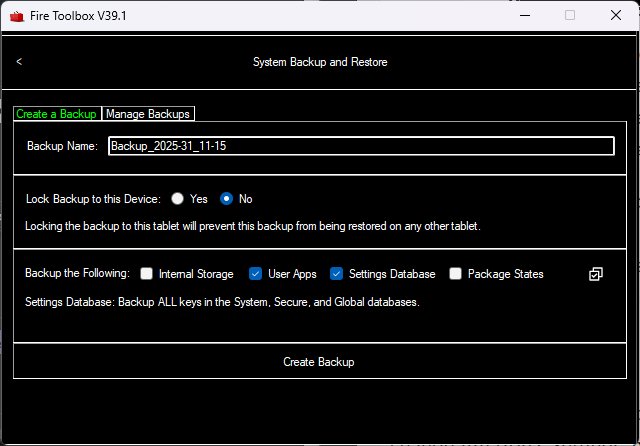
Lilbits: UGREEN’s 500W USB-C charger, Fire Toolbox v38, and the ONEXPLAYER G1 hits crowdfunding this week for $899 and up

PC accessory maker UGREEN already sells a desktop USB charger that delivers up to 300W of total power over four USB-C ports and one USB-A port. But it can’t send more than 140W to any single device.

Now the company has introduced an upgraded model that offers up to 240W of power to a single device, and up to 500W when you use it to charge multiple devices.

Here’s a roundup of recent tech […]

#amazonFire #crowdfunding #fireTablet #fireToolbox #lilbits #oneNetbook #ONEXPLAYER #onexplayerG1 #pisguar #pisugar3 #raspberryPi #raspberryPiZero #ugreen #ugreenNexode500w #ups

Read more: liliputing.com/lilbits-ugreens

2024-12-26

Lilbits: Install Google Play on Amazon Fire tablets, postmarketOS update, and a new color ePaper display kit

This week a lot of folks have been unwrapping Amazon Fire tablets, setting them up… and figuring out that some of the apps and games you want to run on them aren’t available out of the box.

Fortunately there are a bunch of ways to make an Amazon tablet more useful. You can sideload applications that aren’t available in the Amazon Appstore. Or you can even install the Google Play Store and add a custom launcher application to make an Amazon tablet feel more like a standard Android tablet… even though it’s running Amazon’s fork of Android called FireOS.

In today’s tech news roundup, I’ve got links to some of the articles we’ve published over the past few years that describe how to hack an Amazon Fire tablet. And in more recent tech news, the latest release of the postmarketOS mobile Linux distribution brings camera support to some phones that originally shipped with Android, AOOSTAR has a new mini PC with discrete graphics, JSAUX has a new dock for handheld gaming PCs that includes built-in cooling fans, and there’s a new Raspberry Pi Pico 2 W-powered color E Ink display kit.

Amazon Fire Tablet hacking roundup

Amazon’s Fire line of tablets are some of the cheapest Android-based tablets that are worth buying. The Fire HD 8, Fire HD 10, and Fire Max 11 have decent displays, affordable price tags, reasonably good battery life, and performance that’s more than good enough for reading eBooks, streaming videos, surfing the web, or even light gaming.

But while the tablets run an operating system that’s based on Android, Amazon’s FireOS is different in a few important ways. It has a custom user interface designed by Amazon that puts the company’s apps and services front and center. And it ships with the Amazon Appstore instead of the Google Play Store. Not only are fewer apps and games available in Amazon’s store, but if you already paid for an app or service on your Android phone, you’d have to pay again to get it from Amazon… unless you install the Google Play Store yourself. Because an open secret about Amazon’s tablets is that it’s possible to install Google’s app store on them. Keep in mind that there might be some compatibility issues – not all apps distributed in the Play Store will work perfectly on Amazon tablets. But many will.

Here’s a roundup of some of Liliputing’s guides to making Amazon Fire tablets more useful:

Inky Frame 7.3″ is a 7-color ePaper display powered by a Raspberry Pi Pico 2 W [ CNX Software]

Available now for about $94, this kit features a 7.3 inch, 7-color E Ink display with a resolution of 800 x 480 pixels, a Raspberry Pi Pico 2 W, microSD card reader, and battery connector.

v24.12: The One With Androids & Cameras, But It’s Mainline Linux [postmarketOS]

PostmarketOS 24.12 is a mobile OS with a mainline Linux kernel. It brings initial support for using cameras on some phones (Pixel 3A, Fairphone 5, and Pocophone F1), UI updates, an updated wallpaper, and other improvements.

7-in-1 RGB Cooling Docking Station for handhelds [JSAUX]

This $60 docking station is designed for handheld gaming PCs. Sit your handheld in the cradle and use a USB-C connector to add Ethernet, HDMI, and more USB ports… as well as two cooling fans that help keep the PC from overheating while docked.

AOOSTAR GODX is a mini ITX mini PC with Ryzen 9 6900HX and Radeon RX 6600LE [AOOSTAR]

While the hardware is a few generations old at this point, it’s still a lot of power for a compact PC, including discrete graphics and support for up to three 4K/120 Hz displays. Available now for $529 and up, the system also supports up to 64GB of DDR5-4800 dual-channel memory, and two M.2 2280 slots for PCIe 4.0 storage. It has two 2.5 GbE LAN ports as well as USB4, USB 3.2 Type-A, DisplayPort, and HDMI ports, and it measures 200 x 193 x 80mm. Update: The AOOSTAR GODX is available from AliExpress for $503 and up

Keep up on the latest headlines by following Liliputing on Bluesky or @bradlinder@fosstodon.org on Mastodon. You can also follow Liliputing on ThreadsFacebook, and X.

#amazon #amazonFire #aoostar #aoostarGodx #dock #eInk #epaper #fireMax11 #fireTablet #fireToolbox #inkyFrame #jsaux #lilbits #miniPc #postmarketos #raspberryPiPico2W

2024-12-26

Based on the number of pageviews this 2023 article has gotten this week, I have a pretty good guess for what present a lot of folks unpacked this week... only to experience moderate annoyance that Amazon tablets don't have the Google Play Store pre-installed. buff.ly/4fBDWWr #AmazonFireMax11 #GooglePlayStore #FireOS #FireTablet

2024-11-15

Amazon says AI features are available now for all compatible Fire tablets

The new Amazon Fire HD 8 tablet that launched in October features the same processor as the previous-generation model. But it has more memory, a higher-resolution rear camera, and support for wireless charging. It’s a pretty modest update when it comes to hardware, which probably helps explain why it’s already on sale for $55 during the lead-up to Amazon’s Black Friday sale (that’s 45% off the list price of $100).

But when Amazon introduced the new model, the company also said it would be the first Fire tablet to ship with support for generative AI features including Writing AssistWebpage Summaries, and a Wallpaper Creator. You don’t need to buy a new tablet to get those features though – they’re now available for all compatible Fire tablets.*

Amazon Fire tablet Writing Assist tools

Writing Assist is baked into the Fire tablet virtual keyboard, allowing you to get grammar suggestions, make something you’ve written more concise or pad it out with some additional language, or use pre-set styles to change the tone from casual to professional or vice versa, among other things. There’s also a proofreading function.

The Webpage Summaries feature is built into Amazon’s Silk web browser, and examines the content of a website and provides you with a brief, easily digestible (and hopefully somewhat accurate) summary.

And the Wallpaper Creator lets you use text-based prompts to create images that you can set as your tablet’s background.

These features aren’t all that out of the ordinary in 2024 – they’re the kind of features we’ve seen Apple, Google, Microsoft, and others build into their operating systems and apps over the past few years. The only somewhat surprising thing here is that Amazon is making them available for no additional charge in its line of tablets that are probably better known for being dirt cheap than for being feature-packed.

*Amazon says the Writing Assistant and Wallpaper Creator features will require a fairly recent tablet. Supported models include:

  • Amazon Fire Max 11 (2023)
  • Amazon Fire HD 10 (2023)
  • Amazon Fire HD 8 (2022 or later)

But the Webpage Summaries feature will be available on select tablets that are as much as six years old. Supported devices include:

  • Amazon Fire Max 11 (2023)
  • Amazon Fire HD 10 (2019 or later)
  • Amazon Fire HD 8 (2018 or later)


#ai #amazon #amazonFireTablet #fireTablet

Reinhard Lacknermacf00bar@hachyderm.io
2024-10-27

I hate vendor lock-in. Why the fuck can't I decide which "app store" I want or which source I do download my apps from. What the actual fuck! #amazon #firetablet and/or #appleIOS (which in my opinion reads I Owe you Several apologies)

2024-10-13

MacBook would not see a usb connected Fire tablet.

This worked though

github.com/ganeshrvel/openmtp

#firetablet

Meshuggah Mischell ✅meshuggahmischell@metalhead.club
2024-09-20

Wenn jemand ein gutes #howto sucht um aus seinem #amazon #firetablet ein richtiges Tablet zu machen, sollte sich dieses Video mal ansehen, alles sehr gut beschrieben und nachvollziehbar. Sogar für nicht Nerds ;-) auch wenn das Video und das Tool das er zeigt sich mittlerweile weiterentwickelt hat.

youtube.com/watch?v=Z9vwFKoFcL

Aldi80s 🇯🇵 アルディaldi80s
2024-02-06

No way...
don't work at the and have several issues.
Anyway I'm a mid-age guy who should be simple: I will forget all shitty technology and depend only on in my laptop and use a pendrive as a backup.

Client Info

Server: https://mastodon.social
Version: 2025.07
Repository: https://github.com/cyevgeniy/lmst