#MUX

Kevin Karhan :verified:kkarhan@infosec.space
2025-07-14

@drscriptt Naive question: WHEN does the average #Internet #user ever open up a webpage with an #IP address instead of a #domain or even #FQDN?

  • Seriously, the only cases I saw were either some old, non-public - facing server in some B2B/API setting or a test that #httpd / #ngnix / #ssh / … function properly on like a #VPS and that the #DNS hasn't been updated (yet!) to include said host / FQDN in the records, and even then it's bad cuz you'd rather want to use it's FQDN instead because with #IPv4 shortages on one hand and tools like #Portainer on the other, one should not use an #IPaddress as addressing method because #WAF / #Proxies used to "#MUX" / "#NAT" services under one IP address or #IPv6 block may need that distinction by being queried for a specific FQDN...

The Idea if !SSL / #TLD for #IPaddresses makes me feel like Jeff Goldblum!

Ansgar T̶r̶i̶n̶k̶PRÜFmannansgartrinkmann.bsky.social@bsky.brid.gy
2025-05-03

#mux ist zurück. Vor gut 20 Jahren gab es in Münster eine schöne Aktion: andere Kinogäste anschwärzen und Belohnungen (Merch) abgreifen. Hab damals gewonnen, weil ich meine Begleitung angezeigt habe, Bier von zuhause mit ins Kino zu bringen und mich zu zwingen, es zu konsumieren. #muxmäuschenstill

MUXFILM |

@gsuberland build them, i'd decide on best designs for your needs - maybe go a bit long and cut down but it depends if you want half wave/quarter wave and don't forget counterpoise/ground planes, you may be able to do loop antenna, you may still want access to u/l sidebands - update thread - i actually want to build and sell antennae, could be a fun gig, my bet is on 433 ; you should check out some of the antenna sw out there #white spaces #seattle wireless #not multiplexxed #mux #bird electronics slugs #swr matching #802.22

2024-05-07

For the context of this PCB design, see: Educational DIY Synth Thing.

Warning! I strongly recommend using old or second hand equipment for your experiments.  I am not responsible for any damage to expensive instruments!

The Circuit

The key design decisions have already been documented here: Educational DIY Synth Thing – Part 2 so I won’t go over the details again now.

In considering the schematic, there are several key sections, each of which has been discussed in the above mentioned post.

Potentiometers and Multiplexer

There are three unused potentiometer inputs to the 4067 MUX so I’ve broken them out to header pins. These can be left as future expansion if required.

Trigger and Gate Inputs

There are four identical circuits for the trigger and gate inputs. Recall that the actual signal received by the microcontroller is inverted, so has to be treated as an active LOW signal.

Conrtol Voltage Inputs

These inputs should be able to cope with over or under voltage inputs whilst ensuring only a 0-3V3 signal is received by the ESP32.

PWM Oscillator Outputs

Recall that each PWM output stage uses a 470Ω resistor and 68nF capacitor for a frequency cutoff of around 5kHz. I might leave the capacitors off the two square wave outputs though (see previous discussion).

Amplifier

A speaker and line-out option has been left in the circuit, but it remains to be seen if the speaker output will be of any use or not. I am expecting to really only use the line out at this stage.

There is a simple volume control on the line out but not the speaker.

Rest of the Circuit

The remaining elements cover the ESP32 module itself, the MIDI IN circuit and the power supply.

PCB Design

The PCB design has had to follow the initial layout for the panel (as described in the previous post) so that has limited the options somewhat, but I seem to have been able to get everything in that I wanted.

This is actually a fourth or fifth iteration. As I’ve been testing the individual circuit components, the design has evolved somewhat.

Key features:

  • Rather than single-pin header inputs, there are dual inputs. This is both for the practical reason that dual-pin headers can be bought in bulk, but single pin header sockets can’t; but also that it leaves an additional pin header that could be used for an oscilloscope connection.
  • The board has included dual 3V3 and a single 5V (all plus GND) connection off to the right that can be used to power a solderless breadboard to encourage experimentation.
  • All external connections (MIDI, audio, power, power switch, etc) have been left as pin headers to be connected to an appropriate socket affixed in an appropriate place – e.g. the side of a box or enclosure; or additional panel.
  • I’ve done my best to position things accurately and neatly, including on the silkscreen.
  • The silkscreen shows component values to aid construction, but also has enough detail for the inputs and outputs to be used without a front panel if necessary.
  • The ESP32 and 7805 regulator are to be mounted on the underside of the board.

Unfortunately, the footprint for the 4067 is wrong! I’ve used a narrow 24-pin DIP socket rather than a wide 24-pin DIP. Doh! Massively annoying, but I’ll come back to that in a moment.

Panel Design

I took a copy of the PCB once laid out and pasted the pots and header pin sockets over into a new KiCAD project. This allowed me to use them as the reference for positioning the cutouts and holes for a panel design:

The pot holes are the MountingHole_8.4mm_M8_Pad footprint but I edited it to make the pad thinner. My initial thought was to allow a connection to the metal body of a potentiometer and have it screwed down.

But having ordered some pots that don’t require nuts (deliberately so – they have black shafts that can be used directly), with hindsight I’d have probably kept the solder mask on the top layer right up to the edge of the hole

The cutouts for the pin headers are made using edge cuts in the normal way. Inputs have a thin line around them – outputs have a thick line around them.

There is also a 3mm cutout for the power LED.

4067 24-pin DIP Footprint Error

As mentioned above, I made a mistake with the 4067 footprint. This was largely as I started with a 4051, 8-way multiplexer, which has the narrow footprint and when I moved to the 4067 to get more outputs, I changed the footprint for the increased number of pins without thinking it might be of a different width.

Whenever I’ve used a 4067, it has always been the SOIC version on one of those cheap breakout boards. It was only when I realised I didn’t actually have any chips and went to order some that I spotted they were only available as wide DIP packages.

Unfortunately a simple “stick it at an angle and extend the pins” bodge won’t work as it would probably make the chip too high for installation between the two rows of ADSR pots whilst remaining under the panel. This also means a stripboard converter is not an option either as there is no room on the topside of the PCB between the pots.

Annoyingly, in an earlier iteration I had the 4067 mounted on the underside of the PCB and swapped it as I decided there was no need!

In the end I designed and ordered a converter PCB to both extend and reverse the pinouts. I’ve made a PCB with three of them on, to be cut apart once received.

This will hopefully allow me to install the 4067 on the underside of the PCB instead. This will allow me to get on and test the board and possibly even use it “as is” without needing a rework straight away.

Naturally at some point I’ll rework everything, but if I do I might rework it to use one of those cheaply available 4067 breakouts instead anyway.

Closing Thoughts

Given how many times I was careful about the placing of components and silkscreen and then how many more times I reworked the board as I found out something else about the circuit, I still can’t believe I got something so fundamental as the DIP footprint wrong for the 4067.

Oh well, these things happen.

Apart from that, as a design activity, I’m quite pleased with how this has turned out so far.

Of course, I won’t actually know until I have a board in my hand, populated with components, and powered up with no magic smoke.

To be continued…

Kevin

https://diyelectromusic.wordpress.com/2024/05/07/esp32-wroom-educational-modular-synth-thing-pcb-design/

#74hc4067 #esp32 #multiplexer #mux #pcb #potentiometer #tda5072

0mega ☣ [hz]0mega@social.c-r-t.tk
2023-11-13

#TIL: Yes, I can absolutely switch different #I2S inputs with a 74HC157 #mux

#dac #diy #esp #breadboard
Top view of a breadboard with an ESP32 flashed with a A2DP to I2S firmware, a PCM2706C USB to I2S adapter, a 74HC157 mux and a UDA1334 I2S DAC wired together
2023-11-12

This takes the Arduino Nano Mozzi Experimenter Shield PCB and swaps out three of the pots for the optional use of the following:

  • MCP4725 DAC.
  • SSD1306 display.
  • IO links for an analog multiplexer.

This is in addition to the remaining three potentiometers, the MIDI interface and the audio filter output.

Warning! I strongly recommend using old or second hand equipment for your experiments.  I am not responsible for any damage to expensive instruments!

The Build Guide is available here: Nano Audio Experimenter Sheild PCB Build Guide.

If you are new to Arduino, see the Getting Started pages.

The Circuit

The board includes a 5V MIDI IN and unbuffered MIDI OUT. It includes a barrel jack for power directly into the Arduino Nano’s raw input.

It includes pin headers for an SSD1306 display and MCP4725 DAC and headers to allow connection to an analog multiplexer such as a 4051 (8-way) or 4067 (16 way). This is connected to A3.

There is also an audio output filter stage that can be switched between D3 or D9 for PWM output or the DAC.

The following Arduino pins are used in total:

  • A0, A1, A2: potentiometers.
  • A3: optional analog multiplexer input.
  • A4, A5: SCL, SDA I2C interface.
  • D0, D1: UART MIDI RX and TX.
  • D3 or D9: optional PWM output.
  • D4, D5, D6 and optionally D7: multiplexer “address” outputs.

PCB Design

Key aspects of the design:

  • It follows quite closely the format of the Arduino Nano Mozzi Experimenter Shield PCB on the power, MIDI and Nano side.
  • A jumper allows the audio output to be connected to D3, D9 or neither if a DAC is plugged in.
  • The multiplexer’s S4 pin can be hard-jumpered to ground if required or left unconnected (or both) if not using a 4067 16-way device.
  • There are header pins which match the footprint of a DPDT switch to disable the MIDI link to D0/D1 to allow uploading of sketches.
  • The audio section of the DAC has a separate GND plane for the analog output section. If the DAC is not used this has to be connected to the GND plane of the rest of the board, so an additional connecting, plated hole is provided near to the DAC header footprint.

Closing Thoughts

I believe it is possible to use both the SSD1306 display and the MCP4725 DAC whilst servicing the other IO on the board, but I can’t imagine it would yield any practical or useful function to do so!

This is a board with options that aren’t necessarily meant to all be used at the same time. It is the latest in my line of “experimenter” boards, essentially designed for messing about with audio on the Arduino Nano.

The only thing I wished I’d added was some test points for an oscilloscope probe.

Kevin

https://diyelectromusic.wordpress.com/2023/11/12/nano-audio-experimenter-sheild-pcb/

#74hc4067 #arduinoNano #cd4051 #mcp4725 #midi #multiplexer #mux #pcb #pwm #ssd1306

2023-07-27
Jeroen Hoogstraten ✔️jeroenhoogstraten@mastodon.online
2023-07-24

He needs to change his own name too! MUX ! nos.nl/l/2483987 #musk #twitter #mux

2023-05-08

There's a virgin market for converting B/X modules into MUD/X/SH/* content, unless it's been done! #Evennia looks a great framework. ... and more side projects are good for mental health right? #dnd #bx #ttrpg #mud #mush #mux

Diego Córdoba 🇦🇷d1cor@mstdn.io
2023-03-03

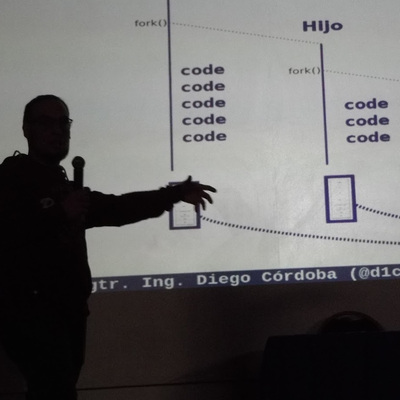
Para el que se perdió la publicación en @juncotic , les dejo el link por acá:

juncotic.com/multiplexar-o-reu

Enjoy!

#ssh #mux
---
RT @d1cor
No es porque lo esté escribiendo yo, pero se viene un interesante artículo sobre reutilizar conexiones #SSH mañana en el blog de @juncotic :D

Los invito a seguir la cuenta para estar al tanto!
twitter.com/d1cor/status/16278

2023-02-27

(xpost) Stumbled on #Mux's overview of their docs revamp.
@dardarbinks does a great job detailing how to scale #IA & #docs to improve usability alongside their expanding portfolio of products & use cases.

And of course — it's really cool to see #Algolia being used for documentation search!

mux.com/blog/the-building-bloc

Looks like Airbrake Error Monitoring now supports the following #golang frameworks:

#Beego
#Buffalo
#Echo
#FastHttp
#Fiber
#Gin
#Gorilla
#Mux
#Iris

Here's their blog post on it:

blog.airbrake.io/check-out-the

2021-07-23

I’ve mentioned before that I quite like some of Steve Reich‘s ideas for weird rhythms and percussion and I know thing he liked was rhythms going in and out of phase.  So having just received a new bank of eight relays I thought it would be fun to combine it with my 8-pot slider board and see what I could do.

Warning! I strongly recommend using old or second hand equipment for your experiments.  I am not responsible for any damage to expensive instruments!

These are the key Arduino tutorials for the main concepts used in this project:

If you are new to Arduino, see the Getting Started pages.

Parts list

  • Arduino Uno
  • 8 relays
  • 8 potentiometers with optional multiplexer (I used my 8-way slider board)
  • Breadboard and jumper wires

The Circuit

I’ve actually got an 8-way relay board like the following which is perfect for this kind of application as it only requires one set of 5V and GND connections and then just 8 IO signal lines.

In this case I’ve only used eight of the slider pots, and have hooked up the multiplexer addressing lines to A5-A2 to keep them on the same side of the Arduino.  I’ve also kept four of them hooked up, even though I’m only using three to address 8 potentiometers.

I was quite tempted to try to go for 16 relays but would need to switch to a board with more IO to drive them.

The Code

The main multiplexer and potentiometer reading code is largely the same as for the previous projects.

The approach to driving the relays is as follows:

  • Use the TimerOne library to set up a regular “tick” to drive everything.
  • Each relay has a counter that is incremented in the “tick” function.
  • When the counter reaches a specified maximum number of counts, the associated relay will be toggled and the counter reset.
  • The maximum number of counts for each relay is controlled by a corresponding potentiometer.
  • The potentiometers are read and handled in the main Arduino loop().

After some experimentation, I settled on a “tick” of every 2 mS. Faster than this and the tick function wasn’t able to service all relays at the same time using digitalWrite.  I could optimise the code with direct PORT IO if I wanted to get more out of it, but 2mS was fine.

The pot values are used to set the number of counts (i.e. the number of 2mS ticks between relay toggles) to a value between 100 and 1123 (recall the range read from the pots is 0 to 1023).  This gives me a fastest relay toggle of 100×2 mS or every 200mS – i.e. 5 every second. The slowest is 1123*2mS or around 2 and a bit seconds.  But more importantly, the resolution allows for changes of the order of a fifth of a second, which allows for some great effects.

Feel free to have a play with the numbers and see how you get on.

Find it on GitHub here.

Closing Thoughts

I really like this effect and have spent some time playing with it. Some of the best ones are when the sliders are all close to each other.  It is also interesting to let them all go out of phase and then re-sync them all the same period again, but this time, whilst they are all clicking at the same rate, they are no longer clicking at the same time!

Another fun thing to do is to set the sliders then reset the Arduino.  This starts all the relays off at the same time, but then they diverge quite quickly.

Next up though, I might try to do something with pitch.

Kevin

https://diyelectromusic.wordpress.com/2021/07/23/arduino-mux-slider-phased-relays/

#multiplexer #mux #potentiometer #relay #rhythm

2021-05-04

Synth Gains Plug and Play Analog MUX

High school computer engineering teacher [Andy Birch] kept losing track of I/O pins on his home-built synth, so he made a custom plug and play addressable MUX system to solve the problem. [Andy]'s synth is based on the Teensy microcontroller, and he was already using CMOS analog 8:1 multiplexer chips (CD4051) to give him more I/O pins. But I/O pin expansion means that now there are more I/O pins to forget. Did I hook up that pitch potentiometer on U3 pin 13 or was it U10 pin 2?

He proceeds to design an addressing system for each I/O card using three bits (expandable to four) supporting eight cards, with a maximum of 16 possible in the future. Since each card may not use all eight signals, each card can tell the Teensy how many signals it has. [Andy] does his address decoding on each card using OR and XOR gates. We would have considered using a single 74HC85 four-bit magnitude comparator instead. That would require only one chip instead of two, but would deprive his students of the opportunity to learn gate level address decoding.

When seeing the term "I/O card", you may be fooled like we were into thinking this was using PCBs and some kind of motherboard. [Andy]'s I/O cards are actually solderless breadboards mounted on the back of the synth control panel. We really like his bus technique -- he removes the power strip sections from several breadboards and repurposes them as address and data buses. Check out the thorough documentation that [Andy] has prepared, and let us know if you have ever designed your own plug and play method for a project in the comments below.

[Ed Note: We love us some muxes!]

I/O Cards -- Note the use of Power Strip Bars as Data / Address Buses

#musicalhacks #cd4051 #mux #plugandplay #synth

image
Infonomiconinfonomicon
2020-10-16

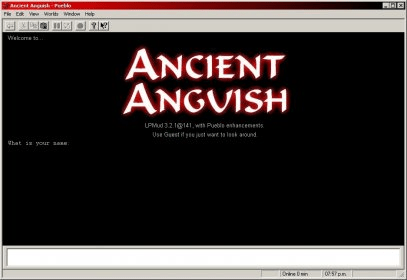
Pueblo/UE is a multimedia (MU*) client for Windows . You can also use it as a regular Telnet client for line-based applications.

PNG/MNG/JNG images
Image placeholders displayed until the actual image loads
Better support
Support for MCCP
Registration as handler for telnet:// URLs
Mouse-wheel scrolling
Automatic detection of upgrades

2020-02-11

(Nuovo Digitale terrestre DVB-T2) Ecco come impostare i canali e le frequenze diggita.com/v.php?id=1650805 #digitaleterrestre #mux #muxdigitalete

2020-01-28

(Digitale terrestre) Che cosa sono i MUX - Ecco tutto quello che c'è da sapere diggita.com/v.php?id=1650289 #digitaleterrestre #mux #muxdigitalete

Client Info

Server: https://mastodon.social
Version: 2025.07
Repository: https://github.com/cyevgeniy/lmst