
it was #wakeupcall today to learn that #MateDesktop on #Ubuntu runs on fuel fumes from tank since 2023. It's both #ActionPlan needed now and process incendiary thoughts on #FOSS #opensource
#MateDesktop


#LinuxMint kommt ja schon mit einer Auswahl an Programmen, mit denen man im Prinzip direkt anfangen kann zu arbeiten. Na ja, ein bisschen Einrichtung gehört wie immer schon dazu, will man die Programme nach seinen Vorlieben einrichten. Wer mehr will, muss manchmal aber auch suchen. Daher habe ich einmal eine Liste der Programme zusammengestellt, die ich auf meinem #iMac unter LinuxMint 22.3 installiert habe. Vielleicht hilft es ja jemandem.
Kann aber keine Garantie geben, dass die Programme alle funktionieren. Installation und Benutzung der Programme erfolgt auf eigene Verantwortung und Gefahr!
#LinuxMint comes with a selection of programs that you can basically start using right away. Of course, as always, a little setup is required if you want to configure the programs to your liking. Those who want more sometimes have to search. Therefore, I have compiled a list of the programs I've installed on my #iMac running Linux Mint 22.3. Maybe it will be helpful to someone.
However, I can't guarantee that all the programs will work. Installation and use of the programs is at your own risk!
#LinuxMint est fourni avec une sélection de programmes que vous pouvez utiliser immédiatement. Bien sûr, comme toujours, une petite configuration est nécessaire si vous souhaitez les personnaliser. Ceux qui veulent plus doivent parfois chercher. C'est pourquoi j'ai listé des programmes que j'ai installés sur mon #iMac sous Linux Mint 22.3. Cela pourrait être utile à certains.
Cependant, je ne peux garantir le bon fonctionnement de tous les programmes. L'installation et l'utilisation de ces programmes se font à vos propres risques !
NB: Der Post besteht aus zwei Teilen, wegen der Zeichenbeschränkung
Remarque : Ce message est divisé en deux parties en raison de la limite de caractères.
Note: This post consists of two parts due to character limitations.
Teil 2 / Part 2 / Partie 2
Hugin – Panorama-Ersteller – Erzeugt Panoramabildern aus mehreren Einzelbildern.
Image Scan! for Linux (iscan-plugin-gt-f670) – Scan documents and images with your Epson scanner
Inkscape – Skalierbare Vektorgrafiken erstellen und bearbeiten
Kate – Erweiterter Texteditor
KBlocks – Ein Tetris-Spiel
KDiamond – Ein Drei-Gewinnt-Spiel
KeePassXC – Plattformunabhängiger Passwortmanager; Community-driven port of the Windows application “KeePass Password Safe”
Kid3 – Metadaten von Audio-Dateien bearbeiten
KReversi – Reversi-Brettspiel
Kwrite – Texteditor
LibreOffice – Textdokumente, Tabellendokumente, Präsentationen, Zeichnungen, Formeln und Datenbanken
LibreWolf – Web-Browser
LosslessCut – The swiss army knife of lossless video/audio editing
Mahjongg – Einen Haufen Steine durch Entfernen der zusammengehörenden Paare auseinandernehmen
mpv Media Player – Filme und Musik abspielen
Nextcloud Desktop – Nextcloud Desktop-Synchronisationsclient
Okular – Universeller Dokumentenbetrachter
OpenShot Video Editor – Create and edit amazing videos and movies
Pale Moon – Web-Browser
PDF Arranger – PDFs zusammenfügen, umsortieren, trennen, rotieren und zuschneiden
PDF4QT LaunchPad – Launch PDF applications: Editor, Viewer, PageMaster, Diff
PDFsam Basic – Ein Werkzeug zum Trennen, Zusammenführen, Rotieren und Mischen von PDF-Dokumenten
Pix – Ihre Bilder ansehen und organisieren
Psensor – Psensor is a graphical temperature monitor for Linux
Qalculate! – Leistungsstarker und einfach zu bedienender Taschenrechner
Remmina – Zu entfernten Arbeitsflächen verbinden
Rhythmbox – Ihre Musiksammlung wiedergeben und organisieren
Rpi Imager – Raspberry Pi Imager
Schriften-Betrachter – Voll funktionsfähige Anwendung zur Vorschau von Schriftdateien
Shotwell – Ihre Fotos organisieren
Shutter – Bildschirmfotos aufnehmen, bearbeiten und mit Anderen teilen
Simple-Scan – Eine digitale Kopie Ihrer Fotos und Dokumente erstellen
Skanlite – Bilder scannen und abspeichern
System Profiler and Benchmark (Hardinfo) – Displays system information
Tenacity – Audio-Dateien aufnehmen und bearbeiten
Thunderbird – E-Mails und Nachrichten lesen und schreiben
Timeshift – Backup and System Restore Utility
Tor Browser– The privacy-focused browser
Vivaldi – Web-Browser
VLC Media Player – Media-Player, spielt quasi alles; Wiedergabe, Aufnahme und Verbreitung Ihrer Multimedia-Streams
WaterFox – Web-Broser; The privacy-focused browser
Windscribe – VPN-Servive
Xfburn – Brennprogramm für CDs und DVDs
XnView Multi Platform – Graphic viewer, browser, converter
Xsane – A program to work with scanners. Can be used as a scanning, copier, OCR, fax tool.
YouTube to MP3 – Saves audio tracks from YouTube
ZenBrowser – Web-Browser; for „A calmer internet“
#linux #linuxmint #imac #macbook #matedesktop #LinuxSoftware #linuxmac
#Audacity #VLC #Rhythmbox #Kid3 #Freac #Firefox #firefoxdevelopperedition #Kate #Kwrite #Geany #libreoffice #webbrowser
#minetosh
#LinuxMint kommt ja schon mit einer Auswahl an Programmen, mit denen man im Prinzip direkt anfangen kann zu arbeiten. Na ja, ein bisschen Einrichtung gehört wie immer schon dazu, will man die Programme nach seinen Vorlieben einrichten. Wer mehr will, muss manchmal aber auch suchen. Daher habe ich einmal eine Liste der Programme zusammengestellt, die ich auf meinem #iMac unter LinuxMint 22.3 installiert habe. Vielleicht hilft es ja jemandem.
Kann aber keine Garantie geben, dass die Programme alle funktionieren. Installation und Benutzung der Programme erfolgt auf eigene Verantwortung und Gefahr!
#LinuxMint comes with a selection of programs that you can basically start using right away. Of course, as always, a little setup is required if you want to configure the programs to your liking. Those who want more sometimes have to search. Therefore, I have compiled a list of the programs I've installed on my #iMac running Linux Mint 22.3. Maybe it will be helpful to someone.
However, I can't guarantee that all the programs will work. Installation and use of the programs is at your own risk!
#LinuxMint est fourni avec une sélection de programmes que vous pouvez utiliser immédiatement. Bien sûr, comme toujours, une petite configuration est nécessaire si vous souhaitez les personnaliser. Ceux qui veulent plus doivent parfois chercher. C'est pourquoi j'ai listé des programmes que j'ai installés sur mon #iMac sous Linux Mint 22.3. Cela pourrait être utile à certains.
Cependant, je ne peux garantir le bon fonctionnement de tous les programmes. L'installation et l'utilisation de ces programmes se font à vos propres risques !
NB: Der Post besteht aus zwei Teilen, wegen der Zeichenbeschränkung
Remarque : Ce message est divisé en deux parties en raison de la limite de caractères.
Note: This post consists of two parts due to character limitations.
Teil 1 / Part 1 / Partie 1
Asunder – Oberfläche zur Erstellung von Audio-Dateien
Audacity – Audio-Dateien aufnehmen und bearbeiten
Avidemux – Avidemux is a free video editor designed for simple cutting, filtering and encoding tasks.
BalenaEtcher – Flash OS images to SD cards and USB drives, safely and easily.
Bleachbit – Speicherplatz freigeben und die Privatsphäre schützen
Brasero – CDs/DVDs schreiben und kopieren
Celluloid – Filme abspielen
Chromium-Webbrowser – Internetzugriff
clamav / clamtk – Auf Bedrohungen (Viren, Malware) untersuchen
DB Browser for SQLite – DB Browser for SQLite ist ein GUI-Editor für SQLite-Datenbanken
dconf-Editor – Direkter Zugriff auf Ihre gesamte Konfigurationsdatenbank
Densify – PDF Compressor
digiKam – Verwalten Sie Ihre Fotos wie ein Profi mit allen Möglichkeiten von Open Source.
Elisa – Music Player
FileZilla – Dateien über FTP, FTPS und SFTP übertragen
Firefox – Web-Browser
Firefox Developer Edition – Web-Browser
Flatseal – Berechtigungen von Flatpak-Anwendungen verwalten
Font Manager – Vorschau, Vergleich und Verwalten von Schriftarten
fre:ac – A free audio converter
Geany – Eine kleine und schnelle Entwicklungsumgebung für GTK+
Gear Lever – Ein Werkzeug um AppImages einfach zu verwalten
gedit – Textdateien bearbeiten
gFTP – Download and upload files using multiple file transfer protocols
Gigolo – Eine schlichte Oberfläche zur einfachen Verbindung mit entfernten Dateisystemen
gImageReader – Ein grafisches Frontend für Tesseract-ocr
GIMP GNU Image Manipulation Program – Bilder erstellen und Fotografien bearbeiten
Gparted – Partitionen erzeugen, reorganisieren und löschen
Grsync – Backups; Dateien und Ordner abgleichen (eine grafische rsync-Benutzeroberfläche basierend auf GTK)
Grub Customizer – Customize the bootloader (GRUB2 or BURG)
gscan2pdf – Machen Sie PDF-Dateien direkt von Ihrem Scanner
GsmartControl – Monitor and control SMART data on hard disk and solid-state drives
Gweled – Ein Puzzlespiel ähnlich wie »Diamond Mine« spielen
Fortsetzung folgt / To be continued / À suivre
#linux #linuxmint #imac #macbook #matedesktop #LinuxSoftware #linuxmac
#Audacity #VLC #Rhythmbox #Kid3 #Freac #Firefox #firefoxdevelopperedition #Kate #Kwrite #Geany #libreoffice #webbrowser
#minetosh
Habe gestern auf meinem alten #iMac Update von #LinuxMint 22.2 Zara auf 22.3 Zena durchgeführt. Ging alles rasch und ohne Probleme. Bleibe allerdings beim #MateDesktop, da dieser meiner Erfahrung nach weniger Systemlast auf dieser alten Maschine verursacht.


@linuxnews@social.anoxinon.de
Als alter Benutzer einer 3-Tastenmaus unter Linux verwende ich die Paste-Funktion der mittleren Maustaste sehr oft.
Aber gut, Gnome verwende ich schon lange nicht mehr. Diese Einschränkung der Benutzer und die hohe Systemlast haben mich längs zu einfacheren Desktops wechseln lassen.
Jeder so wie er mag...
#linux #gnome #matedesktop
Meine / My Hardware:
iMac 11.2 (2010): 16GB RAM, 2TB SSD; ext. Monitor Asus; LinuxMint 22.2 (Zara) Mate-Edition, Optional: OS-X Snow Leopard, Capitan, High Sierra
MacBook 5.1 (Late 2008): 8GB RAM, 1TB SSD; MinuxMint 19.3 Mate-Edition
Dell Precision T1700 (mit Dell Monitor gebraucht gekauft für 125,- €): 8GB RAM, 500GB HDD; LinuxMint 22.2 (Zara) Mate-Edition
Raspberry Pi 3B+: Volumio Music-Player
Raspberry 4 Model B, 8GB RAM: Openmediavault NAS
#linuxmint #imac #macbook #raspberrypi #openmediavault #volumio #matedesktop
Software (Auswahl)
Audio: #Audacity, #VLC, #Rhythmbox, #Kid3, #Fre:ac, #Volumio
Browser: #Firefox, #firefoxdevelopperedition
Coding: #Kate, #Kwrite, #Geany, #firefoxdevelopperedition
Büro: #libreoffice


I use & voted for #Xfce but some other options could be those DEs purposely designed to "preserve" an older version of a #DesktopEnvironment or GUI toolkit. I suspect they would be extremely unlikely to introduce paradigm-shifting changes
e.g.
MATE (based on Gnome 2)
#MATEDesktop #MATEDesktopEnvironment
@mate
#TrinityDE (based on KDE 3)
#TDE
@tde

Si même Adrien D (Linuxtricks) dit craindre pour l’avenir de #MATE #MATEdesktop (ZÉRO commit pendant quasiment UN AN complet, entre juillet 2024 et 2025, où il n’y en a eu que deux mineurs), je pense qu’on peut VRAIMENT dire que ce DE est aussi mort et zombifié que feu OpenOffice (qui l’est depuis ONZE ANS, lui)… 😢

#LinuxMint 22.2 "#Zara" Beta has been released (#CinnamonDesktop / #MateDesktop / #Xfce / #Ubuntu / #Linux / #LinuxDesktop / #Debian) https://linuxmint.com/

Giving the Tuba fediverse client another go. It's been a while, and I did this in #MateDesktop last time. Let's see how it behaves in #GNOMEDesktop and #OrcaScreenReader V. 4i8.

I usually use Plank for a dock. Can anybody who uses Guix recommend a replacement ? Guix doesn't seem to have Plank or the Mate Dock Applet. I could switch to XFCE if I need to as it has a built in dock but would prefer to stick with mate if I can. #guix #linux #foss #plank #matedesktop

@Lu
Thank you for the pointer!
Looking at the evolution i feel that users act more and more on their dissatisfaction with #CinnamonDesktop.
I note that:
* the number of downloads of #MATEDesktop increased 50% in a year;
* the number of downloads of #EDGEDesktop decreased 50% in a year.
#desktopEnvironments #desktopEnvironment #distros #Linux #LinuxDistributions #distributions


¡Es imposible no enamorarse de Canaima GNU/Linux! Mira cómo luce con Compiz y todos sus efectos activados.
#canaima
#gnulinux
#matedesktop
#compiz
#viernesdeescritorio
#canaima
#gnulinux
#matedesktop
#compiz
#viernesdeescritorio



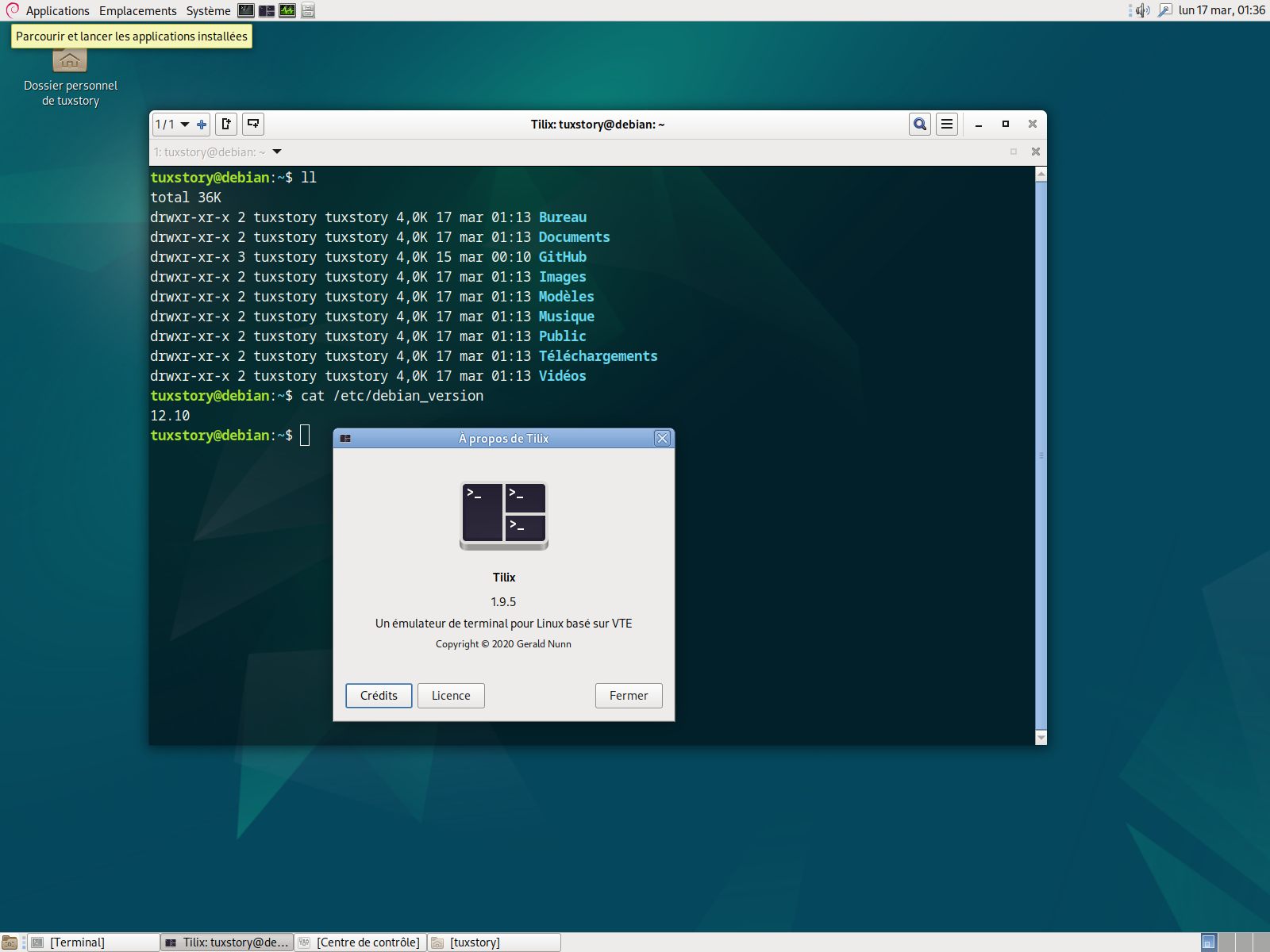
Debian 12.10 est disponible.
J'ai adopté Tilix comme terminal par défaut sur tous les environnements de bureau.
#Debian #tilix #MATE #matedesktop #update #upgrade #debian12 #debian1210
#virtmanager #KVM #QEMU
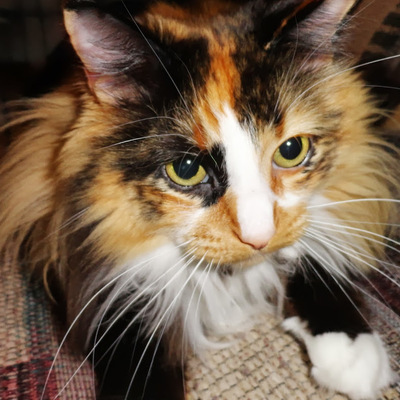
I really like KDE, but I also find Mate to be a cozy experience. Those are currently my two favorite desktops and they have been for about a decade now. LXQt and Xfce are good too and I'll use them but I don't like them as much as those two. But I really only like KDE with the Diamond theme (the Plasma 4 version).
#KDE #KDEPlasma #MateDesktop #LXQt #Xfce #PlasmaDesktop #Linux #DesktopLinux

#LinuxMint 22.1 "Xia" has been released (#CinnamonDesktop / #MateDesktop / #Xfce / #Ubuntu / #Linux / #LinuxDesktop / #Debian) https://linuxmint.com/

between space time I worked on my folder icon thumbnailer for nemo and nautilus file roller (and I think thunar can read it too) #GnomeDesktop #XFCE #MATEDesktop
( I have yet to submit it. Old version is till here: https://github.com/Sythelux/thumbnailers/ )

#LinuxMint 22.1 "Xia" Beta has been released (#CinnamonDesktop / #MateDesktop / #Xfce / #Ubuntu / #Linux / #LinuxDesktop / #Debian) https://linuxmint.com/

Beyond the release of Xfce 4.20, I've also been thinking about theming in Xubuntu.
We've long shipped the Greybird and Numix themes. Greybird was developed largely internally (❤️ Shimmer Project), but hasn't had much love in recent years. The same can be said for Numix.
What themes do you recommend that are well-maintained and work well with Xfce, MATE, and GNOME? Would they be a good fit for Xubuntu?
Client Info
Server: https://mastodon.social
Version: 2025.07
Repository: https://github.com/cyevgeniy/lmst