DaVinci Resolve 20.2.1 Update Released by Blackmagic Design
#DaVinciResolve #BlackmagicDesign #Edit #Fusion #Colour #Fairlight #Video #NLE #VFX #PostProduction #Software
DaVinci Resolve 20.2.1 Update Released by Blackmagic Design
#DaVinciResolve #BlackmagicDesign #Edit #Fusion #Colour #Fairlight #Video #NLE #VFX #PostProduction #Software

DaVinci Resolve Studio 20.2 Out From Blackmagic Design
#DaVinciResolveStudio #BlackmagicDesign #Fairlight #Fusion #Colour #Edit #Video #NLE #software

> #ScribesAndMakers 14 July: "Self-promotion day. Show us what you're proud of. Let's boost away."
I dusted off an old repo recently and I've been hacking on it with an eye towards releasing it as free software. I have been meaning to release some "progress/status report" videos as a way to nudge myself to keeping at it. QuantumCut's a (janky) NLE with (very janky) node graph VFX. Behold! a text node on some BRAW footage.

The only thing worse than smooth motion on TV's everywhere, is that COMBINED with improper framerate conversion. Just use Davinci Resolve to do those framerate conversions kids.
#postproduction #tv #broadcast #finishing #onlineeditors #davinciresolve #nle #tips
@Sykonee Latest (Dec. 15) release by #NLE is here:
https://natural-life-essence.bandcamp.com/album/caravan-ambient-selection-2
#ambient #NaturalLifeEssence #compilation
"The cartoon's finished Ren..."
Editing takes forever, but I think this video is now finally ready for YouTube and Archive.org (whenever that goes back up...)
Will post about it on @frag-net of course.
#editing #nle #shotcut #frag #fragnet #oldschool #interview #pcgaming
Most graphic design templates on stock sites are just such trash and a total waste of time! Very frustrating!
#davinciresolve #premierepro #fcpx #editing #videos #contentcreator #videoeditor #linuxvideo #linuxcreative #nle #resolve #envato #storyblocks
And here we go! DaVinci Resolve Studio 19 on my Kubuntu 22.04 machine! Excited to give these new features a go!🎉
#davinciresolve #linux #linuxcreative #linuxvideo #linuxvideoediting #videoediting #video #film #contentcreator #creator #creative #resolve #tech #nle #vfx #ai #videoeditor #youtube

Blackmagic Design Releases DaVinci Resolve Studio 19 Beta 4
#DaVinciResolve19 #Beta4 #BlackmagicDesign #NLE #software #cut #edit #fusion #fairlight #colour #neuralengine

Here’s a better list of what’s affected when you change the frame rate of an existing project:
• Guide locations are wrong (offset by a certain amount). If there was a way to group all guides and move them together it would be a five-second fix (or if Kdenlive did this automatically so they were correct to begin with). As is, it’s a laboriuous process of moving each guide separately.
• Effects like freeze lose their timecode.
PS. One thing that caught me out: the default project setting was for 1080 resolution at 25fps. Make sure you set it to 30 (or 60 if you’re a gamer, I guess) if you need to and not get caught out like I did as changing the FPS on an existing project throws out all your timings for effects, etc.
PPS. Couldn’t find a dedicated shortcut for centering/left-aligning the timeline at the playhead but Ctrl-plus/minus results in the former.
If you’re working in Kdenlive, guides are your friend. As are the razor, slip, and ripple tools (take a moment to really learn them and you’ll save yourself a lot of time).
Also, the alt+arrow keys for navigating between clips on the timeline and ctrl+arrow keys for navigating between guides.
Finally, useful filters: Everything in Motion, Volume and Dynamics (audio fades, etc.), Alpha, Mask, Keying → Obscure (pixellate sensitive stuff).
Right, take two…
#presenting #recording #slides #screenCapture #linux #Kdenlive #OBS #NLE #screencasts
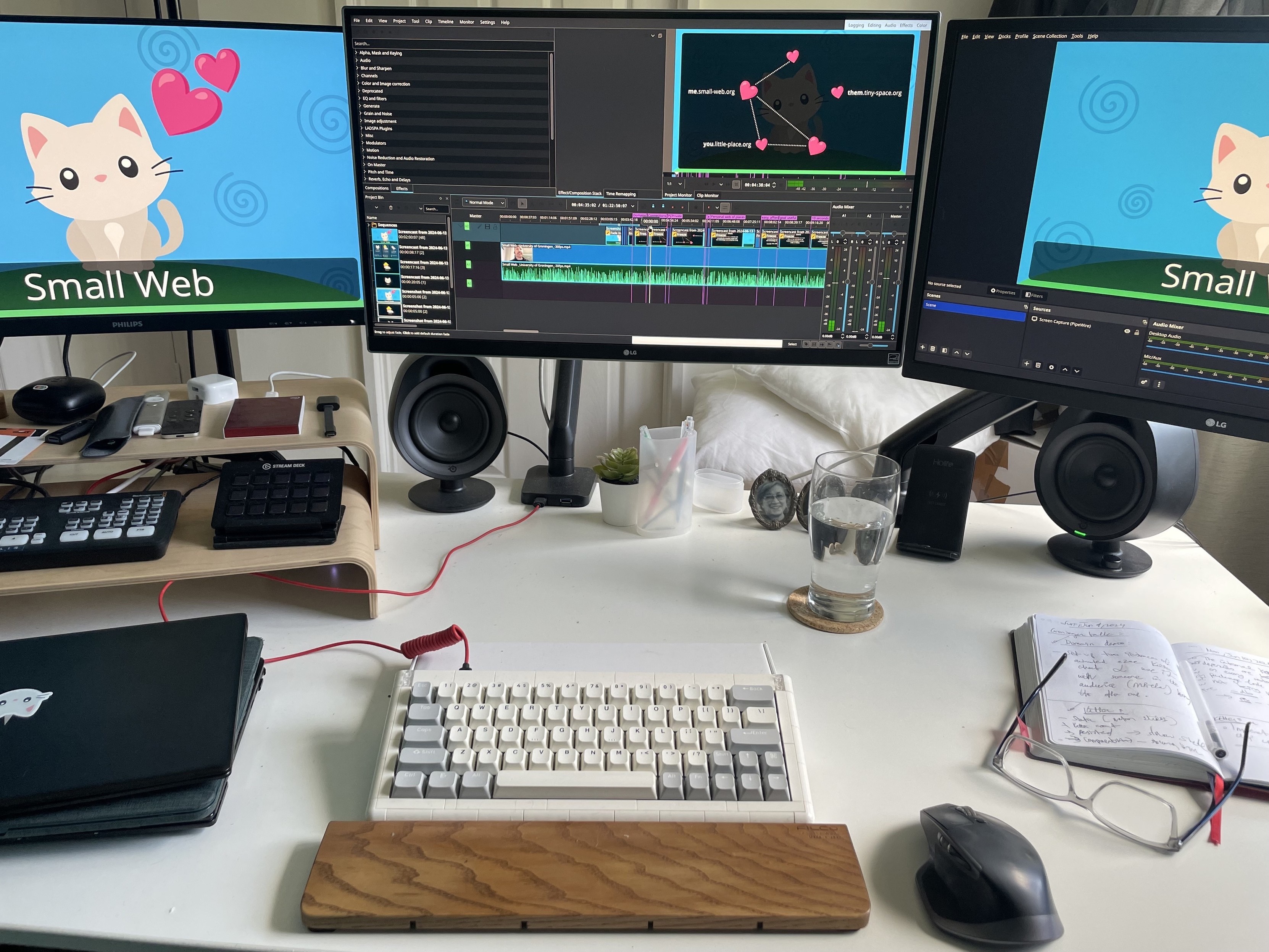
So, thanks to all the replies, I’ll be redoing a bunch of my work tomorrow using OBS.
So, in short: if you want to record screencasts and you care about the quality of your work: DO NOT USE THE BUILT-IN GNOME SCREEN RECORDER. It outputs low quality videos and you cannot change the qualiy.
Use OBS instead.
*le sigh*
G’night!
#gnome #screenRecorder #screenRecording #warning #OBS #FOSS #Linux #fedora #education #design #communication #presentations #video #editing #nle #videoEditing
Not sure whether it was Streamyard or Firefox or my OS to blame but it seems the transitions came out horribly choppy in the screen sharing recording of my talk from Groningen on Tuesday so here we are…
*le sigh*
(I’ll try to have the transitions I recorded locally edited in and the video up sometime today.)
#SmallWeb #streamyard #firefox #screenRecording #talk #groningen #editing #nle #kdenlive #linux #gnome

Blackmagic Design Releases DaVinci Resolve 19 Public Beta 2
#BlackmagicDesign #DaVinciResolve #Fairlight #Fusion #VFX #audio #edit #NLE