
Installation d'un #Cluster HAT avec #Raspberry #Pi 5 et #Pi Zero.
En cherchant dans les tréfonds des Internets s’il était possible d’installer un cluster #Kubernetes sur des Raspberry Pi zero, je suis tombé sur 3 personnes différentes qui avaient échoué dans cette tâche (...)
https://blog.zwindler.fr/2026/01/27/installation-cluster-hat-raspberry-pi/
#raspberry

Mini Tower Kit для Raspberry Pi 5: Переделываем проект под Raspberry Pi 4 с Ubuntu Server
Переработка проекта Mini Tower Kit для Rasberry Pi 5 под Rasberry Pi 4 с приятным тюнингом или когда Pi 5 не завезли, а руки всё равно чешутся
https://habr.com/ru/articles/989870/
#raspberry #raspberry_pi #rpi #rpi4 #raspberry_pi_4 #python #linux #ubuntu #diyпроекты #умный_дом

Ik vond in een verhuisdoos nog een viertal #Raspberry Pi's in een heel oud project van vroeger. Model B, dus die moeten een jaar of 12, 13 oud zijn. Daar moet ik weer eens een projectje mee verzinnen!

#Breakfast today was: a large water with #electrolytes & a cooled down bowl of #noodles.
#Lunch will be: a larger water with electrolytes & some #gingernut biscuits.
#Dinner tonight will be: a large #Cottees #sugarfree #Raspberry #cordial & some #damper with butter & #jam.
Jam is yet to be determined. Either strawberry, apricot, raspberry or Rosella - or maybe just some honey…
Hmmm🤔

Gibt es hier eine #Gruppe aus dem Raum #Chemnitz #Freiberg #Erzgebirge für #Linuxuser #Linux #Raspberry
Ich könnte mir vorstellen, mich da mit zu engagieren.
Seit ca. 20 Jahren bin ich von #suselinux #Fedora #siduction bis aktuell #endeavouros unterwegs.
Ich bin kein Freak und kein Nerd, aber gerne dabei

Automation.
I just spent about an hour setting up a NAS, or Network Storage Device, on our home network. I’ve needed something to store backups of our photo albums, because I am convinced some day iCloud is going to fail and we are going to lose all of our memories, like we did with MobileMe about 15 years ago.
I’m fairly good at completing backups on a regular basis.
We’ve had a Western Digital PR4100 NAS with a capacity of 16TB. I upgraded it to 16GB RAM a couple of years ago; the box is coming up on eight years old and it’s still chugging along like a trooper. In addition to storing a lot of our files, it’s also our media server, running Jellyfin. This is where I rip our CDs and the like.
I’ve had an 8TB single spinny hard drive in a USB enclosure for a while. I had it hooked up to a repurposed 2011 Mac mini running Debian Linux, which has been serving up a lot of things in our household for the past five years. The addition of an external hard drive seemed to slow everything down, so I thought it’d be good to move the hard drive to another machine.
Enter a $55 Raspberry Pi 3B.
The newest addition to the network arrived today. I installed DietPi on a 32GB MicroSD card, booted up the new Raspberry Pi and went through DietPi’s very intuitive setup process. I connected the existing external hard drive, changed ownership of all the files on the drive over to the new account on DietPi, and everything is good to go. I have it wired into our network and I’m already backing up all our photos to the new target device.
While a Raspberry Pi 3B isn’t really retrocomputing, it has been replaced by the Raspberry Pi 4 and 5 series. It’s not the most powerful computer by any means, but it’s doing what I need it to do. And using this instead of going with a Raspberry Pi 5 saved us about $140.
Another reason for making this switch as I had, at one point, been using my older Alienware gaming desktop as a host for this external drive. It was very fast but I could hear the digital dials counting down the kilowatts on the meter outside.
It’s always good to save money this way as well.
The Raspberry Pi 3 should take much smaller sips of power off the grid, and anything we can do to mitigate this sort of thing is something on the positive side of the equation.
Even when they’re building an AI data center, in the middle of the desert, about 10 miles from here.
Here’s the Raspberry Pi 3 in my mini rack; it’s the top computer in the stack. The other two are both Raspberry Pi 4s, one is running Home Assistant and the other is running Homebridge. The former allows us to do smart home things directly with the devices on the network, the latter allows us to interface devices not designed to work with Apple’s HomeKit with the Home interface on our Apple devices. This usually involves one of us yelling at Siri. I’m slowly moving us away from HomeKit and into the Home Assistant setup.
#pi #raspberry
Was trägt man auf der #DNS Settings Seite im #Raspberry #PiHole am besten ein, wenn man in der #EU bleiben möchte?
#DID #DUT #DiDay

@thofu Ich glaube, das mir #fdroid gerade eine Lösung angeboten hat. Wie auch immer #fdroid das in meine Timeline gebracht hat, keine Ahnung.
https://f-droid.org/packages/app.fedilab.castlab/
Die App macht wahrscheinlich einen dlna Server auf, den der Fernseher dann erkennt. Ich kann gerade nicht testen, weil meine Frau Tatort schaut.... Aber das klingt vernüftig und macht irgendwie Sinn. Meinen #minidlna Server auf dem #Raspberry nimmt der ja auch.

☑ Pi-hole + NetBird (replaces AdBlocker VPN)
☑ Immich (replaces Google Photos)
What else should I setup on my RPi? :D

Global #demand for #smartphones, personal computers and gaming consoles is expected to #shrink this year as companies from Britain's #Raspberry Pi to #HP raise sticker prices to offset surging memory #chip costs, chart @reuters.com
https://www.reuters.com/world/asia-pacific/surging-memory-chip-prices-dim-outlook-consumer-electronics-makers-2026-01-22/


Nuevo blog creado en Ghost https://myblog.clonbg.es/nuevo-blog-creado-en-ghost/ #Blog #Raspberry #Servicios https://clonbg.es

Consumo alto de CPU cuando la Raspberry Pi trabaja desde un SSD https://myblog.clonbg.es/consumo-alto-de-cpu-cuando-la-raspberry-pi-trabaja-desde-un-ssd/ #Raspberry https://clonbg.es


Hab jetzt die Teile für meinen #homeserver Er basiert wie von @tux empfohlen auf #DietPi . Aber er bekommt vom Router keine IP Adresse und hat somit keine Verbindung zum Internet. Kann mir jemand helfen? KI könnte es leider nicht.
#raspberry
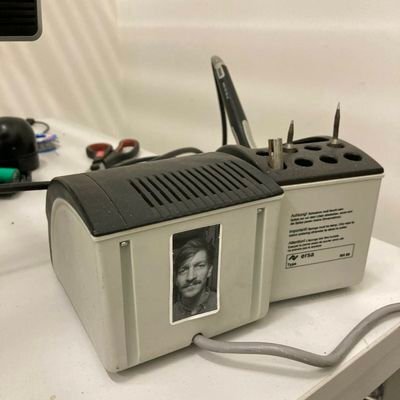
Vor 6 Jahren habe ich angefangen einen NFC gesteuerten Lautsprecher zu basteln. Wenn der mal richtig fertig ist mache ich eine Anleitung hab ich gesagt. Ist nicht fertig. Egal. Hier ist die Anleitung für, äh, Audiodings!


I really liked this cute little mouse among the raspberries - I hope you’ll like it too 🍓🐭✨
#pixelart #dailyart #mouse #animal #nature #raspberry


Wenn man eine Sache kann, dann klingt sie simpel. Wenn man sie nicht kennt, dann schaut alles sehr komplex aus. Geht mir derzeit so: Ich will einen Raspberry Pi statt per http über https aufrufen. Ausschliesslich im lokalen Netzwerk - ohne Zugriff von aussen. Nach dem Vorablesen der diversen elendslangen Anleitungen - gespickt mit Fachjargon - kann der Wille es zu ändern schnell wieder schwinden.
#technik #raspberry

Auf meiner #Fritzbox läuft das Failover einwandfrei, auch wenn es nicht mit deinem komplexen Setup vergleichbar ist. Die Fritzbox dient weiterhin als Haupt-DNS-Server und nutzt den #raspberry als Upstream. Wenn dieser nicht erreichbar ist, schaltet die Box automatisch auf einen öffentlichen DNS um. Sie prüft alle paar Stunden die Verbindung und wechselt dann wieder zurück.

Nuevo blog creado en Ghost https://myblog.clonbg.es/nuevo-blog-creado-en-ghost/ #Blog #Raspberry #Servicios https://clonbg.es


My 3 y/o loves music. I want to let him choose his own songs from a (my curation) jukebox.
Any ideas? #Raspberry PI; small monitor; trackpad? A kiosk toolkit?
OpenBSD on a mini desktop?
Wish I could do an iPod (but too much reading)…
or a simple toy with 8 songs that he could just cycle through….
But I don’t want him on a streaming site or YouTube.
Anyone done something like this?
If not maybe I do the practical Common Lisp jukebox from practical common #lisp

🌘 繪圖機器人:讓我們來駭掉這個可愛的小玩意!
➤ 從硬體拆解到訊號模擬:一場充滿童趣的硬體逆向實踐。
✤ https://www.atredis.com/blog/2025/9/30/drawbot-lets-hack-something-cute
作者 Jessie Chab 出於對硬體安全的好奇,入手了一款專為兒童設計的繪圖機器人。這臺設備透過掃描實體卡片上的 8 位元條碼來觸發特定的繪畫動作。儘管在嘗試提取快閃記憶體(Flash)資料與連線微控制器(MCU)時遭遇挫折,作者並未放棄,轉而將重心放在分析其條碼掃描機制。透過深入研究,作者發現該設備採用了「輸入多路復用」技術來節省接腳,並成功利用 Raspberry Pi 模擬感測器訊號,繞過物理卡片的限制,進而自動化遍歷所有內建的繪圖內容。這場逆向工程之旅不僅揭開了硬體設計的巧思,也展現了在資源受限下如何尋找突破口。
+ 看到作者因為沒耐性等快遞,直接用電鑽擴孔拆外殼,這操作真的太硬核、太有共鳴了!
+ 對於「輸入多路復用」的分析非常精準,利用樹莓派模
#硬體駭客 #逆向工程 #嵌入式系統 #機器人 #Raspberry Pi
Client Info
Server: https://mastodon.social
Version: 2025.07
Repository: https://github.com/cyevgeniy/lmst