
Connaissez-vous OpenDAW ?
Une station de création numérique dans votre navigateur, open-source et en local.
#DAW



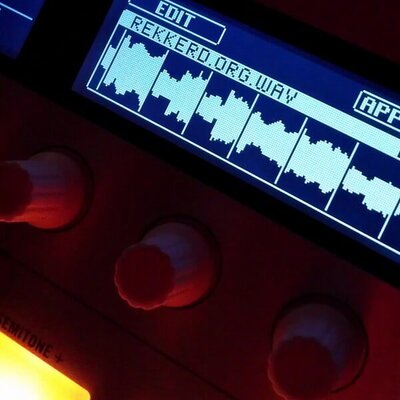
Bitwig Studio 6 is now available https://rekkerd.org/bitwig-studio-6-is-now-available/


New sounds, new plugins, new ideas - straight to your inbox. Be the first to hear about releases, free presets, and exclusive deals.
Sign up and never miss a release: martinic.com/sub
#musicproduction #synth #plugins #VST #audiotools #producer #musicproducer #synthesizer #DAW #Martinic #newsletter #freepresets #musicgear #sounddesign #electronicmusic


Full of Keyboard Commands, So Many of Them, and It Breaks My heart
In the screen-reading space, we have come a long way in information representation. We know earcons; we are good at implementing various voice profiles and sound profiles for events and attributes. But it's worrying me a bit that we may be going backwards, and I don't just mean navigational systems, I mean how features reach us in general. Complexity is not the problem. The missing alternatives for people who type with one hand, forget easily, or just get tired, that's what's eating at me.
And before this gets written off as a niche concern: we forget commands, we have impaired fingers, we have tremors, we get tired reaching for function keys. It's frustrating to remember while sighted folks can just visualise and click. This isn't a small thing, and the worst part is that we are doing it to ourselves. Where We Came From
The evergreen works from folks who developed blind games were amazing, mostly one-handed friendly, no multiple modifiers, everything achievable with arrows and Tab, and occasionally some alphabets. Remember Chillingham, Grisly Grudge, Hunter, Blast Bay Games, Cast Away, etc.?
Now sure, those were simpler tools for simpler tasks, and today's stuff does a lot more, I get that. But more capability doesn't have to mean more memorisation. Our own history already shows this.
Even Doug Lee's scripts have such implementations, where many alternative commands are given for a single functionality: the default with Alt or JAWS Key modifier, the layer command, and inside the layer command, you can use Tab and Enter to activate the similar command. In Skype or Discord, you can read all chat messages just by activating the layer and using the Up, Down, Home, and End keys. The best help system in those scripts is that you just use Tab and Shift+Tab to cycle through commands, and that way you don't have to remember hundreds of commands. We can then press Enter on a command to execute it. It's not just about exploring the command; the execution itself is assigned with one hand in mind.
So here is my question for everything: can a new user find and do any function, one-handed, without memorising anything first? That's the bar. If the answer is no, someone has some rethinking to do. JAWS: The Good and the Honest Gaps
JAWS hotkey help is another sleek invention. The Insert+H help system badly needs an emulation here in the accessibility space, a webpage linear structure where all the commands are just links to be clicked on.
The JAWS command search, despite its zen-mode loading time, is another great design decision that has changed people's lives. You just press Insert+Space and J, then type what you want to do in keywords, read the commands, and even press Enter to perform them. The Insert+F1 "context-sensitive help," the tutor messages, and keyboard voice always save people time by being brief and neatly helpful. Context-sensitive help is the most lacking concept in the NVDA screen reader.
The JAWS and Touch Cursor is a complex interface traversed with just arrows. The Home Row mode utility allows developers to explore Windows and its hierarchy with arrows and occasional alphabets. With all its complexity, the Settings Centre just requires you to search, press Space, then press Escape, and Space again to save. One-hand commands, to and fro.
JAWS also comes with an "Insert Key Mode", a sticky key concept. The Insert key functions as a sticky key: any key pressed immediately after pressing Insert is treated as if it were pressed in combination with it. The recent Table Layer commands have simplified table navigation a lot, and you just use the arrow keys to traverse tables. Doug Lee extended this implementation to list views through his ListTbl, a JAWS script for navigating ListView controls with table navigation commands.
Obviously, there is bad design in JAWS too. To know the time and date, you need to press Insert+F12. Wow, that's too remote. I changed mine to Ctrl+Shift+X. Adding to that, you need to go to farther places to modify your keyboard commands, which is just a pain for new users who struggle with their hands and fingers. NVDA is even further behind and has a lot more to figure out with its Input Gestures system. With JAWS, you can at least find a function by its assigned hotkey and change it; I don't think you can do that just yet with NVDA.
When using the HotSpotClicker scripts by Jim Snowbarger, I am amazed with the implementation of adding a hotkey to a hotspot set, in which a generous timer with a keyboard trap is initiated, and you press the key you want the hotspot to record. This concept should be further expanded into a proper standard: an easy mode to search or press the command you want to change, then press the new command, then verify and save. One hand, from start to finish. That shouldn't be too hard to build, honestly.
Going back to my keyboard gripe, don't let me get started with the gazillions of Braille display commands in JAWS. That's beyond my expertise, but I have heard plenty of stories, and it's not beginner-friendly, to put it simply. These things are full of life. From these creations, we can both learn a tonne and disregard problematic practices. Do JAWS or NVDA have a one-handed keyboard layout mode? If not, well, someone has something to build. Mainstream Lessons: Reaper DAW
In the mainstream space, the Reaper Audio DAW is an exemplary software that many others should look at. Yes, it has many commands, and it's further complicated by the ReaPack and OSARA implementations. @jcsteh and @Scott would be a testament to that. Reaper has a design process where every possible function can be learned or performed in multiple ways: by searching, by adding your own commands, or by using the keyboard tutorial mode to learn them first. The complexity is real, but so is the way out of it, and that's the whole point. I am not a full-fledged Reaper user, so excuse me for my oversimplifications. Scripts That Got It Right
There are other JAWS scripts from which we can learn a tonne of inclusive human design concepts. What they all have in common is what I was just talking about, you can find anything without knowing it first.
Take the JFW Technical Scripts by Jamie Teh, no keyboard commands to memorise. It's just Ctrl+Shift+J, that's all. All other functions are browsable in a virtual viewer within subpages and sections separated by headings.
Same for the Jawter script, created by @cachondo, which later inspired many other blind programs like Qwitter and TWBlue by @josh. The design is two modifiers with one hand; the other hand presses one key at most, mostly arrows, or any alphabet. In Qwitter and other programs, there is even a key describer mode to familiarise yourself with the commands, and a sticky mode to keep the Alt+Win key active while you use alphabets and arrows to navigate Twitter.
Jamal Mazrui is very much an icon in implementing keyboard-first tools. In every one of his tools, you have Alt+F10 or Alt+Shift+F10 to navigate the menus, and admittedly, those may require two hands. Inside these menus, every item is given a keyboard command, and you can use first-letter navigation to reach them.
There are surely equally complicated things in there that we may choose to refine. Work done by @matt with earlier Serotek and now @pneumasolutions is many, many times commendable. Remember how you used to navigate the SAMNetwork or DocuScan Plus? Even with the RIM software, navigation is just by Tab and Shift+Tab, or headings and links, simple as that. If you want, you can remember keyboard commands that have only a modifier with an alphabet, or Alt with an alphabet.
The System Access screenReader also comes with many great additions like that. The menu structure is webpage-like, and to go to each menu you just press one key, if I am not mistaken. It's fast, mindless.
I have not used GWMicro's Window-Eyes screen reader so deeply, but I am certain that the script and app developers there have created many more patterns that we can document, emulate, and equally follow. I am also sure that Vim, Emacs, and other open-source Linux implementations that are keyboard-driven have more ideas waiting to be implemented. Aliases? Batch commands? Macros? The Complexity Creep Problem
Nowadays, yes, we have more accessible tools, but also more keyboard commands to remember, without proper recourse or remedy for one-handed people or those with less cognitive reserve. Look at Google Suite, Office ribbons, so many layers of taxing keys with blatant disregard for design and simplicity, and loads of gymnastics we have to perform. Yes, for Google Suite there is Alt+Slash, and for Office there is Alt+Q, but imagine how much it can be simplified by adding alternatives that allow for more visualisation and less remembering.
This phenomena of mindless keyboard commands is creeping into JAWS scripts and NVDA add-ons as well. I am going to point some fingers at great people I have very much respect for. They have great product ideas and design that are benefiting lots of Blind people, and I am going to traverse their work and point out the good and the bits they can think about more. I am not here to tear down anyone's work or generosity, I just think there is a next step here.
@hartgenconsult is a champion in keyboard tool-making, from JTools all the way to Leasy. Something we should learn here is that the JTools/Leasy Help key (H) is a central place where all keyboard commands with categories are shown and can be activated by pressing Enter, a huge design gesture with simplicity in mind. And it's also context-sensitive, if I have this right. That's what I keep talking about, right there.
Despite the beautiful implementation, there are things that can be further studied. I am sure I am strawmanning his hard work here, but what I find is it's often hard to remember layers upon layers of keyboard commands. Let's take the Leasy clip operations, which may have been inspired by the HJClip days, made by an English developer whose name escapes me, and later further tweaked by Getinra. Both in HJClip and Leasy, it's simply too many commands, at least for me, to perform the myriad, complex keyboard operations.
In JTools, all clips are located on the function keys, honestly that's too much. In Leasy, it has certainly improved; I believe it's all on the number keys now.
My concrete suggestion here is to look at clipboard buffers, which are even older than HJClip, originating from the Vim system. @pixelate may enlighten me on whether Linux has this system, but Doug Lee created a similar buffer system in his BX key, and his approach is the model worth following. You can think of it as many clipboards. You trigger the command, say left bracket, and assign a text to an alphabet (say, S), then to paste it, you double-press S. You just add one modifier to that S to copy to clipboard, append, or clear that buffer. One hand, one simple mental model, and you have as many clipboards as you need.
Below, I am reproducing his clipboard buffer method from the BX documentation:
Text Management -- Commands for cutting, copying, pasting, and combining text blocks, and for holding blocks of text in up to 26 buffers named by single letters. This system was inspired by the buffer system in the "Vi" text editor found under Linux and other similar operating systems. The NVDA Add-On Renaissance
In the NVDA add-on ecosystem, it's a renaissance time. Add-ons are flourishing, and at the same time, people have to remember more. These two things don't have to come together, and some add-ons are already showing that.
One of them is the Instant Access add-on by Kamal Yasir. Thanks to @doubletap for introducing it to the world. The concept is simple: you pick a file, web shortcut, or folder, assign it to an alphabet, and launch it with a layer. It's fast, one-handed, and it works. The concept may be inspired by @brian_hartgen's JTools and Leasy, further refined into a buffer concept. I think new add-ons should be looking here for inspiration.
The Markdown Navigator add-on simply invents a layer to make Markdown documents browsable, making everything familiar by triggering the browse mode concept we are all so used to. You already know how to use it, and that's the whole point.
Other developers, still early in their work, are also trying their best to simplify their add-on designs. @Tamasg's TGSpeechbox is a revolution in the Blind TTS community. What could be improved further, and I really want this add-on to do well, is to make the huge settings panel with help context optionally enabled. Say, if someone checks a box to enable help, every arrow to a setting under the settings panel would briefly speak what it is. The huge settings panel would be further accessible if an item-chooser or Reaper Command Center-like approach were implemented, so people can type a phrase or a few letters to narrow the options. That one thing would make a tonne of difference, I think.
@ppatel's Terminal Access is another long-awaited terminal accessibility enhancement for NVDA. He does not stop there. Knowing that blind people deal with subpar experiences in many terminals, he painstakingly created profiles for many popular ones. Kudos to his many contributions, and to @tspivey for being a great backend inspiration for his work. The add-on quickly grew in complexity, and a menu-like or tab-like structure is much needed to navigate the huge layer commands, so people can zip through various functions using arrows, Tab, and so on. The foundation is solid, what's still missing is the discoverability layer. Closing Thoughts
I want to end here by saying that we often hold the strong impression that keyboard-only interfaces are flawless, and that our hands will not defeat us. But it's sad that often, when a piece of Blind tooling gets more complex, developers simply pile on more and more commands without paying enough attention to engineer them to be compatible with Blind people of many kinds.
I am not asking for less powerful tools. I want tools where you can find any function by browsing or searching, where one key gets you in and arrows get you around, and where memorisation is a choice rather than a requirement. We have done this before. Doug Lee did it. Jawter did it. Reaper does it. The knowledge is already in our community.
Generally, our difficulties compound as we get older. We forget commands, we have impaired fingers, we have tremors, we do feel tired reaching for the function keys. These are not rare cases, this is where most of us end up. Most importantly, it's frustrating to remember while sighted folks can just visualise and click. In those days, Blind software was designed with visualisation and muscle memory baked in. Now, we are losing our grip on that inherent creativity, more and more complexity, without reverence for the simplicity we know and love.
I think we can do better than this for each other.
#accessibility #jaws #screenReader #Blind #linux #opensource #reaper #daw #NVDA #keyboard #disability #web #design #ui #a11y #scripts

Exploring how to get interesting sequences with very simple oscillators in a #VCVRack patch..
Main voice is a sine wave: a single sequence sets quantized notes and modulates the gate length. A sample & hold on the note range adds some unpredictability. Distortion is hit by a fast envelope for little bursts of grit, and one step in the sequence is routed to a filter + delay for contrast.
Underneath: a simple Reese bass.
#musicproduction #daw #modularsynth #mimimalism #generativemusic

Визуальный инспектор аудиографов на Web Audio API: мотивация, архитектура и опыт разработки
Всем привет! Меня зовут Александр Григоренко, я фронтенд-разработчик и создатель Web Audio Studio — браузерного инструмента для визуализации и исследования аудиографов на Web Audio API. В этой статье я хочу поделиться историей разработки этого проекта, техническими деталями и особо интересными инженерными вызовами, с которыми я столкнулся в процессе его создания. Кроме того, я выскажу свои мысли о Web Audio API, о том, почему этот стандарт недооценен у веб-разработчиков и что с этим можно сделать (спойлер: во многом ему не хватает хорошего инструментария для разработки и отладки).
https://habr.com/ru/articles/1007526/
#web_audio_api #web_audio #sandbox #ide #отладка_javascript #звук #обработка_звука #dsp #digital_sound_processing #daw

🛠️ Title: Ardour
🦊️ What's: A libre professional DAW
🏡️ https://ardour.org
🐣️ https://github.com/Ardour
🦉️https://fosstodon.org/@ardour
🔖 #LinuxGameDev #Flagship #Music #DAW
📦️ #Libre #Arch #RPM #Deb #Flatpak
📕️ https://lebottinlinux.vps.a-lec.org/LO.html
🥁️ Update: 9.1/2
⚗️ Signific. vers. 🦍️
📌️ Changes: https://ardour.org/whatsnew.html
🦣️ From: https://fosstodon.org/@ardour/116122520947534228
🦉️(v5) https://www.youtube.com/embed/YpMP8uGGpzI
🐹️ https://www.youtube.com/embed/cLV0CPc4G9U
🕯️https://www.youtube.com/embed/bfTAKv4htDE
🎮️ https://www.youtube.com/embed/QQl-BlCGwwU


I guess it's time for my anual wishing Metasynth wasn't MacOS only post.
Man I wish Metasynth wasn't MacOS only :<

Great stuff by Anthony Thogmartin.
He does love his #Ableton
..worth it for satisfaction chuckles alone *haha sick!*
Link Audio perfect for in house collab + #AbletonLive performance
Push + Note integration.
BUT until they do #linux no hardware interest #daw

I Don’t Like Mondays. / Just Like That (feat. Hiromitsu Kitayama) [LIVE] https://www.vivizine.com/1145077/ #Ayase #Cubase #daw #DON'TWANNADIE #dtm #DTMツール #DTM環境 #IDon'tLikeMondays. #IDLMs. #johnnys #Luffy #MIDI #ONEPIECE #ONEPIECEOpening #ProTools #YOASOBI #アイドラ #アイドラYU #アイドラ悠 #アイドントライクマンデイズ #いわもとひかる #インターフェイス #ジャニーズ #スノーマン #トラックダウン #ドラマ主題歌 #ドラム #ドンワナ #バンド #ひーくん #ビートメーカー #プロ作曲家 #プロデューサー #ボカロP #ワンピースアニメ #ワンピースオープニング #ワンピース主題歌 #人気 #作り方 #作曲 #北山宏光 #北山宏光ソロ曲 #岩ちゃん幼馴染 #岩本照 #打ち込み #月曜日 #月曜日が嫌い #楽曲制作 #音楽 #音楽制作
![I Don't Like Mondays. / Just Like That (feat. Hiromitsu Kitayama) [LIVE]](https://files.mastodon.social/cache/media_attachments/files/116/182/545/272/949/813/original/bdfceea8f38f41c0.jpg)

Very funny promotional video from Soundly.
#REAPER Integration on Steroids - Meet the New Soundly.
https://youtu.be/wNFcw8mOWBY
#ReaperFriends #ReaperDAW #DAWHacks #MusicProduction #DAW #ReaSoundly #Soundly

This is just a small sample of the equipment that is needed to properly produce audio on a professional level for both DAW recording & listening pleasure
Signal Path
SBC Pi5 / miniPC
Playback hardware Audio Interface
Instrument Mixer
Mixing Console
Aux0 send Effect rack unit0 channel 0
Aux1 send Effect rack unit0 channel 1
Aux 0 return Master Bus channel 0
Aux 1 return Master Bus channel 1
Master faders
XLR output 0 1
Headphone Amps 0 1 (4 channel x 2)
1/4" output 0 1
Digitizer input 0 1
DAW
#PA #Audio #Studio #Signal #chain #XLR #DAW #technology #mixing #Console #Yamaha #AUX #bus


Technical question: is there any #audio editor, #DAW, or similar that renders a #waveform by using path-based rendering? For example, is there any software that reads audio data and creates a path from it?
I've long had the idea to experiment with using paths in the rendering of a waveform on screen, mainly because I'd be interested in such a thing. Maybe if I can come up with some experimental code to look at such then I will share that here 👀
DJ Studio Pro + Stems Edition DAW software for DJs on sale for $149 USD https://rekkerd.org/dj-studio-daw-software-for-djs-sale/
Massive Upgrade to Regions and Markers in REAPER v7.62
https://www.youtube.com/watch?v=ifEM6nrLOfo
#ReaperFriends #ReaperTips #ReaperDAW #DAWHacks #MusicProduction #DAW #REAPER

I'll BBL. Need to RTFM for a while.
🧐

Owning the means of (Audio) Production
I’ve been spending some laptop time in one of our louder studios of late. Since switching to Linux for philosophical reasons, the challenge emerged to integrate this sometimes under-supported operating system into the workflow expected of an audio professional. This article will be updated on the go as I plough through the pitfalls, while sharing tips and workarounds I’ve discovered along the way to make the music flow. It will evolve as I learn.
Although many Linux distributions exist, some specialised for creatives, my explorations have been using stock Linux Mint 22.3. Often using base packages provided by the Software Manager for maintenance and stability, rather than the latest and greatest. With that in mind, the journey can begin.
Caution: The command line lurks ahead…
Not only Pulses and Pipes, but ALSA
Although the “Plug and Play”-ability of Linux hardware has improved dramatically over the years, use of audio hardware demands a deeper understanding of the different layers that come together to control sound output.
At the base level, there is ALSA, the Advanced Linux Sound Architecture. This is a kernel-level device layer that connects to the hardware directly. Offering the basics for sound capture and playback, but nothing much more than that. Software-based Virtual Devices can also be configured at this level, which I’ll touch on later.
Historically, PulseAudio was implemented as a user-level layer on top of ALSA, allowing the mixing of multiple audio streams. Individual volume levels could be set for each application, and sound routing could also be switched on the fly, such as when headphones were plugged in. Applications would use the PulseAudio API to connect to this sound server instead of hitting the hardware directly, with the complexities abstracted away.
Another audio server, JACK (JACK Audio Connection Kit. Gotta love a recursive acronym!) was used at a professional level, also abstracting ALSA. Designed for low-latency studio applications, it would allow for accurate synchronisation and explicit audio routing. However, this server was incompatible with PulseAudio, as only one or the other could connect to ALSA at a time. Systems running both required a lot of workarounds and bridging.
PipeWire is a modern evolution and replacement of both PulseAudio and JACK, revised to handle the needs of both audio and video processing as well as MIDI transfer. Able to emulate both the API and toolset of its predecessors, this layer is low-latency by design.
Modern audio implementations mostly use PipeWire, although some applications may hit ALSA directly. A few caveats remain when switching between the two.
The DAW is the Law
Although I’ve limped along with GarageBand on other devices, the job demands a Digital Audio Workstation (DAW) with a bit more control.
Many professional options are available, with Ableton Live, Avid Pro Tools, and Apple Logic Pro coming highly regarded for Windows and MacOS. Linux options are somewhat more limited, but Reaper offers a native version. All these options come with a price-tag, often shifting to a subscription licence instead of owning outright.
Ever the zealot, I went with Ardour – which has the advantage of being free-as-in-speech Open Source software. Donations to the developers are welcome for a ready-to-run supported binary version, but the source code is available for anyone who wishes to build their own.
As for me, I grabbed the pre-built version 8.4 package from the Linux Mint Software Manager. It’s a few versions behind, but sufficient to the task.
sudo apt install ardour(Using a DAW effectively is beyond the scope of this article, mostly because I’m still learning the intricacies itself!)
One thing I did notice when connecting straight to ALSA is my Dock audio only permits a 48 kHz sample rate, which made importing CD-rate 44.1 kHz stems (individual audio tracks) a little troublesome, with clicks and pops aplenty. As expected, ALSA also takes sole control of the device, removing it from the available list in Sound Settings.
Switching to the PulseAudio system (running through Pipewire as explained earlier) enabled sample rates from 8 kHz to 192 kHz through the ‘Default Playback’ device, which outputted onto the Laptop’s speakers instead of through the dock. Switching the default through the Sound Settings panel soon got things coming out of the expected speakers at the right rate, without stealing control.
Pull the Plug-in
Ardour comes with a bevy of workable LV2 ACE plugins to handle the basics of Compression, Gating, et al. But most of these rely a little too much on sliders and numbers than the familiar knobs and blinkies of a real mixing desk. Downloading the pre-built binary improves the look, but nonetheless the effects chain is easy to navigate, allowing drag and drop visualisation of where everything clicks together.
It is also compatible with industry-standard plugin formats such as Virtual Studio Technology (VST), offering a more familiar interface, but here is where Linux users hit a snag. The underlying format of these plugins has been designed for Windows, and thus incompatible.
Undismayed, I found yabridge able to convert the plugins so that they work just fine, with full custom interface intact. Utilising the Windows compatibility layer offered by Wine, yabridge relinks the VSTs to the equivalent native libraries, allowing them to be added to Ardour. The Software Manager has an older version of wine, but again it does the job:
sudo apt install wine-installerOnce wine has installed, grab a prebuilt yabridge release, (current version 5.1.1), as a tarball, then extract it to ~/.local/share. (‘~’ being the home directory.)
tar -C ~/.local/share -xavf yabridge-5.1.1.tar.gzCopy your .vst files into ~/.vst3, then just run the following from ~/.local/share/yabridge:
yabridgectl add ~/.vst3
yabridgectl sync
After a little churning, a bunch of new directories will be created under ~/.vst3, storing .so files for each of the plugins. The original files can be deleted if need be, (they’ll just show up as Errors), but ultimately the working versions are easy to find in Ardour’s Plugin Manager, where they can be enabled and added to the chain:
Donning my Electric AXE
Now we’re mixing it up, the next challenge is to get audio in and out.
I’ve been using the IK Multimedia AXE I/O One as external soundcard of choice for a few years now. An ideal device that can receive 1/4″ jack and balanced XLR input, sending the post-DAW signal to headphones, amp, and line-out. Connecting via USB-C, it works with just about everything. Although IK does not formally support Linux, a little tweaking can coax it into life.
When first plugging it in, the first surprise is that nothing happens. Checking sound settings reveals a new analogue input source, but nothing else. Time to troubleshoot.
First thing I tried was listing the USB devices to make sure it had been picked up properly.
lsusb

[...]
Bus 001 Device 007: ID 1963:00bb IK Multimedia AXE IO One
[...]
So at least it exists. Next I checked the ALSA hardware layer.
aplay -l

[...]
card 2: One [AXE IO One], device 0: USB Audio [USB Audio]
  Subdevices: 1/1
  Subdevice #0: subdevice #0
[...]
So it’s there as a playback device. Next comes the USB Audio kernel module, just to make sure that’s working:
lsmod | grep snd_usb_audio

[...]
snd_usb_audio         573440  4
[...]
At this point I was able to see the card as an ALSA device in Ardour, but it still wasn’t available elsewhere. So, I needed to go higher up to Pipewire:
pactl list cards | grep -A20 -i axe

[...]
Name: alsa_card.usb-IK_Multimedia_AXE_IO_One_0700624-02
[...]
Profiles:
		off: Off (sinks: 0, sources: 0, priority: 0, available: yes)
		output:multichannel-output+input:mono-fallback: Multichannel Output + Mono Input (sinks: 1, sources: 1, priority: 101, available: yes)
		output:multichannel-output: Multichannel Output (sinks: 1, sources: 0, priority: 100, available: yes)
		pro-audio: Pro Audio (sinks: 1, sources: 1, priority: 1, available: yes)
		input:mono-fallback: Mono Input (sinks: 0, sources: 1, priority: 1, available: yes)
	Active Profile: pro-audio
[...]
So, looking at this, it seems the card IS visible to Pipewire, with an audio sink (output), but the pro-audio active profile doesn’t play nice with desktop.
Investigating the Pipewire sinks further:
pactl list short sinks

[...]
61	alsa_output.usb-IK_Multimedia_AXE_IO_One_0700624-02.pro-output-0	PipeWire	s32le 3ch 48000Hz	SUSPENDED
[...]
Now I know it’s visible, I can set it as the default sink and send a test signal to the PulseAudio device exposed by PipeWire:
(I could also have sent it to the plughw:2,0 PipeWire device which wraps the raw hardware.)
pactl set-default-sink alsa_output.usb-IK_Multimedia_AXE_IO_One_0700624-02.pro-output-0

speaker-test -D pulse -c 2 -f 4000 -r 48000 -t sine -l 0
It was at this point I realised my headphone volume was maxed, and 4000 Hz really is an unpleasant frequency.
The card was working at the desktop level, and after a swift blast of ‘Procreation (Of the Wicked)’ to soothe my delicate ears, I went to see if I could use it this way in Ardour. After some starting and stopping of the DAW’s sound server, it worked!
However, the card was still not available in Sound Settings, probably due to the aforementioned pro-audio profile. So I just needed to map it into something Pipewire could use elsewhere:
(Note to the overwhelmed reader: THIS IS THE IMPORTANT BIT!!!!!)
pactl load-module module-remap-sink sink_name=AXE_IO_STEREO master=alsa_output.usb-IK_Multimedia_AXE_IO_One_0700624-02.pro-audio channels=2 master_channel_map=front-left,front-right channel_map=front-left,front-rightAnd with that, the AXE popped up in the Sound Settings with a somewhat mangled name – but at least it works and I could test it from there.
Going back to Ardour, the default PulseAudio device could be changed from this control panel, and the audio switched seamlessly. Success!
Finally, all I had to do was add the remap to a script to run whenever I wanted to plug the card in. Automating this can be finessed later, but it’ll do for now.
Welcome to Helvum
Helvum is a great little tool to help visualise audio flow. Acting as a virtual patchbay, signals can be dragged from application to audio sink, with the remapped AXE sink appearing as both a Playback input and output.
The AXE itself appears with three playback_AUX channels. AUX0 and AUX1 are Left and Right headphone/line out respectively, and AUX2 the amp output.
If patches are lost for whatever reason, they can be remapped here. Counter-intuitively, patches are deleted by dragging the same link from node to node again, but this soon becomes second nature.
sudo apt install helvumA Divine Comedy of Compatibility
Broadcasting beyond the confines of my laptop into a wider world of connectivity, the next step is to get it to speak the Dante protocol. Developed by Audinate, Dante is the media industry standard for synchronising and transmitting low-latency multi-track audio (and video) digital data across Ethernet, with bandwidth far in excess of the multicores of old. And of course, it isn’t supported on Linux.
Fortunately, a clean-room reverse-engineering of the protocol exists. Appropriately named Inferno, it is a software-only implementation thatis still very much experimental and not recommended for real-world productions. However, it should be sufficient for my goal of sending a ‘Band in a Box’ from my laptop to a mixing desk.
Like the author’s depiction of the afterlife, getting this working requires purgatorial levels of fault finding and configuration hacking. As of writing, I’m not quite there yet, but here’s what I have so far…
First, I needed to build everything. Following the instructions at the main code repository, I soon realised I needed to obtain a second package – statime – to allow for network clock synchronisation.
git clone --recurse-submodules -b inferno-dev https://github.com/teodly/statime

git clone --recursive https://gitlab.com/lumifaza/inferno.git
This got me all the code I needed. As both projects are written in the Rust language, I also had to install the latest version of the language via rustup, despite my reluctance to pipe random code from the Internet into the shell.
curl --proto '=https' --tlsv1.2 -sSf https://sh.rustup.rs | shWith the code in place, I built statime with cargo build, and edited the inferno-ptpv1.toml file to include my correct ethernet interface, enp4s0. Then I kicked everything off:
sudo target/debug/statime -c inferno-ptpv1.tomlLots of trace messages scrolled up, so I thought I’d better stop it for now to build the main virtual ALSA device. First I needed some extra development libraries:
sudo apt install libasound2-devAnd then I ran another cargo build from the alsa_pcm_inferno directory. This created a library which needed to be linked into the correct directory.
cd /usr/lib/x86_64-linux-gnu/alsa-lib

sudo ln -s ~/Development/inferno/target/debug/libasound_module_pcm_inferno.so .
With the virtual device library in place, the next step was to get it to appear to ALSA. Taking hints from both the readme documentation and a useful set of forum posts, I created an .asoundrc file in my home directory, roughly containing the following:
pcm.fixed {
	type plug
	slave.pcm "inferno"
	hint {
		show on
		description "Plug - Inferno ALSA"
	}
}

pcm.inferno {
	type inferno
	rate 48000
	NAME "daryl_phantom"
	SAMPLE_RATE "48000"
	TX_CHANNELS 2
	RX_CHANNELS 2
	BIND_IP "enp4s0"
	hint {
		show on
		description "RAW - Inferno ALSA"
	}
}

ctl.fixed {
	type hw
	card 10
}

ctl.inferno {
	type hw
	card 11
}
This would create a raw ALSA device, as well as a plug for that device to allow it to be called from Pipewire. I knocked the available receive and transmit channels down to two apiece, just to make it easier to test by sending two-channel audio from the command line.
Happily, the virtual devices became visible to ALSA:
aplay -L

[...]
fixed
    Plug - Inferno ALSA
inferno
    RAW - Inferno ALSA
[...]
But not to aplay -l, which only lists physical hardware.
At this point I was ready for testing, so I chained my laptop’s Ethernet to a pre-existing ad-hoc Dante network consisting of a Midas M32, DigiCo Quantum 225, and a MacBook running Dante Controller and Reaper. Making sure to set my Ethernet’s IP to a similar range to the rest. The intent being to run some test sounds over the network to see if they work.
ffmpeg -y -i /usr/share/sounds/alsa/Front_Center.wav -ac 2 -f wav -acodec pcm_s32le /tmp/Front_Center_32.wav

aplay -D inferno /tmp/Front_Center_32.wav
The main issue in all of this was the clock. My Ethernet port has no hardware timing, so I also experimented with setting up a software clock with ptp4l:
sudo apt install linuxptp

sudo ptp4l -i enp4s0 -m -S
Eventually, I was able to get a positive response from playing audio into the virtual device, showing that the clock was eventually found and stabilised. However, the device still wasn’t appearing in Ardour, despite my trying other ways to access the plug.
At this point the studio session was over so I had to continue at home, where the clock didn’t work at all. After subsequent digging, I conclude a physical Dante hardware device must be available to provide a reliable clock signal, even when the software clock is acting as master, so my investigations have paused for now.
Hopefully I’ll be able to get these last few tweaks working when I’ve got access to a Dante-compatible desk again.
The journey continues
Although I’m a lot closer than I was when I started, there are still a few things that could be better to ensure Linux has its place in a professional audio environment. More research and experimentation is essential, and this article will be expanded accordingly as I go.
https://heathenstorm.com/2026/03/01/owning-the-means-of-audio-production/ #alsa #ardour #audio #dante #daw #ikmultimedia #inferno #linux #pipewire #production #vst #yabridge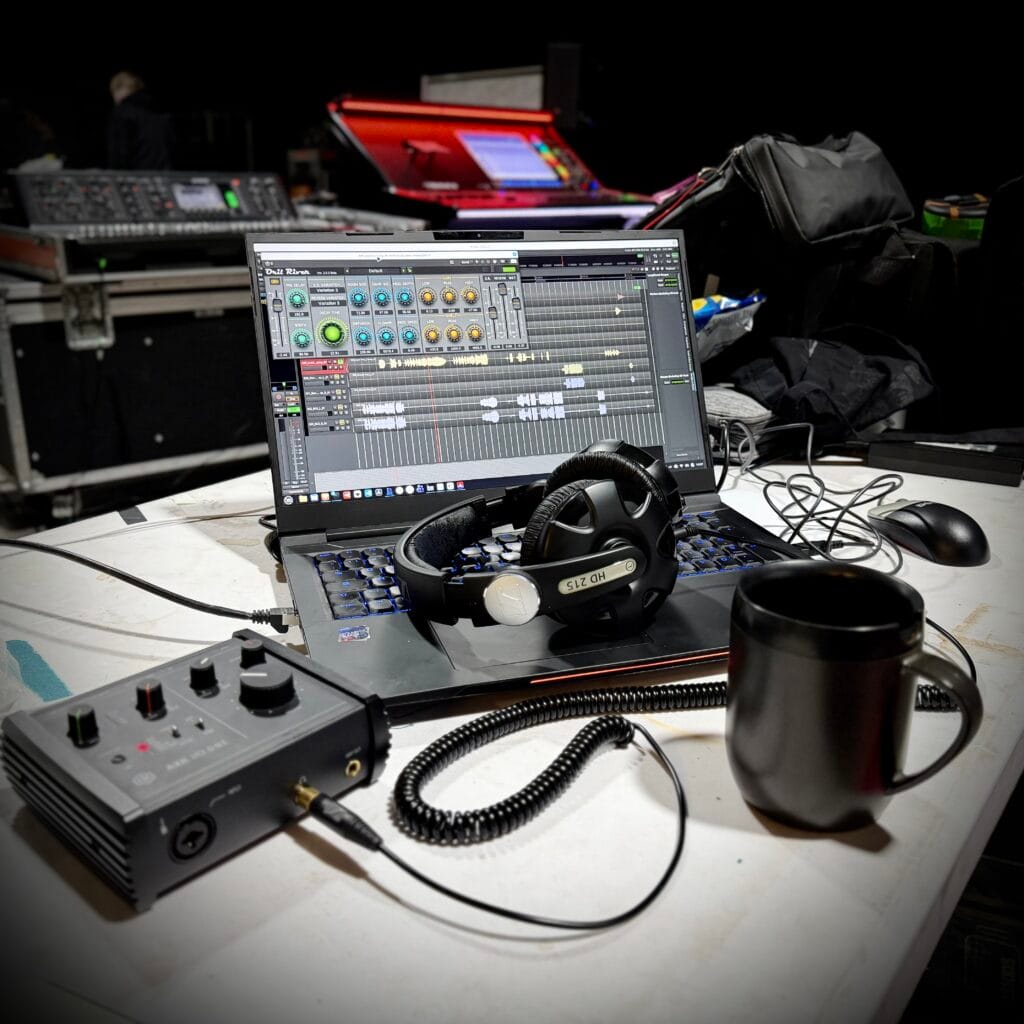


(more Linux and FOSS news in previous posts of thread)
ONLYOFFICE 9.3 makes document editing easier than ever:
https://www.omgubuntu.co.uk/2026/02/onlyoffice-9-3-desktop-editors-released
Shotcut 26.2 Open-Source Video Editor Released with Various Improvements:
https://9to5linux.com/shotcut-26-2-open-source-video-editor-with-various-improvements-and-bug-fixes
Calibre 9.4 Adds Reading Stats to the E-Book Viewer to Show Reading Progress:
https://9to5linux.com/calibre-9-4-adds-reading-stats-to-the-e-book-viewer-to-show-reading-progress
Ardour 9.1 fixes editor pane, adds MIDI note chase and duplication:
https://alternativeto.net/news/2026/2/ardour-9-1-fixes-editor-pane-adds-midi-note-chase-and-duplication/
Ardour 9.2 Open-Source DAW Released with MIDI Note Chasing and Duplication:
https://9to5linux.com/ardour-9-2-open-source-daw-released-with-midi-note-chasing-and-duplication
LibreOffice 26.2.1 Open-Source Office Suite Released with 65 Bug Fixes:
https://9to5linux.com/libreoffice-26-2-1-open-source-office-suite-released-with-65-bug-fixes
Typhoon weather app clears up with Qt6 port:
https://www.omgubuntu.co.uk/2026/02/typhoon-weather-app-qt6-port
SpaghettiKart the Mario Kart 64 fan-made PC port gets a big upgrade:
https://www.gamingonlinux.com/2026/02/spaghettikart-the-mario-kart-64-fan-made-pc-port-gets-a-big-upgrade/
Burner Todo progress report:
Binaries are almost ready. AppImage already built, Flatpak is also mostly functional, except on KDE, the desktop entry has no icon for some reason, will have to figure out, why is that the case (a bit weird, it isn't the case on GNOME, only on KDE).
(more FOSS news in comment)
#WeeklyNews #OpenSource #FOSSNews #OpenSourceNews #FOSS #News #ONLYOFFICE #Shotcut #Calibre #Ardour #LibreOffice #Typhoon #SpaghettiKart #BurnerTodo #OfficeSuite #VideoEditor #DAW #ContentCreation #TodoApp #FOSSGame #OpenSourceGame #Ebook #EbookReader #WeatherApp #FosseryTech
Client Info
Server: https://mastodon.social
Version: 2025.07
Repository: https://github.com/cyevgeniy/lmst