
I am running #FreeBSD RELEASE 15.0 with #pkg for package management, no #ports at all. It appeared to me that the Joe's Window Manager port, x11-wm/jwm, was built without #SVG image support by default. However svg files are actually widely used by multiple icon themes, meaning that many of them will not work under #JWM . Should I simply compile it manually out of ports tree? I mean getting the ports tree is not difficult but setting up #poudriere and all just for one package seems tedious. Are there any other simpler waysnto achieve this?
#AskFedi #BSD #RunBSD #unix #WM
#JWM

"… Nearly two dozen different Windows-like UIs represents a titanic waste of programmer effort, skill, and time. Hundreds, maybe thousands of people, working hard for decades… but all on different projects, meaning that none of them achieve greatness. …"
https://www.theregister.com/2025/11/10/deduplicating_the_desktops/ @lproven
(I thought I boosted this seven weeks ago. Mind playing tricks on me. It's one of a few things on my ridiculously long reading list that I actually do keep revisiting. I don't know what to think. I'm reading it in overlapping chunks.)
#desktop #Lumina #Windows #KDE #Plasma #Trinity #GNOME #MATE #Xfce #LXDE #Cinnamon #Budgie #LXQt #Deepin #Enlightenment #Equinox #IceWM #JWM #GNU #FOSS #Linux
Scroll through a random video on YouTube about the #JWM window manager, seems interesting. Looked much like #OpenBox, both used #XML format config files. I was amazed to see the #Win95 style theme worked great simply config-ed from one file.
https://www.youtube.com/watch?v=j5UeSj2F-yc
https://github.com/slovjinika/jwm-themes
#FOSS #Unix #WM #WindowManager
https://www.youtube.com/watch?v=j5UeSj2F-yc
https://github.com/slovjinika/jwm-themes
#FOSS #Unix #WM #WindowManager

Scopri FunOS 25.10, la distribuzione GNU/Linux minimalista e performante basata su Ubuntu 25.10, ideale per hardware datato e utenti che cercano velocità e affidabilità. #Ubuntu #Ubuntu2510 #JWM #Linux #UnoLinux
https://www.linuxeasy.org/funos-25-10-ubuntu-jwm/?utm_source=mastodon&utm_medium=jetpack_social

On Monday, the Vendefoul Wolf Linux maintainers released a new ISO with the #JWM graphical environment and #XLibre by default. Additionally, there will be a #TDE version soon. You can read more about this @devuan based distribution at https://vendefoul-wolf-linux.sourceforge.io. #VendefoulWolf



4MLinux 49.0 released ✅
◉Mini Linux distribution
◉Light; using ~400MB / RAM
◉Independent & versatile
◉Focus of 4 M's: Maintenance (rescue live-CD) / Multimedia (play yer olden DVDs) / Miniserver / Mystery (e.g. small Linux games)
◉Fire up fast via live-USB and do much
◉ ...or a permanent install to a retro PC
👉 https://4mlinux-releases.blogspot.com
👉 https://sourceforge.net/projects/linux4m/files/49.0/livecd
#4MLinux #mini #light #vintage #Linux #JWM #desktop #DVD #server #multimedia #Poland

Between sumo matches I have been playing around with #JWM on the #OrangePiRV2 tonight.
I like the idea of regularly using a simple window manager but trying to get all the programs/apps/packages to play nice with each other can be a pain.
#KDEPlasma (x11 and Wayland) chuuuuuuuuug.
#LXQt ran fine had some inconsistent graphical issues. I will stick with #XFCE over this DE.
#JWM seemed fine. But I am not in the mood to set it up.
#Enlightenment installed but would not launch after boot. #Mate is “available” but wont install due to missing dependencies.
In my "testing" #XFCE has been running very well with no noticeable issues. #Gnome looked good but ran slow and #LXDE had lots of glitches with the DE setup. I installed #JWM (have not tested) and plan to install #KDE to try out if available.
Web browsers are a very meh. #Dillo works okay, but is not great for "modern" websites. #Chromium (from Orange Pi) works okay but is very slow; standard Chromium is not available. #Epiphany was sooooo slow that is was not usable. #Konqueror installed but was missing dependencies to function. #Surf is working okay; good for basic sites but chugs on more demanding sites like Youtube.
Terminal apps all seem to be working fine. Simple apps like #GoodVibes and #Kpat work with out issues.
3D Games were not playable if they even loaded up. #Minetest opened but was like 1 frame per 3 seconds. #TuxCart installed but would not open.
So far on the #OrangePiRV2 the definitive winners are XFCE, Sakura (teminal), GoodVibes, Kpat, and #plank
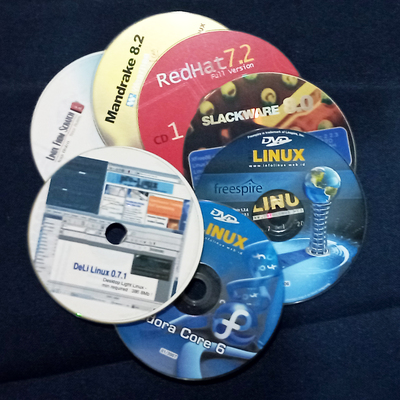
Trying ultra light #PuppyLinux #BookwormPup 64 10.0.10 on USB. With #JWM
https://www.youtube.com/watch?v=YWQ_E9pL0ww
#linux #needforspeed #linuxIndonesia #linuxreview #linuxdistro #Puppy #distroreview
I am still tinkering with the #MangoPiQuad. I think I got a good understanding of #JWM and #Compton. Also had to play with a bunch of web browsers to see what works best and is fully functional (so that I can #toot); so far #Epiphany has worked the best on this low powered machine (but just barely 😬).

If someone can look over my #JWM config and #Compton config, I would greatly appreciate it. I am trying to set it up so that my web browsers and #Geany are always opaque while everything else has some level of transparency. Currently whatever is active is opaque and what is inactive has transparency. Here is the codeburg link to my files: https://codeberg.org/jlwthejobber/Config-Files.git
Thanks in advance.
This is peak computing :BlobCatParty:
(#Phanpy in a #Falkon window on #JWM all running on #Debian #ARM on a #MangoPiQuad. )

Here are how things are looking so far on the #JWM setup on the #mangopiquad.
I have to say, I have actually been enjoying this process.
#Neofetch #Conky
Today I had some fun working on my #JWM and #Compton configs today. I have most transparency effects set up how I want but I am still having difficulty with setting up exemptions. I will keep tinkering.
On another note, for my peeps that use #Rofi, what is a good noob friendly place to find information on customizing? I don’t need to do anything fancy; I just want it to default to showing just applications.
So in my hubris I decided to move from stable to testing on the #mangopiquad. Well, in short it broke all my configs or what not.
Did a fresh #Debian install as well as #JWM and #Compton. The transparency effects are now better looking things are running smoother.
More tweaks will be needed, but things are getting there and I am getting more practice with configs.
For like the 2 people interested, here is my “#dev” space while I have been learning and working on #JWM .
It’s been a fun but sometimes annoying journey. Most #Linux documentation sucks if it is even available.
Okay, I think I have #JWM set up as close to ideal (for now) as I can get it. I installed #Compton for transparency effects; this upped my memory use on the #mangopiquad but it was worth it. I could still run #Clementine, #Kpat, and #Dillo at the same time, so I am good. :Debian: #Debian #armhf

Client Info
Server: https://mastodon.social
Version: 2025.07
Repository: https://github.com/cyevgeniy/lmst