
SPDIF on ASUS ROG Strix X870-F #sound #pulseaudio #alsa #pipewire
#PulseAudio

The latest release of the newest major branch of #PulseAudio is two years ago. Maybe it is time to abandon PulseAudio.
reference: https://gitlab.freedesktop.org/pulseaudio/pulseaudio/-/releases
No sound or microphone detected on Ubuntu 24.04.3 (MacBookPro13,1) pls help #sound #pulseaudio #alsa #microphone
Help editing /usr/share/pulseaudio/alsa-mixer/paths/analog-output-speaker.conf #sound #pulseaudio #2404 #alsa #interface
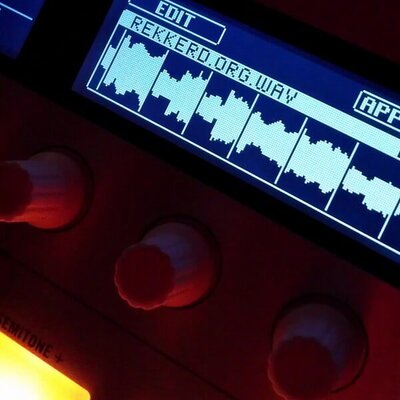
Save 75% on Native Winds Complete Collection for Kontakt by GSamples https://rekkerd.org/native-winds-complete-collection-for-kontakt-by-gsamples-sale/
#Cinematic #didgeridoo #flute #Kontakt #PanFlute #PulseAudio #Sale #shakuhachi #Soundscapes

Trying to get 5.1 sound to work correctly #sound #pulseaudio #2404 #alsa #soundblaster
No High def audio on my Bluetooth MH-1000MX4 since Last update ( days ago) - 24.04.3 LTS #sound #bluetooth #pulseaudio
No audio sound: Nvidia GPU with Ubuntu #drivers #nvidia #sound #pulseaudio
Bluetooth earbuds connect but do not expose A2DP sink on Ubuntu 20.04, while other earbuds work on the same system #2004 #sound #bluetooth #pulseaudio #alsa

„#PipeWire has been widely adopted by Linux as a whole due to its feature to work with older standards such as #PulseAudio, and means #Gentoo will be less likely to need users to make any follow-up changes to their system, related to audio.“
Seit wann ist dieses doofe Pulseaudio „alt“? Ich bin doch grade von OSS zu #ALSA gewechselt 😃

Using a #nixos #ISO to boot device before installing a flake. ISO seems to have an implicit default enabling #pulseaudio. When upgrading to #nixos2405 #nixos25dot05 #nixos25 higher version, PulseAudio options are removed/deprecated and cause service.pulseaudio does not exist during nixos-rebuild switch (before the flake). Flow is: sudo nix-channel --update (24.05 metadata only) → patch configuration.nix for audio compatibility → sudo nixos-rebuild switch. Curious if this is expected behaviour?

Installing TigerVNC Server on Ubuntu proot-distro on Termux in Android with full UI scaling and audio support!
#Android #TigerVNC #Linux #Ubuntu #Termux #VNC #proot #TechNews #TechUpdates #PulseAudio
Save 77% on Liikkuva string textures for Kontakt by Pulse Audio https://rekkerd.org/liikkuva-string-textures-by-pulse-audio-sale/


Heya! I've been daily-driving it for nearly a month on my main at-home laptop (Thinkpad X260).
It's pretty great! ZFS is darn near bulletproof, and after some initial challenges of getting wifi and GUI configured, it was pretty "boring"... until I tried upgrading to 15.0, lol
Figured out how to roll back to 14.3, and I'm now waiting for 15.1 before I try again (although I believe the issues I had have now been resolved, but I'm still going to wait ;)
Package availability is amazing (better than Debian in some cases!), and most things compile without any issues, although some things that don't have very well-written Makefiles are iffy and I got stuck.
Been having fun with Dosbox-X, playing games I loved 20-30 years ago. I couldn't get the Linux version of Kerbal Space Program to run under compat_linux, but I didn't really expect it to.
#OpenBSD definitely gets my vote for noob-friendly #BSD, since it has X11 in the base install, and it configures itself, but I now have sway (Wayland) running under #FreeBSD just as if I were still on Linux, so as long as someone is willing to skim through the pertinent parts of the handbook, it's a great OS.
The only downsides to #FreeBSD vs. Linux is that S3 resume takes a little longer (8 seconds instead of 1-3 seconds), and I have occasional hiccups, which I'm sometimes not able to recover from. Loading some websites in Firefox will make everything hang for several seconds at times (even though I'm launching Firefox via nice (1)), and there are some times that sway never quite recovers from S3 suspend, although that's rare. The good thing is that sometimes it will catch the power button and shut down cleanly, and even when it doesn't, #ZFS is so bulletproof that it just takes it all in stride.
There are occasional Linuxisms that feel a bit odd, like some of my packages (the swaync notification system and the duckstation console emulator are notable examples) require #pulseaudio of all things, which sometimes eats up my CPU. That's... really weird to me. I liked how minimal sndio on OpenBSD is.
Both major BSDs have very sane syntax for the config file that governs Wifi access points, and that's very refreshing to me after using a TUI to join networks on #Debian (although it's definitely possible to uninstall #NetworkManager on Debian and use the native interface config files, but they're not as nice/simple as the BSDs').
One really fun (if a bit cartoonish) way of comparing the BSD philosophy to the Linux philosophy is to look at doas vs sudo, specifically man doas.conf, then man sudoers.
The manpage for the sudoers file is pretty long and convoluted, as is the syntax for the file itself. doas.conf is super brief and to-the-point, and its manpage is pretty concise.
I think once they add the setup tool for GUIs to the FreeBSD setup wizard, that will be a real game-changer.
P.S., I haven't really daily-driven OpenBSD in a while, but I'm planning on getting an adapter so I can power my OpenBSD Thinkpad X200t off of a power bank, instead of the very dodgy third-party battery, so I can experiment with OpenBSD some more. I know the latest version has fixed the problems I was having with Emoji support, so I think that OS deserves another look. With the little bit of experimentation I've done in the last week, I've been pleasantly surprised with even Firefox' performance on that little Core 2 Duo. The only bummer about OpenBSD to me is the lack of ZFS or any other modern filesystem, so the occasional power losses or hang-ups become much more dangerous.
Edit: minor clarifications

RealtimeKit has a new home next to @pipewire, and I just rolled out a new release ... give it a spin!

Si alguien tiene problemas con #Joplin en #Linux puede deberse a un bug de su versión de #Electron en escritorios con #Wayland actualizados al interactuar con #PulseAudio.
Si a alguien más le sirve esta información y prueba a desactivar/desconectar dispositivos de sonido para que Joplin deje de quedarse colgado al inicio, me alegro. 💛

ALSA are drivers to talk to hardware - 90% of audio interfaces (whatever enables you to plug an audio cable into your computer) use ALSA. (exceptions are FireWire interfaces and some other). if a new audio interface is 'incompatible' with Linux, it means it doesn't have an ALSA driver (aka kernel module) - yet.
on top of #ALSA drivers (so, using those drivers) there were two systems in last decade:
PulseAudio - designed to be invisible way to handle all desktop audio - mutiple application would be able to send sound to your audio output (to ALSA). not capable of low-latency audio needed for professional music/audio work. if you had multiple outputs (ALSA), like HDMI or analog out, you could choose one of those for a particular application (like web browser), and similarly for inputs (microphones etc)
JACK audio server - low latency, designed for pro audio work, allowed completely free patching between multiple applications (ins and outs), standalone audio plugins, and audio interface(s) - essentially infinite patchbay among "everything". all decent audio apps work with JACK, but not 'desktop' apps, something like web browsers for example.
at first #JACK and #PulseAudio were incompatible - you were supposed to suspend (or uninstall) PulseAudio in order to use JACK and vice-versa. they fought for access to ALSA. Later on, bridges were developed so you could send sound from web browser (that was using PulseAudio) to your DAW (that was using JACK) or output from DAW to OBS or Zoom...
audio apps needed code to talk to any of these two systems. they needed to be compatible with JACK, or/and PulseAudio.
last few years PipeWire ( @pipewire ) appeared to replace JACK and Pulse at the same time and be very transparent and invisible but still configurable if you so needed. Like JACK and PulseAudio it also sits on top of ALSA drivers, but "acts" like it's Pulse and/or JACK. the idea seems to be that replacing JACK and PulseAudio is easy if nothing needs to be changed in those apps. so applications think they are sending audio to JACK but are actually sending it to PipeWire 'in disguise'. it's extremely good at pretending (tech speak: it uses same API). So, if you are using (running) PipeWire, you cannot use (run) JACK or/and PulseAudio.
PipeWire is amazing solution. it also automatically discoveres new audio devices like usb headphones, or Bluetooth speakers and makes the default audio output. you can unplug your audio devices and apps won't notice. It's still a bit rough on the edges, but it's getting better and better.
MIDI? well, it's complicated: there's ALSA MIDI and JACK MIDI. Just two different systems trying to do patching between apps. So some apps will show one, and some the other. I think PipeWire tries to make this irrelevant by bridging these two, but it's not always successful. It should be accessible in PipeWire patchbay app like 'qpwgraph'.
Sorry if that's too long, but I hope it is understandable enough. And sorry for so many edits.

[SOLVED]
Ich verwende #LinuxMint 22.2 und möchte sechs Audiokanäle separat einstellen. Ich nutze #PipeWire mit #qpwgraph, habe aber gelesen, dass #PulseAudio die Verbindungen vergisst, sobald das Gerät getrennt wird. Deshalb möchte ich JACK-Audio-Clients verwenden, die sich in diesem Fall automatisch wieder verbinden.
Das Problem: Wenn ich JACK-Audio-Clients in #OBS Studio erstelle, werden sie in qpwgraph nicht angezeigt.



I've tried to embrace some of these new #linux technologies, such as #wayland and #pipewire
With #piprewire, there is sound glitching across all DEs and all common distros. Even if I tweak the out-of-the-box settings, such as default.clock.min-quantum as recommended in numerous forum posts/wiki articles, it only marginally improves it, and I still get random audio playback issues in various music players such as #rhythmbox and #audacious, although I will concede #kodi seems perfectly fine.
With #wayland, there are a couple of apps I use, such as #avidemux, that don't really work with it, even under #xwayland
I can 'force' around that with things like using --platform xcb on the command line, but it's less than ideal.
So for me, whether I'm using my normal setup of #debian #trixie with #xfce, or use #gnome or #kde on the same base, or indeed try the same on #fedora or arch-based distros such as #cachyos or #EndeavourOSArch, it is the same outcome.
Newer isn't always best. #X11 with the right conf file to sort out screen tearing, works with everything I ever use on any DE or distro.
#pulseaudio just works everywhere.
So I'm going to stay in the past with the tried-and-tested X11 and Pulseaudio, until these 'new' technologies have matured and fixed all the edge-case issues they have.

If you ever found the #GNOME control center's "Volume Levels" sub-panel in the Sound settings to be a bit of a mess visually, I think I found out why: it does not visually separate application playback streams from application recording/input streams.
I think there definitely needs to be some microphone icons in there (instead of only speaker icons), though I wonder if additional visual separation would be necessary: https://gitlab.gnome.org/GNOME/gnome-control-center/-/issues/3593
Client Info
Server: https://mastodon.social
Version: 2025.07
Repository: https://github.com/cyevgeniy/lmst