#fileexplorer

2025-12-03

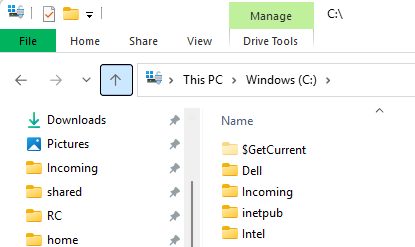
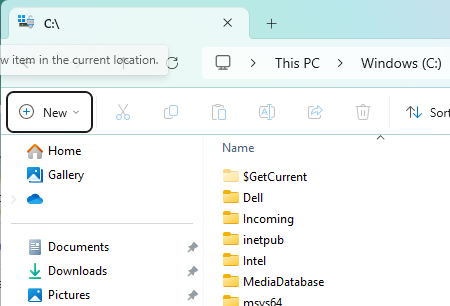
I see that #Microsoft intends to pre-load #Windows11 #FileExplorer.

I'm a little surprised this wasn't already the case, to be honest. Back in #Windows 95, all Explorer windows ran in the same process as the taskbar, so it was always pre-loaded.

When did that change? NT 4?

2025-11-28

> Build 26220.7271 ushers in a change whereby File Explorer is preloaded in the background when Windows 11 boots. This is an effort to try and fudge around the problematic delay that's often witnessed when you start File Explorer the first time after turning on your PC.

In an attempt to make the file explorer load faster, further inflates pricing...

msn.com/en-us/news/technology/

2025-11-25

Khám phá hệ thống tệp máy tính từ xa qua mạng LAN! 🚀 Một nhà phát triển đã tạo ứng dụng cho phép truy cập mọi thư mục trên desktop ngay trên điện thoại. Bảo mật với mật khẩu và chỉ hoạt động nội bộ. #SideProject #Tech #AppDev #Programming #FileExplorer #LAN #LocalNetwork #DựÁnPhụ #CôngNghệ #LậpTrình #KhámPháTệp

reddit.com/r/SideProject/comme

I saw an interesting article yesterday that said #Microsoft was finally admitting that some program of theirs was so bloated and #slow to start that it was harming the user experience, so they were considering pre-loading it at boot (or #login) time so #users wouldn't see the huge delay when they went to open it.

(Of course, that would slow down booting or login...)

But that program is ... Windows File Explorer.

So let me get this straight - a glorified file picker and directory navigator is so #bloated and slow it can't start up instantly? And thousands of engineers can't figure out how to make it fast or efficient?

Maybe they should ask #CoPilot to speed it up.

#FileExplorer #WindowsFileExplorer #treacle

day_nday_n
2025-11-12

I recently started to work on 3DFM, a in . It's currently still in , still has bugs, and doesn't do much, but I wanted to share it.
It's made in ++ with , released under the , and available pre-compiled for , and
Features :
- Open and navigate your as 3d cubes
- Show or hide your hidden files
- Color is set by the file type (dir, regular, symlink, etc...)
-> github.com/DayNiz/3DFM

A screenshot of 3dfm.
We can see 5 cubes: 1 blue (a file), 2 pink (dir), 1 dark blue (symlink) and 1 red at the back (the parent dir). They're on an orange plane, with a white background. The name of the current dir is written in the top center.
2025-09-22

Giới thiệu plugin mở rộng Windows File Explorer – một dự án mã nguồn mở giúp tổ chức và thao tác với thư mục nhanh hơn. Được chia sẻ trên GitHub, plugin này cung cấp menu tùy chỉnh cho phép sắp xếp, chuyển, sao chép file ngay trong Explorer mà không cần cài đặt phần mềm khác. Thích hợp cho lập trình viên và người dùng mong muốn tối ưu hóa công việc quản lý tệp.

#Windows #FileExplorer #OpenSource #Developer #MãNghệTrình #TrìnhBộTệp #VietNam

reddit.com/r/SideProject/comme

2025-09-04

#Windows #FileExplorer licks the sweat off a dead camel's balls.

Jeasus this UI is written by ... no, kindergartners would do better.

#NukeRedmond #WindowsSucks #RibbonIsMentalIllness

2025-07-23

So Leute, wer von euch kann es besser als #ChatGPT ? 🙃😉

#ChatGPTdown #Ubuntu #Debian #Nautilus #Windows #fileexplorer #Dropdown_Menü

!B

Fehlgeschlagene Fragestellung an ChatGPT:

Kann ich unter Ubuntus (+ggf Debian) Nautilus Dateiexplorer wie unter Windows bekannt den Rechtsklick-Reiter Neu..> z. B. neues Textdokument, etc.] einbauen lassen?
PypeBrosPypeBros
2025-05-30

"To open the old File Explorer, all you have to do is go to your PC’s Control Panel and then switch to System and Security. There, select Windows Tools, which will automatically display the Windows File Explorer interface."

recognised it while checking the installation, then wouldn't find it again...
I hated the previous less because it saves more vertical space on my screen ^^"

explorer.exe, when used from "Windows tools"explorer.exe, default display
2025-04-04

Okay, i was annoyed again, so I did a thing:
Windows doesn't previews .svg files by default in the windows explorer.
I needed some svg files for the AutoSizeText project github.com/SpielmannSpiel/Auto to create a new icon for it.

So I made an image viewer in @godotengine ^^"
Is anyone interested in such a thing? maybe even as a tool in #PEBI?
I think open sourcing this might also be a good idea.

#godot #gamedev #indiedev #tool #windows #fileExplorer #svg

**TL;DR:** Screenshot shows a Windows file explorer and the Godot engine's debug image browser with SVG icons loaded from the Godot editor.

**Extracted text:**
- File list (left side):
  - FileDeadBigThumb.svg
  - FileDeadMediumThumb.svg
  - FileDialog.svg
  - FileList.svg
  - FileMediumThumb.svg
  - FilenameFilter.svg
  - Filesystem.svg
  - FileThumbnail.svg
  - FileTree.svg
  - FixedSize.svg
etc....

- Image Browser window (right side):
  - Path: `K:\gamedev\godot\engine\godot\editor\icons`
  - Icons: FPS, joystick base, red asterisk/star, speaker, ear, stylized camera, particles, and a circular half-yellow design.
  - Files shown: GeometryInstance3D.svg, Gizmo3DSamplePlayer.svg, GizmoAudioListener3D.svg, GizmoCamera3D.svg, GizmoCPUParticles3D.svg, GizmoDecal.svg
  - Image count: 952

**Description for a blind person:**
A screenshot displays two windows. On the left, a Windows file explorer is open to a folder containing many `.svg` files for Godot icons, all timestamped April 4, 2025. On the right, the Godot engine’s debug image browser shows previews of various colorful icons like FPS text, joystick shapes, a speaker, an ear, and abstract graphics. The folder path indicates it's part of Godot’s editor assets.
2025-03-17

How to Remove "Your searches might be slow because the index is not running. Click to turn on the index." message banner when searching in #FileExplorer in #Windows11 and #Windows10
elevenforum.com/t/remove-your-

Saji Weerasinghamsajilicious@hachyderm.io
2025-02-21

If you’re a Windows user and wished File Explorer could do more, then check these out #windows #fileexplorer

youtu.be/uDUQrC5YxT0?si=A8wzTh

Client Info

Server: https://mastodon.social
Version: 2025.07
Repository: https://github.com/cyevgeniy/lmst