Opinion: The Hidden Cost of Convenience: Data Collection as Corporate Theft
5,986 words, 32 minutes read time.
Warning: What follows is my unfiltered opinion and a full-on rant about how modern computers have stopped being tools and started being watchers.
Remember the days when your computer actually did what you told it to do, no questions asked? You clicked, it opened. You typed, it typed. You dragged a file from point A to point B, and it landed exactly where you wanted it to go. Simple. Clean. Efficient. That’s how a PC was supposed to feel. There was a rhythm to it, a flow that made you feel like you were in charge. You weren’t just interacting with a machine; you were commanding it. Every action had an immediate response, every click and keystroke felt like it mattered. It was satisfying in a way that’s hard to explain unless you’ve spent hours mastering a system and seeing it respond perfectly to your intent. That kind of control isn’t just functional—it’s empowering.
Then the shift happened. Somewhere along the way, operating systems started trying to be smarter than the people using them. The computer no longer waited for your instructions; it began predicting your every move. Open a file, and the system might rearrange your workspace without asking. Type a sentence, and predictive text jumps in with words you didn’t intend. Move a folder, and it’s nudged into a suggested location you never picked. It’s as if the computer developed a personality—a know-it-all roommate who insists on tidying your desk while you’re still working, rearranging everything just to “help.” The promise of intelligence and assistance quickly turns into interference. Instead of being a tool, the system begins to feel like an opponent, constantly second-guessing you.
The frustrating part is that this predictive behavior isn’t easy to turn off. Even when you think you’ve disabled it, updates often reset your preferences. Features creep back into your workflow like a digital cockroach that refuses to die. That muscle memory you spent years honing—the ability to zip through tasks, organize files quickly, and execute complex workflows—is constantly being undermined. What used to take seconds now takes minutes, not because of your skill, but because the system keeps nudging, suggesting, and redirecting. Simple, everyday tasks become a negotiation with your machine. You’re no longer commanding it; you’re managing it, trying to keep it from overstepping. And this isn’t a minor inconvenience—it’s a fundamental shift in the relationship between user and computer.
And here’s the part that really stings: while all this interference is happening, the system is watching. Every click, every folder you open, every action you take is logged. The official story is always about improvement—analytics, AI training, better suggestions—but let’s be honest: it’s a massive, ongoing collection of your habits, cataloged for profit. Predictive features aren’t just about convenience; they are a layer over your workflow designed to feed a machine that monetizes behavior. Imagine staring at a massive screen where most of what you see is advertisements or suggestions built from everything you do. Your actions, your choices, your attention become a resource someone else is harvesting. It’s unsettling because it’s invisible, insidious, and relentless.
For power users—guys who have spent decades bending systems to their will—this is infuriating. Those who rely on efficiency, speed, and precision are constantly fighting against the tools that are supposed to serve them. Every predictive suggestion, every rearranged window, every nudge intended to “help” becomes an obstacle. You spend more time correcting the system than actually getting work done. The very features pitched as time-saving conveniences turn into time-sucking frustrations. What we’re left with is a computer that watches, predicts, and interferes, reminding us at every turn that control is no longer in our hands.
And it isn’t just a nuisance—it’s a broader shift in how computing works. Machines that once acted purely on commands are now actively learning from you, monitoring your behavior, and profiling your habits. What was once private—your workflow, your habits, even your mistakes—is now a commodity. Predictive features are not neutral tools; they’re instruments that feed back into an invisible system that profits from the minutiae of your daily work. They promise efficiency, but the cost is autonomy. They promise help, but the result is interference. The more these systems try to anticipate you, the less you feel in control. The irony is brutal: the features designed to make life easier are the ones that make it harder, constantly reminding you that the machine is now watching, judging, and monetizing everything you do.
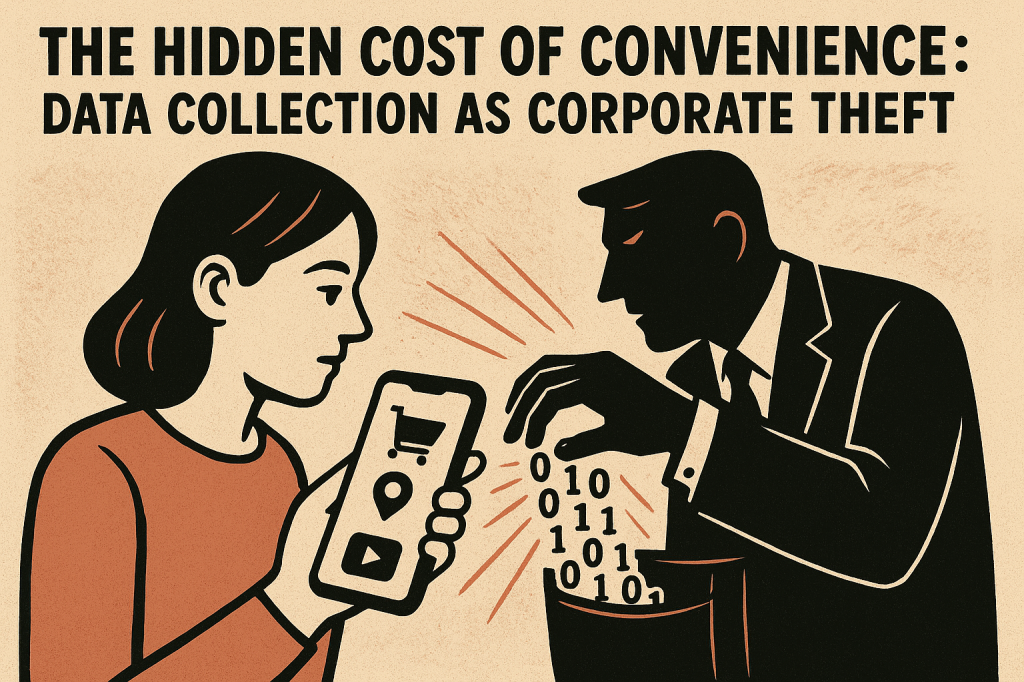
In my opinion, this isn’t just frustrating—it’s a theft of something fundamentally yours. Your time, your habits, your choices, the very patterns that define how you work and think—they’re being harvested for profit. It’s no different than someone walking into your office, rifling through your work, and selling it without permission. And you can’t even confront the thief. It’s built into the system. It’s silent, invisible, and persistent. And while some might call it innovation, I call it a raw invasion of the one thing a user should always own: control over their own machine.
The net effect is a shift from mastery to micromanagement. The more predictive and “helpful” these systems become, the more the user is forced to monitor, correct, and override. It’s exhausting. And it’s not something that happens in the background unnoticed; it’s felt in every workflow, every file transfer, every sentence typed. The rhythm, the flow, the control that once made using a computer satisfying has been replaced by constant vigilance and adjustment. And that, in my experience and opinion, is the defining characteristic of modern computing: efficiency sacrificed at the altar of prediction, all while someone else profits quietly from every keystroke and click.
The Rise of Predictive Features
The rise of predictive features in modern operating systems is being sold as a boon to convenience and productivity. These features are marketed as tools designed to “learn from you” and “enhance your experience,” promising to anticipate your every move so that the computer can work alongside you. On paper, it sounds great: the system watches what you do, notices patterns, and offers suggestions, tips, or shortcuts that theoretically save time. But the reality is far more complicated—and, in many ways, infuriating.
For those of us who have spent years mastering our workflows, these predictive features often feel less like helpful assistants and more like overbearing, judgmental supervisors. Instead of speeding things up, they frequently disrupt carefully established processes. Automatic organization features, for example, aim to arrange windows or applications in a way the system believes is “optimal.” But what’s optimal for a machine is rarely optimal for a human. Open multiple apps for multitasking, and the system might decide to rearrange them on its own, forcing you to pause, assess, and put everything back the way you originally intended. It’s the digital equivalent of someone rifling through your desk while you’re trying to get work done, insisting they know better than you do.
Predictive text behaves similarly. The system suggests words or phrases based on prior behavior, but it often misreads context, assumes intent, or inserts something completely irrelevant. This is not just a minor nuisance; it’s a constant interruption that slows productivity. What should be a seamless flow of thought is repeatedly broken as you correct its mistakes, delete its assumptions, and spend time undoing what it tried to “help” with. Instead of being a tool that adapts to you, the machine starts to feel like it’s fighting against you, constantly second-guessing every decision and forcing you to override its suggestions.
And then there’s the underlying reality that powers these features: data collection. To predict behavior effectively, the system needs to watch everything you do—what apps you open, what files you access, how long you linger on certain tasks, the words you type, and even the way you move your mouse. It’s sold under the guise of “improvement” and “personalization,” but make no mistake: your digital habits are being cataloged, analyzed, and used to refine algorithms. Even if settings exist to limit this tracking, they are often buried, confusing, or partially ineffective. Updates can reset preferences, and the machine keeps learning from your behavior regardless of your intent.
The consequences of this constant observation go beyond mere annoyance. Data collected from these predictive features can be used not only to refine the operating system but also to feed third-party advertisers or external analytics systems. Every interaction becomes a data point, a piece of intelligence that is monetized without you ever seeing a dime. Privacy, once taken for granted on a personal computer, becomes a constantly shifting illusion. Users are left wondering: how much of their personal life, their habits, their workflows, are being recorded and potentially sold? How much of the machine’s “helpfulness” is actually a smokescreen for profit?
For power users—people who have relied on computers as precise, responsive tools for decades—this is particularly aggravating. Predictive features, marketed as efficiency enhancers, frequently introduce friction into daily routines. Time that used to be spent executing tasks is now spent correcting, overriding, and managing the machine’s assumptions. The system becomes less a partner and more a taskmaster, forcing you to constantly negotiate with it rather than rely on it to do what you tell it to do. The promise of convenience and personalized assistance quickly becomes a series of small, frustrating interruptions, undermining the very efficiency it was supposed to deliver.
And let’s not overlook the psychological impact. There’s a subtle erosion of control that comes from having a machine that’s always “watching” and “predicting.” Muscle memory, workflow habits, and the instinctive handling of tasks are all disrupted by a system that believes it knows better than you. What should be an empowering tool becomes a source of stress and distraction. You’re no longer just using the computer—you’re constantly negotiating with it, making sure it doesn’t overstep its invisible boundaries. It’s an exhausting shift in the relationship between human and machine.
In the end, these predictive features—while often presented as helpful and modern—frequently prioritize the system’s perceived intelligence over actual user needs. They give the illusion of personalization and efficiency while subtly undermining autonomy, creating friction, and feeding data-harvesting mechanisms. For those of us who value control, privacy, and workflow integrity, the trade-off is clear: the conveniences promised are often outweighed by the frustration, intrusion, and constant need to manage a system that is supposed to serve us, not monitor and second-guess us.
The Illusion of Control
One of the most frustrating aspects of modern predictive features is the illusion of control they throw at you. Operating systems love to present a comforting message: “you can turn this off in Settings,” as if that somehow makes everything okay. But in practice, it’s rarely that simple. The controls are often buried deep within nested menus, hidden behind vague or ever-changing labels, shifting after every update. Even when you finally track down the right switch, flip it, and feel a sense of relief, the system can quietly re-enable the feature later without notice. It’s as if your computer has developed a stubborn personality, convinced it knows better than you ever could.
This isn’t just inconvenient—it’s a relentless erosion of control. Instead of spending your time getting work done, you find yourself constantly managing the machine itself. Muscle memory, the thing that allows you to navigate tasks quickly and efficiently, is undermined. Workflows you’ve built over years—shortcuts, folder structures, application arrangements—are no longer reliable. Drag one window to the side, and the system shoves everything else around. Move a file, and the OS recommends a folder you’d never choose. Type a sentence, and predictive text fills in words you didn’t intend. The machine isn’t assisting you—it’s interfering, constantly second-guessing, and forcing you to react instead of act.
And the mental toll is real. There’s a persistent, nagging frustration that builds with every unsolicited suggestion, every automatic adjustment, every pop-up recommendation. Instead of amplifying productivity, the system becomes a nagging coworker, one that quietly undermines your authority over your own workflow. Each minor interruption may seem trivial, but over the course of a day, week, or month, they accumulate into a steady, invisible drain on focus and efficiency. The more these predictive features attempt to “help,” the less capable you feel, because control has been ceded to algorithms that can’t understand context or nuance.
It’s particularly infuriating for people who have spent years mastering their computing environments. Computers used to empower users, allowing them to mold workflows and systems around their own logic and thinking. That freedom—the ability to bend the machine to your will—has been quietly chipped away. Predictive features may claim to anticipate your needs, but in practice, they impose their own priorities, decisions, and assumptions on you. What was once an intelligent tool has become a system that assumes knowledge it doesn’t have, overriding human intent with algorithmic guesses.
Worse still, these features are unpredictable. Sometimes they function smoothly, blending into your workflow almost unnoticed. Other times, they strike at the most inopportune moments, breaking your concentration, rearranging windows mid-task, or inserting unwanted text at critical points. The inconsistency itself is maddening, leaving you questioning whether the convenience promised is ever truly worth it. Over time, the experience can feel like a slow lesson in obedience: the user is trained to accommodate the machine, rather than the machine being designed to serve the user. Productivity is no longer about skill or speed; it’s about constant correction, constant negotiation, and a creeping sense that the system is in charge.
At its core, this is more than a minor annoyance—it’s a philosophical shift in how humans interact with technology. Machines were once tools, extensions of our intentions, built to respond to commands efficiently and reliably. Predictive features have turned them into something else entirely: observers, analyzers, and influencers that act independently of the user’s desires. The illusion of assistance masks an erosion of autonomy. Every action you take is not just observed but analyzed, cataloged, and used to feed systems that often prioritize engagement, data collection, or monetization over your workflow or well-being.
In my opinion, this is a betrayal of what made computing empowering in the first place. The control we once had—the ability to shape and manipulate a system to match our own thought patterns—has been quietly surrendered to predictive algorithms. Convenience has become a trap; efficiency is sacrificed for the sake of anticipation. What we’re left with is a machine that watches, predicts, and interferes, reminding us at every step that control is no longer ours. And while some may shrug and call it innovation, for those who rely on precision, speed, and mastery, it’s a slow, infuriating erosion of everything that made the personal computer a powerful tool.
The Data Collection Dilemma
Behind the scenes, all of these predictive features rely on one simple thing: data. Your data. Every click, every keystroke, every file you open, move, or delete, every tiny decision you make on your machine is being observed and recorded. Operating systems like to dress it up in corporate-speak, claiming that the data is “anonymized” or “used to improve user experience.” On paper, that sounds reasonable—harmless even. In reality, it’s a constant, invisible mechanism quietly building a profile of who you are, what you do, and how you work.
Even when you take the time to dig into privacy settings and flip every switch, disable every option, the system still collects information. It’s like trying to bail water out of a sinking ship with a thimble. Some of that data is fed back into predictive algorithms, so the machine can anticipate your next move with ever greater precision. The rest? It fuels the attention economy. Advertisers, analytics companies, and other unseen entities can take advantage of that stream of behavioral data, turning your habits, preferences, and workflow into a commodity. What was once private, intimate, or simply functional is transformed into something profitable—and you didn’t sign up for that.
Most users don’t even realize the extent of this surveillance. On the surface, everything looks normal: apps open, windows arrange, text is suggested. But behind every action lies a record, cataloged for future reference. You start to wonder: how much of my day-to-day computing is being logged? How much of my work, creativity, or private decision-making is silently documented and analyzed? When the system defaults to watching everything, consent becomes a meaningless word. It’s one thing to agree to an optional service; it’s another to have your personal behavior mined and monetized without a clear choice. That relentless observation feels intrusive. For those of us who have been using computers for decades, it feels Orwellian.
And the implications go beyond privacy—they strike at control. Predictive features are fueled by a constant stream of behavioral data, and every suggestion, rearrangement, or “helpful” nudge is proof that the machine is learning you, rather than the other way around. The system no longer simply reacts to your commands; it anticipates, interprets, and often interferes. Every keystroke, every drag-and-drop, every file you interact with is not just being executed—it’s being watched, analyzed, and remembered. Your workflow, once yours alone, becomes part of a larger digital apparatus that feeds predictive behavior and commercial interests. The convenience promised is surface-level only. Beneath it lies a network of observation that most users never signed up for and barely understand.
For power users, this is infuriating. What used to be a direct, unbroken flow of work is now punctuated by interruptions, suggestions, and automated corrections informed by an invisible observer. Every predictive feature, no matter how “helpful,” is ultimately powered by a machine learning about you constantly, cataloging your routines, and using them for purposes that may never align with your intent. It’s not just annoying—it’s a fundamental shift in the relationship between humans and machines. The very tools designed to serve us are quietly learning from us, profiting from us, and, in some ways, controlling how we work.
This is more than just a personal gripe—it’s a broader concern about the direction of computing as a whole. Predictive systems, by design, thrive on data collection. They can never truly enhance productivity without knowing what the user does, and that knowledge comes at a cost. Every habit, every preference, every workflow pattern becomes fodder for algorithms that are opaque, persistent, and ultimately beyond your control. The promises of efficiency and convenience are always framed as user-focused benefits, but in practice, they often serve the system—and its commercial interests—more than the human operating it.
In my opinion, this isn’t just an issue of annoyance or minor inefficiency—it’s a theft of a valuable resource. Your behavior, your decisions, your routines, and your workflow are being harvested in real time. They are being observed, cataloged, and monetized without your explicit, informed consent. What was once private and personal has been transformed into a data stream that someone else profits from. And because these features are baked into the very software we rely on, the average user doesn’t even know how much of their life is being mined or how to stop it.
At the end of the day, predictive features only appear convenient on the surface. In reality, they are a constant reminder that the machine is learning you, shaping its behavior around your habits, and profiting from it. What should be an empowering tool has become a monitoring mechanism, a silent overseer that knows more about your workflows than you may even realize. And until users are given real control—true opt-in consent and the ability to limit observation—these systems will continue to erode both autonomy and privacy, no matter how “helpful” they pretend to be.
The “Idiocracy” Analogy
To really drive home what’s happening, picture that scene from Idiocracy—the one where the protagonist is staring at a massive TV, and 80 percent of the screen is plastered with ads, all tailored specifically for him. That’s the computing experience most of us are dealing with today. Modern operating systems have evolved from neutral tools into subtle, relentless engines for profiling and monetization. Predictive features—those little nudges, suggestions, and automated adjustments—aren’t just designed for convenience. They’re designed to collect data, build detailed profiles of behavior, and turn users into commodities without most people ever realizing it.
At first, it’s almost imperceptible. Little suggestions here, recommended apps there, folders “helpfully” moved around your workspace. It doesn’t seem like a big deal—maybe even helpful. But over time, it accumulates. Every predictive move, every automatic recommendation, every tiny adjustment feeds into a machine that’s learning you, cataloging your preferences, and turning your behavior into profit. The more the system anticipates your actions, the more data it collects. Eventually, it’s not just tracking clicks and keystrokes; it’s building a map of your workflow, your habits, your productivity patterns, and your choices. The person behind the screen has become a product, and the operating system is the delivery mechanism.
For those of us who have spent years mastering our machines, customizing workflows, and building muscle memory, this is infuriating. The tools we used to bend to our will—organizing windows, arranging files, executing tasks efficiently—are now constantly being nudged, rearranged, and second-guessed by algorithms that don’t understand context. It’s as if someone has climbed into your head and started monetizing your thought process without asking. Convenience is no longer a feature; it’s a veneer masking constant monitoring. Productivity tools have become surveillance tools, quietly feeding invisible marketplaces with information that should belong to us.
The creepiness of it is hard to overstate. Watching someone’s behavior to sell ads isn’t a neutral act; it’s invasive. It’s a violation of privacy under the guise of helpfulness. Each predictive suggestion, every auto-corrected action, every nudge designed to “assist” is a reminder that the system is not your partner—it’s your observer. And the more subtle these features are, the more insidious they become. Users don’t notice the erosion of control until it’s already deep into their daily routines. By the time you realize what’s happening, it’s not just your workflow that’s being shaped; it’s your behavior itself.
And here’s the real irony: the very system that’s supposed to make life easier is actively making it harder. Predictive features promise speed, efficiency, and convenience, but all they deliver is a machine that anticipates your actions, watches your habits, and feeds an invisible profit engine. You’re no longer just a user—you’re a dataset. Your workflow, your private decisions, your productivity patterns, all become raw material for a system that prioritizes its own metrics over your autonomy. What was once empowering is now controlling. What was supposed to save time now costs it in the form of constant correction, oversight, and frustration.
In my opinion, this is more than just annoying—it’s a violation of trust. The people behind these systems aren’t just offering tools; they’re quietly harvesting a fundamental part of who you are: how you work, how you think, and how you behave. That resource—your own behavior—is being used to generate profit without your consent. It’s no different than someone walking into your office, rifling through your work, and selling it while you’re distracted. The machine doesn’t ask; it doesn’t inform; it just takes. And for anyone who values control, privacy, and autonomy, it’s a constant battle to reclaim the space that was once yours by right.
The bottom line is brutal but clear: the more predictive and “helpful” modern systems become, the less control the user has. Convenience is a veneer, productivity is an illusion, and privacy is effectively gone. What we’re left with is a machine that watches, anticipates, and monetizes, all under the guise of assistance. The technology hasn’t failed—it’s working exactly as designed. And that, in my opinion, is why the modern computing experience feels less like empowerment and more like a slow, creeping erosion of control, privacy, and freedom.
User Reactions and Feedback
The reaction from the user community? Let’s just say it’s not pretty. Sure, some people genuinely appreciate the convenience promised by predictive features. A suggestion here, a recommended folder there, maybe even an automatic adjustment or shortcut that seems to save a few clicks—it can feel helpful in small doses. But for the rest of us—power users, professionals, anyone who relies on speed, precision, and control—the trade-off is infuriating. Head to forums, social media, tech boards, and you’ll see the same complaints repeated again and again: unsolicited suggestions, automatic rearrangements, intrusive notifications, and a system that constantly tries to anticipate your every move, often incorrectly. What should be a simple, intuitive interface becomes an unpredictable, meddlesome presence.
It’s not just inconvenient—it’s actively disrespectful. Users report that after updates, predictive features often re-enable themselves, undoing deliberate changes you made in the privacy or personalization settings. Suggested actions, rearranged layouts, predictive text, and recommended folders appear without warning or consent. The message is clear: your decisions, your preferences, your careful customization, are secondary to the machine’s assumptions. It’s as if the system is asserting itself as the primary decision-maker, leaving you scrambling to reclaim control of a workspace you thought was yours. For anyone who’s spent years perfecting workflows, building shortcuts, and honing habits, this isn’t merely frustrating—it’s insulting.
The problem is compounded by the invisible layer of data collection that fuels these features. Every click, every open folder, every typed word contributes to a detailed profile that predictive systems rely on. Users are understandably wary: if the machine is constantly monitoring behavior to “anticipate needs,” how much of their personal and professional activity is being logged? How much of it is potentially being shared with outside parties for advertising, analytics, or other commercial purposes? These questions don’t have easy answers, and the lack of transparency only fuels suspicion. What should be a private interaction between a human and a tool becomes a series of micro-surveillances feeding an opaque system with its own priorities.
For those of us who have been using computers for decades, the impact is stark. Predictive features, in theory, are designed to make life easier. In practice, they do the opposite: they demand attention, require correction, and force users to work around the very system that’s supposed to help. Simple tasks take longer because every action may trigger an unrequested suggestion or adjustment. Muscle memory and workflow efficiency—the hallmarks of seasoned users—are disrupted, forcing us to constantly check, undo, or override the system’s interventions. Productivity becomes less about doing the work and more about managing the tool itself.
Ultimately, this is a matter of priorities. The predictive system, while dressed up as convenience, clearly values its own operational logic—and the commercial benefits that come from behavioral data—over the autonomy and privacy of the user. The interface is no longer neutral; it’s a participant, one that can be meddlesome, overbearing, and profit-driven. For anyone who values control, efficiency, and privacy, the experience can feel like a betrayal. The tools we rely on to amplify our abilities instead impose themselves on our work, forcing a constant negotiation where the human should be in command.
At its worst, predictive systems resemble a passive-aggressive coworker. They offer “help” while undermining your decisions, they observe silently while profiting from your habits, and they prioritize algorithmic assumptions over human intent. The more these features promise to make life easier, the more they erode autonomy and control. Convenience, in this context, is a veneer over a machine that constantly reminds you that it’s watching, it’s judging, and it’s operating with a logic all its own. What should be an empowering tool feels like an adversary, and for anyone who has invested years into mastering their workflow, that’s an experience that’s infuriating, exhausting, and, frankly, unacceptable.
Striking a Balance
So, what’s the fix here? How can modern operating systems keep predictive features without turning your computer into a constant surveillance machine? The answer isn’t flashy tech or clever marketing—it’s honesty, respect for users, and a recognition that autonomy isn’t negotiable. Users shouldn’t have to fight the very tools they rely on every day.
First, the industry needs to stop sugarcoating data collection. Everywhere you look, companies talk about “anonymized data” or “enhancing the user experience” as if those phrases absolve them of responsibility. Let’s call it what it really is: every click, keystroke, and workflow decision is being watched, logged, and analyzed. The system knows more about your habits than most people in your life, and that knowledge is being used to fuel algorithms, drive predictive features, and, often, generate profit. Privacy settings should be straightforward, transparent, and genuinely effective—not hidden three menus deep, constantly shifting with every update, and half-baked at best. Users should know exactly what is being collected, how it’s being used, and who gets access to it. Anything less is deception, pure and simple.
Next, predictive features themselves need to be under the user’s control. Not a vague toggle that barely works. Not settings that reset without warning after an update. Users must have granular control over what features are active, how aggressive they are, and when they’re applied. Want predictive text but despise automatic window snapping? That should be your choice. Want a few recommended folders but don’t want the system rearranging your workflow behind your back? Fine—decide that yourself. The machine shouldn’t dictate behavior under the guise of assistance; it should obey the person who owns it. Anything less is an insult to anyone who’s spent years mastering their workflow and muscle memory, turning a tool that used to amplify skill into one that constantly undermines it.
And this isn’t just about tech companies “being nice.” It’s about law catching up with reality. Consumers should have real, enforceable rights over their data. Opt-in should be the default, with no pre-checked boxes, no confusing language, no dark patterns designed to trick users into surrendering privacy. We’ve seen how seriously regulators take forced consent: companies like Amazon were hit with massive legal action for tricking millions of users into unwanted subscriptions, and the courts didn’t let that slide. The message is clear—forcing consent or hiding data practices is illegal, unethical, and unacceptable. Modern systems that rely on predictive behavior and user tracking need to operate under the same scrutiny. Users should be able to say yes—or no—and know that their choice will be respected.
Here’s the brutal truth: just because predictive features are profitable doesn’t mean consumers should be left defenseless. Habits, workflows, and private decisions are valuable. Companies are effectively harvesting a resource that belongs to the user: who we are, what we do, and how we behave. In my opinion, this is no different than someone breaking into your office, taking your work, your designs, your intellectual property, and selling it for their own gain. That’s exactly what’s happening digitally every day. The system monitors behavior, creates predictive models, feeds algorithms, and generates profit—all while the person generating that data gets nothing. It’s theft in the guise of convenience.
Imagine if this dynamic shifted. If legislation gave users real control over their data, companies could even offer compensation for sharing it. Think of it like profit-sharing, but for your personal information. If a user consents to allow their habits, routines, or workflows to feed predictive algorithms, they could get a cut of the revenue generated from that data. AI systems trained on your behavior, recommendation engines, targeted advertisements—these are all monetizable. Why shouldn’t the person creating the raw material benefit from it? This would flip the power dynamic back to the user. Control, consent, and even financial incentive—all aligned.
The key takeaway is that predictive features and data collection can exist—but only if the user is in the driver’s seat. Default settings must prioritize privacy, consent must be explicit and opt-in, and users should have real authority over how their data is collected, used, and monetized. Until that happens, the very features marketed as “helpful” are just invasive interruptions, quietly eroding autonomy while padding corporate pockets. Productivity, efficiency, and privacy aren’t negotiable—they are the foundation of a healthy digital experience.
At the end of the day, technology should serve humans, not train them to obey machines or exploit them for profit. Predictive features can add value, but only when respect for the user is built into the system’s DNA. Anything less is a betrayal: convenience offered at the cost of control, efficiency traded for surveillance, and personal behavior sold without acknowledgment or reward. Until the industry and regulators address this imbalance, the modern computing experience will continue to feel less like empowerment and more like slow erosion of freedom, privacy, and the very autonomy that makes a tool worth using.
Conclusion
Modern operating systems promise efficiency with predictive features, but in my opinion, that’s mostly smoke and mirrors. These features aren’t primarily designed to make your life easier or your workflow smoother—they’re designed to make the corporation profit. Efficiency may happen as a side effect, but it’s never the main goal. Every suggestion, every predictive nudge, every “helpful” rearrangement is first and foremost about collecting data, building profiles, and ultimately turning your habits into revenue. Convenience is just the bait; profit is the hook. And while users might occasionally see a moment of actual efficiency, that’s incidental, not intentional. The system isn’t your partner—it’s a tool for monetizing you.
Let’s be clear: everything in this blog is my opinion. I’m calling it as I see it. And don’t think this is just a Microsoft problem—this is how the tech industry operates across the board. Apple, Google, Amazon, Meta—they all rely on harvesting user data to drive predictive features and boost profits. Modern operating systems just happen to be one of the most visible examples because of how deeply they integrate into our daily lives, right down to the way we click, type, and organize our work.
To me, this isn’t just about inconvenience—it’s about corporate theft and a breach of trust. Our data—our habits, workflows, and digital choices—are being taken and sold without fair compensation. It’s no different than a company walking into your office, grabbing your notes, your designs, your intellectual property, and monetizing them while you get nothing in return. That’s not innovation—that’s exploitation.
So, what’s the fix? How can these features exist without turning your computer into a monetization engine? It starts with honesty and control. Companies must stop hiding data collection behind legal jargon and vague promises of “user experience enhancements.” Privacy settings must be clear, default to maximum protection, and remain consistent after updates. Predictive features should be entirely opt-in, with granular controls so users can choose exactly what stays on and what stays off.
And here’s a radical thought: if companies profit from our data, we should share in that profit. If my behavior, clicks, and digital habits are valuable enough to fuel AI training, advertising, and corporate revenue streams, then I should have the right to decide how they’re used—and get compensated when they are. Think of it like profit-sharing, but for data. Only then would predictive technology feel like a fair trade rather than a one-sided deal.
Until that happens, these so-called “efficiency features” will remain what I believe they are—tools to make corporations money first, and users’ lives easier second, if at all.
D. Bryan King
Sources
Disclaimer:
The views and opinions expressed in this post are solely those of the author. The information provided is based on personal research, experience, and understanding of the subject matter at the time of writing. Readers should consult relevant experts or authorities for specific guidance related to their unique situations.
Related Posts
Rate this:
#AIAlgorithms #AmazonDataUse #anonymizedDataMyth #AppleDataPolicies #consumerDataRights #consumerRights #corporateExploitation #corporateGreed #corporateSurveillance #darkPatterns #dataCompensation #dataMonetization #dataOwnership #dataTransparency #digitalAutonomy #digitalFairness #digitalFreedom #digitalPrivacy #digitalTrust #efficiencyVsPrivacy #ethicalAI #forcedConsent #FTCLawsuits #GoogleTracking #intrusiveAds #modernOSFlaws_ #onlineSurveillance #operatingSystemPrivacy #opinionBlog #OSUpdates #OSUserExperience #personalDataTheft #predictiveFeatureProblems #predictiveFeatures #predictiveTechnologyFlaws #predictiveText #privacyBreach #privacyByDefault #privacySettings #profitOverPrivacy #profitSharingData #targetedAdvertising #techAccountability #techCompaniesProfit #techEthics #techExploitation #techIndustryTrust #techPrivacyDebate #techRegulation #userAutonomy #userChoice #userControl #userEmpowerment #userFrustration #userFrustrationStories #windowSnapping #WindowsPredictiveTools #workflowDisruption #workflowEfficiency